
1Password Agent Bridge
БесплатноНе проверенProvides MCP tools for AI agents to securely access approved 1Password logins via encrypted handles, resolving secrets locally through the 1Password CLI without

Описание
Provides MCP tools for AI agents to securely access approved 1Password logins via encrypted handles, resolving secrets locally through the 1Password CLI without exposing plaintext passwords.
README

1Password Agent MCP
Local MCP access to approved 1Password items for AI agents.
The agent can ask for an approved login, receive an encrypted opaque handle, and paste the password into the active app or browser. The model does not receive the plaintext password. The real secret is resolved locally through the 1Password CLI only at copy or paste time.
The repo does not contain any user's 1Password data. Each install connects to that user's own local 1Password CLI and local approval policy.
Not affiliated with or endorsed by 1Password.
Quick Start
Install 1Password Agent MCP from this public GitHub repo:
npm install -g https://github.com/gambadio/onepassword-agent-mcp/archive/refs/tags/v0.1.0.tar.gz
Check your local setup:
onepassword-agent-mcp doctor
Configure the MCP clients you already have installed:
onepassword-agent-mcp setup all --apply
Start the local approval console:
onepassword-agent-mcp admin
Open:
http://127.0.0.1:7319
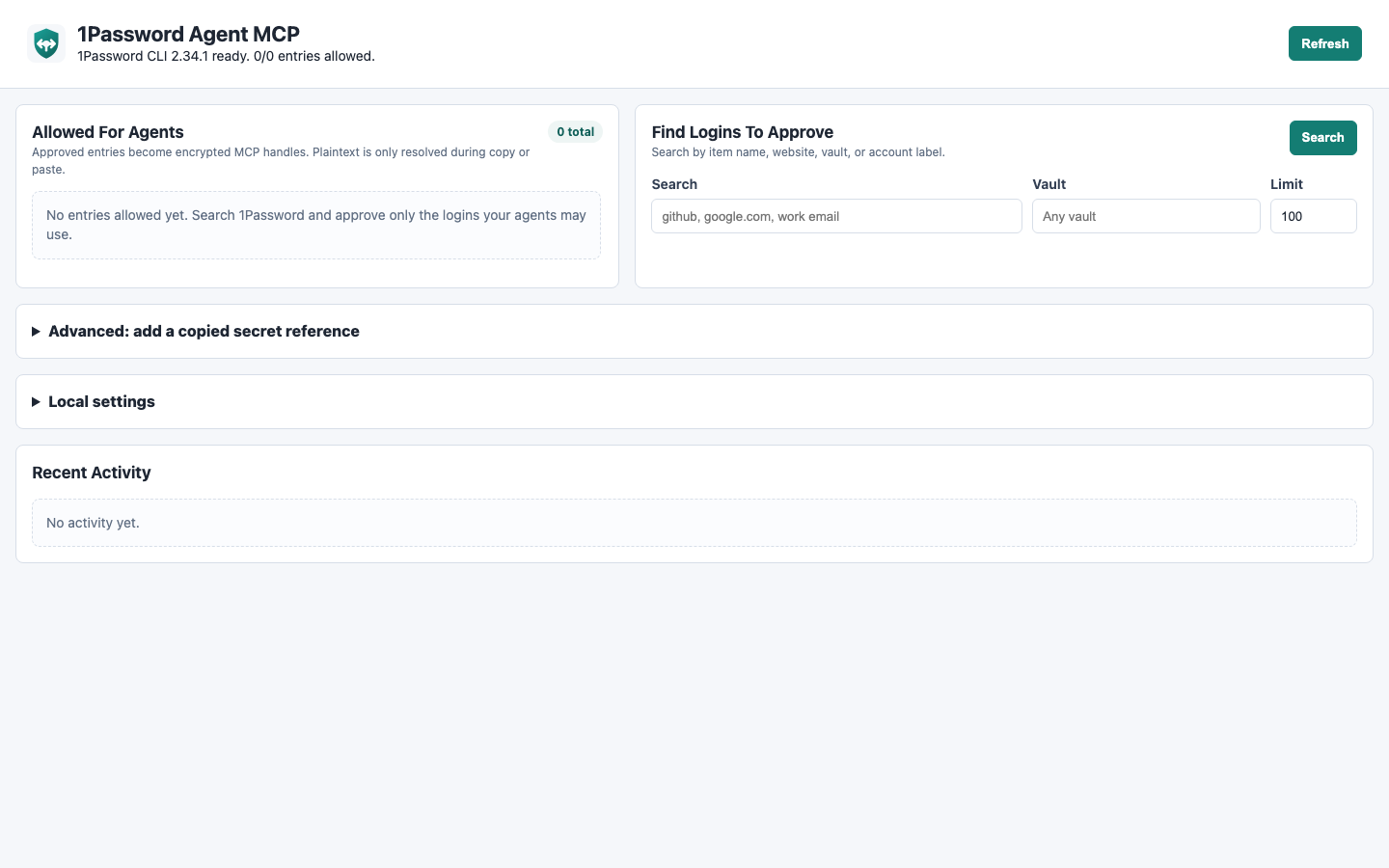
Search your 1Password items, approve only the entries your agents may use, and restrict each approval to the websites where it is allowed.
Requirements
- Node.js 20+
- 1Password CLI (
op) - 1Password desktop app integration, or an
OP_SERVICE_ACCOUNT_TOKEN - An MCP client that supports local stdio servers
macOS:
brew install node 1password-cli
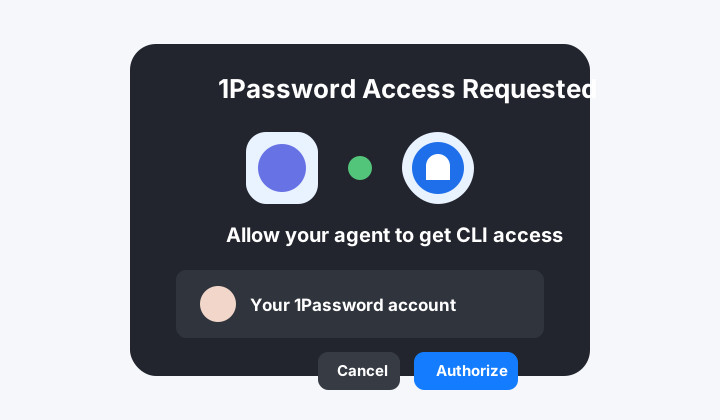
Enable the 1Password desktop integration:
- Open 1Password.
- Go to Settings > Developer.
- Turn on Integrate with 1Password CLI.
- When your agent or terminal asks for access, approve only clients you trust.
What Gets Installed
The package installs one main command:
onepassword-agent-mcp
Useful subcommands:
onepassword-agent-mcp admin        # start the local approval console
onepassword-agent-mcp mcp          # start the stdio MCP server
onepassword-agent-mcp doctor       # check Node, op, auth, state, and admin UI
onepassword-agent-mcp setup all    # print client setup commands
onepassword-agent-mcp setup all --apply
MCP clients should run this server command:
onepassword-agent-mcp mcp
You normally do not run mcp yourself. Claude Code, Codex, Copilot, or another MCP client starts it when needed.
Client Setup
The setup CLI prints a dry run by default:
onepassword-agent-mcp setup all
Apply the setup automatically where a supported CLI is installed:
onepassword-agent-mcp setup all --apply
Claude Code
onepassword-agent-mcp setup claude-code --apply
Equivalent command:
claude mcp add --scope user onepassword-agent-mcp -- onepassword-agent-mcp mcp
Use another Claude Code scope when you want project-local config instead:
onepassword-agent-mcp setup claude-code --apply --scope local
Codex
onepassword-agent-mcp setup codex --apply
Equivalent command:
codex mcp add onepassword-agent-mcp -- onepassword-agent-mcp mcp
GitHub Copilot In VS Code
onepassword-agent-mcp setup copilot --apply
Equivalent VS Code command:
code --add-mcp '{"name":"onepassword-agent-mcp","command":"onepassword-agent-mcp","args":["mcp"]}'
If the code command is not in your PATH, create .vscode/mcp.json in your workspace:
{
  "servers": {
    "onepassword-agent-mcp": {
      "type": "stdio",
      "command": "onepassword-agent-mcp",
      "args": ["mcp"]
    }
  }
}
Other MCP Clients
Print generic MCP JSON:
onepassword-agent-mcp setup generic --json
Generic config:
{
  "mcpServers": {
    "onepassword-agent-mcp": {
      "command": "onepassword-agent-mcp",
      "args": ["mcp"]
    }
  }
}
Approving Logins
- Run
onepassword-agent-mcp admin. - Open
http://127.0.0.1:7319. - Use Find Logins To Approve.
- Search by title, website, vault, or account label.
- Click Approve only for entries your agents may use.
- Keep or edit the allowed sites before approval.
Approved entries appear under Allowed For Agents. Agents only receive handles for enabled approvals, and allowed-site checks run again at copy and paste time.
What Is "Advanced: add a copied secret reference"?
Most users should ignore it.
Use it only when the importer cannot infer the right field, for example a custom token or non-standard field. In 1Password, copy a secret reference such as:
op://ExampleVault/ExampleLogin/password
Paste that reference into the advanced form. The local policy stores the reference encrypted. It still does not store the actual password.
What Are "Local Settings"?
Usually you can leave these alone.
1Password CLI path: where theopbinary lives. Default:op.Account: optional 1Password account selector.Default vault: optional vault to search first.Clipboard clear seconds: how quickly copied secrets are cleared.Allow paste without expected site: off by default. Keep it off unless you know why you need it.
How Agents Use It
flowchart LR
  User["You approve a login"] --> Policy["Local allow list"]
  Agent["MCP agent"] --> Lookup["find_passwords_for_site"]
  Lookup --> Handle["Encrypted handle"]
  Handle --> Paste["copy_password or paste_password"]
  Paste --> Op["1Password CLI resolves secret locally"]
  Op --> App["Clipboard or active app"]
The model may see a handle like:
opmcp:v1:...
It should not see:
your-real-password
Available MCP tools:
onepassword_status: check CLI and local policy status.find_passwords_for_site: return approved encrypted handles for a website.list_approved_passwords: list approved handles and allowed sites.copy_password: resolve a handle and copy the password to the clipboard.paste_password: resolve a handle, copy it, paste into the active app, and return no plaintext.clear_password_clipboard: clear the clipboard.admin_ui_info: return the approval console URL.
Local State
Default state location:
~/.onepassword-mcp/policy.json
~/.onepassword-mcp/key.bin
Use a different state directory:
ONEPASSWORD_MCP_HOME=/path/to/state onepassword-agent-mcp admin
Headless service-account example:
{
  "mcpServers": {
    "onepassword-agent-mcp": {
      "command": "onepassword-agent-mcp",
      "args": ["mcp"],
      "env": {
        "OP_SERVICE_ACCOUNT_TOKEN": "ops_..."
      }
    }
  }
}
Do not commit service account tokens.
Security Model
Protected:
- Passwords are not stored by this project.
- MCP tools never return plaintext passwords.
- Handles and stored 1Password secret references are encrypted locally.
- Disabled or deleted approvals invalidate old handles.
- Allowed-site checks happen again at copy and paste time.
Still sensitive:
- The OS clipboard briefly contains the plaintext password.
- The active app receives the password when paste is triggered.
- A local process with clipboard access may observe copied secrets.
- Any approved agent can use approved entries within the allowed-site policy.
Read docs/SECURITY.md before using this with powerful browser-control agents.
Troubleshooting
Run:
onepassword-agent-mcp doctor
Common fixes:
opmissing: install the 1Password CLI.- 1Password auth failure: enable desktop CLI integration or set
OP_SERVICE_ACCOUNT_TOKEN. - Copilot setup cannot find
code: install the VS Code shell command or use.vscode/mcp.json. - Existing MCP entry conflicts: remove the old entry in that client, then run setup again.
- Admin UI not running: run
onepassword-agent-mcp admin.
Development
Clone the repo:
git clone https://github.com/gambadio/onepassword-agent-mcp.git
cd onepassword-agent-mcp
npm install
Run checks:
npm run build
npm run typecheck
npm test
Run locally:
npm run dev:admin
npm run dev:mcp
License
MIT
Установка 1Password Agent Bridge
У этого сервера нет опубликованного пакета — он собирается из исходников. Открой репозиторий и следуй инструкции в README.
▸ github.com/gambadio/onepassword-agent-mcpFAQ
1Password Agent Bridge MCP бесплатный?
Да, 1Password Agent Bridge MCP бесплатный — установка в пару кликов через Unyly без оплаты.
Нужен ли API-ключ для 1Password Agent Bridge?
Нет, 1Password Agent Bridge работает без API-ключей и переменных окружения.
1Password Agent Bridge — hosted или self-hosted?
Self-hosted: сервер запускается локально на твоей машине командой из раздела установки.
Как установить 1Password Agent Bridge в Claude Desktop, Claude Code или Cursor?
Открой 1Password Agent Bridge на unyly.org, выбери вкладку своего клиента (Claude Desktop, Claude Code, Cursor) и нажми Install — конфиг сгенерируется автоматически, без правки JSON.
Похожие MCP
Fetch
Web content fetching and conversion for efficient LLM usage.
AWS KB Retrieval
Retrieval from AWS Knowledge Base using Bedrock Agent Runtime.
 автор: modelcontextprotocol
Spring AI MCP Server
Provides auto-configuration for setting up an MCP server in Spring Boot applications.
llm-analysis-assistant
A very streamlined mcp client that supports calling and monitoring stdio/sse/streamableHttp, and can also view request responses through the /logs page. It also
 автор: xuzexin-hz
Compare 1Password Agent Bridge with
Не уверен что выбрать?
Найди свой стек за 60 секунд
Автор?
Embed-бейдж для README
Похожее
Все в категории ai