
AHME
БесплатноНе проверенProvides AI coding assistants with long-term memory by compressing conversation history into a dense summary using a local Ollama model, fully local and free.

Описание
Provides AI coding assistants with long-term memory by compressing conversation history into a dense summary using a local Ollama model, fully local and free.
README
AHME
Asynchronous Hierarchical Memory Engine
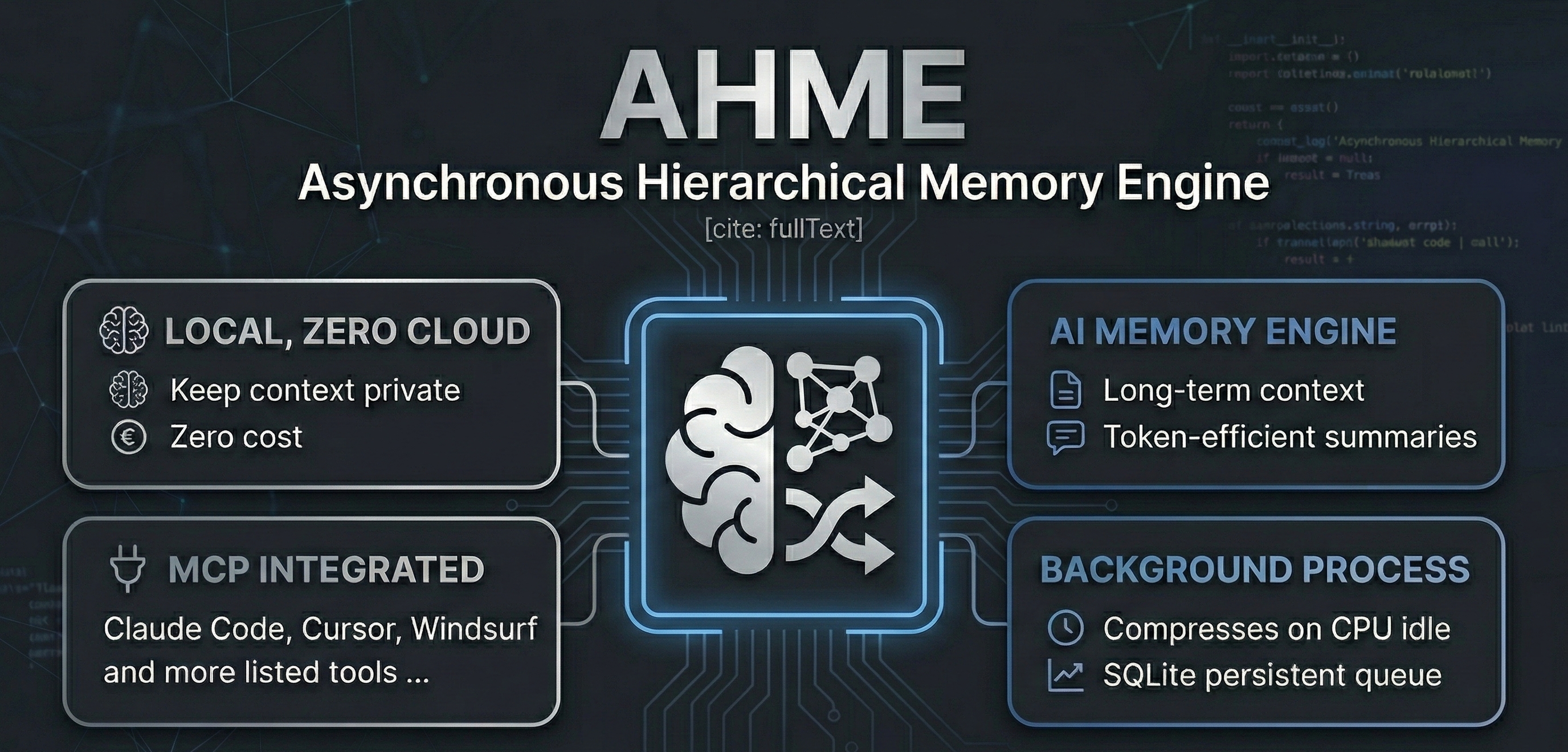
Give your AI coding assistant a long-term memory — fully local, zero cloud, zero cost.
AHME is a local sidecar daemon that sits quietly beside your AI coding assistant. As you work, it compresses your conversation history into a dense Master Memory Block using a local Ollama model — no cloud, no tokens wasted, no context lost.
It integrates with any AI tool that supports MCP (Model Context Protocol): Antigravity, Claude Code, Kilo Code, Cursor, Windsurf, Cline/Roo, and more.
✨ How it works
Your AI conversation
        │
        ▼  ingest_context
┌───────────────────┐
│   SQLite Queue    │  ← persistent, survives restarts
└────────┬──────────┘
         │  when CPU is idle
         ▼
┌───────────────────┐
│  Ollama Compressor│  ← local model (qwen2:1.5b, gemma3:1b, phi3…)
│  (structured JSON)│
└────────┬──────────┘
         │  recursive tree merge
         ▼
┌───────────────────┐
│ Master Memory Block│ ← dense, token-efficient summary
└────────┬──────────┘
         │
         ├── .ahme_memory.md   (file — for any tool that reads files)
         └── get_master_memory (MCP tool — for integrated tools)
Context-window replacement pattern: calling get_master_memory returns the compressed summary, clears the old data, and re-seeds the engine with the summary — so every new conversation starts from a dense checkpoint, not a blank slate.
🚀 Quick Start
Prerequisites
- Python 3.11+
- Ollama running locally
- A small model pulled:
ollama pull qwen2:1.5b(or any 1–4B model)
Install
git clone https://github.com/your-username/ahme
cd ahme

# Copy the example config and set your model
cp config.example.toml config.toml

# Install the package
pip install -e .
Configure
Open config.toml and set your Ollama model:
[ollama]
base_url = "http://localhost:11434"
model = "qwen2:1.5b"   # ← change to any model you have pulled
That's the only line you need to change. Everything else is pre-configured.
🔌 Connect to your AI tool
AHME exposes three MCP tools: ingest_context, get_master_memory, and clear_context.
Option A — MCP (recommended)
Add AHME to your tool's MCP config. The exact file location varies by tool:
| Tool | Config location |
|---|---|
| Claude Code | --mcp-config .mcp.json flag, or ~/.claude/mcp.json |
| Kilo Code | VS Code settings.json → "kilocode.mcp.servers" |
| Cursor | Settings → MCP → paste JSON |
| Windsurf | ~/.windsurf/mcp.json |
| Cline / Roo | MCP Servers sidebar → Edit JSON |
| Antigravity | ~/.gemini/antigravity/mcp_config.json |
Config snippet (works everywhere):
{
  "mcpServers": {
    "ahme": {
      "command": "python",
      "args": ["-m", "ahme.mcp_server"],
      "env": { "PYTHONPATH": "/absolute/path/to/ahme" }
    }
  }
}
A ready-made .mcp.json is included in the repo root — just copy it to where your tool expects it.
Option B — File watch (zero config)
After any compression, AHME writes .ahme_memory.md in the project directory. Reference it in any prompt:
@[.ahme_memory.md] use this as your long-term context before answering
Or set up persistent injection with .agents/instructions.md (Antigravity):
Before starting any task, read @[.ahme_memory.md] and treat it as background context.
🛠 MCP Tools Reference
| Tool | Input | Behaviour |
|---|---|---|
ingest_context |
text: string |
Partitions text into chunks and queues them for background compression |
get_master_memory |
reset?: bool (default true) |
Returns the compressed summary; if reset=true, clears the DB and re-seeds with the summary |
clear_context |
— | Wipes all queued data with no return value |
Typical usage pattern
1. [After each conversation turn]
   → call ingest_context with the latest messages

2. [When approaching context limit, or starting a new session]
   → call get_master_memory
   → inject the result into your system prompt
   → the engine resets and starts accumulating again from this checkpoint
⚙️ Configuration Reference
config.example.toml — copy to config.toml:
[chunking]
chunk_size_tokens = 1500   # tokens per chunk
overlap_tokens = 150        # overlap between chunks (preserves context at boundaries)

[queue]
db_path = "ahme_queue.db"  # SQLite database path (relative to config.toml)
max_retries = 3             # retry failed compressions before marking as failed

[monitor]
poll_interval_seconds = 2.0
cpu_idle_threshold_percent = 30.0   # only compress when CPU is below this %

[ollama]
base_url = "http://localhost:11434"
model = "qwen2:1.5b"   # ← set this to your local model
timeout_seconds = 120

[merger]
batch_size = 5   # summaries per merge pass (lower = more frequent master updates)

[logging]
log_file = "ahme.log"
memory_file = ".ahme_memory.md"
max_bytes = 5242880    # 5 MB log rotation
backup_count = 3
🐍 Python API
If you'd rather control AHME directly from Python:
import asyncio
from ahme.api import AHME

engine = AHME("config.toml")

# Push text into the queue
engine.ingest("The user asked about Python async patterns. We discussed...")

# Run the daemon (this blocks; use asyncio.create_task for non-blocking)
asyncio.run(engine.run())

# Read the compressed memory
print(engine.master_memory)

# Stop the daemon
engine.stop()
📁 Project Structure
ahme/
├── ahme/
│   ├── __init__.py          # Package marker & version
│   ├── config.py            # Typed TOML config loader
│   ├── db.py                # SQLite queue — enqueue, dequeue, clear, retry
│   ├── partitioner.py       # Token-accurate overlapping chunker (tiktoken)
│   ├── monitor.py           # CPU + lock-file idle detector (psutil)
│   ├── compressor.py        # Ollama async caller → structured JSON summaries
│   ├── merger.py            # Recursive batch-reduce tree → Master Memory Block
│   ├── daemon.py            # Main event loop + graceful shutdown + file bridge
│   ├── api.py               # Clean public Python API
│   └── mcp_server.py        # MCP server — stdio & SSE transports
├── tests/                   # 19 tests, all passing
├── .mcp.json                # Ready-to-use MCP config
├── config.example.toml      # Template config — copy to config.toml
├── pyproject.toml           # pip-installable package
└── README.md
🧪 Testing
pip install -e ".[dev]"
python -m pytest tests/ -v
Expected output: 19 passed — all tests use mocks and never require a live Ollama instance.
🔑 Key Design Decisions
| Decision | Rationale |
|---|---|
| SQLite over Redis | Zero external dependencies, single-file persistence, survives crashes |
| tiktoken for chunking | Real BPE token counting prevents prompt overflow |
| 150-token overlap | Preserves context at chunk boundaries |
| CPU + lock-file gating | AHME never competes with your active AI session for GPU/CPU |
| Recursive tree merge | Scales compression with conversation length — O(log n) passes |
| JSON-only system prompt | Enforces structured output from Ollama for reliable parsing |
__file__-relative paths |
Config and DB are always found regardless of working directory |
🤝 Contributing
Contributions welcome! Please open an issue before submitting large PRs.
📄 License
MIT — do whatever you like.
Установка AHME
У этого сервера нет опубликованного пакета — он собирается из исходников. Открой репозиторий и следуй инструкции в README.
▸ github.com/DexopT/AHME-MCPFAQ
AHME MCP бесплатный?
Да, AHME MCP бесплатный — установка в пару кликов через Unyly без оплаты.
Нужен ли API-ключ для AHME?
Нет, AHME работает без API-ключей и переменных окружения.
AHME — hosted или self-hosted?
Self-hosted: сервер запускается локально на твоей машине командой из раздела установки.
Как установить AHME в Claude Desktop, Claude Code или Cursor?
Открой AHME на unyly.org, выбери вкладку своего клиента (Claude Desktop, Claude Code, Cursor) и нажми Install — конфиг сгенерируется автоматически, без правки JSON.
Похожие MCP
Fetch
Web content fetching and conversion for efficient LLM usage.
AWS KB Retrieval
Retrieval from AWS Knowledge Base using Bedrock Agent Runtime.
 автор: modelcontextprotocol
Spring AI MCP Server
Provides auto-configuration for setting up an MCP server in Spring Boot applications.
llm-analysis-assistant
A very streamlined mcp client that supports calling and monitoring stdio/sse/streamableHttp, and can also view request responses through the /logs page. It also
 автор: xuzexin-hz
Compare AHME with
Не уверен что выбрать?
Найди свой стек за 60 секунд
Автор?
Embed-бейдж для README
Похожее
Все в категории ai