
AI Pentest
БесплатноНе проверенEnables natural-language-driven security testing by orchestrating multiple pen-testing tools through MCP, with automated scan execution and AI-assisted vulnerab

Описание
Enables natural-language-driven security testing by orchestrating multiple pen-testing tools through MCP, with automated scan execution and AI-assisted vulnerability summarization.
README
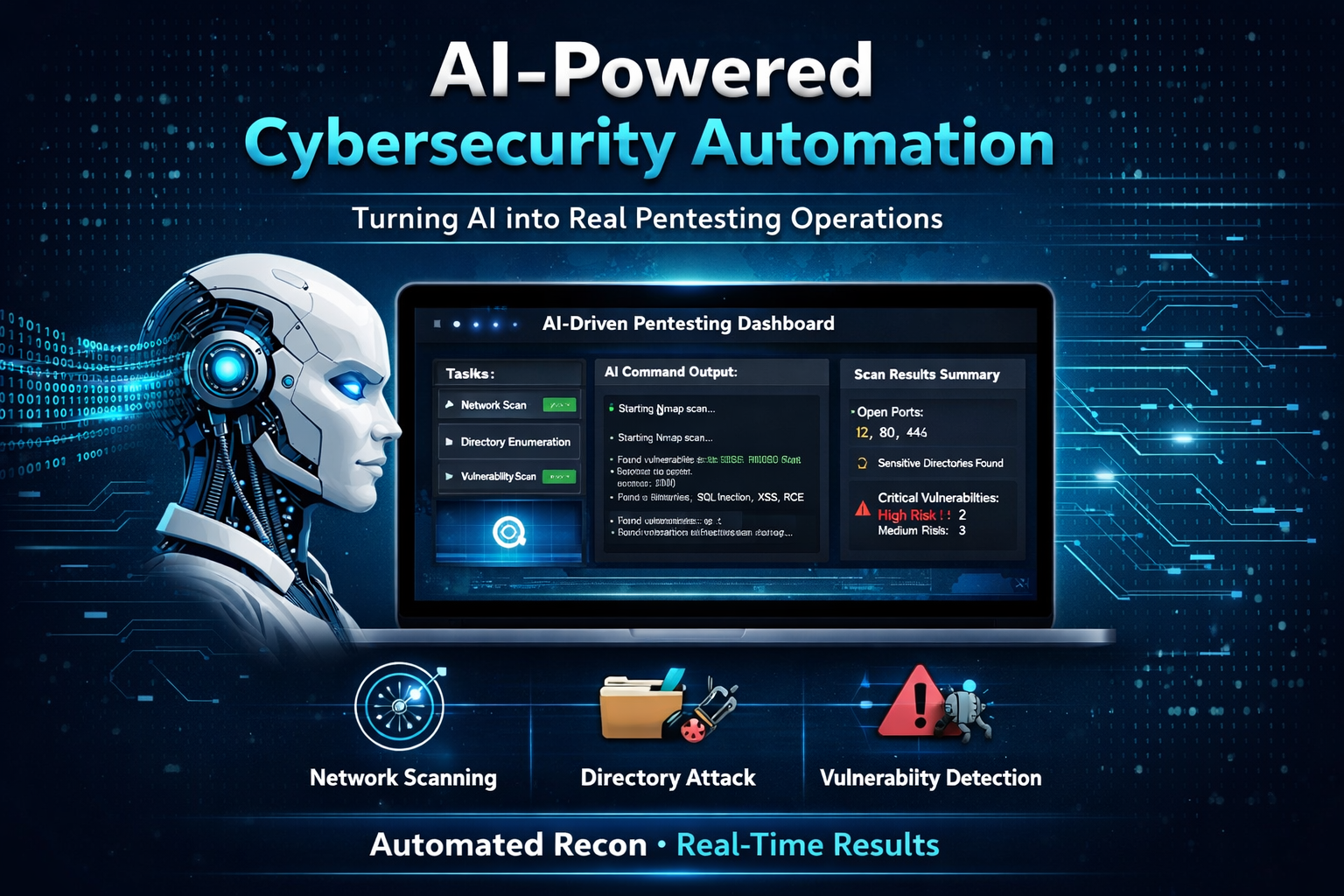
An AI-driven security automation platform that integrates traditional penetration testing tools into a unified, natural-language-driven workflow using the Model Context Protocol (MCP).
The system orchestrates multiple security tools and transforms raw outputs into structured, actionable insights through an AI interface.
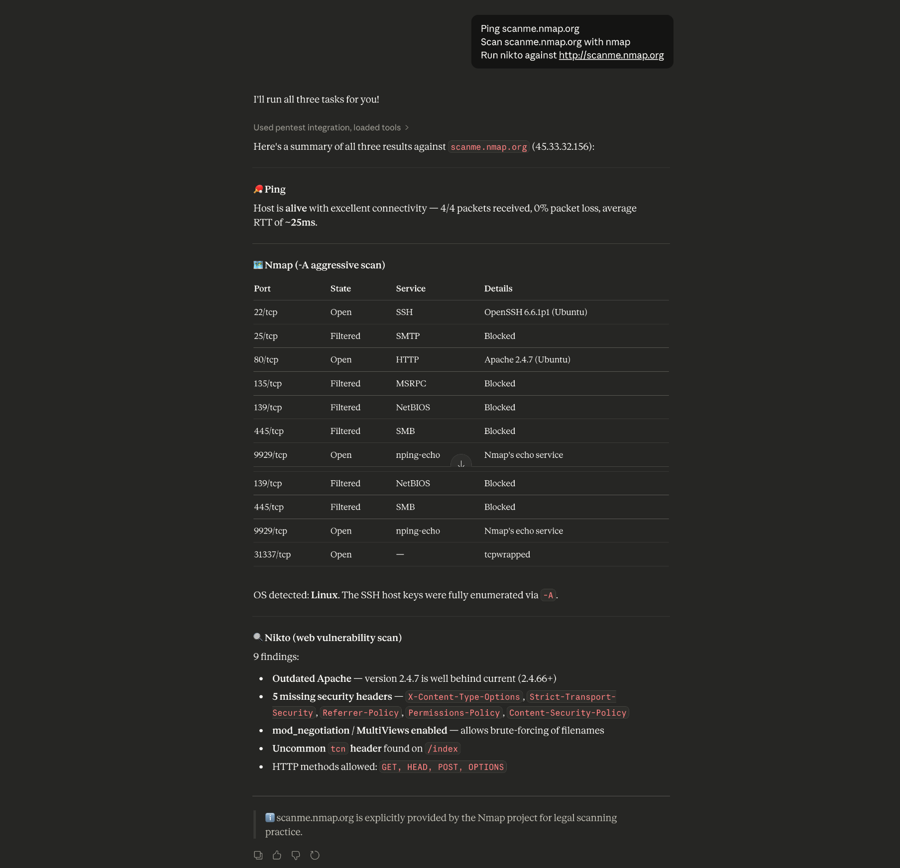
🖼️ Example Output
🚀 Overview
Security assessments often require chaining multiple tools and manually interpreting outputs.
This platform streamlines that process by enabling natural-language execution of reconnaissance and vulnerability analysis tasks, while automatically handling tool orchestration, output aggregation, and result interpretation.
🧠 Engineering Approach
Designed and implemented a modular security automation system using MCP as an orchestration layer.
Developed Python-based adapters to integrate external security tools, handled execution and parsing logic, and ensured reliable cross-platform operation.
Focused on transforming fragmented tool outputs into a cohesive, AI-assisted analysis workflow.
🧠 Architecture
User (Natural Language)
        ↓
Claude Desktop (AI Interface)
        ↓
MCP Server (Python)
        ↓
Security Tools (Nmap, Nikto, Gobuster, etc.)
        ↓
Aggregated Results → AI Summary
🔧 Integrated Tools
- Nmap — network reconnaissance and port scanning
- Nikto — web server vulnerability analysis
- Gobuster — directory and file enumeration
- testssl.sh — SSL/TLS configuration analysis
- HTTP Header Scanner — security header misconfiguration detection
- Ping Tool — host availability checks
⚙️ Features
- Natural-language-driven security testing
- Multi-tool orchestration through MCP
- Automated scan execution and result aggregation
- AI-assisted vulnerability summarization
- Cross-platform support (macOS / Linux / Windows via WSL)
- Modular architecture for adding new tools
🎯 Use Case
This platform is designed to accelerate reconnaissance and initial vulnerability assessment by reducing manual tool execution and simplifying result interpretation.
It can serve as a foundation for building automated security workflows, internal tooling, or AI-assisted penetration testing pipelines.
🧪 Example Usage
Inside Claude Desktop:
Ping scanme.nmap.org
Scan scanme.nmap.org with nmap
Run nikto against http://scanme.nmap.org
Run gobuster against http://scanme.nmap.org
Check security headers for https://example.com
📁 Project Structure
ai-pentest-mcp/
├── server.py
├── nmap_scanner.py
├── nikto_scanner.py
├── gobuster_scanner.py
├── header_scanner.py
├── testssl_scanner.py
├── ping_tool.py
├── requirements.txt
└── README.md
⚡ Setup
1. Clone the repository
git clone https://github.com/yassserhabib/ai-pentest-mcp.git
cd ai-pentest-mcp
2. Create a virtual environment
macOS / Linux / WSL:
python3 -m venv venv
source venv/bin/activate
Windows (PowerShell):
python -m venv venv
venv\Scripts\Activate.ps1
3. Install Python dependencies
pip install -r requirements.txt
4. Install required tools
Ensure the following tools are installed and available in your system PATH:
- nmap
- gobuster
- curl
- nikto
- testssl.sh
macOS (Homebrew)
brew install nmap gobuster curl
Nikto and testssl may require manual setup depending on your environment.
Linux (Debian/Ubuntu)
sudo apt update
sudo apt install -y nmap gobuster curl nikto
git clone --depth 1 https://github.com/drwetter/testssl.sh.git ~/testssl
chmod +x ~/testssl/testssl.sh
Windows
For Windows, the recommended setup is WSL (Windows Subsystem for Linux).
Install the tools inside WSL:
sudo apt update
sudo apt install -y nmap gobuster curl nikto
git clone --depth 1 https://github.com/drwetter/testssl.sh.git ~/testssl
chmod +x ~/testssl/testssl.sh
Running the full toolchain through WSL is more reliable than native Windows installations for this workflow.
5. Configure Claude Desktop (MCP)
macOS
Edit:
~/Library/Application Support/Claude/claude_desktop_config.json
Add:
{
  "mcpServers": {
    "pentest": {
      "command": "/path/to/venv/bin/python",
      "args": ["/path/to/server.py"]
    }
  }
}
Linux
Configure Claude Desktop to launch the server with your Python environment and project path:
{
  "mcpServers": {
    "pentest": {
      "command": "/path/to/venv/bin/python",
      "args": ["/path/to/server.py"]
    }
  }
}
Windows (WSL)
Edit the Claude Desktop config file and use WSL to launch the server:
{
  "mcpServers": {
    "pentest": {
      "command": "wsl",
      "args": ["python3", "/home/YOUR_WSL_USERNAME/ai-pentest-mcp/server.py"]
    }
  }
}
Replace YOUR_WSL_USERNAME with your actual WSL username.
Restart Claude Desktop after saving the configuration.
🧩 How It Works
Each tool is wrapped in a Python adapter that:
- Receives input arguments
- Executes the underlying CLI tool
- Captures output
- Returns results to the MCP server
The MCP server exposes these tools to the AI interface, enabling execution through natural-language commands.
🔐 Security Considerations
- Input validation is implemented to reduce command injection risk
- Tool execution is isolated through subprocess handling
- Only authorized targets should be scanned
⚠️ Disclaimer
This project is intended for educational and authorized security testing purposes only. Testing should only be performed on systems you own or have explicit permission to assess.
🧠 Project Background
Designed and implemented an AI-driven penetration testing automation system using the Model Context Protocol (MCP).
The system integrates multiple security tools through a custom orchestration layer, enabling natural-language execution of scans and automated analysis of results.
Built Python-based adapters, resolved tool integration challenges, and ensured reliable cross-platform execution of the workflow.
Установка AI Pentest
У этого сервера нет опубликованного пакета — он собирается из исходников. Открой репозиторий и следуй инструкции в README.
▸ github.com/yassserhabib/ai-pentest-mcpFAQ
AI Pentest MCP бесплатный?
Да, AI Pentest MCP бесплатный — установка в пару кликов через Unyly без оплаты.
Нужен ли API-ключ для AI Pentest?
Нет, AI Pentest работает без API-ключей и переменных окружения.
AI Pentest — hosted или self-hosted?
Self-hosted: сервер запускается локально на твоей машине командой из раздела установки.
Как установить AI Pentest в Claude Desktop, Claude Code или Cursor?
Открой AI Pentest на unyly.org, выбери вкладку своего клиента (Claude Desktop, Claude Code, Cursor) и нажми Install — конфиг сгенерируется автоматически, без правки JSON.
Похожие MCP
Fetch
Web content fetching and conversion for efficient LLM usage.
AWS KB Retrieval
Retrieval from AWS Knowledge Base using Bedrock Agent Runtime.
 автор: modelcontextprotocol
Spring AI MCP Server
Provides auto-configuration for setting up an MCP server in Spring Boot applications.
llm-analysis-assistant
A very streamlined mcp client that supports calling and monitoring stdio/sse/streamableHttp, and can also view request responses through the /logs page. It also
 автор: xuzexin-hz
Compare AI Pentest with
Не уверен что выбрать?
Найди свой стек за 60 секунд
Автор?
Embed-бейдж для README
Похожее
Все в категории ai