
Archdiagram
БесплатноНе проверенMCP server for generating architecture diagrams with official vendor icons from natural language descriptions. Provides tools to validate specs, render diagrams

Описание
MCP server for generating architecture diagrams with official vendor icons from natural language descriptions. Provides tools to validate specs, render diagrams, search icon catalog, and list available services.
README
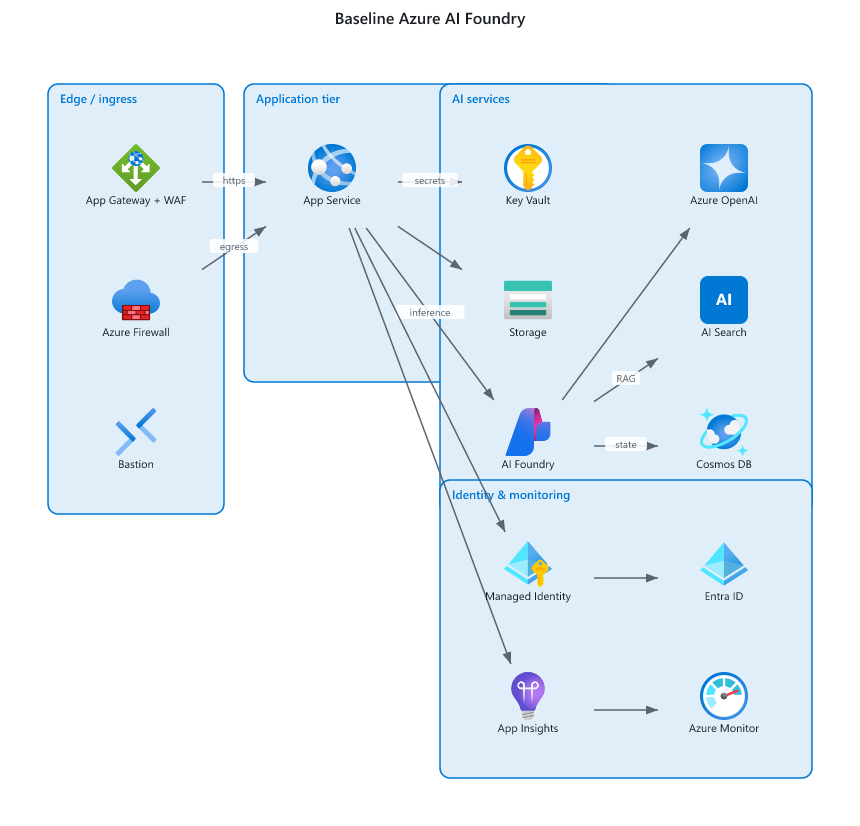
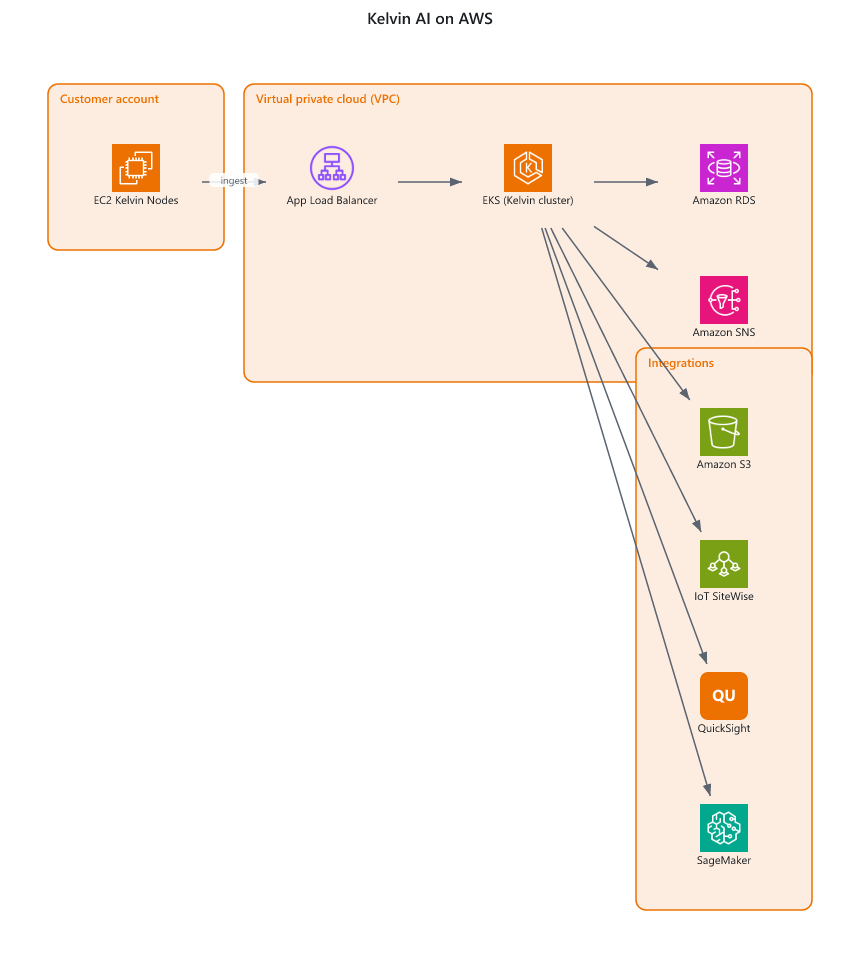
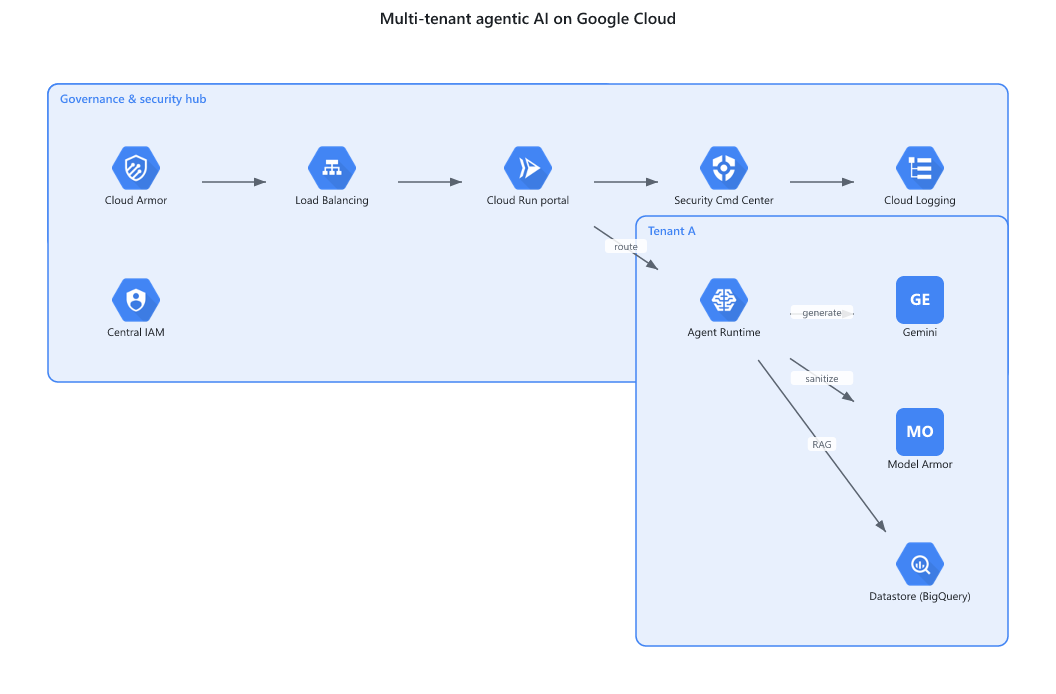
Turn an architecture description into an editable diagram whose nodes are the official vendor service icons (Azure App Service, AKS, Key Vault, S3, GKE, ...) - not a flowchart of labelled boxes.
A coding agent (Cursor, Claude Code, Codex) translates a natural-language architecture into a small JSON spec; the deterministic Python core renders that spec to:
| Format | Best for | Vendor icons | Editable after import |
|---|---|---|---|
.pdf |
Lucidchart visual fidelity, handoff, printing | baked in, always render | no (Lucid embeds as image) |
.drawio |
editing in draw.io / diagrams.net | native stencils or embedded | yes |
.vsdx |
Visio / Lucid editable import | embedded PNG glyphs | yes |
Lucid note: Lucid does not map draw.io's named vendor stencils or its
img/lib/...icon references, so those render blank on import..drawio/.vsdxtherefore embed icons (--drawio-mode portable) to maximise render success, and the PDF is the reliable icons-always-render deliverable for Lucid.
Gallery
Rendered from the specs in examples/ - same engine, real vendor icons.
| Azure | AWS | GCP |
|---|---|---|
 |
 |
 |
Design constraints
- Core engine = pure Python stdlib. No graphviz, no browser, no third-party Python deps.
Spec validation is hand-rolled (no
jsonschema)..vsdxis written withzipfile+xml. - Python 3.11+. Tests use stdlib
unittest. - Optional, isolated, non-stdlib deps:
mcpSDK - only insidemcp_server/.- Node +
@resvg/resvg-js- rasterise icons to PNG; used by.vsdx(embedded glyphs) and.pdf. If absent,.vsdxfalls back to labelled boxes and.pdferrors with an install hint. - Node +
pdfkit+svg-to-pdfkit- SVG -> PDF for.pdf.
- Vendor icons are not committed. Fetch them with
tools/download_icons.py.
Quick start
# 1. (optional) fetch vendor icons into the local cache
python -m tools.download_icons --vendors azure,aws,gcp,kubernetes

# 2. (optional) install the Node rasterise/pdf bridge
cd node && npm install && cd ..

# 3. render a spec
python -m archdiagram.cli render examples/sample_spec.json --format pdf    -o out/arch.pdf
python -m archdiagram.cli render examples/sample_spec.json --format drawio -o out/arch.drawio --drawio-mode portable
python -m archdiagram.cli render examples/sample_spec.json --format vsdx   -o out/arch.vsdx
Spec format
{
  "title": "Web platform",
  "direction": "LR",
  "groups": [{ "id": "app", "label": "Application tier", "vendor": "azure" }],
  "nodes": [
    { "id": "web", "service": "azure.app_service", "label": "Web App", "group": "app" },
    { "id": "aks", "service": "azure.aks",         "label": "AKS",     "group": "app" },
    { "id": "kv",  "service": "azure.key_vault",   "label": "Key Vault" }
  ],
  "edges": [
    { "source": "web", "target": "aks", "label": "http" },
    { "source": "aks", "target": "kv" }
  ]
}
service is "<vendor>.<service_key>". Unknown services degrade gracefully to a labelled box.
Layout
Node positions are computed by a deterministic, hand-rolled layered layout (no graphviz). Provide
explicit x/y on a node to override the computed position.
Use from an AI agent
This repo is built to be driven by agentic AI tools (Cursor, Claude Code/Desktop, Codex, ...) straight from Git. Pick either path:
1. As a skill
Clone the repo and point your agent at skill/SKILL.md. It teaches the agent the spec schema, catalog lookup, and render commands so it can go from a natural-language architecture to rendered files. See also AGENTS.md.
git clone https://github.com/bharathgnana/archdiagram.git
cd archdiagram && python -m tools.download_icons
2. As an MCP server
pip install "archdiagram[mcp]"
python -m mcp_server.server          # stdio transport
Exposes validate_spec, render_diagram, search_catalog, and list_catalog
tools. A sample client config is in examples/mcp.json
(drop it into .cursor/mcp.json or claude_desktop_config.json).
Repository layout
archdiagram/        pure-Python core (spec, layout, catalog, emitters)
mcp_server/         optional MCP server (only place the `mcp` SDK is used)
node/               optional Node bridge (resvg rasterise + svg->pdf)
tools/              icon downloader + icon source map
skill/              SKILL.md for agentic AI tools
examples/           sample specs + mcp.json
tests/              stdlib unittest suite
Tests
python -m unittest discover -s tests
Contributing
Anyone can clone, install (pip install -e .), and use it. To propose changes,
fork and open a pull request - see CONTRIBUTING.md for the
dev setup and workflow.
Установка Archdiagram
У этого сервера нет опубликованного пакета — он собирается из исходников. Открой репозиторий и следуй инструкции в README.
▸ github.com/bharathgnana/archdiagramFAQ
Archdiagram MCP бесплатный?
Да, Archdiagram MCP бесплатный — установка в пару кликов через Unyly без оплаты.
Нужен ли API-ключ для Archdiagram?
Нет, Archdiagram работает без API-ключей и переменных окружения.
Archdiagram — hosted или self-hosted?
Self-hosted: сервер запускается локально на твоей машине командой из раздела установки.
Как установить Archdiagram в Claude Desktop, Claude Code или Cursor?
Открой Archdiagram на unyly.org, выбери вкладку своего клиента (Claude Desktop, Claude Code, Cursor) и нажми Install — конфиг сгенерируется автоматически, без правки JSON.
Похожие MCP
GitHub
PRs, issues, code search, CI status
 автор: GitHub
Filesystem
Secure file operations with configurable access controls.
Memory
Knowledge graph-based persistent memory system.
Template MCP Server
A CLI tool to create a new Model Context Protocol server project with TypeScript support, dual transport options, and an extensible structure
 автор: mcpdotdirect
Compare Archdiagram with
Не уверен что выбрать?
Найди свой стек за 60 секунд
Автор?
Embed-бейдж для README
Похожее
Все в категории development