
Artifacty
БесплатноНе проверенLocal artifact exchange for heterogeneous LLM agents via HTTP and MCP.

Описание
Local artifact exchange for heterogeneous LLM agents via HTTP and MCP.
README
Publish npm version License: MIT Node.js >=22.5
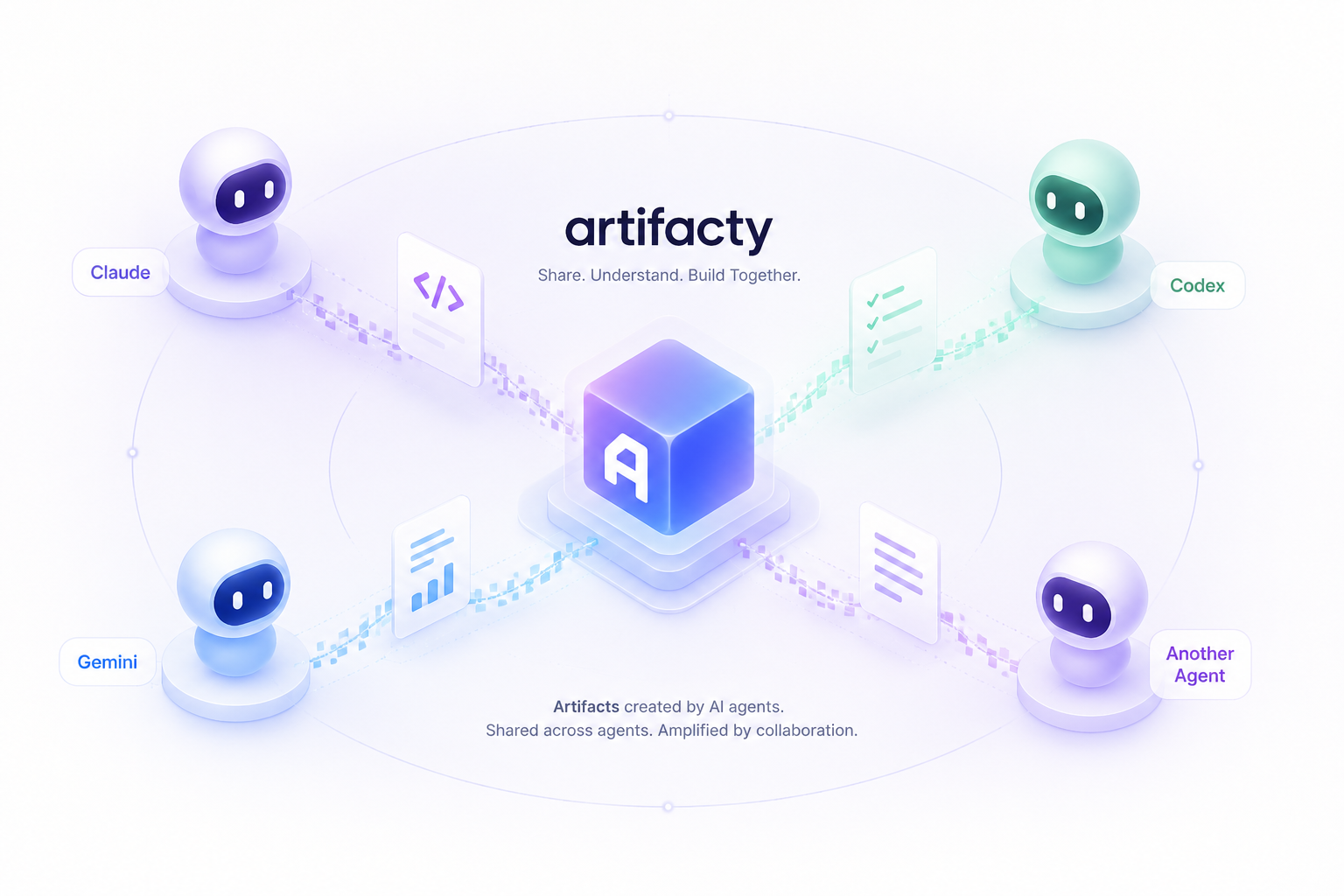
Artifacty is a local, agent-to-agent artifact exchange for LLM workflows. Claude, Codex, Gemini, GitHub Copilot, Cursor, and other MCP-capable tools can publish an artifact once, then other agents can list, read, update, and continue from it without copying content through chat.
Why MCP
Claude Code artifacts are useful because they turn session output into shareable, versioned pages. Artifacty keeps that local and cross-agent: the browser server renders artifacts for people, while the MCP stdio server gives agents a common tool interface.
Installation
Artifacty requires Node.js 22.5 or newer.
Install the CLI globally from npm:
npm install -g artifacty
artifacty --help
Run it without a global install:
npx artifacty@latest serve --foreground
Start the local dashboard in the background:
artifacty serve
Open the url printed in the JSON response. Artifacty prefers http://127.0.0.1:8787; if that default port is busy and no explicit port was configured, it starts on the next available local port and records the actual URL for CLI and MCP responses.
Manage the background server:
artifacty status
artifacty stop
artifacty start and artifacty serve --detach use the same lifecycle path as artifacty serve. Logs are written under ~/.artifacty/logs/.
These lifecycle commands use Node's detached process support and work on macOS, Linux, and Windows. artifacty stop uses process-group signals on macOS/Linux and Windows taskkill, falling back to /F when Windows requires forceful termination.
For foreground debugging, keep the process attached:
artifacty serve --foreground
npm start
Generate an API token at startup when you want to protect HTTP API and browser write routes:
artifacty serve --generate-token
artifacty serve --host 0.0.0.0 --share-mode lan --generate-token
artifacty serve --foreground --generate-token
Background serve returns the generated token and ready-to-open /new?token=... and /import?token=... URLs in JSON. Foreground serve prints the same values to stderr. For scripts or long-running services that need a stable token, generate one first:
artifacty token
artifacty start --api-token "$(artifacty token --raw)"
Install MCP configuration for local agents:
artifacty install claude
artifacty install codex --dry-run
artifacty install gemini
artifacty install copilot
artifacty install cursor
artifacty install all
artifacty check
For a central internal server, enable the HTTP MCP endpoint on the server and let users issue personal MCP/API tokens from the account page:
ARTIFACTY_BOOTSTRAP_TOKEN="$(artifacty token --raw)"
artifacty serve --host 10.0.0.50 --share-mode team --api-token "$ARTIFACTY_BOOTSTRAP_TOKEN" --mcp-http --foreground
# Open http://10.0.0.50:8787/login, create the first admin, then create a personal token at /account.
artifacty install all --mcp-url http://10.0.0.50:8787/mcp --api-token "$ARTIFACTY_PERSONAL_TOKEN"
When running the central server as a Linux systemctl --user service, enable
lingering for the service account so Artifacty stays up after logout:
sudo loginctl enable-linger $USER.
Administrators can create users individually at /admin/users or import them
from CSV. Use email,name,role,password,password_reset_required headers. If
password is empty, Artifacty generates a temporary password, shows it once in
the import result, and requires the user to change it on first sign-in.
email,name,role
[email protected],User,user
[email protected],Admin Two,admin
artifacty users import --file users.csv
Run diagnostics for the local runtime, store, server, service definitions, and MCP discovery:
artifacty doctor
artifacty doctor --skip-mcp
Use artifacty install codex --timeout 30000 or
artifacty install gemini --timeout 30000 to tune supported MCP client timeouts.
See docs/integrations.md for Claude Code, Codex, Gemini CLI, GitHub Copilot in VS Code, and Cursor setup.
Quick Start
Create an artifact in the browser:
http://127.0.0.1:8787/new
For local development from a checkout:
npm install
npm test
npm start
Run the production-readiness check:
npm run release:check
Publish from the CLI:
artifacty publish --title "handoff note" --format markdown --source codex --content "# Next step\nReview the API plan."
Import an artifact produced by another agent and convert it to Artifacty format:
artifacty import --agent claude --file ./deploy-failures.html --tag review
artifacty import --agent gemini --content '{"title":"Plan","returnDisplay":"# Plan\n- Ship it"}'
artifacty import --agent codex --content '{"agent":"codex","title":"Implementation Handoff","goal":"Continue Phase 3","changedFiles":[{"path":"src/lib/render.js","status":"modified"}],"nextSteps":["Add CodeMirror read-only viewer"]}'
artifacty import --agent copilot --content '{"agent":"github-copilot","title":"PR Review","findings":[{"severity":"medium","file":"src/app.js","line":42,"title":"Handle missing state"}]}'
artifacty import --agent cursor --content '{"sourceAgent":"cursor","title":"Cursor Handoff","summary":"Editor pass complete.","nextSteps":["Run visual QA."]}'
Codex, GitHub Copilot, and Cursor structured payloads can become handoff,
bundle, diff-walkthrough, code-review, or test-report artifacts when
the payload explicitly identifies the agent through agent or sourceAgent.
Plain Markdown from these agents stays a normal
document unless you pass an explicit artifactType.
When format is omitted, Artifacty infers common formats from filename,
content type, and content. HTML files and HTML fragments such as
<section>...</section> are stored as html so the browser viewer renders
them as HTML instead of plain text.
Agent Handoff Example
One agent can publish a continuation artifact, then another agent can discover it, read the context, and append the next version.
Codex publishes the handoff:
artifacty import --agent codex --tag handoff --content '{
  "agent": "codex",
  "title": "Release Handoff",
  "goal": "Prepare Artifacty for an npm release",
  "changedFiles": [
    { "path": "src/lib/converters.js", "status": "modified", "summary": "Normalize agent outputs" }
  ],
  "commands": [
    { "command": "npm run release:check", "status": "passed" }
  ],
  "nextSteps": [
    "Review README",
    "Publish package"
  ]
}'
Claude or Gemini finds the handoff and continues from the same artifact:
artifacty list --tag handoff
artifacty show release-handoff-abc12345 --raw
artifacty update release-handoff-abc12345 \
  --format markdown \
  --source claude \
  --tag handoff \
  --content "# Release Handoff\n\nReviewed README and prepared publish notes."
List artifacts:
artifacty list
artifacty list --query review --limit 20 --offset 20
Run the MCP server:
artifacty-mcp
ARTIFACTY_MCP_MODE=bridge ARTIFACTY_MCP_URL=http://10.0.0.50:8787/mcp ARTIFACTY_API_TOKEN=... artifacty-mcp
MCP clients can create artifacts with artifacty_create. artifacty_publish remains as a backwards-compatible alias.
MCP clients that support resources or prompts can also read artifacty://recent,
artifacty://artifacts/{id}, artifacty://artifacts/{id}/raw{?version}, and
artifacty://schema/v1, or use prompt templates such as artifacty_handoff,
artifacty_review, and artifacty_release_notes.
Operational commands:
artifacty audit --limit 20
artifacty doctor
artifacty index rebuild
artifacty integrity
artifacty backup
artifacty export --file ./artifacty-backup.json
artifacty import-store --file ./artifacty-backup.json
artifacty start
artifacty status
artifacty stop
artifacty service install --dry-run
artifacty service unit --dry-run
artifacty service task --dry-run
When working from a source checkout without global installation, replace artifacty with node src/cli.js and artifacty-mcp with node src/mcp-server.js.
Storage
By default Artifacty stores files under ~/.artifacty.
ARTIFACTY_HOME=/path/to/shared/store artifacty serve
Artifact metadata is stored in artifacty.sqlite; artifact content is stored as append-only version files under artifacts/ for normal create and update flows. Administrators can repair or delete individual bad versions from the browser, and those exceptional actions are recorded in the audit log. The current browser server URL is written to server.json so MCP tools can return the correct links when the default port falls back. Existing index.json stores are migrated automatically on first access.
Search uses a SQLite FTS5 index when the local Node SQLite build supports it. The index covers the latest version body plus title, tags, source agent, artifact type, format, and metadata summary. If FTS5 is unavailable, Artifacty keeps working with metadata search. Rebuild or check the store when needed:
artifacty index rebuild
artifacty integrity
API Example
Start a protected server with a reusable shell token:
export ARTIFACTY_API_TOKEN="$(artifacty token --raw)"
artifacty serve --api-token "$ARTIFACTY_API_TOKEN"
curl -s http://127.0.0.1:8787/api/artifacts \
  -H 'content-type: application/json' \
  -H "x-artifacty-token: $ARTIFACTY_API_TOKEN" \
  -d '{
    "title": "PR review dashboard",
    "content": "<h1>Review</h1>",
    "format": "html",
    "sourceAgent": "claude",
    "tags": ["review"]
  }'
Convert-and-save an external agent artifact:
curl -s http://127.0.0.1:8787/api/import \
  -H 'content-type: application/json' \
  -H "x-artifacty-token: $ARTIFACTY_API_TOKEN" \
  -d '{
    "agent": "claude",
    "fileName": "deploy-failures.html",
    "content": "<html><head><title>Deploy failures</title></head><body>...</body></html>",
    "tags": ["review"]
  }'
Browser routes:
/: list artifacts with search, tag, and source filters./new: create an Artifacty-native artifact with the CodeMirror editor./import: paste an external agent artifact and convert it with automatic editor mode detection./artifacts/:id/edit: save a new version with Markdown, HTML, JSON, text, code, SVG, Mermaid, React, SARIF, CSV, image, or video syntax support. Browser edits that do not change the artifact are recorded asupdate-noopaudit events without creating a version./artifacts/:id/diff: compare versions./admin/artifacts/:id/versions: administrator-only repair/delete screen for individual versions./api/audit: list audit events.
List APIs support pagination with limit and offset. Responses keep the top-level artifacts array and include pagination and search metadata:
curl -s "http://127.0.0.1:8787/api/artifacts?q=handoff&limit=20&offset=0" \
  -H "x-artifacty-token: $ARTIFACTY_API_TOKEN"
Interface Language
The browser UI defaults to English. Add ?lang=ko to any browser route to use Korean, for example http://127.0.0.1:8787/new?lang=ko. Forms and in-app links preserve the selected language. Documentation is maintained in English only.
Schema and storage:
- Metadata lives in SQLite with
schemaVersion: 1,artifactType,publisherId, andarchivedAt. - Archive hides artifacts from default lists without deleting versions. Admin version repair/delete is available for correcting accidental or sensitive historical versions and records
version-repairorversion-deleteaudit events. - Bundle artifacts store multiple files or base64 assets as portable JSON.
- Supported formats are
html,markdown,text,json,code,svg,mermaid,react,sarif,csv,image, andvideo. - Native create/import paths infer
htmlfrom HTML documents or fragments when no explicit format is supplied. sourceAgentis canonicalized before storage. Aliases such asclaude-code,Claude Code,github-copilot, andgemini-cliare stored asclaude,copilot, andgemini; legacyunknownrows are backfilled only when version metadata, audit data, or source-agent tags provide a known agent.- Diagram, component, source snippet, analysis report, table, and media assets use
diagram,component,snippet,analysis-report,table, andassetartifact types. - Copilot/Cursor examples cover PR reviews, screenshots, demo recordings, and visual evidence bundles.
- See docs/artifact-schema-v1.md.
- See docs/mcp-public-api.md for MCP tools, resources, prompts, and compatibility notes.
- See docs/central-team-deployment-design.md for central team deployment.
- See docs/sarif-csv-artifact-plan.md for the SARIF/CSV output artifact roadmap.
Security Model
- The HTTP server binds to
127.0.0.1by default. - If
ARTIFACTY_API_TOKENis set, HTTP API routes requireAuthorization: Bearer <token>orx-artifacty-token; scripts should prefer headers over?token=...URLs. - When users exist, personal API tokens issued from
/accountalso authenticate HTTP API and MCP requests. Created artifacts record the token owner's email aspublisherId, and audit logs record the same identity asactor. - API token checks use timing-safe digest comparison.
- Binding outside localhost requires both
ARTIFACTY_SHARE_MODE=lanorteamandARTIFACTY_API_TOKEN. - Non-local sharing is intended for trusted LAN or VPN sessions. Prefer a specific interface IP over
0.0.0.0, keep React rendering disabled, and see docs/network-sharing.md. - Non-local binding prints a startup warning because Artifacty does not terminate TLS.
- Artifact content is scanned for common API keys and private keys before storage. Use
--allow-secretsorARTIFACTY_ALLOW_SECRETS=trueonly for intentional exceptions. - Creates, updates, reads, imports, archives, restores, no-op browser edits, and admin version repair/delete actions write audit events to SQLite. Legacy artifacts without a stored publisher are best-effort backfilled from their first
createorimportaudit actor. - CodeMirror editor/viewer and renderer assets are served from local npm dependencies through a package allowlist, not from a public CDN. JavaScript asset routes answer
Origin: nullrequests withAccess-Control-Allow-Origin: nullso sandboxed renderer iframes can import local ESM withoutallow-same-origin. - Mutating HTTP routes reject non-local browser origins.
- HTML artifacts render in a sandboxed iframe.
- SVG artifacts render in a scriptless sandboxed iframe and are sanitized for
<script>,on*attributes, andjavascript:links in the viewer. The raw source remains unchanged. - Mermaid artifacts render with the vendored local Mermaid package in a sandboxed iframe without
allow-same-origin. - React artifacts are source-only by default. Set
ARTIFACTY_ENABLE_REACT_RENDERER=trueto execute them in a sandboxed frame with a frame-scoped CSP that permits JSX transformation. - SARIF artifacts render a bounded findings summary and keep the full formatted JSON behind a raw-source details panel.
- CSV artifacts render as an escaped, bounded table;
/rawpreserves the original text. - Image and video artifacts store base64 media inline, render safe previews, and decode bytes through
/raw. - Artifact content should still be treated as untrusted; use the raw view when handing content back to an agent.
- npm releases are published with GitHub Actions OIDC Trusted Publishing after lint, test, and smoke checks pass.
See SECURITY.md, docs/threat-model.md, and docs/release-checklist.md before publishing or running a shared instance.
Установить Artifacty в Claude Desktop, Claude Code, Cursor
unyly install artifactyСтавит в Claude Desktop, Claude Code, Cursor и VS Code — сам разбирается с npx, uvx и сборкой из исходников.
Впервые? Поставь CLI: curl -fsSL https://unyly.org/install | sh
Или настроить вручную
Выполни в терминале:
claude mcp add artifacty -- npx -y artifactyFAQ
Artifacty MCP бесплатный?
Да, Artifacty MCP бесплатный — установка в пару кликов через Unyly без оплаты.
Нужен ли API-ключ для Artifacty?
Нет, Artifacty работает без API-ключей и переменных окружения.
Artifacty — hosted или self-hosted?
Self-hosted: сервер запускается локально на твоей машине командой из раздела установки.
Как установить Artifacty в Claude Desktop, Claude Code или Cursor?
Открой Artifacty на unyly.org, выбери вкладку своего клиента (Claude Desktop, Claude Code, Cursor) и нажми Install — конфиг сгенерируется автоматически, без правки JSON.
Похожие MCP
Fetch
Web content fetching and conversion for efficient LLM usage.
AWS KB Retrieval
Retrieval from AWS Knowledge Base using Bedrock Agent Runtime.
 автор: modelcontextprotocol
Spring AI MCP Server
Provides auto-configuration for setting up an MCP server in Spring Boot applications.
llm-analysis-assistant
A very streamlined mcp client that supports calling and monitoring stdio/sse/streamableHttp, and can also view request responses through the /logs page. It also
 автор: xuzexin-hz
Compare Artifacty with
Не уверен что выбрать?
Найди свой стек за 60 секунд
Автор?
Embed-бейдж для README
Похожее
Все в категории ai