
BOSH Server
БесплатноНе проверенEnables managing BOSH deployments via natural language by providing tools to login to a BOSH director and execute arbitrary BOSH commands.

Описание
Enables managing BOSH deployments via natural language by providing tools to login to a BOSH director and execute arbitrary BOSH commands.
README
A BOSH MCP Server written in Python. It exposes only two tools, bosh_director_login and execute_bosh_command. The LLM does the rest!
Note:
- The MCP server is configured to use SSE
- Container for the MCP Server can be found here.
Running the MCP Server
You can run the MCP server using uv or you can deploy it using docker or pushing the container to Tanzu Platform.
UV
foo@bar:~$ uv run src/main.py
INFO:     Started server process [10]
INFO:     Waiting for application startup.
INFO:     Application startup complete.
INFO:     Uvicorn running on http://0.0.0.0:8080 (Press CTRL+C to quit)
Docker
foo@bar:~$ docker run --rm -p 8080:8080 rroque99/bosh-mcp:latest
INFO:     Started server process [10]
INFO:     Waiting for application startup.
INFO:     Application startup complete.
INFO:     Uvicorn running on http://0.0.0.0:8080 (Press CTRL+C to quit)
Tanzu Platform(CF)
foo@bar:~$ cf push bosh-mcp --docker-image rroque99/bosh-mcp:latest
Configuring Claude Desktop
This MCP server doesn't currently support OAUTH so using Claude Desktop with this MCP Server requires mcp-proxy, which can be found here. Mcp-proxy is a tool that switches between server transports, so in this case STDIO to SSE. After installing mcp-proxy setup Local MCP Servers in Claude Desktop as follows:
{
    "mcpServers": {
        "Bosh-mcp": {
            "command": "<path-to-mcp-proxy>",
            "args": [
                "--no-verify-ssl",
                "https://<IP or FQDN for BOSH mcp>/sse"
            ]
        }
    }
}
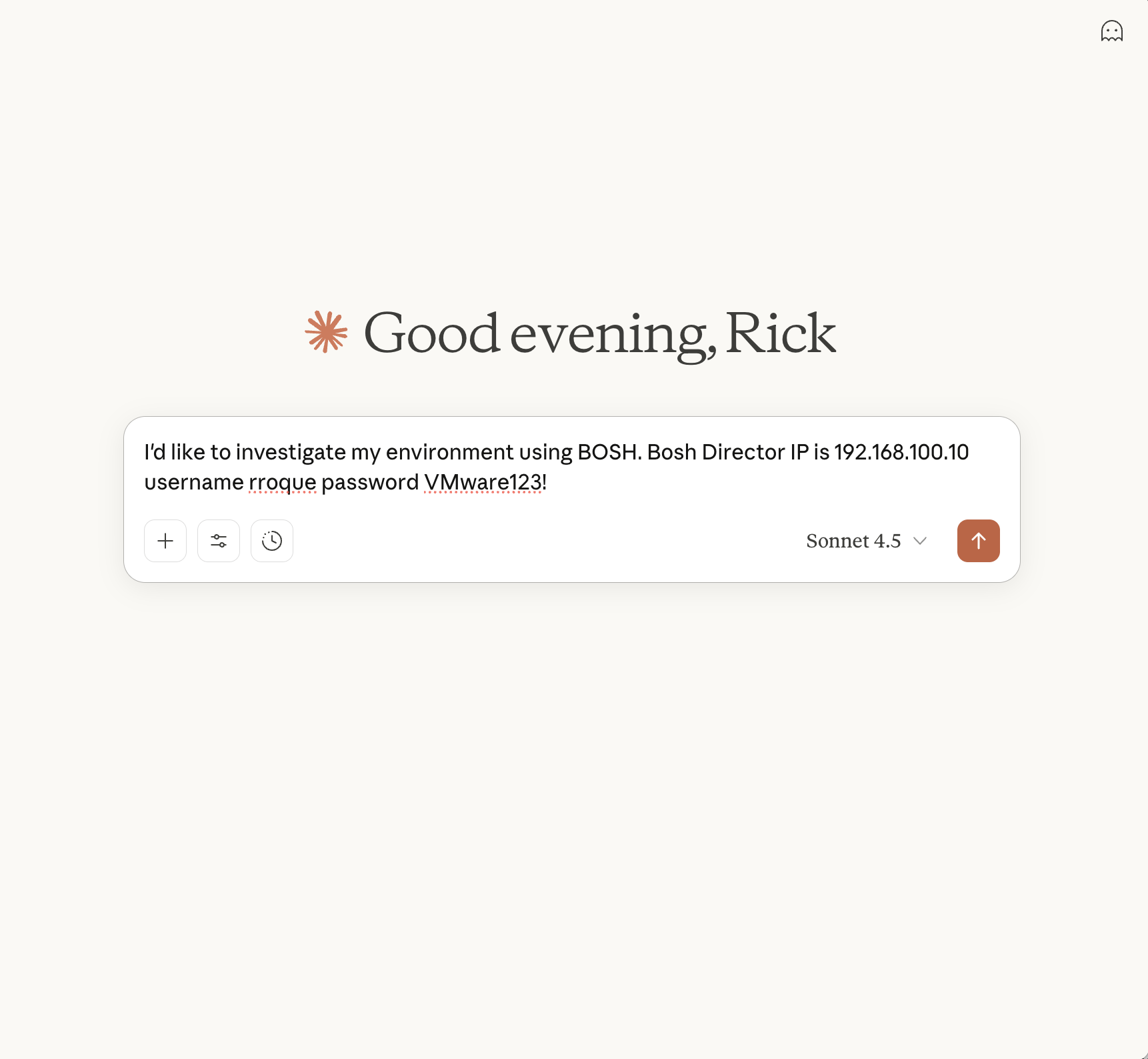
Example Prompt
Below is an example prompt to get things going. It's understandable that we shouldn't be passing usernames and passwords into a prompt however this is currently a proof of concept until OAUTH is fully supported
Установка BOSH Server
У этого сервера нет опубликованного пакета — он собирается из исходников. Открой репозиторий и следуй инструкции в README.
▸ github.com/rroque99/bosh-mcpFAQ
BOSH Server MCP бесплатный?
Да, BOSH Server MCP бесплатный — установка в пару кликов через Unyly без оплаты.
Нужен ли API-ключ для BOSH Server?
Нет, BOSH Server работает без API-ключей и переменных окружения.
BOSH Server — hosted или self-hosted?
Self-hosted: сервер запускается локально на твоей машине командой из раздела установки.
Как установить BOSH Server в Claude Desktop, Claude Code или Cursor?
Открой BOSH Server на unyly.org, выбери вкладку своего клиента (Claude Desktop, Claude Code, Cursor) и нажми Install — конфиг сгенерируется автоматически, без правки JSON.
Похожие MCP
GitHub
PRs, issues, code search, CI status
 автор: GitHub
Filesystem
Secure file operations with configurable access controls.
Memory
Knowledge graph-based persistent memory system.
Template MCP Server
A CLI tool to create a new Model Context Protocol server project with TypeScript support, dual transport options, and an extensible structure
 автор: mcpdotdirect
Compare BOSH Server with
Не уверен что выбрать?
Найди свой стек за 60 секунд
Автор?
Embed-бейдж для README
Похожее
Все в категории development