
Cadkit
БесплатноНе проверенAn MCP server for parametric part modeling in Onshape, producing fully-defined, variable-driven sketches and features. It enables LLMs to create editable CAD mo

Описание
An MCP server for parametric part modeling in Onshape, producing fully-defined, variable-driven sketches and features. It enables LLMs to create editable CAD models using semantic selection and geometrically grounded constraints.
README
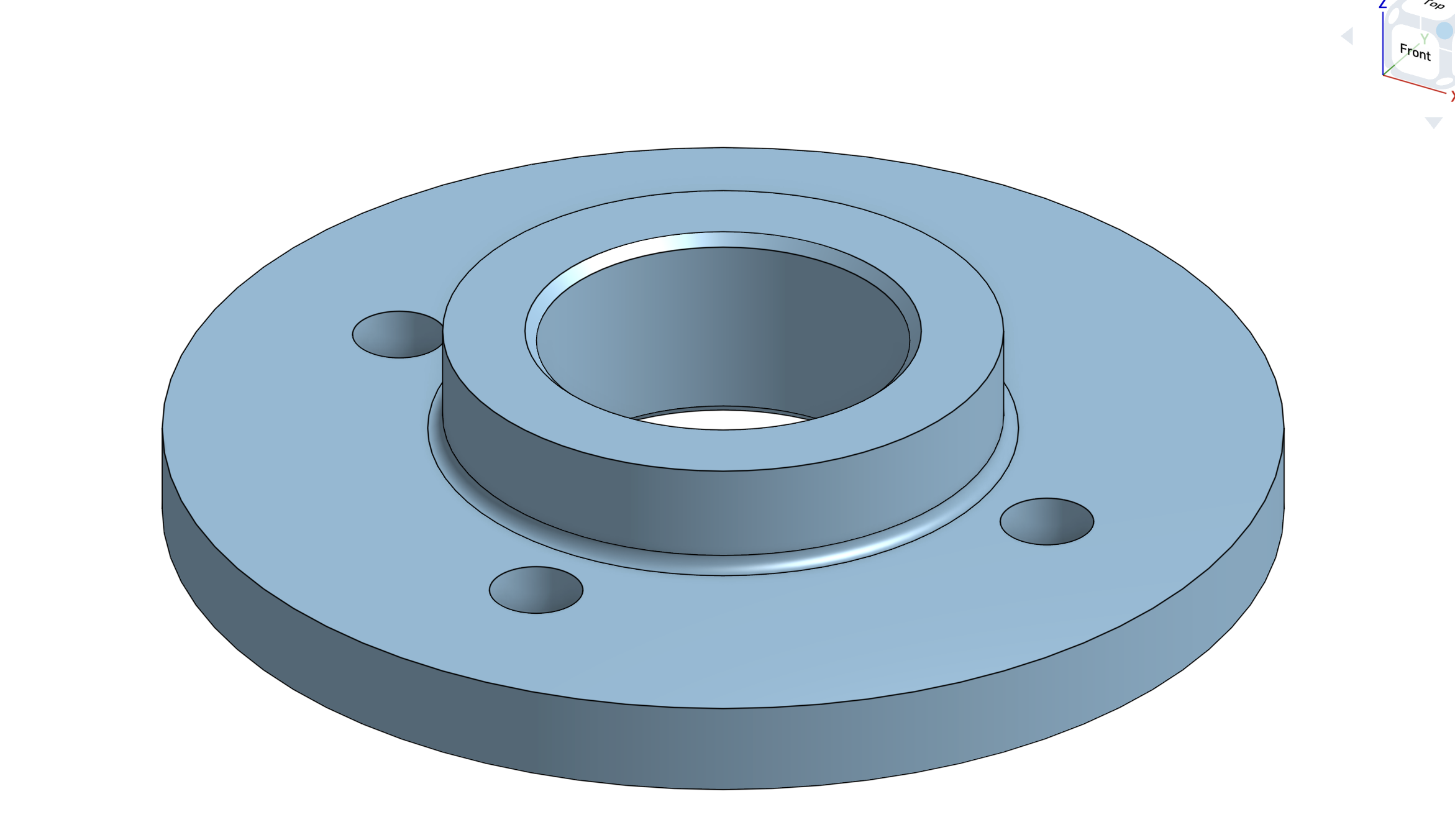
Two Model Context Protocol servers for driving Onshape from an LLM:
cadkit— the focus of this fork. A part-modeling server built around one idea: every part should come out idiomatic, fully-defined, and variable-driven — the way a careful human models, not a pile of absolute coordinates. One sketch carries its entities, geometric constraints, and driving dimensions; it's grounded to the origin and parameterized by variables; downstream features select edges and faces by meaning (concave edge, cylindrical face) rather than by transient ids that break when topology shifts.onshape_mcp— the upstream server this repo forked from (hedless/onshape-mcp), kept intact. Broader and assembly-focused (mates, instances, interference, export). Reach for it when you're assembling parts rather than authoring one.
Why two servers?
onshape_mcpis wide;cadkitis opinionated. cadkit deliberately emits a narrower, stricter shape of geometry so that what you get back is parametric and editable, not just present. See PLAN.md for the thesis and roadmap.
Why cadkit models the way it does
A few hard-won principles are baked into the tools (the full list is in PLAN.md):
- Grounded + dimensioned, or it warns.
cad_sketch_closereports whether the sketch is grounded to the origin and dimensioned;require_well_formed=truerefuses to ship an under-defined sketch instead of letting the solver place it unpredictably. - Variables drive geometry, but only where they earn it. A dimension, an extrude depth, a
hole diameter, a fillet radius — all accept a number or an expression /
#variable. Use a variable when a value travels beyond one sketch or is derived (#leg_len - #thick); use a geometric constraint (equal,symmetric) when the relationship lives between entities; use a literal for a true one-off. - Select by meaning, not by id.
cad_find_edges/cad_find_facesreturn deterministic ids chosen by geometry (concave edges for fillets, a cylindrical face by radius), so a feature keeps referring to the right thing after the model changes.
The cadkit tools (35)
| Group | Tools |
|---|---|
| Document / studio | cad_document_create, cad_part_studio_create |
| Sketch session | cad_sketch_begin → cad_sketch_line · cad_sketch_circle · cad_sketch_arc · cad_sketch_fillet · cad_sketch_mirror · cad_sketch_pattern · cad_sketch_rectangle · cad_sketch_polyline · cad_sketch_slot → cad_sketch_constrain · cad_sketch_dimension · cad_sketch_analyze (DOF report / auto-dimension, offline) → cad_sketch_close |
| Variables | cad_set_variable (update-or-create; no duplicates), cad_get_variables |
| Features | cad_extrude, cad_revolve, cad_fillet, cad_chamfer, cad_shell, cad_hole (simple / counterbore / countersink), cad_plane (offset datum plane) |
| Pattern / mirror | cad_mirror, cad_pattern (linear + circular) — feature-based: repeat whole features, not faces |
| Inspection / lifecycle / I/O | cad_measure (count/volume/bbox in one eval), cad_delete_feature, cad_suppress, cad_edit_feature, cad_export (STL/STEP/…), cad_api_calls (running quota counter) |
| Semantic selection | cad_find_edges (circular / concave / convex / linear / extreme / on-plane), cad_find_faces (planar-by-normal / cylindrical / largest / smallest / extreme / adjacent-to-extreme / on-plane) |
A sketch is one session: cad_sketch_begin(plane=… | face=<id>), add entities, add geometric
constraints + driving dimensions, then cad_sketch_close. cad_pattern / cad_mirror take the
featureIds of the features to repeat (e.g. an extrude or hole) plus a direction/axis/plane.
A small example (L-bracket, parametric)
cad_set_variable("leg", "2 in"); cad_set_variable("thick", "0.25 in")
sk = cad_sketch_begin(plane="Front")
#   draw the L profile with cad_sketch_polyline / line, then:
cad_sketch_constrain("ground_origin", a="ln1.start")   # pin to origin
cad_sketch_dimension(kind="length", target="ln1", value="#leg")
# ... fully define ...
cad_sketch_close(require_well_formed=true)              # refuses if under-defined
cad_extrude(sketchFeatureId=sk, depth="#thick", operation="NEW")
Variable-driven centers (no bolt-circle macro needed)
A center moves with a variable only if a dimension references that variable. To place a hole at
(#hx, #hy), dimension its center from the origin:
cir = cad_sketch_circle(center=[2, 1], radius=0.25)    # nominal spot; the dims drive it
cad_sketch_dimension(kind="diameter", entity=cir, value="#bore")
cad_sketch_dimension(kind="position", entity=cir+".center", value=["#hx", "#hy"])  # H + V dims
kind="position" emits a horizontal and a vertical distance from the origin (null skips an axis);
kind="distance" with direction="horizontal"|"vertical" does the same between any two entities.
A bolt circle is then just a circular pattern (cad_sketch_pattern / cad_pattern) of one
hole whose seed sits on a construction circle dimensioned to #bcd — no dedicated feature required.
Install
Both servers live in this one repo and share the same Onshape client.
git clone https://github.com/saltyeg/cadkit-mcp.git
cd cadkit-mcp
python -m venv venv && source venv/bin/activate
pip install -e .
Credentials
You need an Onshape API access key + secret key from the Onshape Developer Portal. cadkit resolves them in this order:
ONSHAPE_ACCESS_KEY/ONSHAPE_SECRET_KEYenvironment variables, else- the
onshapeMCP server entry already in your~/.claude.json(so if you've configured theonshape_mcpserver, cadkit reuses those keys — you never paste them twice).
See .env.example for all supported variables.
OAuth2 (bring your own account)
cadkit also supports OAuth2 — authenticating as the user via their own Onshape account instead of API keys. This is the architecture behind the "bring-your-own-agent" model and the path to an App Store listing whose calls are exempt from the per-user annual quota. It's optional; API keys remain the default and nothing changes if you don't use it.
- Register a Connected desktop app (OAuth application) in the
Onshape Developer Portal with:
- Redirect URI
http://localhost:8910/callback(must match exactly) - Scopes read, write, delete (
OAuth2Read OAuth2Write OAuth2Delete)
- Redirect URI
- Put the issued credentials in
.env(or your environment):ONSHAPE_OAUTH_CLIENT_ID=… ONSHAPE_OAUTH_CLIENT_SECRET=… - Run the one-time browser handshake:
cadkit-auth login     # opens the browser, stores tokens at ~/.cadkit/onshape_token.json
cadkit-auth status    # show token + expiry;  cadkit-auth logout to revoke locally
Once a token is stored, the cadkit server prefers it over API keys automatically (with silent refresh). Caveat: until the app is published in the App Store it's a private OAuth app, so calls still count against the 2,500/yr quota exactly like API keys — OAuth buys the right architecture, not quota relief, until launch.
Register with Claude Code
Add to ~/.claude.json (or ~/.claude/mcp.json). The cadkit entry can omit keys if the
onshape entry already has them:
{
  "mcpServers": {
    "onshape": {
      "command": "/abs/path/to/onshape-mcp/venv/bin/python",
      "args": ["-m", "onshape_mcp.server"],
      "env": { "ONSHAPE_ACCESS_KEY": "…", "ONSHAPE_SECRET_KEY": "…" }
    },
    "cadkit": {
      "command": "/abs/path/to/onshape-mcp/venv/bin/python",
      "args": ["-m", "cadkit_mcp.server"]
    }
  }
}
Use the absolute path to the venv's Python. Restart Claude Code after editing the config or after any change to the server code (a running server holds the old module until restart).
API quota — read this before testing
The Onshape free / standard / education-student tiers allow 2,500 successful API calls
per user per year (limits doc). Only
2xx/3xx responses count — 4xx/5xx are free; 429 is a separate short-term burst limit;
402 means the annual budget is spent. A naive live test suite drains this fast.
cadkit's development practice is built around that constraint:
- Offline-first tests.
tests/test_cadkit_builders.pyasserts on the JSON the builders emit — parameter ids, enum strings, constraint structure — with zero API calls. This catches the bug class that actually costs debugging time (a wrong/hiddenparameterId). cadkit_mcp/devkit.py— quota-frugal live helpers:ScratchStudioreuses one part studio across checks;measure_fsreturns bbox / volume / count / sketch bbox / named variables in a single FeatureScript eval (SOLID-body filtered, inch-converted).- One on-demand live smoke (~6–8 calls), run by hand before a release — only for truths offline can't prove (a variable actually drives geometry; a concave edge actually fillets).
# offline builder tests — free, run anytime
venv/bin/python -m pytest tests/test_cadkit_builders.py -o addopts="" -q
Layout
cadkit_mcp/
├── server.py     # the cadkit tools + feature JSON builders
├── sketch.py     # SketchSession: entities, constraints, grounding, diagnostics
├── selection.py  # semantic edge/face finders (FeatureScript-backed)
├── quota.py      # successful-call counter behind cad_api_calls
├── hole_template.json  # 160-param native Hole feature template
└── devkit.py     # quota-frugal live verification helpers
onshape_mcp/       # inherited upstream server (assemblies, mates, export) — see git history
tests/            # offline builder tests (zero-API)
PLAN.md           # cadkit thesis + roadmap (P0–P3)
Roadmap
cadkit is ordered so the parametric core is correct before feature breadth — see
PLAN.md. Shipped (P0–P2): the sketch session, idempotent variables, parametric
scalars everywhere, extrude/revolve/fillet/chamfer/shell/hole, sketch-on-face, feature-based
pattern/mirror, semantic edge/face selection, plus inspection/lifecycle/IO — cad_measure,
cad_get_variables, cad_delete_feature, cad_suppress, cad_edit_feature, cad_export.
In progress (P3): richer semantic selection (largest/smallest/extreme/adjacency/on-plane done;
by-tag next) and sketch ergonomics (slots, center-point arcs, fillets, construction geometry
done; in-sketch mirror live-verified; in-sketch pattern emits geometric copies). Deferred: cad_rollback, mass/COM in
cad_measure, and tapped threads on the native Hole feature.
Notes
Not tested on assemblies yet, only individual parts
Credits
Forked from hedless/onshape-mcp; the onshape_mcp
server and its assembly tooling are upstream's work. Built on the
Model Context Protocol and the
Onshape REST API. MIT License.
Установка Cadkit
У этого сервера нет опубликованного пакета — он собирается из исходников. Открой репозиторий и следуй инструкции в README.
▸ github.com/saltyeg/cadkit-mcpFAQ
Cadkit MCP бесплатный?
Да, Cadkit MCP бесплатный — установка в пару кликов через Unyly без оплаты.
Нужен ли API-ключ для Cadkit?
Нет, Cadkit работает без API-ключей и переменных окружения.
Cadkit — hosted или self-hosted?
Доступен hosted-вариант: Unyly запускает сервер в облаке, локальная установка не обязательна.
Как установить Cadkit в Claude Desktop, Claude Code или Cursor?
Открой Cadkit на unyly.org, выбери вкладку своего клиента (Claude Desktop, Claude Code, Cursor) и нажми Install — конфиг сгенерируется автоматически, без правки JSON.
Похожие MCP
GitHub
PRs, issues, code search, CI status
 автор: GitHub
Filesystem
Secure file operations with configurable access controls.
Memory
Knowledge graph-based persistent memory system.
Template MCP Server
A CLI tool to create a new Model Context Protocol server project with TypeScript support, dual transport options, and an extensible structure
 автор: mcpdotdirect
Compare Cadkit with
Не уверен что выбрать?
Найди свой стек за 60 секунд
Автор?
Embed-бейдж для README
Похожее
Все в категории development