
Canary Lab
БесплатноНе проверенYour AI agent implements the code. Canary Lab proves it works.

Описание
Your AI agent implements the code. Canary Lab proves it works.
README
📋 Changelog — what shipped in each release. Also tagged on GitHub Releases.
Your AI agent implements the code. Canary Lab verifies it independently before it ships.
Coding agents optimize for the literal instruction — "tests pass," "done," "fixed" — which isn't always the same as the code working as intended, and an agent that both writes and grades its own run can mark it green. Canary Lab is the independent harness on your machine: it boots your real services, runs your Playwright tests itself, and owns the verdict. Green means it actually passed.
Canary Lab doesn't replace Playwright or your agent — it gives both of them steroids. Playwright still runs the tests; the LLM still writes the code and the fixes. Canary Lab owns everything around them: booting real services, isolating ports and worktrees, grounding coverage in requirements, driving the repair loop on evidence, and rendering the proof. The intended loop is simple: implement a feature with your agent → invoke Canary Lab as the eval → review the evaluation export (per-test reasoning + verdicts, with video playback where the tests drive a browser). The evaluation report is the deliverable, not the green checkmark.
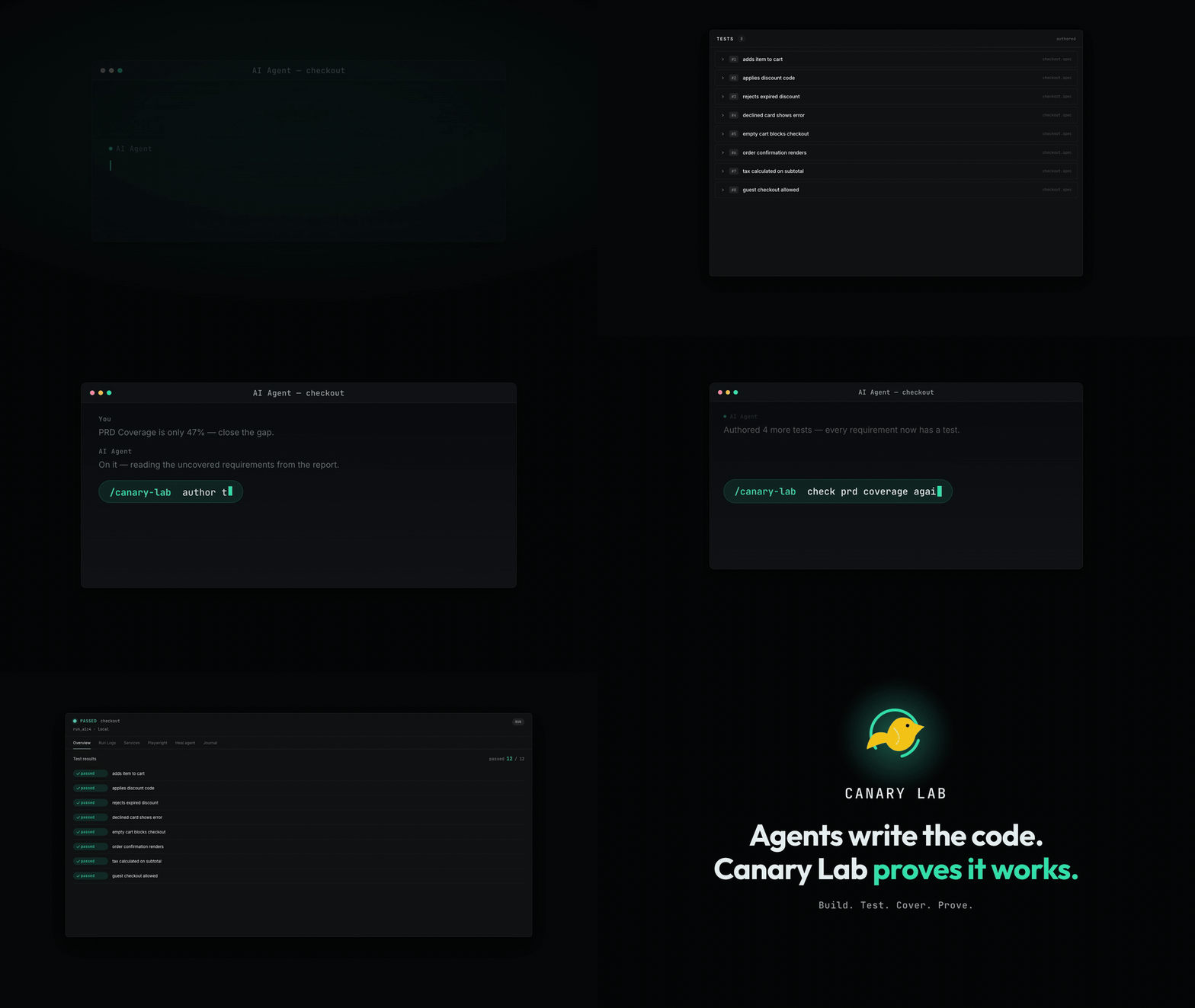
One command, from your workspace:
/canary-lab run checkout locally, fix it if it fails, and run it again until it passes
Boots your services → runs the tests → agent reads the failure, fixes the code, signals a rerun → Canary Lab reruns until green. The agent only reads results and asks for a retry — it never writes the verdict.
Why the Verdict Is Independent
A good agent can already start a dev server and run Playwright. The gap is trust.
| The agent can | The agent can't |
|---|---|
| Read logs, traces, screenshots, videos | Run the tests itself |
| Fix the app or the test | Declare a run green |
Signal rerun / restart |
Touch the evidence |
Three things a bare terminal agent can't do alone:
- Results it doesn't own — the harness runs the tests and holds the pass/fail.
- Concurrency without conflicts — per-run ports (injected as
${port.api}) + a git worktree per shared repo; extras queue. Several agents share one laptop safely. - Safe env switching — env files are backed up before changes and restored when the run ends.
What You Write
A feature is a folder with two things: a config for booting your services, and normal Playwright tests — no new test language.
The config is where per-run isolation comes from. Describe the dev command you already run; Canary Lab assigns a free port per run.
// features/checkout/feature.config.cjs
const config = {
  name: 'checkout',
  envs: ['local'],
  repos: [{
    name: 'checkout',
    localPath: __dirname,
    startCommands: [{
      command: 'npm run dev',
      // A free port per run, injected as PORT, so two runs never collide.
      // Reference it anywhere as ${port.api}.
      ports: [{ name: 'api', env: 'PORT' }],
      healthCheck: { http: { url: 'http://localhost:${port.api}/', timeoutMs: 3000 } },
    }],
  }],
  featureDir: __dirname,
}

module.exports = { config }
The tests are ordinary Playwright. The only Canary Lab line is the import — a fixture that tags each test's output so failures map back to the right test:
// features/checkout/e2e/checkout.spec.ts
import { test, expect } from 'canary-lab/feature-support/log-marker-fixture'

test('applying SAVE10 produces a 10% discount on the summary', async ({ request }) => {
  const { orderId } = await (await request.post('/order')).json()
  await request.post(`/order/${orderId}/items`, { data: { sku: 'X', qty: 1, price: 100 } })
  await request.post(`/order/${orderId}/coupon`, { data: { code: 'SAVE10' } })
  const summary = await (await request.get(`/order/${orderId}/summary`)).json()
  expect(summary.discount).toBe(10)
})
The scaffold ships sample features (some intentionally broken) so you can watch a full repair loop before writing your own.
How the Repair Loop Works
- Canary Lab applies the selected envset and starts your local services.
- Playwright runs the feature tests.
- Logs, screenshots, traces, videos, summaries, and failure slices land under
logs/runs/<runId>/. - Your agent reads the failure context, fixes the app or the test, and signals
rerunorrestart— Canary Lab, not the agent, reruns the tests. - Canary Lab continues from the same run until the check passes.
How It Compares
| Plain Playwright | docker-compose (watch) | Hosted dashboard | Canary Lab | |
|---|---|---|---|---|
| Runs your existing dev commands, hot reload intact | ✓ | needs dev image + watch rules | — | ✓ |
| Fix → retest in seconds, no rebuild | ✓ (one service) | after rebuild/sync | — | ✓ |
| Boots & orchestrates several services together | you script it | ✓ | varies | ✓ |
| Concurrent runs on one machine (ports + worktrees) | manual | not out of the box | hosted, not local | ✓ |
| Per-run evidence owned by the harness, not the agent | — | — | ✓ (cloud) | ✓ (your machine) |
| Env-file switching with backup/restore | manual | manual | — | ✓ |
| Fully local / offline | ✓ | ✓ | — | ✓ |
Canary Lab earns its place when a failure depends on more than a browser assertion — which services were up, which env was active, what the backend logged — and you want an agent to fix it unattended. Skip it when npx playwright test already tells you enough, when you want self-healing locators, or when you'd rather a hosted dashboard manage your tests.
Works with docker-compose
Compose runs services as images, so a one-line fix waits on a rebuild. Canary Lab runs the dev commands you already use (npm run dev, ./gradlew bootRun): hot reload picks up the fix in seconds, no Dockerfile. Use both — docker compose up postgres redis in a Canary Lab startCommand for infra, Canary Lab for your app services in dev mode.
Quick Start — one command: flight
Point Canary Lab at a bare product repo and say what to test:
npx canary-lab flight ../your-app "checkout flow"
flight conducts the whole onboarding as one background flight — an agent does every stage, the harness computes every verdict, and you only answer a few checkpoints:
scout the repo → draft feature.config.cjs (you approve) → capture env files → gather/infer the PRD → author specs until requirement coverage hits 100% → port-ify → run → heal to green → export the evaluation archive (the flight's deliverable).
| Before (manual) | After (flight) |
|
|---|---|---|
| Entry | init, learn UI/MCP, then per-feature setup |
npx canary-lab flight ../shop "checkout flow" |
| feature.config.cjs | hand-written: repos, startCommands, ${port.api}, healthCheck |
agent scouts the repo and drafts it; a dry-run boot verifies it |
| Env → envsets | know + call the capture tool yourself | automatic; missing secrets are the one checkpoint never skipped |
| Docs/PRD | copy files into docs/, trigger the summary |
the flight pauses for your docs — add files or link local paths (symlinked); else inferred from repo docs / the diff vs your base branch |
| Specs + coverage | author + tag + map by hand | authoring loop until the coverage ledger has no gaps |
| Run + heal + proof | drive the loop, export manually | stages; the flight ends with the evaluation archive on disk |
| Human steps | ~10, expert knowledge required | 1 command + approve checkpoints (--yolo skips all but missing secrets) |
Re-running flight on the same repo never duplicates work: an interrupted flight resumes from its failed stage, and a finished one parks on a rerun / enhance / new choice. Watch it live in the web UI's Flights pill, or drive the same flight from Claude/Codex over MCP (start_flight).
flight creates the workspace if none exists. To set one up yourself (sample features included):
npx canary-lab init my-lab
cd my-lab
npx canary-lab ui
init scaffolds a workspace with sample features, installs deps, downloads the Playwright browser, and registers your agent's tools — so canary-lab ui opens at http://localhost:7421 straight away. Add --no-open to skip the browser.
CI / offline? Pass --no-install, then run the steps manually:
npx canary-lab init my-lab --no-install
cd my-lab
npm install
npm run install:browsers
npx canary-lab ui
The UI and MCP server share one port (default 7421). Pin another with --port 8200, or change it later in Project Settings.
Restart your agent after setup so it discovers the Canary Lab tools. If they don't appear, run npx canary-lab setup --force and start a fresh session.
What Canary Lab Owns
No test language, assertion model, or browser runner — Playwright runs the tests. Canary Lab owns the context around them:
- Feature scaffolding and conventions; envset apply/cleanup.
- Service startup, health checks, PTY streams, shutdown — with per-run port and git-worktree isolation.
- Run manifests, logs, artifacts, failure slices, summaries, and diagnosis journals.
- Rerun/restart signals after a fix.
Requirements
- Node.js >= 20 and npm >= 9.
- A modern browser: Chrome, Firefox, or Safari.
- Local UI server on
http://localhost:7421(set per project via--portor Project Settings), with orchestration throughnode-pty. - Optional repair agents: supported AI agent CLIs (
claude,codex) onPATH.
node-pty is a native module giving each service a real terminal, so interactive dev servers behave as in your own shell. It ships prebuilt binaries — a normal install compiles nothing. One postinstall step (fix-node-pty-permissions.mjs) re-adds the execute bit to node-pty's spawn-helper (upstream packaging bug); a no-op on Windows or if node-pty isn't installed.
Limitations
- Repairs are only as good as your service logs.
- Envset runs overwrite target files while active. If the process is killed mid-backup/restore, reopen the UI and use the envset controls to recover.
- Envset values aren't validated — stale config can surface as unclear failures.
- Linux and Windows workflows aren't polished yet.
Documentation
| Doc | What's inside |
|---|---|
| Changelog | What changed in each release. |
| Guide | Env switching, run-output layout, repairing a run, evaluation reports, external authoring. |
| Commands | Full CLI reference. |
| Feature Folders | Feature structure, scaffold conventions, creating a feature. |
| Architecture | Module map, run lifecycle, concurrency, heal system, MCP layer. |
| Contributing | Code orientation and build/test workflow. |
License
Установка Canary Lab
У этого сервера нет опубликованного пакета — он собирается из исходников. Открой репозиторий и следуй инструкции в README.
▸ github.com/ferterahadi/canary-labFAQ
Canary Lab MCP бесплатный?
Да, Canary Lab MCP бесплатный — установка в пару кликов через Unyly без оплаты.
Нужен ли API-ключ для Canary Lab?
Нет, Canary Lab работает без API-ключей и переменных окружения.
Canary Lab — hosted или self-hosted?
Self-hosted: сервер запускается локально на твоей машине командой из раздела установки.
Как установить Canary Lab в Claude Desktop, Claude Code или Cursor?
Открой Canary Lab на unyly.org, выбери вкладку своего клиента (Claude Desktop, Claude Code, Cursor) и нажми Install — конфиг сгенерируется автоматически, без правки JSON.
Похожие MCP
GitHub
PRs, issues, code search, CI status
 автор: GitHub
Filesystem
Secure file operations with configurable access controls.
Memory
Knowledge graph-based persistent memory system.
Template MCP Server
A CLI tool to create a new Model Context Protocol server project with TypeScript support, dual transport options, and an extensible structure
 автор: mcpdotdirect
Compare Canary Lab with
Не уверен что выбрать?
Найди свой стек за 60 секунд
Автор?
Embed-бейдж для README
Похожее
Все в категории development