
Codebase Explorer Server
БесплатноНе проверенAnalyzes any codebase to detect project type, languages, frameworks, entry points, API routes, controllers, services, components, tests, and more.

Описание
Analyzes any codebase to detect project type, languages, frameworks, entry points, API routes, controllers, services, components, tests, and more.
README
An MCP server that analyzes any codebase — detects project type, languages, framework, entry points, API routes, controllers, services, components, tests, and more.
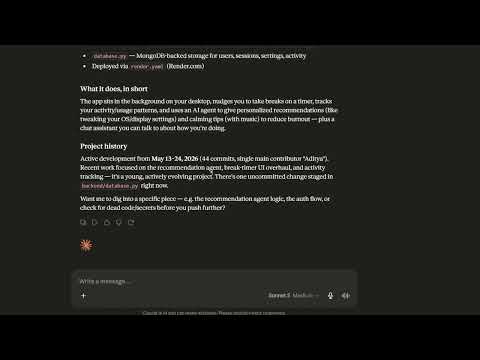
Click the image above to watch the demo video →
Quick start
1. Install uv
# Windows
powershell -c "irm https://astral.sh/uv/install.ps1 | iex"

# macOS / Linux
curl -LsSf https://astral.sh/uv/install.sh | sh
Verify: uv --version
Why
uv?uv.lockpins exact dependency versions (likepackage-lock.json), so everyone gets identical environments.mcp devalso usesuvxunder the hood.
2. Setup the project
cd /path/to/codebase-explorer-mcp
uv sync
This reads uv.lock, creates .venv, and installs all dependencies.
3a. Use with Claude Desktop
Find your venv Python path:
# From the project folder:
.venv\Scripts\python.exe --version
Add to claude_desktop_config.json (%APPDATA%\Claude\claude_desktop_config.json):
{
  "mcpServers": {
    "codebase-explorer": {
      "command": "C:\\full\\path\\to\\codebase-explorer-mcp\\.venv\\Scripts\\python.exe",
      "args": ["server.py"],
      "cwd": "C:\\full\\path\\to\\codebase-explorer-mcp"
    }
  }
}
Restart Claude Desktop.
3b. Test with MCP Inspector (development)
cd /path/to/codebase-explorer-mcp
mcp dev server.py
Opens http://localhost:6274 — test all tools live in a web UI.
How to use
You only need to provide the repo path — the server auto-discovers everything else.
| Tool | What you give it | What it returns |
|---|---|---|
analyze_structure |
path |
Languages, file count, entry points, directory tree |
find_features |
path |
Routes, controllers, components, tests, interfaces |
get_feature_detail |
path, name |
Code context around a feature (auto-locates file + line) |
generate_architecture |
path |
Layered Mermaid diagram — entry points, API, services, data, UI with import connections |
analyze_dead_code |
path |
Functions, classes, and exports defined but never referenced elsewhere |
get_git_info |
path |
Git branch, recent commits, contributors, hot files, uncommitted changes |
find_secrets |
path |
Hardcoded API keys, tokens, passwords, private keys, database credentials |
search_symbols |
path, pattern |
Regex search results across all source files |
Example flow
- Get an overview:
analyze_structure(path="C:\\MyProject") - See the big picture:
generate_architecture(path="C:\\MyProject")→ Renders a Mermaid diagram with layers: Entry → API → Logic → Data → UI, plus import graph edges - Check git health:
get_git_info(path="C:\\MyProject")→ Branch, recent commits, contributors, hot files, uncommitted changes - Scan for leaks:
find_secrets(path="C:\\MyProject")→ Hardcoded API keys, tokens, passwords, and database credentials - Find dead code:
analyze_dead_code(path="C:\\MyProject")→ Lists functions, classes, and exports defined but never imported or referenced elsewhere - Find specific features:
find_features(path="C:\\MyProject")→ See all API routes, controllers, tests listed with their file locations - Inspect one:
get_feature_detail(path="C:\\MyProject", name="get_users")→ Shows code context around that feature, no need to know the file or line number - Search:
search_symbols(path="C:\\MyProject", pattern="async def")→ Find all async functions in the codebase
Alternative setup (without uv)
python -m venv venv
venv\Scripts\activate     # Windows
# source venv/bin/activate  # macOS / Linux
pip install "mcp[cli]>=1.6.0"
python server.py
Supported Languages
Python, JavaScript/TypeScript, Java, Go, Ruby, C#, Rust, PHP, Kotlin, Swift, and more.
Установка Codebase Explorer Server
У этого сервера нет опубликованного пакета — он собирается из исходников. Открой репозиторий и следуй инструкции в README.
▸ github.com/AaadityaG/Codebase-Explainer-MCP-ServerFAQ
Codebase Explorer Server MCP бесплатный?
Да, Codebase Explorer Server MCP бесплатный — установка в пару кликов через Unyly без оплаты.
Нужен ли API-ключ для Codebase Explorer Server?
Нет, Codebase Explorer Server работает без API-ключей и переменных окружения.
Codebase Explorer Server — hosted или self-hosted?
Self-hosted: сервер запускается локально на твоей машине командой из раздела установки.
Как установить Codebase Explorer Server в Claude Desktop, Claude Code или Cursor?
Открой Codebase Explorer Server на unyly.org, выбери вкладку своего клиента (Claude Desktop, Claude Code, Cursor) и нажми Install — конфиг сгенерируется автоматически, без правки JSON.
Похожие MCP
GitHub
PRs, issues, code search, CI status
 автор: GitHub
Filesystem
Secure file operations with configurable access controls.
Memory
Knowledge graph-based persistent memory system.
Template MCP Server
A CLI tool to create a new Model Context Protocol server project with TypeScript support, dual transport options, and an extensible structure
 автор: mcpdotdirect
Compare Codebase Explorer Server with
Не уверен что выбрать?
Найди свой стек за 60 секунд
Автор?
Embed-бейдж для README
Похожее
Все в категории development