
CodeWiki Server
БесплатноНе проверенEnables querying any GitHub, GitLab, or Bitbucket repository and getting AI-generated answers about the codebase, powered by Gemini.

Описание
Enables querying any GitHub, GitLab, or Bitbucket repository and getting AI-generated answers about the codebase, powered by Gemini.
README




An MCP server that brings Google CodeWiki into your editor. Query any GitHub, GitLab, or Bitbucket repository and get AI-generated answers about the codebase — powered by Gemini.
Documentation · Release Notes · PyPI
Sample Conversation
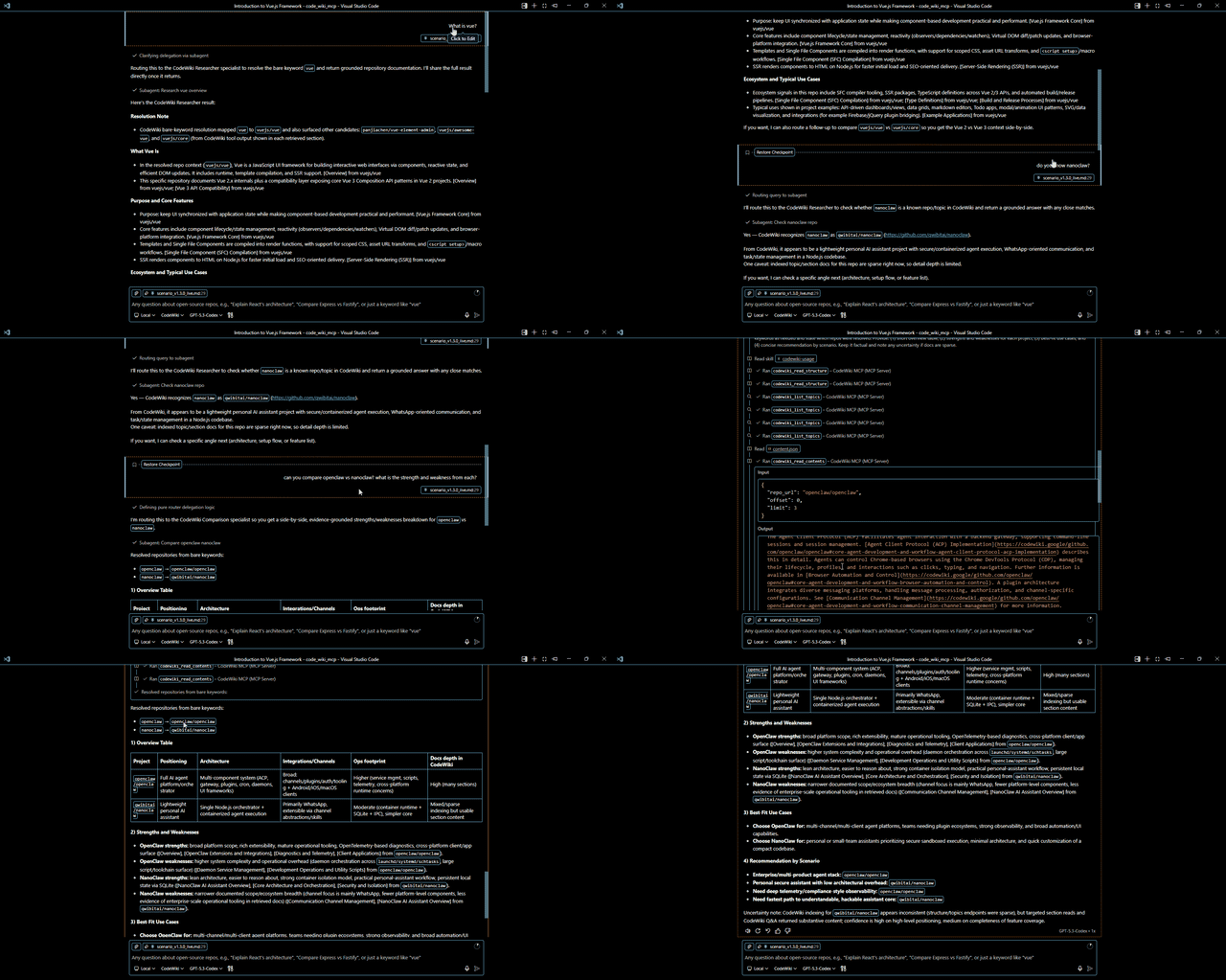
Sample conversation using CodeWiki MCP server with the CodeWiki Agent in VS Code Chat.
Quick Start
pip install codewiki-mcp
playwright install chromium
Client Setup
VS Code
Open Command Palette (Ctrl+Shift+P) → MCP: Add Server → Command (stdio) → enter codewiki-mcp.
Or add to .vscode/mcp.json:
{
  "servers": {
    "codewiki-mcp": {
      "type": "stdio",
      "command": "codewiki-mcp"
    }
  }
}
Claude Desktop
Add to claude_desktop_config.json:
{
  "mcpServers": {
    "codewiki": {
      "command": "codewiki-mcp"
    }
  }
}
Docker
docker build -t codewiki-mcp .
docker run -it --rm codewiki-mcp
Tools
| Tool | Description |
|---|---|
codewiki_list_topics |
Topics overview with previews |
codewiki_read_structure |
JSON table of contents |
codewiki_read_contents |
Full or section-specific docs (paginated) |
codewiki_search_wiki |
Gemini-powered Q&A chat |
codewiki_request_indexing |
Submit unindexed repos for indexing |
All tools accept repo_url as a full URL or owner/repo shorthand.
Documentation
Configuration, architecture, agentic AI guides, and more — see the full documentation.
License
MIT
Установить CodeWiki Server в Claude Desktop, Claude Code, Cursor
unyly install codewiki-mcp-serverСтавит в Claude Desktop, Claude Code, Cursor и VS Code — сам разбирается с npx, uvx и сборкой из исходников.
Впервые? Поставь CLI: curl -fsSL https://unyly.org/install | sh
Или настроить вручную
Выполни в терминале:
claude mcp add codewiki-mcp-server -- uvx codewiki-mcpFAQ
CodeWiki Server MCP бесплатный?
Да, CodeWiki Server MCP бесплатный — установка в пару кликов через Unyly без оплаты.
Нужен ли API-ключ для CodeWiki Server?
Нет, CodeWiki Server работает без API-ключей и переменных окружения.
CodeWiki Server — hosted или self-hosted?
Self-hosted: сервер запускается локально на твоей машине командой из раздела установки.
Как установить CodeWiki Server в Claude Desktop, Claude Code или Cursor?
Открой CodeWiki Server на unyly.org, выбери вкладку своего клиента (Claude Desktop, Claude Code, Cursor) и нажми Install — конфиг сгенерируется автоматически, без правки JSON.
Похожие MCP
GitHub
PRs, issues, code search, CI status
 автор: GitHub
Filesystem
Secure file operations with configurable access controls.
Memory
Knowledge graph-based persistent memory system.
Template MCP Server
A CLI tool to create a new Model Context Protocol server project with TypeScript support, dual transport options, and an extensible structure
 автор: mcpdotdirect
Compare CodeWiki Server with
Не уверен что выбрать?
Найди свой стек за 60 секунд
Автор?
Embed-бейдж для README
Похожее
Все в категории development