
contextium-io/contextium-mcp-server
БесплатноНе проверенOne shared context for every AI tool your team uses. Serves your team's knowledge, coding standards, skills, and AI agents to Claude, Cursor, Copilot, and any M

Описание
One shared context for every AI tool your team uses. Serves your team's knowledge, coding standards, skills, and AI agents to Claude, Cursor, Copilot, and any MCP client — load a whole workflow (docs, agents, skills, tasks, phases) in a single call. Versioned and permissioned. npx @contextium/mcp-server
README
contextium-io/contextium-mcp-server MCP server
Give Claude your team's brain. Pipe SOPs, coding standards, agents, and workflows directly into Claude Desktop, Claude Code, Cursor, and any MCP-compatible assistant.
Stop copy-pasting context into every chat. Contextium is a shared knowledge platform that connects your team's documentation, AI agents, skills, and workflows to Claude via MCP — so the right context is always there, automatically.
npm version npm downloads MCP Registry License: MIT
See it in action
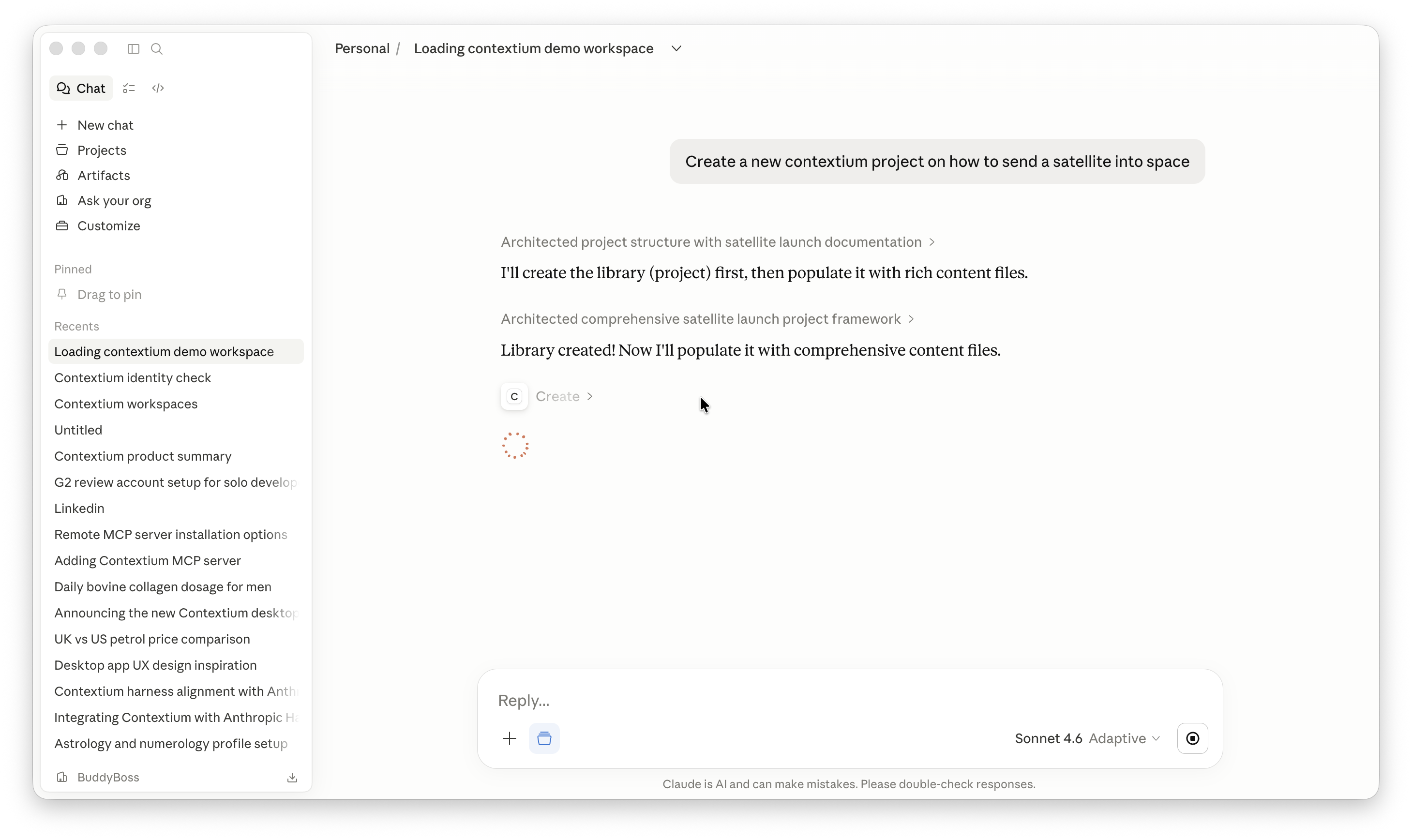
Ask Claude to create a Contextium project — it architects the full structure and populates it with content via MCP:
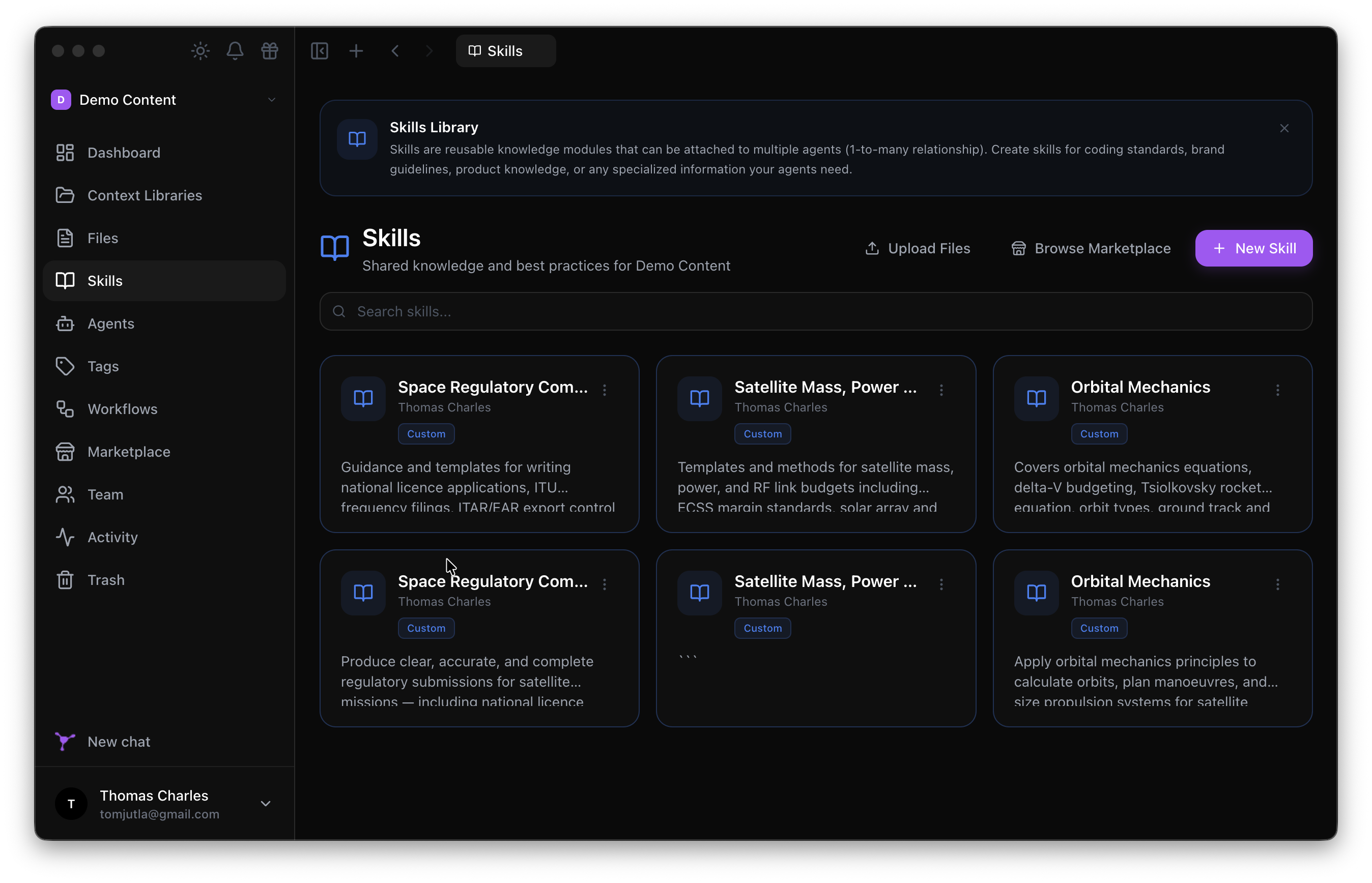
The result appears instantly in the Contextium Desktop app, ready for your whole team:
Get connected in 2 minutes
Step 1 — Add to Claude Desktop
macOS: ~/Library/Application Support/Claude/claude_desktop_config.json
Windows: %APPDATA%\Claude\claude_desktop_config.json
{
  "mcpServers": {
    "contextium": {
      "command": "npx",
      "args": ["@contextium/mcp-server"]
    }
  }
}
Step 2 — Authenticate
npx @contextium/mcp-server setup
A browser window opens. Log in, select your workspace, and authorise. Done.
Step 3 — You're live
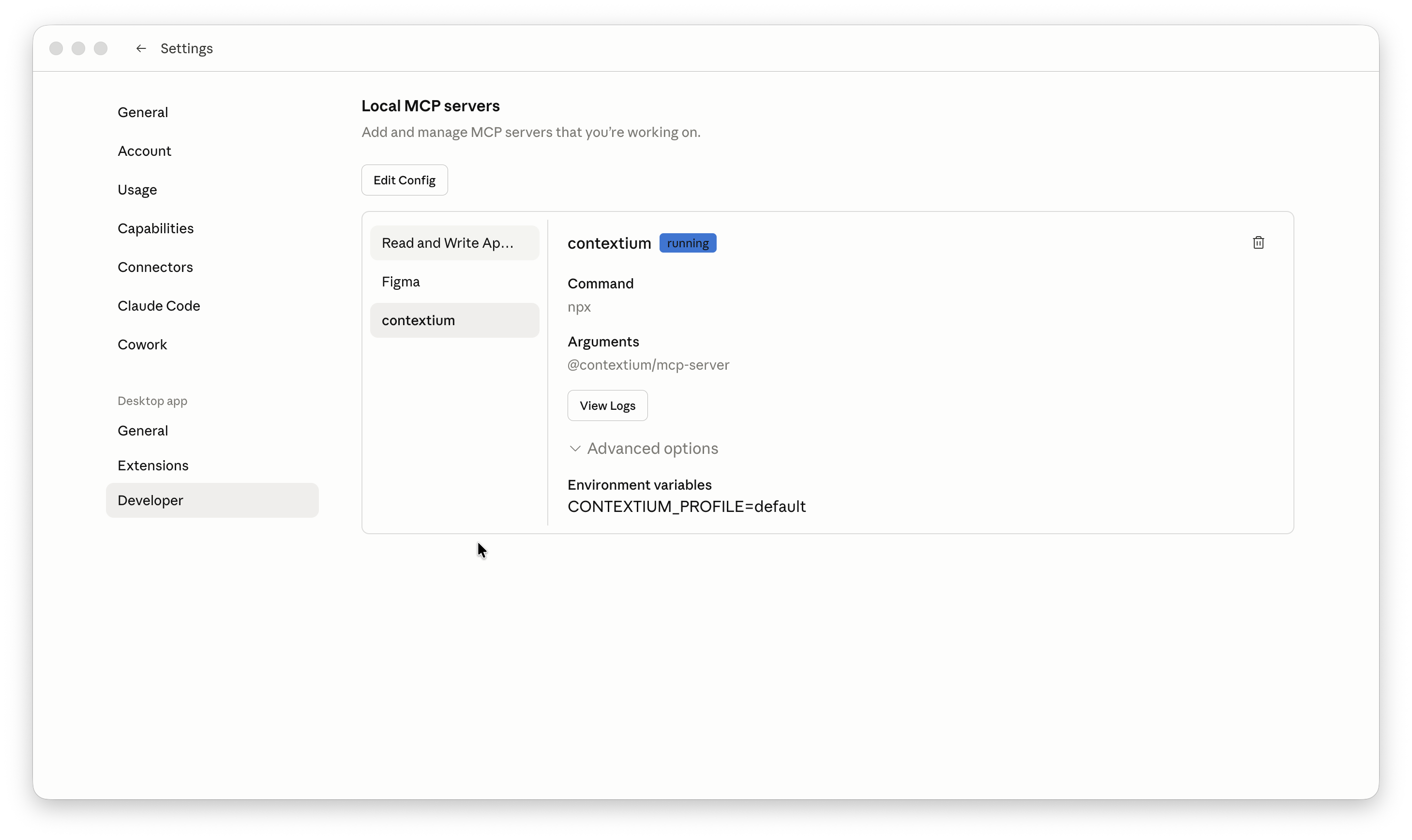
Contextium appears as running in Claude Desktop's Developer settings:
What you can do
| Say to Claude | What happens |
|---|---|
| "Create a new Contextium project for our API docs" | Claude architects and populates a full library |
| "Load my onboarding workflow" | Full team context loads into the session |
| "Find anything about our authentication approach" | Searches across all your Contextium libraries |
| "What agents do we have set up?" | Lists your team's AI agents with descriptions |
| "Add this decision to our architecture library" | Creates a versioned file in Contextium |
| "Browse the marketplace for a skill" | Searches and installs from the Contextium Marketplace |
Built-in tool instructions
Every tool ships with structured descriptions so Claude Desktop and other platforms understand exactly how and when to use each tool — no prompt engineering required on your end.
Full tool reference
Core CRUD
| Tool | What it does |
|---|---|
list |
List any resource — workspaces, libraries, files, agents, skills, workflows, tags, members |
get |
Retrieve full details of any resource by ID — including member profiles |
create |
Create any resource — files, libraries, agents, skills, workflows, tags |
update |
Update any existing resource — files, agents, workflows, skills, tags |
delete |
Delete files and resources (moves to trash, restorable) |
search |
Semantic search across all documentation |
search_by_tags |
Filter resources by tag |
manage_relationship |
Link agents to skills, apply tags, manage associations |
Workflows & Projects
| Tool | What it does |
|---|---|
load_workflow |
Load a full workflow — bundles agents, skills, and libraries into context |
new_project |
Guided flow to create a new Contextium project |
resume_project |
Resume work from a previous session handoff |
harness |
Structured feature development — get next phase, mark complete, close session |
Skills
| Tool | What it does |
|---|---|
list_skills |
List all skills in the workspace Skills Library |
get_skill |
Retrieve a skill's full markdown content by ID or name |
update_skill |
Update a skill's title or content |
Tasks
| Tool | What it does |
|---|---|
add_task |
Add a task to a workflow (accepts workflow name or ID) |
update_task_status |
Update a task's status — not_started, in_progress, done |
list_tasks |
List tasks for a workflow or across the workspace |
Identities
| Tool | What it does |
|---|---|
list_identities |
List all identities in the workspace |
get_identity |
Retrieve full identity details |
create_identity |
Create a new identity — voice, tone, role, and audience |
update_identity |
Update an existing identity |
delete_identity |
Delete an identity |
Team
| Tool | What it does |
|---|---|
notify_team_members |
Notify workspace members about a file, workflow, agent, or library |
Integrations & Utilities
| Tool | What it does |
|---|---|
figma_sync |
Sync Figma designs into a Contextium library |
marketplace |
Browse, search, and install from the Contextium Marketplace |
contextium_status |
Check auth status, current workspace, and available resources |
contextium_help |
Show available tools and usage guidance |
Works with
- Claude Desktop
- Claude Code
- Cursor
- Any MCP-compatible client
Requirements: Node.js ≥ 18
Links
- Website: https://contextium.io
- npm: https://www.npmjs.com/package/@contextium/mcp-server
- MCP Registry: https://registry.modelcontextprotocol.io
- Docs: https://contextium.io/docs/integrations-mcp
- Support: [email protected]
Установка contextium-io/contextium-mcp-server
У этого сервера нет опубликованного пакета — он собирается из исходников. Открой репозиторий и следуй инструкции в README.
▸ github.com/contextium-io/contextium-mcp-serverFAQ
contextium-io/contextium-mcp-server MCP бесплатный?
Да, contextium-io/contextium-mcp-server MCP бесплатный — установка в пару кликов через Unyly без оплаты.
Нужен ли API-ключ для contextium-io/contextium-mcp-server?
Нет, contextium-io/contextium-mcp-server работает без API-ключей и переменных окружения.
contextium-io/contextium-mcp-server — hosted или self-hosted?
Self-hosted: сервер запускается локально на твоей машине командой из раздела установки.
Как установить contextium-io/contextium-mcp-server в Claude Desktop, Claude Code или Cursor?
Открой contextium-io/contextium-mcp-server на unyly.org, выбери вкладку своего клиента (Claude Desktop, Claude Code, Cursor) и нажми Install — конфиг сгенерируется автоматически, без правки JSON.
Похожие MCP
Notion
Read and write pages in your workspace
 автор: Notion
Linear
Issues, cycles, triage — from Claude
 автор: Linear
Google Drive
Search and read your Drive files
 автор: Google
mindsdb/mindsdb
Connect and unify data across various platforms and databases with [MindsDB as a single MCP server](https://docs.mindsdb.com/mcp/overview).
 автор: mindsdb
Compare contextium-io/contextium-mcp-server with
Не уверен что выбрать?
Найди свой стек за 60 секунд
Автор?
Embed-бейдж для README
Похожее
Все в категории productivity