
Driftglass
БесплатноНе проверенMCP server that maintains cited, current answers to standing research questions by tracking chosen sources, consolidating repeated coverage, and providing evide

Описание
MCP server that maintains cited, current answers to standing research questions by tracking chosen sources, consolidating repeated coverage, and providing evidence-based briefs with change signals.
README
Keep a current answer to questions that outlive the news cycle. Driftglass follows the sources you choose, consolidates repeated coverage, and maintains a cited answer with the causes, strongest alternative case, and signals that would change it.
Try the frozen, read-only live example or watch a standing question move from new sources to a saved answer in the quick walkthrough.
Product tour
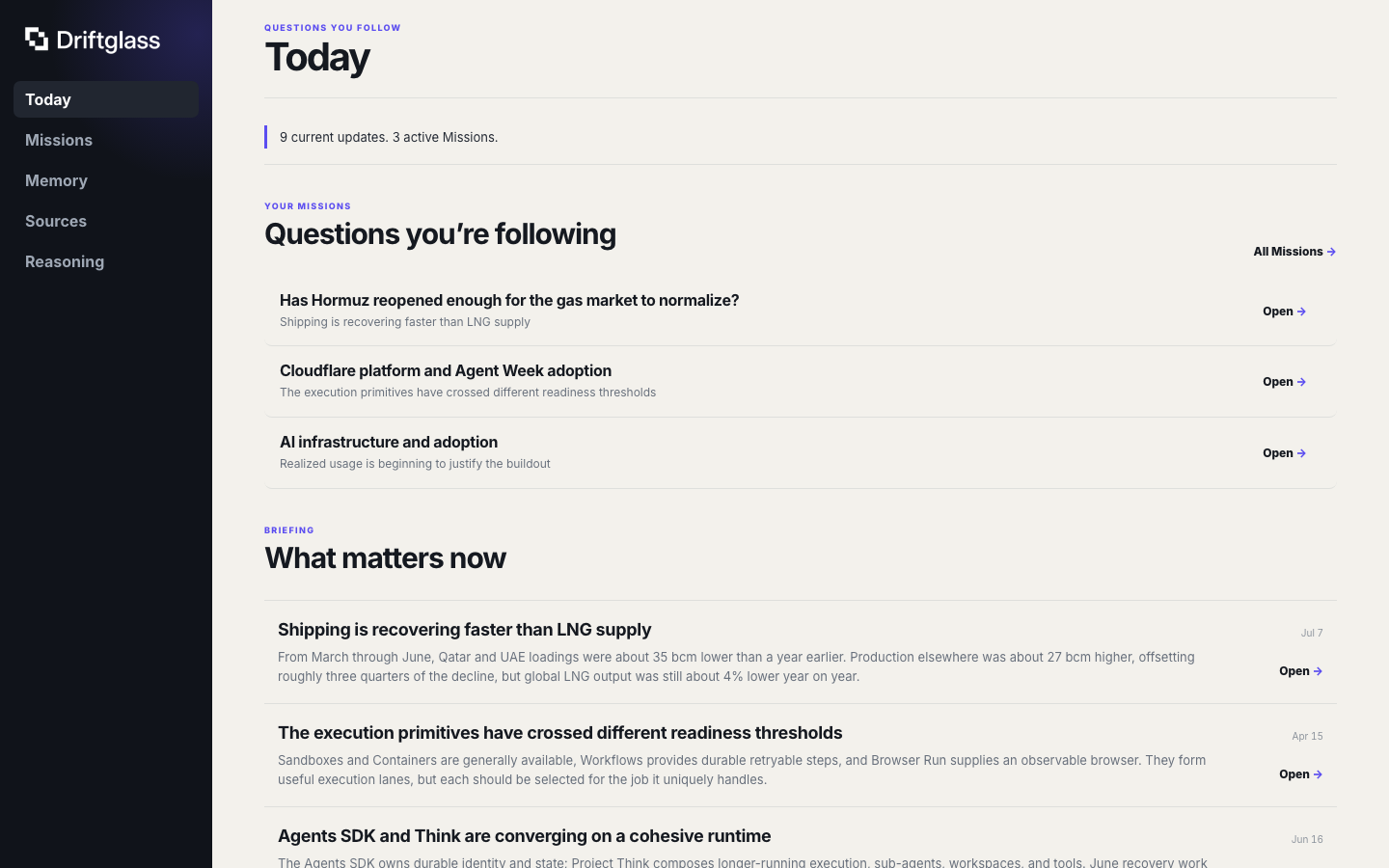
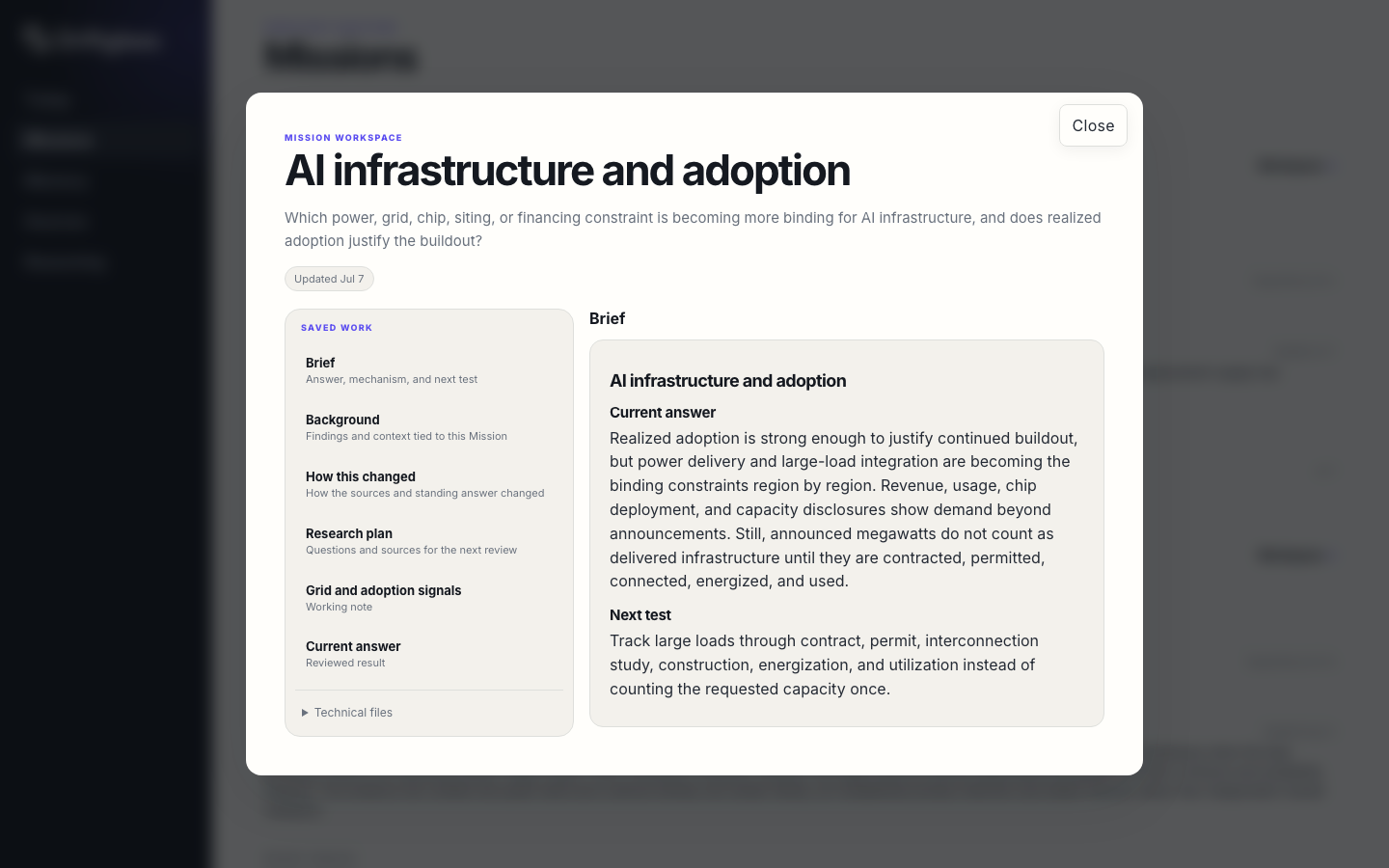
| Today | Mission workspace |
|---|---|
 |
 |
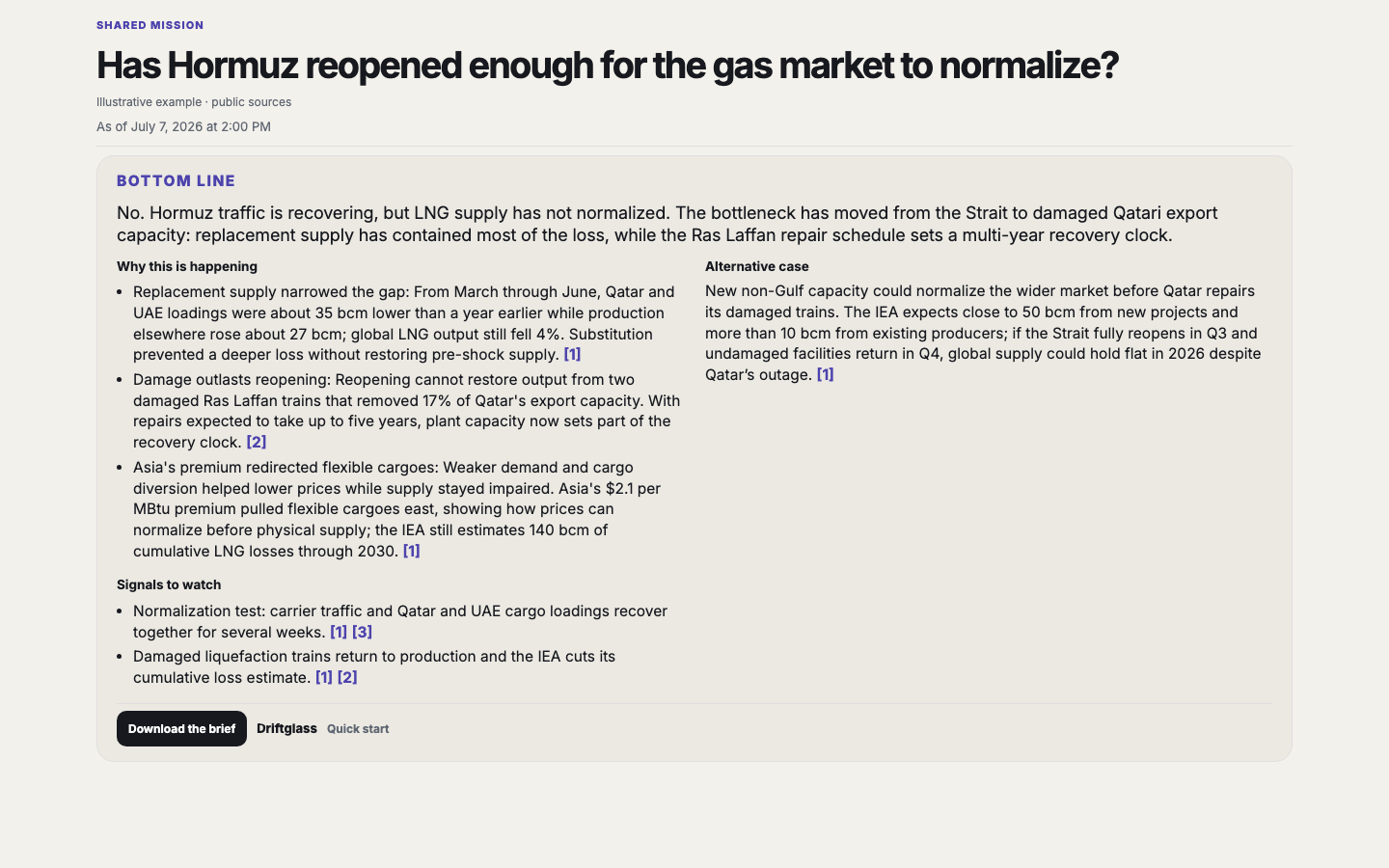
| Public answer | Architecture |
|---|---|
 |
 |
Quick start
1. Install on Cloudflare
Activate R2 in the target Cloudflare account, then install Git and Node.js 22 or newer:
git clone https://github.com/anotb/driftglass.git
cd driftglass
npm install
npx wrangler login
cp .deploy-secrets.example .deploy-secrets
# Replace the placeholder with the output of: openssl rand -hex 32
npm run check:deploy
npm run deploy:first
This creates the Worker resources, applies D1 migrations, and sets 30-day expiry for disposable raw/ captures. Direct public-page reading works on Workers Free. Browser Rendering, Email Routing, AI Search, the Companion, and Workers Paid are optional. See Deployment for costs, staging, and later upgrades.
2. Run the experimental local preview
The source-checkout preview requires Git and Node.js 24.4 or newer:
git clone https://github.com/anotb/driftglass.git
cd driftglass
npm install
npm run selfhost:build
node dist/selfhost/driftglass-selfhost.mjs init --data-dir "$PWD/.local-driftglass"
node dist/selfhost/driftglass-selfhost.mjs serve --data-dir "$PWD/.local-driftglass"
This starts a loopback-only instance with local SQLite and filesystem storage. It is not yet a packaged desktop or server release. See Portable Runtime for backups, restore, and current limits.
3. Connect ChatGPT or another reasoning model
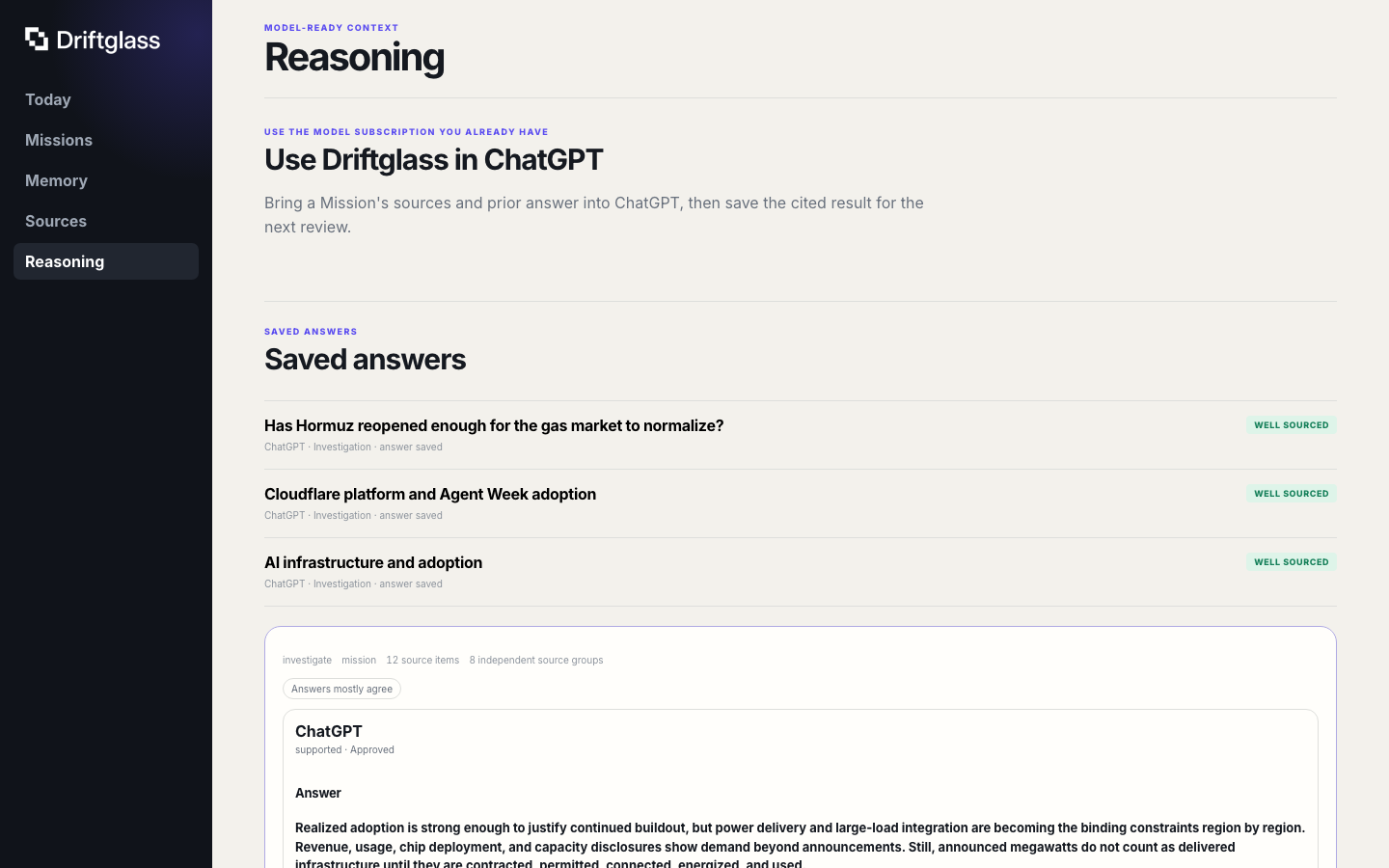
After Driftglass is running, open Reasoning in the dashboard.
- ChatGPT: choose Connect ChatGPT, complete the connection, then select Driftglass from Tools in a new Work chat. The optional
@Driftglassplugin gives steadier Today and Mission routing. - Claude: add the compact remote MCP, or use the generated Agent Skill and Markdown/JSON context.
- Other agents: connect the read-only MCP at
/mcp. Machine-readable discovery lives at/llms.txt,/llms-full.txt,/.well-known/mcp.json,/.well-known/driftglass.json, and/openapi.jsonon the running instance.
Add the separate Allow updates connection only when the agent should save answers or suggestions for your review.
WebMCP remains experimental. It needs Chrome 149 or newer, an origin-trial token for the deployed origin or chrome://flags/#enable-webmcp-testing locally, and an open, unlocked Driftglass dashboard tab. The compact remote MCP works without WebMCP.
First useful session
- Open the dashboard with the owner secret and run the setup check.
- Keep the Free usage profile and install one featured Intelligence Pack.
- Collect once. Driftglass groups repeats into Stories and matches them to the Pack's Research Missions.
- Open Today and choose a Mission with a question you care about.
- Connect your reasoning model and ask for the current answer, what changed, and what would change it again.
- Save the cited answer if it is worth carrying into the next update.
Start there. The Companion, AI Search, Email Routing, and Computer Power Mode can wait until a Mission needs them.
What Driftglass keeps for each question
A Research Mission holds:
- the question and current answer
- the sources and developing Stories behind it
- chronology, disagreements, and missing information
- the next event or measurement worth watching
- earlier answers, decisions, forecasts, and outcomes
Missions can cover energy flows through Hormuz, AI entering the experimental science cycle, a market thesis, a policy change, or a technical dependency. They are standing questions, not feed categories.
chosen sources → collected items → developing Stories → Research Mission
                                                           ↓
Today ← cited current answer ← chosen reasoning model ← prepared context
  ↓                                                        ↑
what changed → next event → scheduled refresh → connected memory
Quiet days do not need a briefing.
Sources and answers
Ten articles repeating one announcement are still one line of reporting. Driftglass groups sources by publisher, repository, package, author, community, and declared family, then marks their relationship to a Story:
origin · independent · same-family · update · echo
Briefs favor original reporting and independent support while retaining useful updates. They include the Mission question, source links, relevant memory, disagreements, open questions, and the requested answer shape. Each brief reports what it included and omitted; a connected model can use search, fetch, or a larger prepared context when it needs more of the source history.
The returned answer keeps its citations, model label, confidence, and source-state hash. A second model can answer from the same source state for comparison. Suggested memory changes stay pending until approved.
Driftglass does not require an OpenAI, Anthropic, or xAI model API key. It uses compatible subscription clients through MCP or portable context files.
What Driftglass includes
- Today: a finite briefing of changed Missions and Stories.
- Research Missions: standing questions with a current answer, next event, and history.
- Connected memory: links among sources, claims, findings, questions, decisions, and forecasts.
- Intelligence Packs: reusable sources, Missions, starter memory, standards, and scheduled research for a domain.
- Mission Computers: one working directory per Mission for its current source snapshot, notes, results, and exports.
- Sharing: cited web pages, downloadable copies, and credential-free Packs for following the same public question.
- Budget Governor: keeps collection, rendering, storage, and scheduled work within the selected usage profile.
The default MCP is compact and read-only. Its operations counterpart uses an independently derived capability and handles saved results, outcomes, Pack changes, workspace notes, and approved memory changes.
Sources
The cloud core supports Hacker News, Lobsters, Bluesky, arXiv, GitHub Releases and Activity, npm, PyPI, public webpages, Page Feeds, Email Workers intake, and manual capture. OpenAlex uses an optional account key.
The optional Companion adds signed-in sources and mirrors Mission workspaces to macOS, Windows, or Linux. Browser sessions stay on that machine. Public collection and Mission state continue without it.
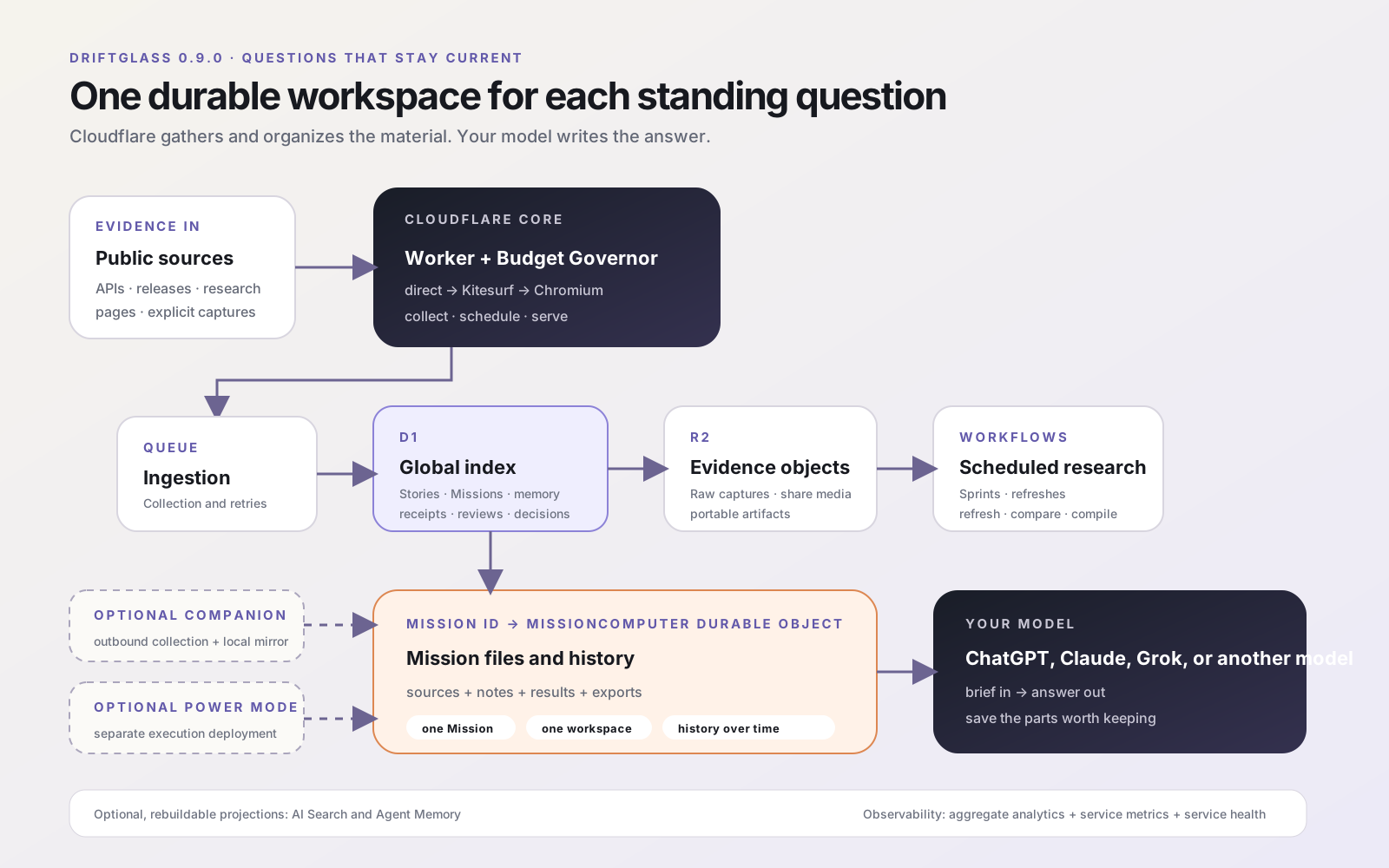
Architecture in one minute
| Layer | Role |
|---|---|
| Workers | API, dashboard, routing, MCP, and static assets |
| D1 | Stories, Missions, memory, decisions, budgets, and run state |
| R2 | source bodies, reasoning inputs, results, exports, and previews |
| Queues and Workflows | bounded ingestion, recovery, Mission refresh, and research routines |
| Direct HTTP; optional Kitesurf and Chromium | public-page reading and richer rendered-page fallbacks |
| Cloudflare Computer | one filesystem per Mission |
| Drop | portable answers and Intelligence Packs |
Cloudflare is the full hosted profile in 0.9. The local SQLite profile is an experimental source-checkout preview. Deployment creates a dedicated per-environment OAuth KV namespace. AI Search stays off until enabled, and retained Workers traces are disabled.
Architecture details: Product Boundary · Runtime Fabric · Reasoning Interfaces · Memory Graph · Mission Computer · Intelligence Packs · Budget Governor
Docs
Acknowledgements
Driftglass builds on and learns from open-source projects including OpenCLI and Cloudflare Computer. See Acknowledgements for the full list and each project’s role.
License
MIT. Integrated upstream tools remain separately installed under their own licenses.
Установка Driftglass
У этого сервера нет опубликованного пакета — он собирается из исходников. Открой репозиторий и следуй инструкции в README.
▸ github.com/anotb/driftglassFAQ
Driftglass MCP бесплатный?
Да, Driftglass MCP бесплатный — установка в пару кликов через Unyly без оплаты.
Нужен ли API-ключ для Driftglass?
Нет, Driftglass работает без API-ключей и переменных окружения.
Driftglass — hosted или self-hosted?
Self-hosted: сервер запускается локально на твоей машине командой из раздела установки.
Как установить Driftglass в Claude Desktop, Claude Code или Cursor?
Открой Driftglass на unyly.org, выбери вкладку своего клиента (Claude Desktop, Claude Code, Cursor) и нажми Install — конфиг сгенерируется автоматически, без правки JSON.
Похожие MCP
GitHub
PRs, issues, code search, CI status
 автор: GitHub
Filesystem
Secure file operations with configurable access controls.
Memory
Knowledge graph-based persistent memory system.
Template MCP Server
A CLI tool to create a new Model Context Protocol server project with TypeScript support, dual transport options, and an extensible structure
 автор: mcpdotdirect
Amap Maps Mcp Server
MCP server for using the AMap Maps API
 автор: duxiaohui
Supabase
Database, auth and storage
 автор: Supabase
Everything
Reference / test server with prompts, resources, and tools.
Git
Tools to read, search, and manipulate Git repositories.
Sequential Thinking
Dynamic and reflective problem-solving through thought sequences.
Time
Time and timezone conversion capabilities.
Compare Driftglass with
Не уверен что выбрать?
Найди свой стек за 60 секунд
Автор?
Embed-бейдж для README
Похожее
Все в категории development