
Dsh Ticktick
БесплатноПоддерживаетсяTickTick (Dida365) task bridge for DeepSeek Harness: a Session-header task panel (list filter, quick add, complete, delete, due dates, drag reorder) over the of

Описание
TickTick (Dida365) task bridge for DeepSeek Harness: a Session-header task panel (list filter, quick add, complete, delete, due dates, drag reorder) over the official TickTick MCP endpoint, a Ticktick Remote service, curated agent tools, and a plugin sett
README
dsh plugin --profile <name> add @perrylink/dsh-ticktick
Release stamp:
0.1.13(2026-10-04).
English | 中文 | Español | Português | हिन्दी
Package name. This project publishes to npm as
@perrylink/dsh-ticktick. The bare npm namedsh-ticktickbelongs to a different, unrelated project — installing it does not install this plugin.
TickTick / Dida365 (滴答清单) task bridge for DeepSeek Harness: a Session-header task panel (list filter, quick add, complete, delete, due dates, drag reorder), eleven curated agent tools, a configuration page on the Plugins page, and a typed Remote service — all over the official TickTick MCP endpoint.
License Node DSH plugin dsh-doctor DSH Market Gitee CI Version npm version npm downloads dshfind
Install
dsh plugin --profile web add github:PerryLink/dsh-ticktick
# npm (published artifact includes lib/, no build permission needed)
dsh plugin --profile web add @perrylink/dsh-ticktick

# git source (pin a commit; pnpm asks you to allow the prepare build once)
dsh plugin --profile web add "github:PerryLink/dsh-ticktick#<sha>"

# local development
dsh plugin --profile web add link:/path/to/dsh-ticktick
Restart dsh web (bundle plugins activate on restart). The ticktick action appears in the Session header; its configuration page opens from the Configure control on the TickTick row of the Plugins page.
What is dsh-ticktick?
TickTick / Dida365 (滴答清单) task bridge for DeepSeek Harness: a Session-header task panel (list filter, quick add, complete, delete, due dates, drag reorder), eleven curated agent tools, a configuration page on the Plugins page, and a typed Remote service — all over the official TickTick MCP endpoint.
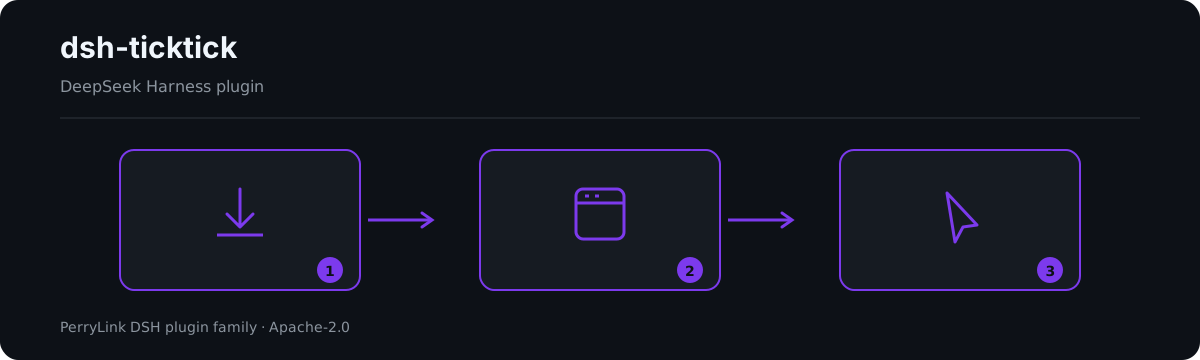
Workflow overview: install → open panel → act. The examples below use the real command surface.
Compatibility
| Surface | Status |
|---|---|
| Harness | DeepSeek Harness dsh-v0.2.1-alpha.1 (GitHub tag). npm dependency line: @deepseek-ai/dsh 0.2.1-alpha.1 (peers `>=0.1.2-rc.1 <0.2.0 |
| Node | ^22.19.0 || >=24.0.0 |
Features
- Session-header panel — the
ticktickaction in the Session header opens a popup: filter by list (All + every list), toggle undone/completed views, full-text search, add tasks with an optional due date, complete, delete (with confirm), set/clear due dates with overdue/today/tomorrow chips, and drag-reorder (undone, single-list views). A status dot shows the connection state; when no token is configured the panel offers one-step in-panel token setup. - Eleven agent tools —
ticktick_status,ticktick_lists,ticktick_tasks,ticktick_add,ticktick_complete,ticktick_delete,ticktick_due,ticktick_reorder,ticktick_completed,ticktick_search,ticktick_batch_add; Code Mode getsawait tools.ticktick_*(args)for free. - Configuration page — Plugins page → the TickTick row → Configure: API token (secret), token file, MCP endpoint with CN/International presets, protected task ids (all four applied live, no restart), a Test-connection button, and a Clear-credentials button.
- Live token re-read — the Bearer token is re-read per request (card secret > token file, default
$DSH_HOME/.ticktick-token); a 401 resets the client so a rotated token activates without restart. - Measured workarounds — the TickTick MCP server rejects
update_taskfor tasks inside regular projects ("Expecting value: line 1 column 1"); the bridge retries via a move-to-inbox → update → move-back detour. Lists that fail server-side validation (historicalrepeatFrom: ''data) are skipped and reported as warnings, never silently dropped. - Protected ids — mutating operations refuse tasks on the protected-id list before any wire call.
- Multi-device sync — every write lands on the TickTick cloud account, so the phone/desktop/web apps see it; every read fetches current state.
Examples
These are the plugin's real entry points; install once, then call one.
Detailed example
Command
ticktick_lists
Input
{}
Output
Inbox (inbox)
Work (hex1)
Observed from plugins/dsh-ticktick/src/tools.ts:107-109 (renderer); fixture/assertion at plugins/dsh-ticktick/tests/service.spec.ts:40-46,103-108
Failure branch
Input
{"id":"t-guarded","projectId":"hex1"} (protectedTaskIds: ["t-guarded"])
Output
Error: task t-guarded is protected
Observed from plugins/dsh-ticktick/src/service.ts:344-349; plugins/dsh-ticktick/tests/service.spec.ts:158-163
Brief examples
ticktick_tasksticktick_add
Configuration
- Get an API 口令 (a
dp_-prefixed token) from the Dida365/TickTick web app: Profile → Settings → Account & Security → API 口令. - Pick one of three token sources (priority order): the TickTick configuration page's secret field (Plugins page → the TickTick row → Configure), the
DIDA365_TOKENenvironment variable, or a token file (default$DSH_HOME/.ticktick-token, one line). Writing the file activates the bridge without any config change. - Use the card's Test connection button to verify the token, and Clear credentials to wipe it.
| Key | Default | Meaning |
|---|---|---|
tokenFile |
'' |
Path to a text file holding the token; empty resolves to $DSH_HOME/.ticktick-token |
mcpUrl |
https://mcp.dida365.com |
TickTick MCP endpoint (the international endpoint is unverified — see below) |
toolCallTimeoutMs |
30000 |
Per tools/call deadline in milliseconds |
protectedTaskIds |
[] |
Task ids every mutating operation refuses |
tools.* |
'' each |
Raw MCP tool-name pins (projects/tasks/create/complete/remove/update/move); '' = discover by pattern |
Agent tools
| Tool | Purpose |
|---|---|
ticktick_status |
connection state: token configured, client connected, endpoint, last error |
ticktick_lists |
every list (project), the virtual Inbox included |
ticktick_tasks |
undone tasks: one list or all aggregated, with per-list warnings |
ticktick_add |
create a task (list, optional ISO due date) |
ticktick_complete |
complete a task (task id + list id) |
ticktick_delete |
delete a task (task id + list id) |
ticktick_due |
set/clear a due date (omit the date to clear) |
ticktick_reorder |
assign a new integer sortOrder (lists order by descending sortOrder) |
ticktick_completed |
tasks completed within a window (default 30 days), optionally one list |
ticktick_search |
full-text search over tasks (the official search tool) |
ticktick_batch_add |
create several tasks in one call |
Architecture
browser panel ── ctx.remote.ticktick.* ──▶ TicktickService (Typert Remote)
configuration page ── ctx.configForms ──▶ profile entry "ticktick" (Volatile Config)
agent tools ─── ctx.tools (ticktick_*) ──▶ the same service
                    │
                    ▼
        minimal streamable-HTTP MCP client
        (session id, protocol version, Retry-After)
                    │
                    ▼
        https://mcp.dida365.com  (official TickTick MCP)
Known limitations
- The international TickTick endpoint is unverified:
mcpUrldefaults to the CN endpoint, and the international MCP URL has not been probed. - The completed view, search, and batch add ride the MCP tools
list_completed_tasks_by_date,search, andbatch_add_tasks; their wire contracts come from the published catalogue (dida365-sdkstubs) and re-verification against the live endpoint is pending — runprobes/probe-queries.mjswith a real token before claiming them verified. - The measured
update_taskcrash and the list-validation failure are server-side behaviors;probes/re-verifies them against the live endpoint before a release (run withDIDA365_TOKENexported). - The
/apisurface the panel uses is the standard harness Typert gateway; the token is stored locally (settings document or token file) and sent only to TickTick's own servers. Do not expose adsh webinstance to the public internet.
Verify the bridge against the live endpoint
# PowerShell
$env:DIDA365_TOKEN='dp_...'
node probes/probe-bootstrap.mjs      # handshake + tool catalogue
node probes/probe-crud.mjs           # create/complete/delete round trip
node probes/probe-due.mjs            # due dates (+ detour with a PROJECT_ID)
node probes/probe-reorder.mjs        # sortOrder semantics
node probes/probe-queries.mjs        # P2 query-tool contract discovery
Uninstall
dsh plugin --profile web remove @perrylink/dsh-ticktick
Restart dsh web. All runtime registrations (tools, panel, configuration page, prompt section) are removed with the plugin. The only static residue is the token in the user settings document — clear it first with the Clear credentials button on the TickTick configuration page (or remove the token file / DIDA365_TOKEN variable) to detach completely. To keep the package installed but inactive, disable the row instead:
- id: ticktick
  disabled: true
Install from the DSH Desktop Market
All PerryLink plugins are browsable in the built-in DSH Desktop Market: Market → Sources → add source → paste https://perrylink-dsh-catalog.perrylink.workers.dev/catalog-source.json → select it. Installation still goes through the Market's npm-identity verification and your confirmation.
PerryLink DSH Plugin Family
This project is part of the DeepSeek Harness plugin family from PerryLink. The roster stays collapsed below so every README keeps a short first screen; expand it to see every row and its status.
Expand all plugins
License
Установить Dsh Ticktick в Claude Desktop, Claude Code, Cursor
unyly install dsh-ticktickСтавит в Claude Desktop, Claude Code, Cursor и VS Code — сам разбирается с npx, uvx и сборкой из исходников.
Впервые? Поставь CLI: curl -fsSL https://unyly.org/install | sh
Или настроить вручную
Выполни в терминале:
claude mcp add dsh-ticktick -- npx -y @perrylink/dsh-ticktickПошаговые гайды: как установить Dsh Ticktick
FAQ
Dsh Ticktick MCP бесплатный?
Да, Dsh Ticktick MCP бесплатный — установка в пару кликов через Unyly без оплаты.
Нужен ли API-ключ для Dsh Ticktick?
Нет, Dsh Ticktick работает без API-ключей и переменных окружения.
Dsh Ticktick — hosted или self-hosted?
Self-hosted: сервер запускается локально на твоей машине командой из раздела установки.
Как установить Dsh Ticktick в Claude Desktop, Claude Code или Cursor?
Открой Dsh Ticktick на unyly.org, выбери вкладку своего клиента (Claude Desktop, Claude Code, Cursor) и нажми Install — конфиг сгенерируется автоматически, без правки JSON.
Изменения
Версии и запрашиваемые доступы со временем.
- Новая версия опубликована
- Новая версия опубликована
- Новая версия опубликована
Похожие MCP
Notion
Read and write pages in your workspace
 автор: Notion
Linear
Issues, cycles, triage — from Claude
 автор: Linear
Google Drive
Search and read your Drive files
 автор: Google
mindsdb/mindsdb
Connect and unify data across various platforms and databases with [MindsDB as a single MCP server](https://docs.mindsdb.com/mcp/overview).
 автор: mindsdb
fulcradynamics/fulcra-context-mcp
Access personal health and biometric data (sleep stages, heart rate, HRV, glucose, workouts), calendar and location via the Fulcra Life API.
 автор: fulcradynamics
rinadelph/Agent-MCP
Framework for building multi-agent systems that coordinate over MCP, with task management, shared context and RAG.
 автор: rinadelph
WhenLabs-org/when
Developer toolkit: stack detection for AI context files, port conflicts, .env schema validation, docs drift, dependency license audits and task timing.
 автор: WhenLabs-org
Beltran12138/wecom-docs-mcp-server
WeCom (Enterprise WeChat) document operations via MCP: create, read, and edit Docs and Smartsheets (9 tools). Fills the doc-CRUD gap — existing WeCom MCP server
 автор: Beltran12138
freema/mcp-gsheets
Google Sheets API integration for reading, writing, formatting and sheet management.
 автор: freema
mattijsdp/dbt-docs-mcp
dbt-core (OSS) project metadata, model and column-level lineage, and dbt documentation.
 автор: mattijsdp
Compare Dsh Ticktick with
Не уверен что выбрать?
Найди свой стек за 60 секунд
Автор?
Embed-бейдж для README
Похожее
Все в категории productivity