loading…
en/
Browse all
Frisco
FreeNot checkedEnables AI assistants to shop on frisco.pl, Poland's online grocery store, with secure manual authentication. Supports product search, cart management, and chec

About
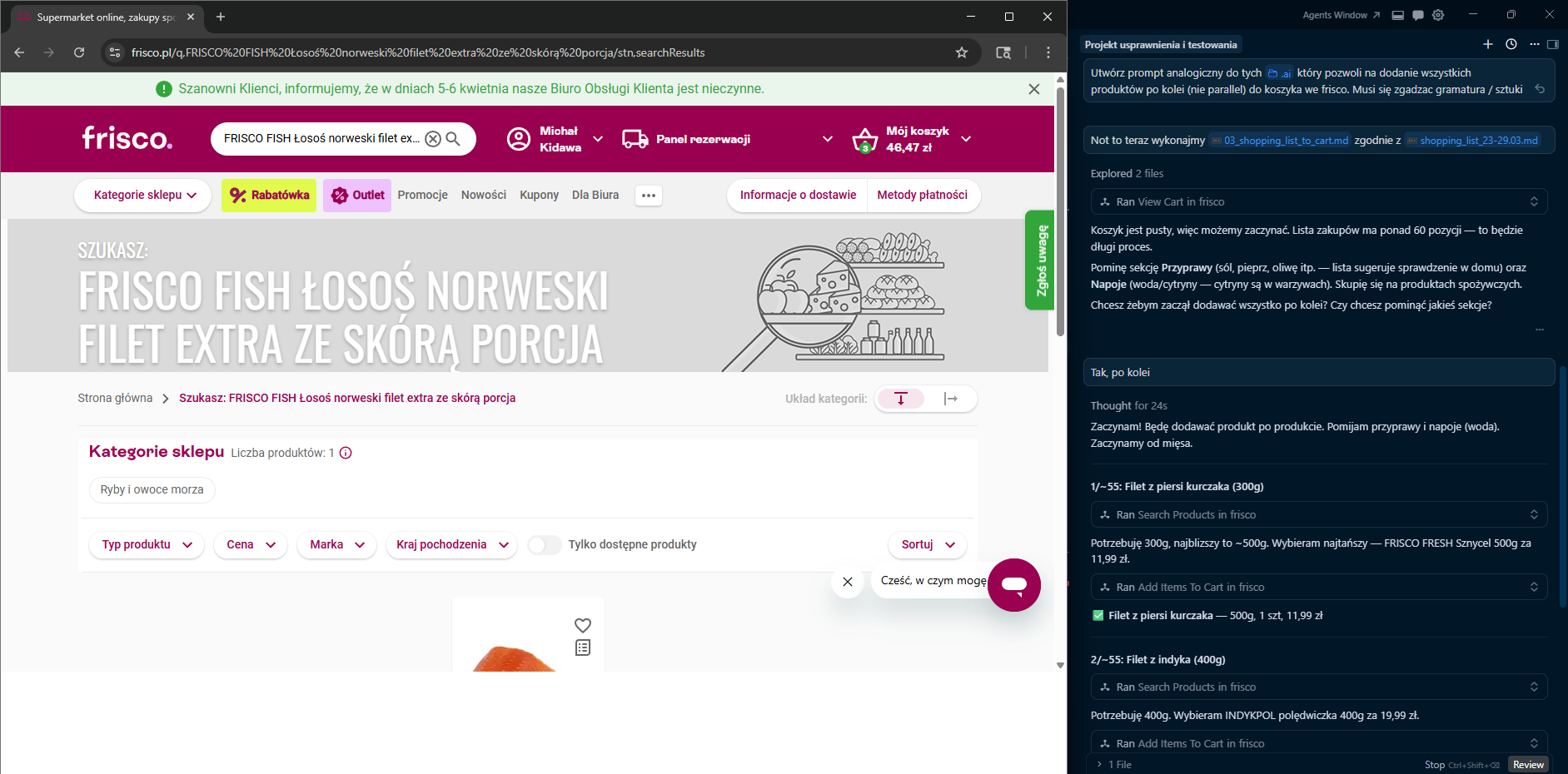
Enables AI assistants to shop on frisco.pl, Poland's online grocery store, with secure manual authentication. Supports product search, cart management, and checkout preparation via browser automation without storing login credentials.
README
A TypeScript Model Context Protocol (MCP) server that lets AI assistants (Claude, Gemini, etc.) interact with frisco.pl — Poland's online grocery store.
Security First — The server never stores your email or password. You log in manually in a visible browser window; only session cookies are persisted locally.
Features
Session
| Tool | Description |
|---|---|
login |
Opens a visible Chromium window at the login page. You log in manually; the server polls for success and saves session cookies. |
finish_session |
Opens the browser at the checkout page so you can select a delivery slot and pay. No automatic payment. |
clear_session |
Closes the browser and deletes the saved session file. |
Cart
| Tool | Description |
|---|---|
add_items_to_cart |
Adds products to cart. Supports two flows: (1) via productUrl — navigates directly to the product page and clicks "Do koszyka"; (2) from the latest search_products result page. |
view_cart |
Returns the current cart contents and total price. |
remove_item_from_cart |
Removes a specific product from the cart by name (partial match). |
update_item_quantity |
Changes the quantity of a product already in the cart (partial name match). |
check_cart_issues |
Detects sold-out or unavailable products in the cart and lists available substitutes for each. |
view_promotions |
Shows active promotions, discounts, and total savings in the current cart. |
Products
| Tool | Description |
|---|---|
search_products |
Searches frisco.pl, returns top N results with prices/availability, and saves search URL/context for cart add. |
get_product_info |
Returns detailed product info: nutritional values (macros per 100g), weight/grammage, ingredients, price (including original price and unit price if on promotion). |
get_product_reviews |
Returns customer reviews and ratings (from Trustmate) for a product. |
Logs
| Tool | Description |
|---|---|
get_logs |
Returns JSONL log events for the current or a specific session. |
tail_logs |
Returns the N most recent log events. |
Architecture
flowchart LR
    A[MCP Client / AI Assistant] -->|stdio| B[src/index.ts<br/>McpServer]

    B --> C[Session Tools<br/>src/tools/session.ts]
    B --> D[Cart Tools<br/>src/tools/cart.ts]
    B --> E[Product Tools<br/>src/tools/products.ts]

    C --> G[src/browser.ts<br/>Playwright singleton]
    D --> G
    E --> G

    C --> H[src/auth.ts<br/>session cookies]
    D --> H
    E --> H

    D --> I[src/tools/helpers.ts<br/>navigation, HTML parsing & formatters]
    E --> I

    H --> J[(~/.frisco-mcp/session.json)]
    B --> L[src/logger.ts] --> M[(~/.frisco-mcp/logs/)]
    G --> N[(in-memory lastSearchContext)]
    G --> K[frisco.pl 🌐]
    I --> K
More diagrams (login flow, cart flow): docs/DIAGRAMS.md
Requirements
- Node.js 20 or later
- Chromium for Playwright (installed via the setup command below)
Setup
npm install
npx playwright install chromium
npm run build
MCP Client Configuration
The server communicates over stdio — point your MCP client at node dist/index.js.
Claude Desktop
Add to claude_desktop_config.json:
{
  "mcpServers": {
    "frisco": {
      "command": "node",
      "args": ["/absolute/path/to/frisco-mcp/dist/index.js"]
    }
  }
}
Gemini (Google AI Studio)
The .gemini/settings.json in this repo already contains the configuration:
{
  "mcpServers": {
    "frisco-mcp": {
      "command": "node",
      "args": ["/absolute/path/to/frisco-mcp/dist/index.js"]
    }
  }
}
Cursor
Add to your Cursor MCP settings (~/.cursor/mcp.json or workspace .cursor/mcp.json):
{
  "mcpServers": {
    "frisco": {
      "command": "node",
      "args": ["/absolute/path/to/frisco-mcp/dist/index.js"]
    }
  }
}
Note: Replace the path with the absolute path to
dist/index.json your machine.
Usage
1. Log in
"Log me in to Frisco"
The login tool opens a Chromium window at frisco.pl/login. Log in manually — the server waits up to 5 minutes and saves your session cookies once it detects a successful login.
2. Shop
"Find me natural yogurt"
The search_products tool returns a list of matching products with prices. Unavailable products are marked with ⚠️ NIEDOSTĘPNY. It also saves the current search URL and result context for subsequent cart operations.
"Tell me more about the PIĄTNICA Skyr"
The get_product_info tool navigates to the product page and extracts detailed information: nutritional values (kcal, protein, fat, carbohydrates, sugars, salt per 100g), weight/grammage, ingredients, price (including original price and unit price for promotional products), and the product URL.
"Add it to cart"
The add_items_to_cart tool supports two flows: (1) if a productUrl is provided (e.g. from get_product_info), it navigates directly to that product page and clicks "Do koszyka" — this is the preferred flow; (2) otherwise, it uses the latest search_products results page to find and add the product.
"Remove the butter from my cart"
The remove_item_from_cart tool finds a product in the cart by name and removes it.
"Change the milk quantity to 3"
The update_item_quantity tool finds the product in the cart and updates its quantity.
"Are there any issues with my cart?"
The check_cart_issues tool scans the cart for sold-out products and shows available substitutes for each.
"What reviews does Skyr Piątnica have?"
The get_product_reviews tool fetches customer ratings and reviews from Trustmate.
"Show me active promotions in my cart"
The view_promotions tool lists all active promotions, discount badges, and total savings.
3. Checkout
"Finish my Frisco session"
The finish_session tool opens your cart at frisco.pl/stn,cart so you can choose a delivery slot and pay — the server never performs payment automatically.
Project Structure
frisco-mcp/
├── src/
│   ├── index.ts          # MCP server setup, tool registration
│   ├── auth.ts           # Session cookie save/restore, login check
│   ├── browser.ts        # Playwright browser singleton, product cache, last search context
│   ├── logger.ts         # JSONL session logging
│   ├── types.ts          # Shared TypeScript types
│   └── tools/
│       ├── session.ts    # login, finish_session, clear_session
│       ├── cart.ts       # add_items_to_cart, view_cart, remove_item_from_cart,
│       │                 #   update_item_quantity, check_cart_issues, view_promotions
│       ├── products.ts   # search_products, get_product_info, get_product_reviews
│       └── helpers.ts    # Navigation, popup dismissal, DOM parsing, formatters
│   └── __tests__/        # Unit tests (Vitest)
├── test_data/            # Sample HTML fixtures for tests
│   └── products/         #   Product page HTMLs (skyr, chicken, bananas, eggs, bag, promotion)
├── docs/
│   └── DIAGRAMS.md       # Mermaid architecture & flow diagrams
├── .github/
│   └── workflows/
│       └── test.yml      # CI — runs tests on push & PR
├── dist/                 # Compiled JS (generated by `npm run build`)
├── vitest.config.ts
├── package.json
├── tsconfig.json
└── .gitignore
Data Storage
All user data is stored locally in ~/.frisco-mcp/:
| File | Purpose |
|---|---|
session.json |
Saved browser cookies (no credentials) |
current-session.json |
Pointer to the active log session |
logs/<id>.jsonl |
Per-session event logs |
Development
# Run in dev mode (tsx, no separate build step)
npm run dev

# Build
npm run build

# Run built server
npm start

# Run tests
npm test

# Watch mode for tests
npm run test:watch
CI
Tests run automatically on every push and pull request to master via GitHub Actions (.github/workflows/test.yml). The matrix tests against Node.js 20 and 22.
Tech Stack
| Library | Role |
|---|---|
| @modelcontextprotocol/sdk | MCP server framework |
| playwright | Browser automation (Chromium) |
| cheerio | HTML parsing for product info |
| zod | Input schema validation |
| typescript | Language & build |
| vitest | Unit testing framework |
License
This project is licensed under the MIT License.
How to install
Run in your terminal:
claude mcp add frisco-mcp -- npx 


