
HomeFleet
БесплатноНе проверенMCP server that turns multiple home computers into a fleet for AI coding agents, enabling task delegation and LAN-based execution with local models.

Описание
MCP server that turns multiple home computers into a fleet for AI coding agents, enabling task delegation and LAN-based execution with local models.
README
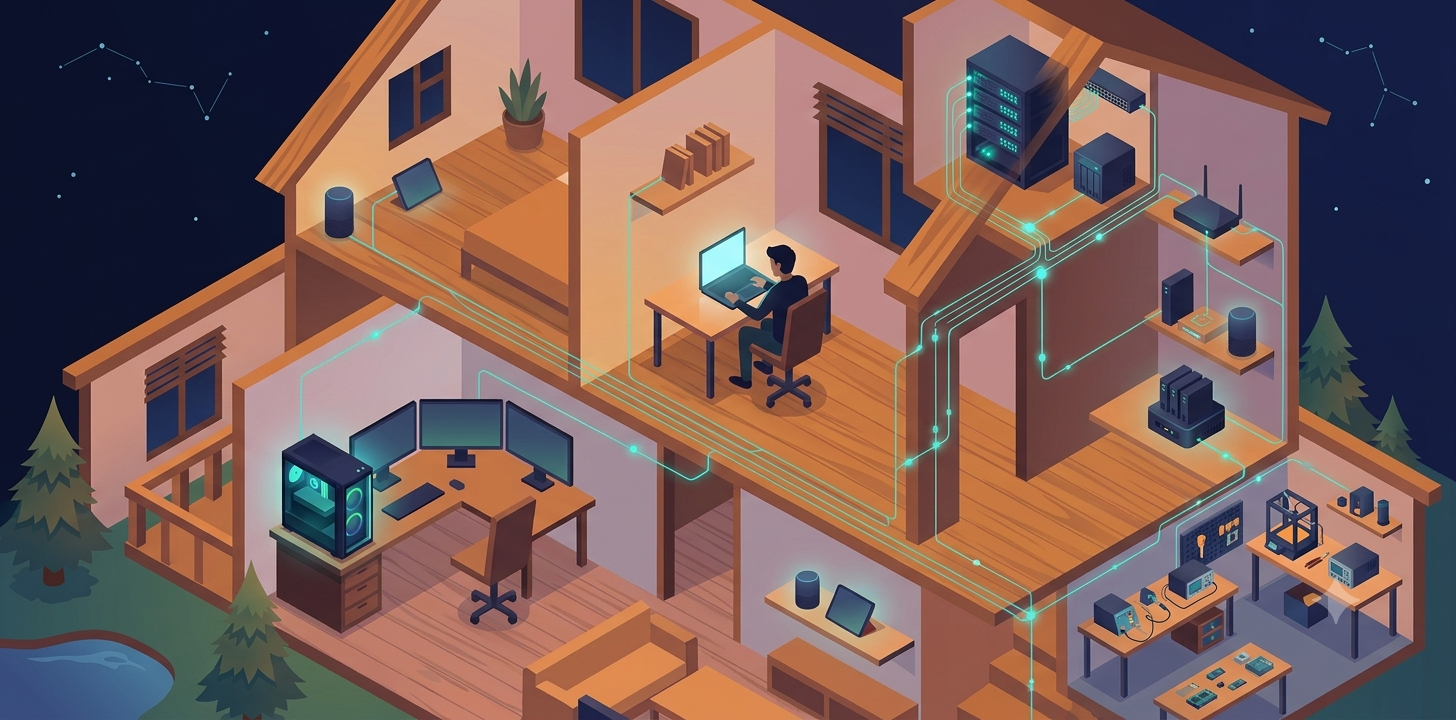
Your coding agent, but your other PCs do the heavy lifting.
HomeFleet turns the computers in your home into a fleet your AI coding agent can use. Install a small daemon on each machine, pair them once, and any MCP-capable agent (Claude Code, LM Studio, goose, Cline, ...) gains tools to see every machine in the house and delegate work to them — the delegated work runs entirely on local models, entirely on your LAN; the agent in front can be cloud or local, but the jobs never leave the house.
Status: v0.1 — pre-alpha. The product spine is complete — identity, mTLS transport, LAN discovery, executors, job dispatch, the MCP front door, workspace (git bundle) sync, the single-process daemon assembly, and the
homefleetoperator CLI — and the two-machine acceptance demo has run on real hardware: recon delegated laptop → tower against a local Qwen3.6-35B-A3B returned an accurate architecture summary in ~105 s end to end, and a repeat delegation re-synced in 129 ms vs ~6 s cold (details in the rig devlog). v0.1 is a tagged release you install from source, Windows-first; npm packages come later. The Quickstart below runs today on a single machine; pairing two real machines is the two-machine demo.
Design history is in the open: the protocol RFC, ADRs, the design doc, and day-by-day devlogs.
Why
Local agents are getting genuinely useful, but a single machine is always the bottleneck — and most of us have more than one computer sitting around. Existing multi-machine tools either pool GPUs to serve one bigger model (exo, GPUStack, llama.cpp RPC) or replace your whole workflow with a new platform (dashboards, kanbans, custom protocols). Nothing lets the agent you already use simply reach over and put your other machines to work.
HomeFleet is that missing thin layer:
- MCP-native — appears as
list_nodes/delegate_tasktools inside your existing agent session; results stream back into its context - LAN auto-discovery — daemons find each other via mDNS; pair with a short code, Syncthing-style (device ID = certificate fingerprint, mutual TLS, no CA, no accounts)
- Local models by default — worker machines drive tasks with whatever OpenAI-compatible server they have (Ollama, LM Studio, llama.cpp server)
- Capability-aware — nodes advertise what they can do; a weak GPU box still earns its keep as an execution node (tests, builds, file ops) while stronger machines do the thinking
How it works
┌─────────── Machine A (you) ───────────┐      ┌────────── Machine B (worker) ─────────┐
│                                        │      │                                        │
│  Your agent (Claude Code, goose, ...)  │      │  homefleetd                            │
│        │  MCP (localhost)              │      │   ├─ executor: minimal agent loop ──►  │
│        ▼                               │ mTLS │   │    local model (OpenAI-compat API) │
│  homefleetd  ◄──── discovery/pairing ──┼──────┼─► ├─ executor: command runner         │
│   ├─ list_nodes                        │ LAN  │   └─ workspace cache (git bundles)     │
│   └─ delegate_task ────────────────────┼──────┼─►                                      │
└────────────────────────────────────────┘      └────────────────────────────────────────┘
One daemon per machine. On your machine it faces your agent as an MCP server; on workers it executes delegated jobs — read-only repo recon driven by a local model, allowlisted commands (test suites, builds), or code-writing tasks that come back as reviewable homefleet/<id> branches (v0.2). Code travels as git bundles; nothing needs a shared remote.
v0.1 scope
- Delegate recon tasks ("explore this repo, summarize the auth flow") to a worker's local model
- Delegate command runs ("run the test suite") to any paired machine
- Live node list with capability info, job status/streaming, cancellation
- Windows-first reference setup; code is cross-platform TypeScript
Explicit non-goals for v0.1: code-writing delegation (added in v0.2, below), GUI, cloud relay. See the design doc and roadmap.
v0.2: code-writing delegation
Workers can now write code, not just read it. Configure executors.write on a worker (an OpenAI-compatible endpoint plus an optional command allowlist) and delegate_task accepts type: "write" tasks. From there the flow is three steps: the worker's local model makes the requested change in an isolated, throwaway worktree of the synced repo; the daemon commits the result as HomeFleet Worker; and the next job_result call lands the change in your clone as a branch named homefleet/<jobId12> — your own branches and working tree are never touched. Review it with the exact command job_result returns (git diff <base>...homefleet/<id>), then merge or delete the branch. An optional allowlisted verifyCommand runs after the commit and reports its outcome without ever failing the job. Config shape, the git-in-allowlist caveat, and the artifact-lifecycle rules are in the configuration reference.
Quickstart
Single machine, dev setup. This is enough to build the daemon, run it, and point an MCP client at it — pairing a second real machine is the two-machine demo below.
You need Node ≥ 20, pnpm 11 (corepack enable is the easiest way), and git;
recon jobs additionally need an OpenAI-compatible model server on the worker
(Ollama, LM Studio, llama.cpp llama-server, ...).
git clone https://github.com/Hugodzl/HomeFleet.git
cd HomeFleet
pnpm install
pnpm build        # tsup bundles packages/daemon's three bins to dist/bin/*.js
pnpm build is required — the bins are plain, bare-node-runnable ESM files;
there is no tsx/dev-mode path for running them. Invoke them with
node:
node packages/daemon/dist/bin/homefleet.js --help
(A bare homefleet/homefleetd shell command is also possible via pnpm link --global, with a caveat — see
packages/daemon/README.md. The node ...
form above always works with no setup, so the rest of this guide uses it.)
Next, scaffold this machine — prints this node's identity and the commands you run yourself in an elevated PowerShell (the daemon never elevates itself):
node packages/daemon/dist/bin/homefleet.js setup
Run the printed New-NetFirewallRule commands (TCP for HFP — the daemon's
LAN protocol — plus discovery UDP, scoped to the Private network profile)
in an elevated PowerShell, and check the printed network-profile warning —
the rules only take effect on a Private-profile adapter. They only matter
once you pair a second machine; for this single-machine quickstart they're
safe to defer.
Then config.json goes in the daemon's data directory (by default
%LOCALAPPDATA%\homefleet on Windows; override with HOMEFLEET_DATA_DIR).
For this single-machine quickstart you can skip it and start the daemon
bare — with no config file it runs no executors and syncs no repos;
everything is opt-in. Write one when the machine takes a role. The two
examples below are the two roles — worker and delegator — and one machine
can carry both in the same file. A worker offering a local model plus a
command allowlist, for one repo:
{
  "executors": {
    "agent": {
      "endpoint": {
        "baseUrl": "http://127.0.0.1:8080/v1",
        "model": "qwen3.5-9b",
        "contextWindow": 32768
      }
    },
    "command": { "allowlist": { "pnpm": {} } }
  },
  "workspace": { "allowedRepoIds": ["homefleet"] }
}
A delegator mapping a local repoId to its checkout, so delegate_task can
sync it to a worker:
{
  "repos": [{ "repoId": "homefleet", "path": "D:\\Git\\HomeFleet" }]
}
Every key, type, and default is in the configuration reference — cross-check before writing a real config; parsing is strict (an unknown key throws rather than being silently ignored).
Now start the daemon (foreground; stop with Ctrl-C):
node packages/daemon/dist/bin/homefleetd.js
It prints its device ID, bound ports, and data directory to stderr once it's up. Finally, point an MCP-capable agent at it — for Claude Code:
claude mcp add --transport http homefleet http://127.0.0.1:56372/mcp
See packages/daemon/README.md
for the exact .mcp.json form and the stdio-shim alternative.
Two-machine demo
This is the v0.1 acceptance path: two physical machines, each running
homefleetd, paired, delegating a real job to a real local model. This
exact path ran for real on the reference rig on 2026-07-09 — timings, token
rates, and the Windows MAX_PATH lesson it surfaced are in the
rig devlog. Follow the
Quickstart above through pnpm build on both machines
first, then:
- On each machine, run
homefleet setupand run the printed firewall commands in an elevated PowerShell. Then writeconfig.json: give the worker machine anagentand/orcommandexecutor and a non-emptyworkspace.allowedRepoIds; give the delegating machine areposmapping naming the same repoId (see the Quickstart's examples and the configuration reference). Only then starthomefleetd— config is read once at startup, not reloaded. - Pair them. On machine B (the worker), open a pairing window:
This prints a short code. On machine A (the delegator), connect to B using B's LAN address, B's HFP port (node packages/daemon/dist/bin/homefleet.js pair begin56370by default), and that code:node packages/daemon/dist/bin/homefleet.js pair connect <B-host> <B-hfp-port> <code> [--expect <B-device-id>] - Verify. On either machine:
node packages/daemon/dist/bin/homefleet.js nodes # the peer, with live capabilities node packages/daemon/dist/bin/homefleet.js status # this node's own live status - Point a Claude Code session's MCP at machine A's local daemon (see the
Quickstart's
claude mcp addcommand — always the local daemon; MCP never crosses the LAN). - Delegate. In that session,
delegate_taska recon prompt naming machine A's configuredrepoIdand machine B's device ID (fromlist_nodes/homefleet nodes) — the repo is bundled and synced to B automatically before the job runs on B's local model. Poll withjob_status/job_result;cancel_jobto abort mid-run.
Recon needs the worker machine to serve a local OpenAI-compatible endpoint
(llama.cpp llama-server, Ollama, LM Studio, ...); command jobs need no
model. The design doc's
reference rig
describes the two-machine setup this project develops against (a Vulkan
llama-server box and a CUDA Ollama box) if you want a concrete starting
point.
Repository layout
| Path | What |
|---|---|
packages/protocol |
HomeFleet Protocol (HFP) — zod schemas + types; spec in docs/rfc/ |
packages/daemon |
homefleetd — MCP front, node service, discovery, dispatch |
packages/executors |
Command executor + minimal agent loop |
docs/rfc/ |
Versioned RFC-style protocol spec |
docs/adr/ |
Architecture Decision Records |
docs/specs/ |
Design documents |
docs/reference/ |
Operator reference (e.g. configuration.md) |
devlog/ |
Findings, benchmarks, lessons learned along the way |
Development
pnpm install
pnpm build       # tsup — required before running any packages/daemon bin
pnpm test        # vitest
pnpm typecheck   # tsc across packages
pnpm lint        # biome
Everything is testable on a single machine — integration tests run multiple daemons as local processes with faked capability profiles.
Roadmap
v0.1 (recon + command delegation) → v0.2 code-writing delegation (branches back — done) → packaging & painless install → dashboard (read-only, then fleet management) → per-node model catalog → remote model install. The post-v0.2 ordering was approved 2026-07-12 — see the backlog structuring doc.
Longer horizon, not yet sequenced against the above: macOS/Linux polish, multi-node fan-out, model-pool orchestration on the same fabric.
Unordered ideas and known follow-ups live in the backlog.
License
Apache-2.0 — © 2026 Hugo Deziel
Установка HomeFleet
У этого сервера нет опубликованного пакета — он собирается из исходников. Открой репозиторий и следуй инструкции в README.
▸ github.com/Hugodzl/HomeFleetFAQ
HomeFleet MCP бесплатный?
Да, HomeFleet MCP бесплатный — установка в пару кликов через Unyly без оплаты.
Нужен ли API-ключ для HomeFleet?
Нет, HomeFleet работает без API-ключей и переменных окружения.
HomeFleet — hosted или self-hosted?
Self-hosted: сервер запускается локально на твоей машине командой из раздела установки.
Как установить HomeFleet в Claude Desktop, Claude Code или Cursor?
Открой HomeFleet на unyly.org, выбери вкладку своего клиента (Claude Desktop, Claude Code, Cursor) и нажми Install — конфиг сгенерируется автоматически, без правки JSON.
Похожие MCP
Notion
Read and write pages in your workspace
 автор: Notion
Linear
Issues, cycles, triage — from Claude
 автор: Linear
Google Drive
Search and read your Drive files
 автор: Google
mindsdb/mindsdb
Connect and unify data across various platforms and databases with [MindsDB as a single MCP server](https://docs.mindsdb.com/mcp/overview).
 автор: mindsdb
Compare HomeFleet with
Не уверен что выбрать?
Найди свой стек за 60 секунд
Автор?
Embed-бейдж для README
Похожее
Все в категории productivity