
Houdini
БесплатноНе проверенEnables AI agents to directly control SideFX Houdini, including creating nodes, setting parameters, executing Python, capturing viewports, and rendering frames,

Описание
Enables AI agents to directly control SideFX Houdini, including creating nodes, setting parameters, executing Python, capturing viewports, and rendering frames, via 57 MCP tools.
README
MCP server that lets AI agents (Claude Code, Cursor, etc.) directly control SideFX Houdini — create nodes, set parameters, execute Python, capture viewports, render frames, and more.
Built on Model Context Protocol + RPyC. Supports multi-instance, instance pooling, and includes a WebUI dashboard.
Features
- 57 MCP tools covering scene, nodes, parameters, geometry, rendering, viewport, and more
- Multi-instance — run multiple Houdini sessions on different ports simultaneously
- Instance pooling — pre-warm idle Houdini instances, acquire on demand, skip the startup wait
- Health diagnostics — detect hung/busy/dead Houdini via Win32 API + RPyC ping (never hangs)
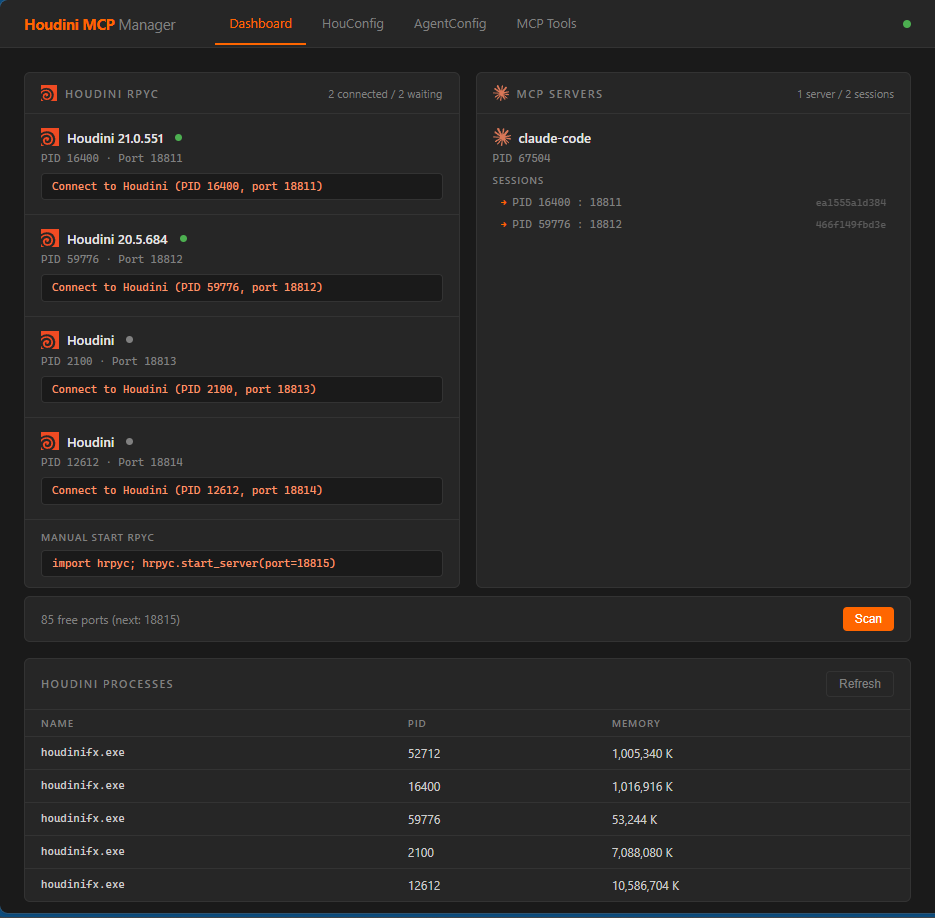
- WebUI dashboard — manage sessions, configuration, startup scripts, and tool toggles from a browser
- Auto-discovery — MCP server finds running Houdini instances automatically
- Non-destructive setup — startup hook is a single line in
456.py, fully reversible
Requirements
- Windows (Win32 APIs used for screen capture and process diagnostics)
- Python 3.11+
- SideFX Houdini 20.5+ (tested with 20.5 and 21.0)
Quick Start
1. Install
git clone https://github.com/OtakuSquirrel/houdini-mcp.git
cd houdini-mcp

# Option A: run install.bat (creates venv + installs everything)
install.bat

# Option B: manual
python -m venv .venv
.venv\Scripts\activate
pip install -e ".[webui]"
2. Configure your MCP client
Add to your Claude Code project settings (.claude/settings.local.json):
{
  "mcpServers": {
    "houdini": {
      "command": "D:/path/to/houdini-mcp/.venv/Scripts/python.exe",
      "args": ["-m", "houdini_mcp"],
      "cwd": "D:/path/to/houdini-mcp"
    }
  }
}
3. Start working
The first time an agent calls a Houdini tool, the MCP server will:
- Auto-install the startup hook into your Houdini prefs (one-time, non-destructive)
- Launch Houdini and wait for RPyC to be ready
- Connect and start executing tool calls
No manual setup needed. Just ask your AI agent to do something in Houdini.
WebUI Dashboard
# Start the dashboard
Windows_webui.bat
# or manually:
.venv\Scripts\python.exe -m houdini_mcp.webui --port 9800
Dashboard — sessions, ports, processes at a glance
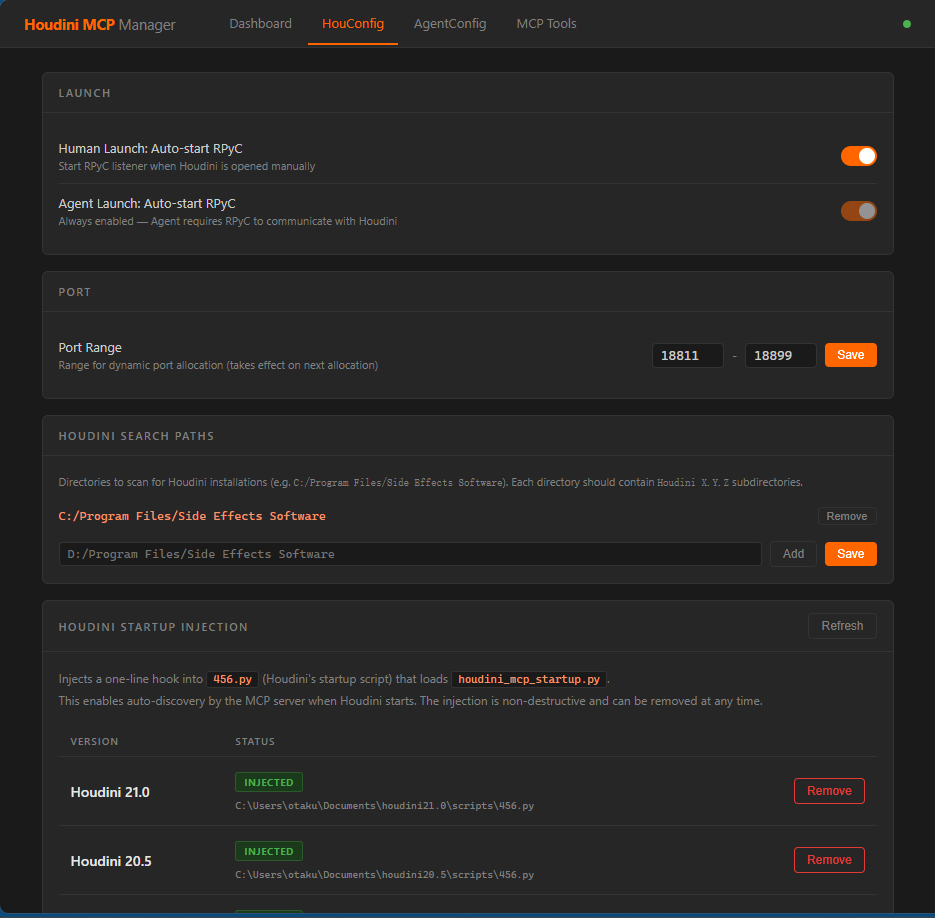
HouConfig — port range, search paths, startup hook injection
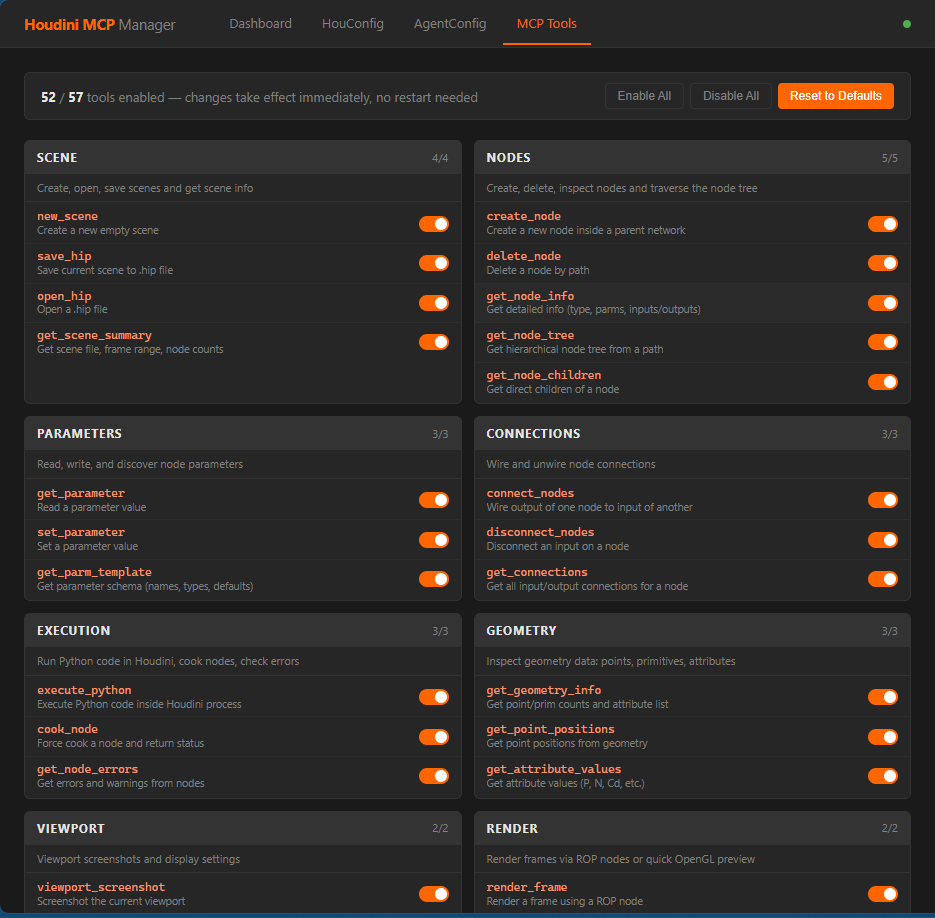
MCP Tools — enable/disable tools per category
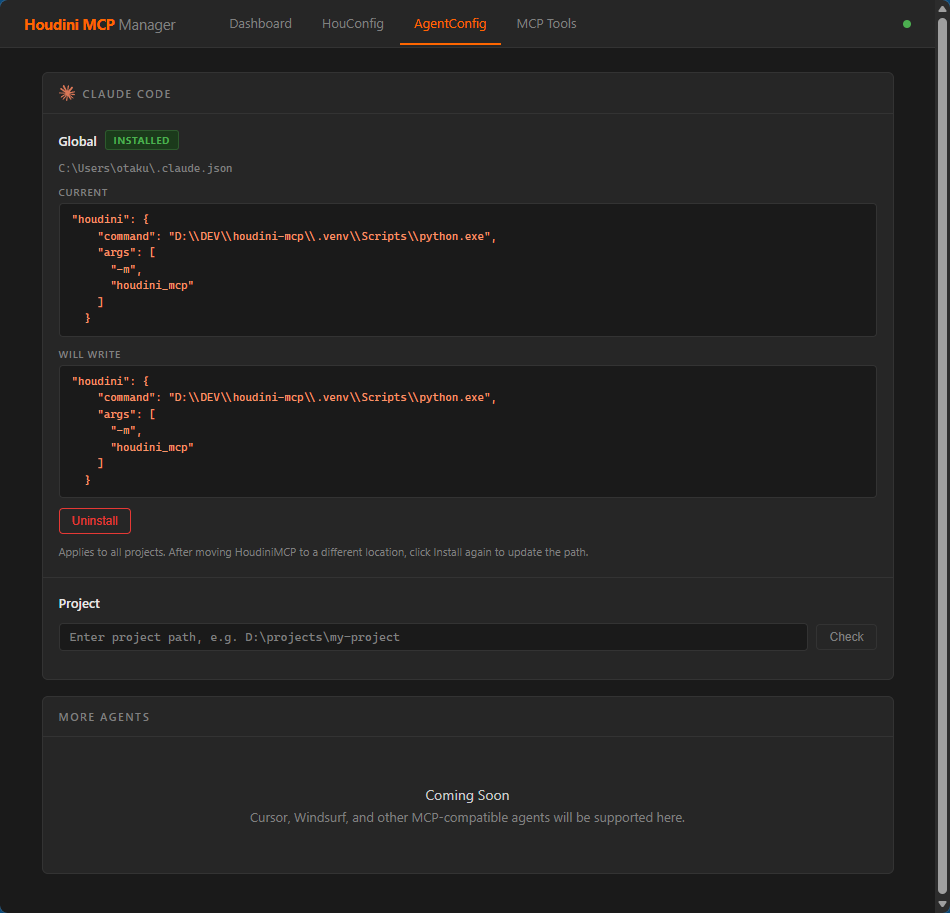
AgentConfig — generate MCP client config for Claude Code, Cursor, etc.
Instance Pooling
Houdini takes 11-37 seconds to start. The pool tools let you pre-warm instances:
warm_pool([{"count": 3}])          # Launch 3 idle Houdini instances
get_pool_status()                   # → 3 idle, 0 active
acquire_from_pool()                 # → Grab one, now 2 idle, 1 active
disconnect_houdini()                # → Release back to idle pool

# When Houdini freezes:
is_houdini_healthy()                # → verdict: "hung", CPU 0%
adopt_idle()                        # → Kill frozen instance, grab an idle one
Available Tools (57)
| Category | Tools | Description |
|---|---|---|
| Scene (4) | new_scene save_hip open_hip get_scene_summary |
Create, open, save scenes |
| Nodes (5) | create_node delete_node get_node_info get_node_tree get_node_children |
Build and inspect node graphs |
| Parameters (3) | get_parameter set_parameter get_parm_template |
Read/write node parameters |
| Connections (3) | connect_nodes disconnect_nodes get_connections |
Wire node inputs/outputs |
| Execution (3) | execute_python cook_node get_node_errors |
Run Python in Houdini, cook nodes |
| Geometry (3) | get_geometry_info get_point_positions get_attribute_values |
Inspect points, prims, attributes |
| Viewport (2) | viewport_screenshot set_viewport |
Capture and configure viewport |
| Render (2) | render_frame render_preview |
Render via ROP or quick OpenGL preview |
| Verification (3) | compare_screenshots export_node_network get_scene_diff |
Compare images, diff scene states |
| Lifecycle (8) | start_houdini stop_houdini ensure_houdini_ready warm_pool is_houdini_healthy ... |
Launch, stop, pool, health check |
| Sessions (13) | get_pool_status acquire_from_pool adopt_idle scan_ports connect_to_houdini ... |
Pool management, multi-instance |
| Screen (4) | capture_houdini_windows get_houdini_windows check_process_status ... |
Window capture, process status |
| Events (4) | start_event_monitoring get_event_log ... |
Node operation event tracking |
How It Works
AI Agent ←(stdio)→ MCP Server ←(RPyC/TCP)→ Houdini
                         ↕
                    WebUI Dashboard
- MCP Server starts idle. On first tool call, it auto-discovers a Houdini RPyC listener on the configured port range (default 18811-18899) and connects.
- Houdini runs a startup hook (
456.py) that callshrpyc.start_server()to expose the fullhoumodule over RPyC. - WebUI is a separate FastAPI app that reads the shared config and session registry at
~/houdini_mcp/.
Troubleshooting
Houdini not connecting — Run install_startup_scripts() or use the WebUI Config page, then restart Houdini.
Port conflicts — Use scan_ports() or the WebUI Dashboard to see port status. Run cleanup_stale_sessions() to remove dead entries.
RPyC version mismatch — This project requires rpyc>=4.1,<5. Houdini ships RPyC 4.x internally. RPyC 6.x is incompatible.
Viewport screenshot fails — Requires GUI mode. Does not work with hython (headless).
License
MIT
Установка Houdini
У этого сервера нет опубликованного пакета — он собирается из исходников. Открой репозиторий и следуй инструкции в README.
▸ github.com/OtakuSquirrel/houdini-mcpFAQ
Houdini MCP бесплатный?
Да, Houdini MCP бесплатный — установка в пару кликов через Unyly без оплаты.
Нужен ли API-ключ для Houdini?
Нет, Houdini работает без API-ключей и переменных окружения.
Houdini — hosted или self-hosted?
Self-hosted: сервер запускается локально на твоей машине командой из раздела установки.
Как установить Houdini в Claude Desktop, Claude Code или Cursor?
Открой Houdini на unyly.org, выбери вкладку своего клиента (Claude Desktop, Claude Code, Cursor) и нажми Install — конфиг сгенерируется автоматически, без правки JSON.
Похожие MCP
Fetch
Web content fetching and conversion for efficient LLM usage.
AWS KB Retrieval
Retrieval from AWS Knowledge Base using Bedrock Agent Runtime.
 автор: modelcontextprotocol
Spring AI MCP Server
Provides auto-configuration for setting up an MCP server in Spring Boot applications.
llm-analysis-assistant
A very streamlined mcp client that supports calling and monitoring stdio/sse/streamableHttp, and can also view request responses through the /logs page. It also
 автор: xuzexin-hz
Compare Houdini with
Не уверен что выбрать?
Найди свой стек за 60 секунд
Автор?
Embed-бейдж для README
Похожее
Все в категории ai