
Ida Domain
БесплатноНе проверенMCP plugin for IDA Pro/IDA Free that uses ida-domain for database access

Описание
MCP plugin for IDA Pro/IDA Free that uses ida-domain for database access
README
A headless Model Context Protocol (MCP) server for IDA Pro built on top of ida-domain and ida-pro-mcp. It lets AI agents (or any MCP client) open and analyze IDA databases on demand — without launching the IDA manully — and control common reverse engineering workflows programmatically.
Unlike GUI-centric approaches, ida-domain-mcp spins up per-project worker processes on demand and loads binaries via an MCP tool call during the agent's workflow. You don't have to pre-load binaries at MCP server startup, and once configured, the whole flow can run fully automatically without human interaction.
Example
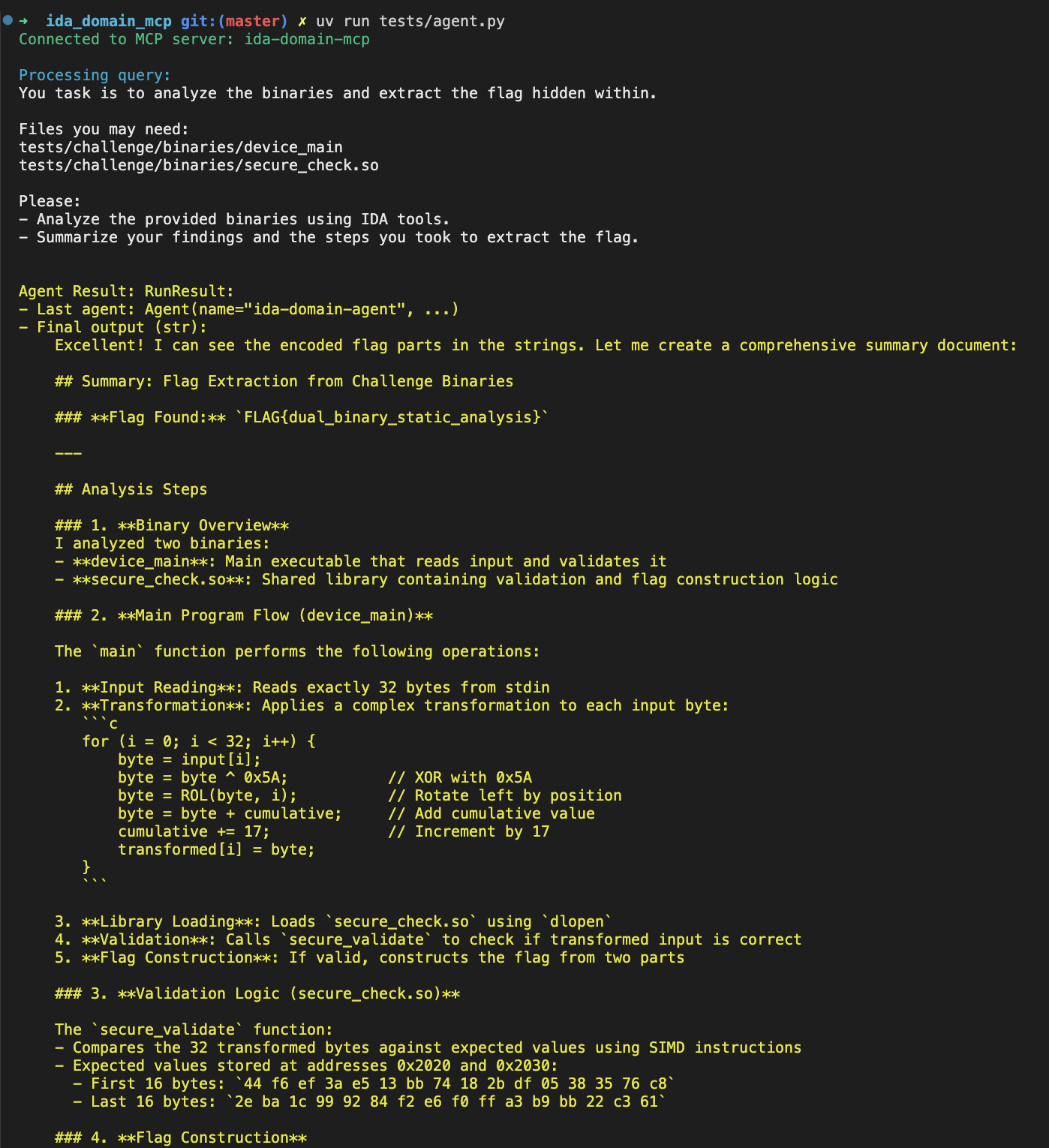
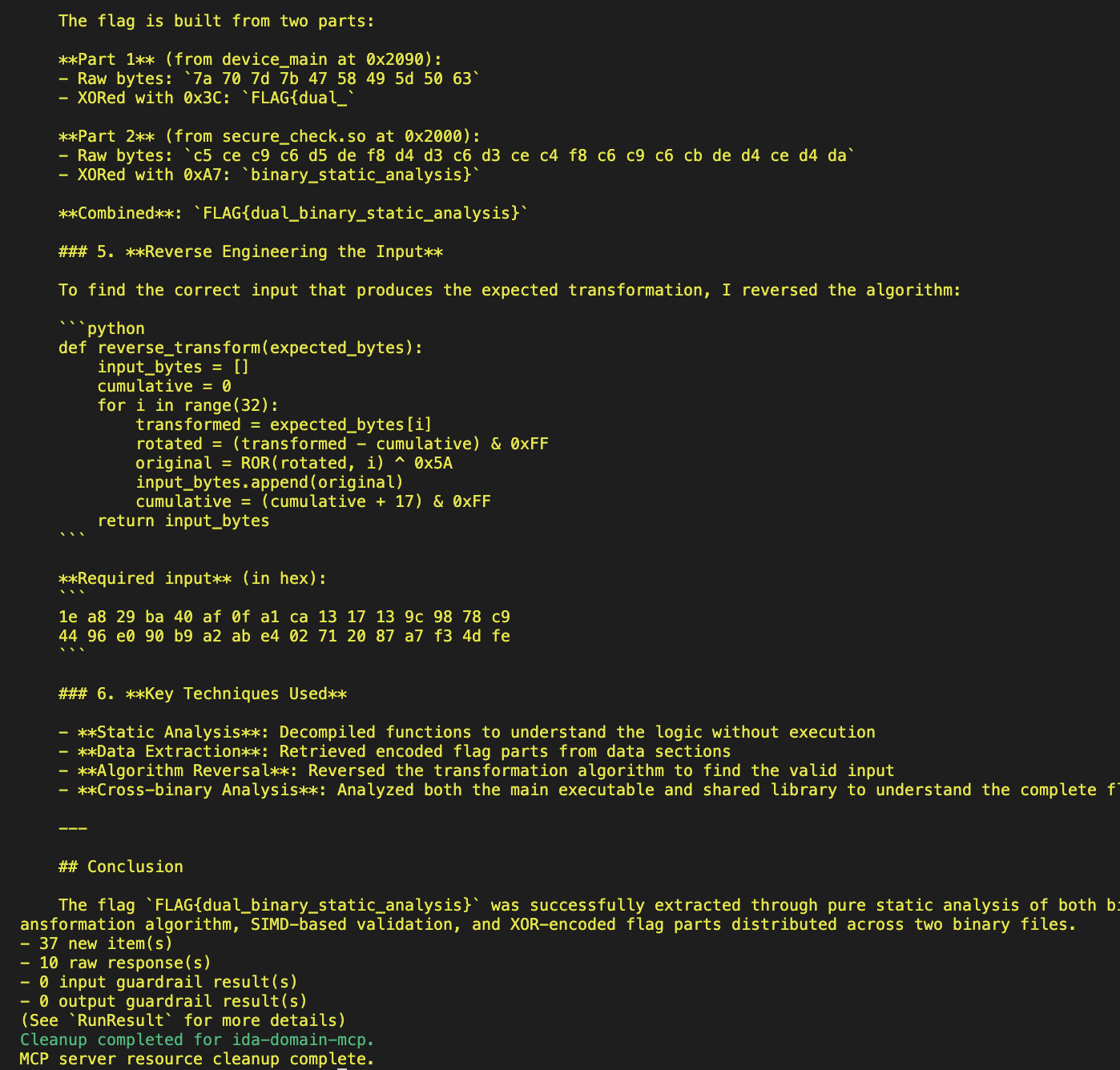
Why it's different
- Headless by design: No dependency on the IDA graphical UI. Uses IDA's headless runners underneath via
ida-domain. - On-demand database loading: Call the
open_databaseMCP tool at any time during the agent session to load a binary or IDB; no manual preloading required. - Multi-project isolation: Each
project_nameruns in its own worker process; multiple binaries can be analyzed concurrently without interfering with each other.
Features (tools)
High-level categories of tools exposed via MCP:
- Project/session management:
open_database,close_database - IDB/Core:
idb_meta,lookup_funcs,cursor_addr,cursor_func,list_funcs,list_globals,imports,strings,segments,local_types,int_convert - Analysis & Xrefs:
decompile,disasm,xrefs_to,xrefs_to_field,callees,callers,entrypoints,analyze_funcs,find_bytes,find_insns,basic_blocks,find_paths,search,find_insn_operands,export_funcs,callgraph,xref_matrix,analyze_strings - Debugger:
dbg_start,dbg_exit,dbg_continue,dbg_run_to,dbg_step_into,dbg_step_over,dbg_list_bps,dbg_add_bp,dbg_delete_bp,dbg_enable_bp,dbg_regs,dbg_regs_thread,dbg_regs_cur,dbg_gpregs_thread,dbg_current_gpregs,dbg_regs_for_thread,dbg_current_regs,dbg_callstack,dbg_read_mem,dbg_write_mem - Memory & Patch:
get_bytes,get_u8,get_u16,get_u32,get_u64,get_string,get_global_value,patch - Types & Structs:
declare_type,apply_types,infer_types,structs,struct_info,read_struct,search_structs,stack_frame,declare_stack,delete_stack - Python:
py_eval
Most MCP tools here are thin wrappers around upstream ida_pro_mcp modules (core/analysis/debug/memory/modify/stack/types/python) and kept synchronized in functionality, parameters, and return formats. However, project/session management tools (open_database, close_database) are implemented locally for per-project process orchestration. See the source in ida_domain_mcp/src/ida_domain_mcp/main.py and ida_domain_mcp/src/ida_domain_mcp/ida_tools.py for the bindings, and ida-pro-mcp/src/ida_pro_mcp/ida_mcp for upstream implementations.
Requirements
- Python: 3.12+
- IDA: IDA Pro 9.1.0 or later installed.
- uv is recommended for Python package and project management. See uv documentation for installation instructions.
Environment Variables
Configure the executable path according to ida-domain's documentation.
export IDADIR="[IDA Installation Directory]"
Headless executables (idat/idat64) must be available in the specified IDA installation directory.
Installation
Make sure to set up the environment variable as described above before running the MCP server.
Run with uvx
The simplest way to run the MCP server without installing anything is via uvx:
uvx ida-domain-mcp --transport http://127.0.0.1:8744
Install from PyPI
You can install the package as a dependency of your project from PyPI:
# With uv
uv init
uv add ida-domain-mcp
# Or with pip
pip install ida-domain-mcp
Running the MCP server
Two transport modes are supported by the server entrypoint ida-domain-mcp:
stdio (default, for direct MCP client integration)
uv run ida-domain-mcp --transport stdioSSE or Streamable HTTP (useful with the MCP Inspector and remote clients)
# sse at http://127.0.0.1:8744/sse
uv run ida-domain-mcp --transport http://127.0.0.1:8744
# streamable http at http://127.0.0.1:8744/mcp
uv run ida-domain-mcp --transport http://127.0.0.1:8744 --streamable-http
You can then connect with the MCP Inspector for quick exploration:
npx @modelcontextprotocol/inspector
# Point it to: http://127.0.0.1:8744/sse (SSE) or http://127.0.0.1:8744/mcp (Streamable HTTP)
Testing
Clone the repository and install the dependencies:
git clone https://github.com/xxyyue/ida_domain_mcp
cd ida_domain_mcp
uv sync
A simple dual-database test is provided:
# Start the server first (SSE mode)
uv run ida-domain-mcp --transport http://127.0.0.1:8744

# In another shell, run the test client
uv run tests/test_ida_mcp.py http://127.0.0.1:8744/sse
# Or, run the test agent
echo "OPENAI_API_KEY=sk-..." > .env
uv run tests/agent.py
Установить Ida Domain в Claude Desktop, Claude Code, Cursor
unyly install ida-domainСтавит в Claude Desktop, Claude Code, Cursor и VS Code — сам разбирается с npx, uvx и сборкой из исходников.
Впервые? Поставь CLI: curl -fsSL https://unyly.org/install | sh
Или настроить вручную
Выполни в терминале:
claude mcp add ida-domain -- uvx ida-domain-mcpПошаговые гайды: как установить Ida Domain
FAQ
Ida Domain MCP бесплатный?
Да, Ida Domain MCP бесплатный — установка в пару кликов через Unyly без оплаты.
Нужен ли API-ключ для Ida Domain?
Нет, Ida Domain работает без API-ключей и переменных окружения.
Ida Domain — hosted или self-hosted?
Self-hosted: сервер запускается локально на твоей машине командой из раздела установки.
Как установить Ida Domain в Claude Desktop, Claude Code или Cursor?
Открой Ida Domain на unyly.org, выбери вкладку своего клиента (Claude Desktop, Claude Code, Cursor) и нажми Install — конфиг сгенерируется автоматически, без правки JSON.
Похожие MCP
wenb1n-dev/SmartDB_MCP
A universal database MCP server supporting simultaneous connections to multiple databases. It provides tools for database operations, health analysis, SQL optim
 автор: wenb1n-dev
Postgres Server
This server enables interaction with PostgreSQL databases through the Model Context Protocol, optimized for the AWS Bedrock AgentCore Runtime. It provides tools
 автор: madhurprash
Postgres
Query your database in natural language
 автор: Anthropic
PostgreSQL
Read-only database access with schema inspection.
автор: modelcontextprotocolRedis
Interact with Redis key-value stores.
автор: modelcontextprotocolSQLite
Database interaction and business intelligence capabilities.
автор: modelcontextprotocolmxcp
Open-source framework for building enterprise-grade MCP servers using just YAML, SQL, and Python, with built-in auth, monitoring, ETL and policy enforcement.
 автор: raw-labs
tadas-github/a2asearch-mcp
MCP server to search 4,800+ MCP servers, AI agents, CLI tools and agent skills. Install: npx -y a2asearch-mcp. Ask Claude: "Find MCP servers for database access
 автор: tadas-github
julien040/anyquery
Query more than 40 apps with one binary using SQL. It can also connect to your PostgreSQL, MySQL, or SQLite compatible database. Local-first and private by desi
 автор: julien040
drakonkat/wizzy-mcp-tmdb
A MCP server for The Movie Database API that enables AI assistants to search and retrieve movie, TV show, and person information.
 автор: drakonkat
Compare Ida Domain with
Не уверен что выбрать?
Найди свой стек за 60 секунд
Автор?
Embed-бейдж для README
Похожее
Все в категории data