
Image Placeholder
БесплатноНе проверенGenerates customizable placeholder images from placehold.co and Lorem Picsum for rapid development and UI testing.

Описание
Generates customizable placeholder images from placehold.co and Lorem Picsum for rapid development and UI testing.
README
This is a Model Context Protocol (MCP) server that provides a tool for generating placeholder images from different providers.
Features
- Generates placeholder images from supported providers
- Supports two image providers:
- placehold: Provides simple placeholder images
- lorem-picsum: Provides real images as placeholder images
- Validates input parameters
- Returns image URLs for immediate use
Requirements
- Python 3.9+
uvpackage manager
Installation
- Clone this repository
- Set up the configuration for MCP server
Usage
The server exposes one tool:
image_placeholder
Generate a placeholder image URL based on specified parameters.
Parameters:
provider: The image provider to use (placeholdorlorem-picsum)width: The width of the image (1-10000)height: The height of the image (1-10000)
Returns:
- URL string of the generated image
Example Usage:
# Generate a 300x200 placeholder image
url = image_placeholder(provider="placehold", width=300, height=200)

# Generate a 500px square lorem-picsum image
url = image_placeholder(provider="lorem-picsum", width=500)
Configuration
To connect this server to Claude for Desktop:
- Add the following to your
claude_desktop_config.json:{ "mcpServers": { "image-placeholder": { "command": "uv", "args": [ "--directory", "/ABSOLUTE/PATH/TO/PROJECT", "run", "main.py" ] } } } - Restart Claude for Desktop
To connect this server to Cursor:
- Open Cursor Settings
- Head to the
Featuressection - Scroll down to the
MCP Serverssection - Click on the
Add new MCP serverbutton - Enter the following information:
- Name:
image-placeholder - Type:
command - Server URL:
uv --directory /ABSOLUTE/PATH/TO/PROJECT run main.py
- Name:
- Click on the
Add ↵button
Troubleshooting
If the tool is not detected, use absolute path of the uv command, e.g.
/ABSOLUTE/PATH/TO/uv --directory /ABSOLUTE/PATH/TO/PROJECT run main.py
Example Usage and Output (Cursor)
Prompt:
Create a new directory named "example" and a file named output.html.

Then create a single modern looking page using tailwindcss: https://unpkg.com/@tailwindcss/browser@4

Show a nice header, content, and footer, showing a photo gallery.

Save this into output.html
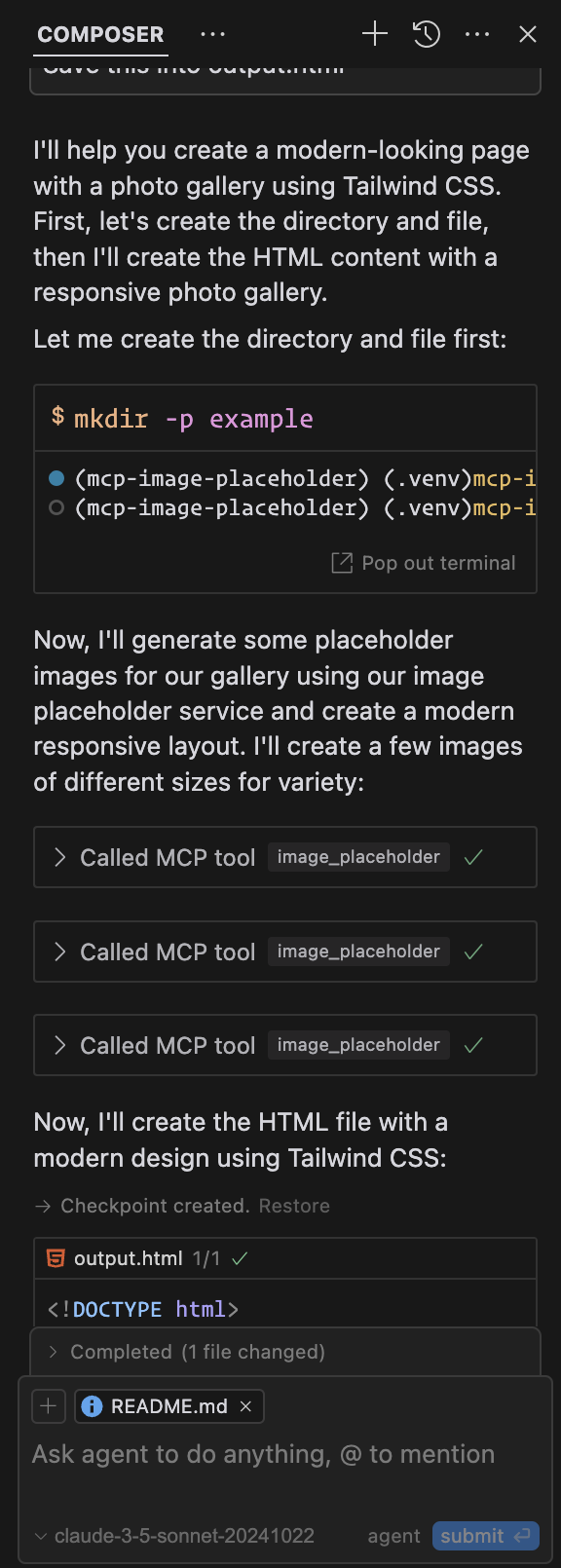
Output: Example Output (Cursor)
License
Установка Image Placeholder
У этого сервера нет опубликованного пакета — он собирается из исходников. Открой репозиторий и следуй инструкции в README.
▸ github.com/husniadil/mcp-image-placeholderFAQ
Image Placeholder MCP бесплатный?
Да, Image Placeholder MCP бесплатный — установка в пару кликов через Unyly без оплаты.
Нужен ли API-ключ для Image Placeholder?
Нет, Image Placeholder работает без API-ключей и переменных окружения.
Image Placeholder — hosted или self-hosted?
Self-hosted: сервер запускается локально на твоей машине командой из раздела установки.
Как установить Image Placeholder в Claude Desktop, Claude Code или Cursor?
Открой Image Placeholder на unyly.org, выбери вкладку своего клиента (Claude Desktop, Claude Code, Cursor) и нажми Install — конфиг сгенерируется автоматически, без правки JSON.
Похожие MCP
LibreOffice Tools
Enables AI agents to read, write, and edit Office documents via LibreOffice with token-efficient design. Supports multiple formats including DOCX, XLSX, PPTX, a
 автор: passerbyflutter
dannote/figma-use
Full Figma control: create shapes, text, components, set styles, auto-layout, variables, export. 80+ tools.
 автор: dannote
Logo.dev
Search and retrieve company logos by brand or domain. Customize size, format, and theme to match your design needs. Accelerate design, prototyping, and content
 автор: NOVA-3951
Design Inspiration Server
Searches top design platforms like Dribbble and Behance to provide UI inspiration, color palettes, and layout patterns via the Serper API. It allows users to re
 автор: YonasValentin
Compare Image Placeholder with
Не уверен что выбрать?
Найди свой стек за 60 секунд
Автор?
Embed-бейдж для README
Похожее
Все в категории design