
Local Mcp
БесплатноПоддерживаетсяLet ChatGPT, Claude, Cursor & any MCP client actually use your Mac or Windows PC — read & reply to email, manage your calendar, text over iMessage, find files,

Описание
Let ChatGPT, Claude, Cursor & any MCP client actually use your Mac or Windows PC — read & reply to email, manage your calendar, text over iMessage, find files, work with Teams, Slack, Notion & Office. Runs locally, no API keys.
README
Give your AI the context to get things done. LMCP connects compatible assistants to your apps and accounts through the Model Context Protocol (MCP). Bring together relevant information from email, messages, calendars and files, then use tools to turn that context into useful action — with less searching and copying between apps.
Use it with Claude, ChatGPT, Codex, Cursor and other compatible MCP clients. Available integrations and connection methods vary by assistant, platform and permissions.
Download for Mac or Windows → · Explore the product · Setup guides
This repository contains release information, documentation and the npm wrapper. The core binary is proprietary; documentation and scripts have their own license — see LICENSE.
More than one app's view of your information
An email, a message and a document may each contain only part of the answer. With compatible tools and access you authorize, your assistant can find those pieces across apps and accounts and use them together.
| What you ask | How connected context helps |
|---|---|
| “Tell me everything I still owe the architect — I can't remember her name.” | Search relevant messages, email and files to identify the person and assemble outstanding requests with their sources. |
| “Help organize my day so I can meet my commitments.” | Combine calendar events, tasks and relevant messages to propose a realistic plan and make supported updates when authorized. |
| “Prepare replies to customer orders using the inventory and plan dispatch.” | Read accessible order and inventory information, draft replies and use supported scheduling tools. Review proposed actions before authorizing execution. |
These illustrate workflows an assistant can build from available tools, not guaranteed autonomous outcomes. Sources must be accessible; assistant capabilities and each tool's permissions still apply.
Apps and tools
Explore email, calendars, contacts, messages, tasks, files, documents, browser automation and other integrations. Examples include Apple Mail, Outlook, Microsoft Teams, Slack, WhatsApp, Signal, Google Drive, OneDrive, Microsoft 365, Notes, Reminders, Microsoft To Do, OmniFocus, Notion and ServiceNow.
Not every integration is available on both operating systems. Apple-native tools require macOS; connected services may need their own sign-in or permissions. Some tools use locally cached or synced data rather than a complete cloud account.
For current tools, requirements and platform coverage, use the tool reference and guides rather than a fixed count in this README.
See it work

The recording shows a Mac workflow through Cloud Data Forwarding, not every platform or integration.
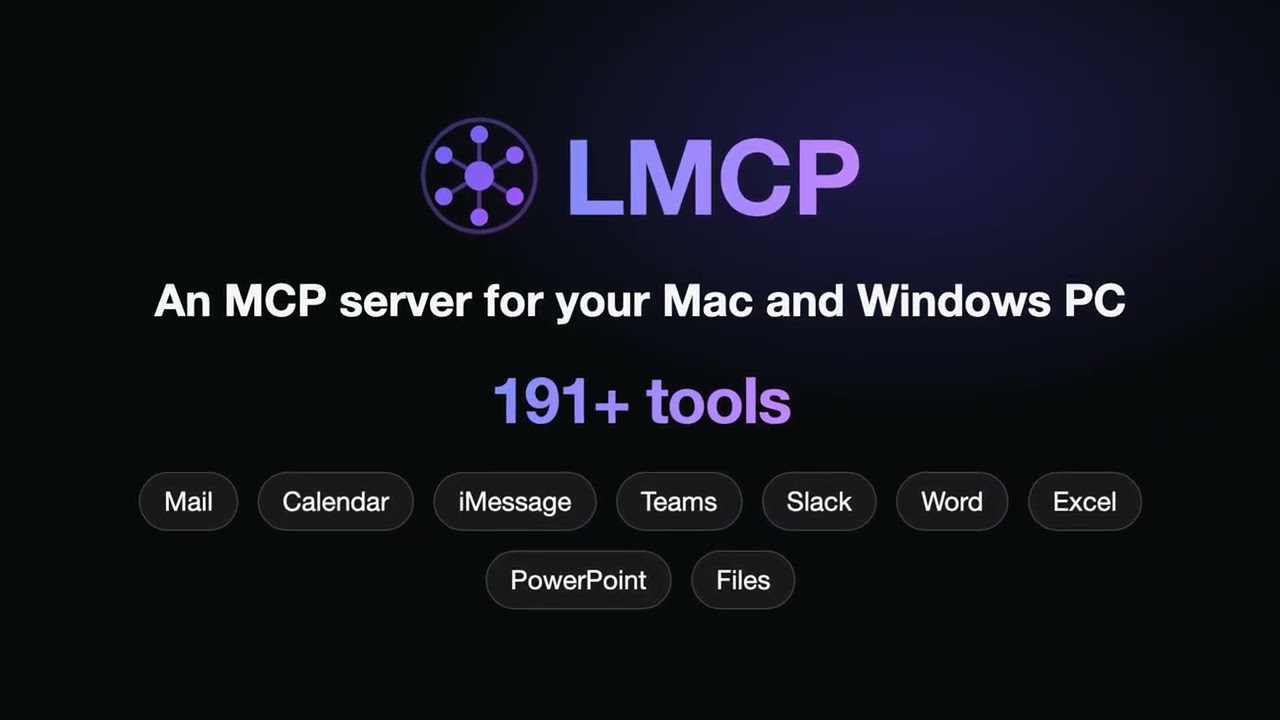
Watch the 1-minute overview — what MCP is, how LMCP works, and a real run from email to Excel, Word and a reminder:
Install and connect
- Download LMCP for your operating system. Follow the installer and onboarding steps.
- Select your assistant and enable the compatible integrations you want to use.
- Grant required permissions or sign in where needed, then follow the assistant-specific setup guide.
Cursor plugin
This repository is also a Cursor plugin. It adds the local-mcp MCP server, a rule that tells Cursor's agent when to use LMCP, and skills for email, calendar, messages, files and Office.
LMCP must be installed first (step 1 above): the plugin starts the LMCP server on your computer and does not work without it.
Supports macOS 13+ and Windows 10+ (64-bit).
Choose one installation path:
- Signed installer for Mac (
.pkg) or Windows: download page. - macOS terminal:
curl -fsSL 'https://www.local-mcp.com/install?ref=github-releases' | bash - Windows PowerShell:
irm https://www.local-mcp.com/install-windows?ref=github-releases | iex(per-user, no administrator rights or Node.js needed). - Claude Desktop extension: one-click
.mcpbat www.local-mcp.com/install/mcpb. - npm (requires Node.js):
npx -y local-mcp@latest setupconfigures the compatible clients it detects.
Details for agents and each path: llms-install.md. After installing, fully restart your AI client; MCP tools load at startup.
Local desktop/CLI clients and web assistants connect differently. The installer configures the compatible local clients it detects. Web assistants (ChatGPT, Claude.ai, Grok, Perplexity) connect through https://www.local-mcp.com/mcp as a custom connector with OAuth. They need the local app installed and Cloud Data Forwarding enabled in LMCP (off by default); with forwarding off, the connector exposes only setup_install. Follow the web AI guide and the current guides.
An endpoint alone is not a verified connection: complete authorization and check that tools are available in your client.
Install LMCP in your AI tool
Install the LMCP app first (see above); it runs the tools on your computer. Then add LMCP to your assistant. After any of these, fully restart the tool: MCP tools load at startup.
| Tool | Copy-paste |
|---|---|
| Claude Code | claude plugin marketplace add colibird-ai/local-mcp-claude-plugin && claude plugin install local-mcp@local-mcp (inside Claude Code: /plugin marketplace add colibird-ai/local-mcp-claude-plugin then /plugin install local-mcp@local-mcp) |
| Codex CLI | codex plugin marketplace add colibird-ai/local-mcp-releases && codex plugin add local-mcp@local-mcp (or, MCP server only: codex mcp add local-mcp -- npx -y local-mcp@latest) |
| GitHub Copilot CLI | copilot plugin marketplace add colibird-ai/local-mcp-claude-plugin && copilot plugin install local-mcp@local-mcp |
| VS Code (Copilot Chat) | code --add-mcp '{"name":"local-mcp","command":"npx","args":["-y","local-mcp@latest"]}' |
| Gemini CLI | gemini extensions install https://github.com/colibird-ai/local-mcp-releases |
| Cursor | npx -y local-mcp@latest setup (or install the Cursor plugin from this repository) |
| Windsurf, Zed, Claude Desktop | npx -y local-mcp@latest setup configures the clients it detects |
| LM Studio (0.3.17 and later) | Add to LM Studio |
| Cline, Continue, Goose, OpenCode and other MCP clients | Add this server to the client's MCP settings: npx -y local-mcp@latest (command npx, arguments -y local-mcp@latest) |
Examples for clients that use their own config format:
# Goose
goose session --with-extension "npx -y local-mcp@latest"
// OpenCode: opencode.json
{ "mcp": { "local-mcp": { "type": "local", "command": ["npx", "-y", "local-mcp@latest"] } } }
// Zed: settings.json
{ "context_servers": { "local-mcp": { "command": "npx", "args": ["-y", "local-mcp@latest"] } } }
// Cline (cline_mcp_settings.json), LM Studio (mcp.json), Claude Desktop, Windsurf
{ "mcpServers": { "local-mcp": { "command": "npx", "args": ["-y", "local-mcp@latest"] } } }
These paths need Node.js. Web assistants (ChatGPT, Claude.ai, Grok, Perplexity) connect differently; see above.
How it works
Your assistant → MCP → available tools → relevant apps and accounts → context and actions.
Compatible tools execute on your computer. Some read native data, local caches or synced files; others connect to services requiring authentication and a network connection. Your assistant chooses tools for your request within the access you grant — it does not automatically gain access to every account.
Local tools, clear data boundaries
- Local execution does not mean a cloud AI receives no data. Your chosen assistant or connected service may receive content needed for your request, including when a desktop client uses a cloud model.
- Cloud Data Forwarding is optional, off by default, and lets supported web assistants reach tools on your computer. Review its data flow and provider policies before enabling it.
- Permissions, preview and confirmation support vary by tool. Review behavior and authorize actions before execution; do not assume a universal confirmation dialog.
- Locally available read operations may work offline. Cloud models, connected services, sending and remote updates can require a network connection.
See Privacy and Security. Compliance depends on your complete workflow and provider agreements, not only on where a tool runs.
Learn more
- Apple Mail with Claude
- ChatGPT, Claude.ai, Grok and Perplexity on the web
- Microsoft Teams without Graph API
- WhatsApp on Mac
- Recipes and workflows
Releases and support
See GitHub Releases for this repository's history and the download page for current installers. Mac and Windows can have different release versions; a GitHub tag alone is not a fleet-wide deployment signal.
- Report a problem through LMCP's available feedback tools or open an issue. Include OS and app version, and remove sensitive content from logs.
- Request a feature through the available feedback tools or GitHub Issues.
- Contact [email protected] for support; see SECURITY.md for vulnerabilities.
- For current availability, see the website; for license terms, see LICENSE.
If LMCP helps you, star the repository to help others discover it.
Установить Local Mcp в Claude Desktop, Claude Code, Cursor
unyly install local-mcpСтавит в Claude Desktop, Claude Code, Cursor и VS Code — сам разбирается с npx, uvx и сборкой из исходников.
Впервые? Поставь CLI: curl -fsSL https://unyly.org/install | sh
Или настроить вручную
Выполни в терминале:
claude mcp add local-mcp -- npx -y local-mcpПошаговые гайды: как установить Local Mcp
FAQ
Local Mcp MCP бесплатный?
Да, Local Mcp MCP бесплатный — установка в пару кликов через Unyly без оплаты.
Нужен ли API-ключ для Local Mcp?
Нет, Local Mcp работает без API-ключей и переменных окружения.
Local Mcp — hosted или self-hosted?
Self-hosted: сервер запускается локально на твоей машине командой из раздела установки.
Как установить Local Mcp в Claude Desktop, Claude Code или Cursor?
Открой Local Mcp на unyly.org, выбери вкладку своего клиента (Claude Desktop, Claude Code, Cursor) и нажми Install — конфиг сгенерируется автоматически, без правки JSON.
Изменения
Версии и запрашиваемые доступы со временем.
- Новая версия опубликована
- Новая версия опубликована
- Новая версия опубликована
- Новая версия опубликована
- Новая версия опубликована
- Новая версия опубликована
- Новая версия опубликована
- Новая версия опубликована
Похожие MCP
Gmail
Read, send and search emails from Claude
 автор: Google
Slack
Send, search and summarize Slack messages
 автор: Slack
Runbear
No-code MCP client for team chat platforms, such as Slack, Microsoft Teams, and Discord.
Discord Server
A community discord server dedicated to MCP by [Frank Fiegel](https://github.com/punkpeye)
Klavis AI
Open Source MCP Infra. Hosted MCP servers and MCP clients on Slack and Discord.
Work90210/APIFold
Turn any REST API into a hosted MCP server, with ready-made public servers for GitHub, Stripe, Slack, OpenAI, Notion and more.
 автор: Work90210
arikusi/deepseek-mcp-server
DeepSeek AI chat and reasoning with multi-turn sessions, function calling, thinking mode and cost tracking.
 автор: arikusi
hashgraph-online/hashnet-mcp-js
Discover, register and chat with AI agents on the Hashgraph network via the Registry Broker.
 автор: hashgraph-online
profullstack/mcp-server
Developer utilities: SEO optimization, document conversion, domain lookup, email validation, QR codes, weather data, social media posting and security scanning.
 автор: profullstack
WayStation-ai/mcp
Connect MCP hosts to apps such as Notion, Slack, Monday and Airtable.
 автор: waystation-ai
Compare Local Mcp with
Не уверен что выбрать?
Найди свой стек за 60 секунд
Автор?
Embed-бейдж для README
Похожее
Все в категории communication