
Locust
БесплатноНе проверенA Model Context Protocol (MCP) server implementation for running Locust load tests. This server enables seamless integration of Locust load testing capabilities

Описание
A Model Context Protocol (MCP) server implementation for running Locust load tests. This server enables seamless integration of Locust load testing capabilities with AI-powered development environments.
README
A Model Context Protocol (MCP) server implementation for running Locust load tests. This server enables seamless integration of Locust load testing capabilities with AI-powered development environments.
✨ Features
- Simple integration with Model Context Protocol framework
- Support for headless and UI modes
- Configurable test parameters (users, spawn rate, runtime)
- Easy-to-use API for running Locust load tests
- Real-time test execution output
- HTTP/HTTPS protocol support out of the box
- Custom task scenarios support
🔧 Prerequisites
Before you begin, ensure you have the following installed:
- Python 3.13 or higher
- uv package manager (Installation guide)
📦 Installation
- Clone the repository:
git clone https://github.com/qainsights/locust-mcp-server.git
- Install the required dependencies:
uv pip install -r requirements.txt
- Set up environment variables (optional):
Create a
.envfile in the project root:
LOCUST_HOST=http://localhost:8089  # Default host for your tests
LOCUST_USERS=3                     # Default number of users
LOCUST_SPAWN_RATE=1               # Default user spawn rate
LOCUST_RUN_TIME=10s               # Default test duration
🚀 Getting Started
- Create a Locust test script (e.g.,
hello.py):
from locust import HttpUser, task, between

class QuickstartUser(HttpUser):
    wait_time = between(1, 5)

    @task
    def hello_world(self):
        self.client.get("/hello")
        self.client.get("/world")

    @task(3)
    def view_items(self):
        for item_id in range(10):
            self.client.get(f"/item?id={item_id}", name="/item")
            time.sleep(1)

    def on_start(self):
        self.client.post("/login", json={"username":"foo", "password":"bar"})
- Configure the MCP server using the below specs in your favorite MCP client (Claude Desktop, Cursor, Windsurf and more):
{
  "mcpServers": {
    "locust": {
      "command": "/Users/naveenkumar/.local/bin/uv",
      "args": [
        "--directory",
        "/Users/naveenkumar/Gits/locust-mcp-server",
        "run",
        "locust_server.py"
      ]
    }
  }
}
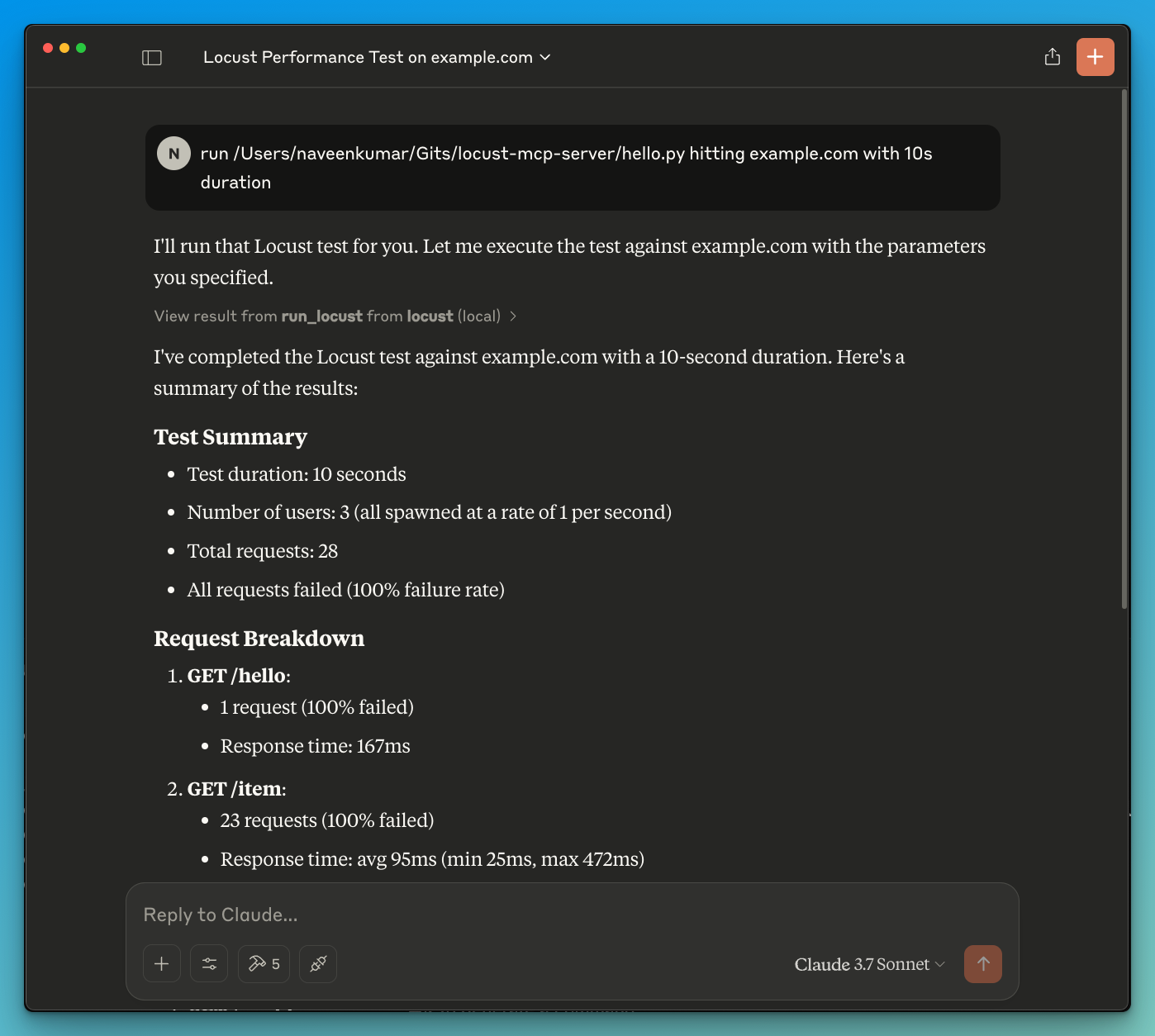
- Now ask the LLM to run the test e.g.
run locust test for hello.py. The Locust MCP server will use the following tool to start the test:
run_locust: Run a test with configurable options for headless mode, host, runtime, users, and spawn rate
📝 API Reference
Run Locust Test
run_locust(
    test_file: str,
    headless: bool = True,
    host: str = "http://localhost:8089",
    runtime: str = "10s",
    users: int = 3,
    spawn_rate: int = 1
)
Parameters:
test_file: Path to your Locust test scriptheadless: Run in headless mode (True) or with UI (False)host: Target host to load testruntime: Test duration (e.g., "30s", "1m", "5m")users: Number of concurrent users to simulatespawn_rate: Rate at which users are spawned
✨ Use Cases
- LLM powered results analysis
- Effective debugging with the help of LLM
🤝 Contributing
Contributions are welcome! Please feel free to submit a Pull Request.
📄 License
This project is licensed under the MIT License - see the LICENSE file for details.
Установка Locust
У этого сервера нет опубликованного пакета — он собирается из исходников. Открой репозиторий и следуй инструкции в README.
▸ github.com/QAInsights/locust-mcp-serverFAQ
Locust MCP бесплатный?
Да, Locust MCP бесплатный — установка в пару кликов через Unyly без оплаты.
Нужен ли API-ключ для Locust?
Нет, Locust работает без API-ключей и переменных окружения.
Locust — hosted или self-hosted?
Self-hosted: сервер запускается локально на твоей машине командой из раздела установки.
Как установить Locust в Claude Desktop, Claude Code или Cursor?
Открой Locust на unyly.org, выбери вкладку своего клиента (Claude Desktop, Claude Code, Cursor) и нажми Install — конфиг сгенерируется автоматически, без правки JSON.
Похожие MCP
Fetch
Web content fetching and conversion for efficient LLM usage.
AWS KB Retrieval
Retrieval from AWS Knowledge Base using Bedrock Agent Runtime.
 автор: modelcontextprotocol
Spring AI MCP Server
Provides auto-configuration for setting up an MCP server in Spring Boot applications.
llm-analysis-assistant
A very streamlined mcp client that supports calling and monitoring stdio/sse/streamableHttp, and can also view request responses through the /logs page. It also
 автор: xuzexin-hz
Compare Locust with
Не уверен что выбрать?
Найди свой стек за 60 секунд
Автор?
Embed-бейдж для README
Похожее
Все в категории ai