
Material Workbench
БесплатноНе проверенExposes procedural material and isometric terrain generation as MCP tools, allowing agents to create deterministic PBR textures and 2:1 isometric tiles from JSO

Описание
Exposes procedural material and isometric terrain generation as MCP tools, allowing agents to create deterministic PBR textures and 2:1 isometric tiles from JSON recipes.
README
Recipe-driven, deterministic procedural materials and isometric terrain tiles for game engines — a Python engine, a desktop app, and an MCP server, all rendering from the same JSON recipe.
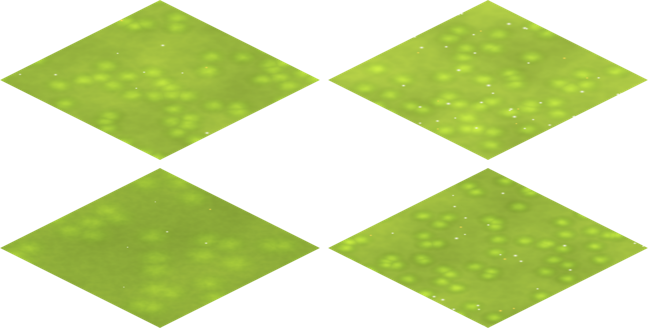
A recipe is a small JSON document — an archetype plus a handful of parameters and a seed. Feed it to the engine and you get back textures: PBR map sets for 3D engines (Unreal/Godot/Unity), or hand-painted-looking isometric ground tiles for 2D/iso games. Same recipe, same seed, same bytes — every time. The render is content-addressed and cached by a hash of the recipe, so nothing is recomputed twice.
What you get
- Two archetypes today
metal_rust— procedural rusted metal: 5 PBR maps (base color, normal, roughness, metallic, AO), tileable.painted_grass— Dofus-style painted terrain: a mottled green wash, grass tufts, and scattered blossoms, projected to a 2:1 isometric diamond with a transparent surround.
- Three ways to drive it
- CLI —
material-workbench render recipe.json --out ./outwrites the PBR maps to disk. - Desktop app (Tauri + React + Three.js) — pick a preset, tweak sliders, preview in 3D (materials) or as an iso tile (terrain), and export.
- MCP server — expose the workbench as tools to an MCP-capable agent over stdio.
- CLI —
- Cached — every recipe carries a
render_hash; identical recipes hit the cache instead of re-rendering. - Adding an archetype is one registry entry plus a render function — no central refactor.
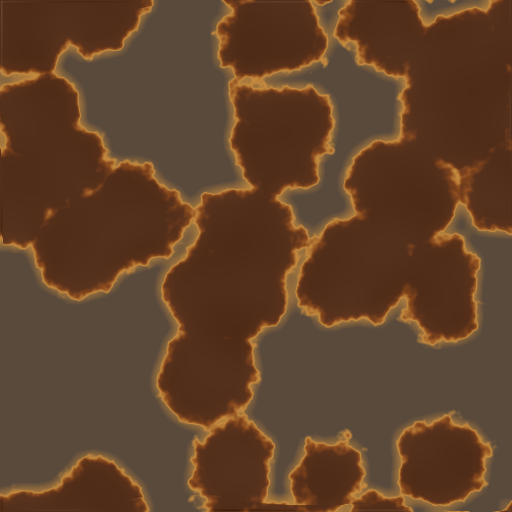
| Painted grass → iso tile | Rusted metal base color |
|---|---|
 |
 |
Prerequisites
The Python engine is cross-platform. The desktop app targets Windows 11 today (the Rust toolchain is pinned to stable-x86_64-pc-windows-msvc); the sidecar has a POSIX fallback but the Tauri shell is not yet wired/tested for macOS/Linux.
| Tool | Version | Needed for |
|---|---|---|
| uv | latest | Python env + commands |
| Python | 3.12 (>=3.12,<3.13) |
engine, CLI, MCP, sidecar |
| Node.js + npm | 20.19+ (or 22.12+) | desktop app frontend (Vite 7) |
| Rust (rustup) | stable | desktop app shell |
| MSVC C++ Build Tools + WebView2 | — | Tauri on Windows |
Quickstart
Python engine / CLI
uv sync --extra dev
uv run pytest                      # run the test suite
uv run material-workbench render examples/recipe-rusty-floor.json --out ./out
render writes the PBR maps to ./out. It works for any archetype the engine supports (metal_rust, painted_grass); the isometric tile projection is exposed through the desktop app and the JSON-RPC service.
Desktop app
Order matters. The Rust shell launches the Python engine as a sidecar by locating
.venv/Scripts/python.exe(walking up from the binary). Runuv syncat the repo root before starting the app, or setPYTHON_BINto a Python with the package installed.
uv sync                            # 1. create the .venv the app will find
cd tauri
npm install                        # 2. frontend deps
npm run tauri dev                  # 3. build the Rust shell + launch
Pick a preset (Prairie, Prairie fleurie, Herbe rase, or the metal_rust presets), hit
Render (force), change the seed for variations, then Export tuile iso… to write a
transparent 2:1 diamond PNG (terrain) — or Export to UE5… to write the BC/N/ORM PBR set (materials).
To build a distributable bundle: npm run tauri build.
MCP server
uv run material-workbench serve-mcp # FastMCP over stdio
Register it with any MCP client (the tool surface mirrors the service: archetypes, recipes, render, cache).
How it works
recipe.json ──► normalize + validate ──► engine (numpy/PIL) ──► PBR maps ──► cache (by render_hash)
                                                                   │
                          ┌────────────────────────────────────────┼─────────────────────────┐
                        CLI                          JSON-RPC sidecar (Tauri app)        MCP server
                   (write maps)                  (render, iso-tile export, recipes)      (agent tools)
The engine is pure numpy + Pillow (no GPU, no external services). Transport adapters (CLI, JSON-RPC, MCP) are thin wrappers around a single MaterialWorkbenchService. See docs/ARCHITECTURE.md for the full layering.
Project layout
src/material_workbench/   Python engine, IR, cache, adapters (CLI / JSON-RPC / MCP)
tauri/                    Desktop app (React + Three.js frontend, Rust shell)
examples/                 Sample recipes
tests/                    pytest suite (engine, services, adapters)
tools/                    Calibration & snapshot scripts (dev only)
docs/                     Architecture & assets
Contributing
Contributions are welcome — see CONTRIBUTING.md for the dev setup, test/lint commands, and pull-request flow. By participating you agree to the Code of Conduct.
License
MIT © 2026 hoklims
Установка Material Workbench
У этого сервера нет опубликованного пакета — он собирается из исходников. Открой репозиторий и следуй инструкции в README.
▸ github.com/hoklims/material-workbenchFAQ
Material Workbench MCP бесплатный?
Да, Material Workbench MCP бесплатный — установка в пару кликов через Unyly без оплаты.
Нужен ли API-ключ для Material Workbench?
Нет, Material Workbench работает без API-ключей и переменных окружения.
Material Workbench — hosted или self-hosted?
Self-hosted: сервер запускается локально на твоей машине командой из раздела установки.
Как установить Material Workbench в Claude Desktop, Claude Code или Cursor?
Открой Material Workbench на unyly.org, выбери вкладку своего клиента (Claude Desktop, Claude Code, Cursor) и нажми Install — конфиг сгенерируется автоматически, без правки JSON.
Похожие MCP
GitHub
PRs, issues, code search, CI status
 автор: GitHub
Filesystem
Secure file operations with configurable access controls.
Memory
Knowledge graph-based persistent memory system.
Template MCP Server
A CLI tool to create a new Model Context Protocol server project with TypeScript support, dual transport options, and an extensible structure
 автор: mcpdotdirect
Compare Material Workbench with
Не уверен что выбрать?
Найди свой стек за 60 секунд
Автор?
Embed-бейдж для README
Похожее
Все в категории development