
Maurice
БесплатноНе проверенLocal, read-only web explorer for your ~/.claude folder — Claude Code sessions, estimated cost, context-window usage, and a workflow view by skill, ticket & bra

Описание
Local, read-only web explorer for your ~/.claude folder — Claude Code sessions, estimated cost, context-window usage, and a workflow view by skill, ticket & branch. Ships an MCP server.
README

Maurice
A local, read-only web explorer for your ~/.claude folder — built around your personal workflow (sessions by skill, ticket, branch), with estimated cost and context window usage.
Complements ccusage (CLI costs) and awa:skill-stats: here you explore and re-read conversations, not just crunch stats.
Screenshots
The data below is real; only confidential bits (conversation content, project names, tickets, branches) are blurred. Theme: Maurice Nuit.
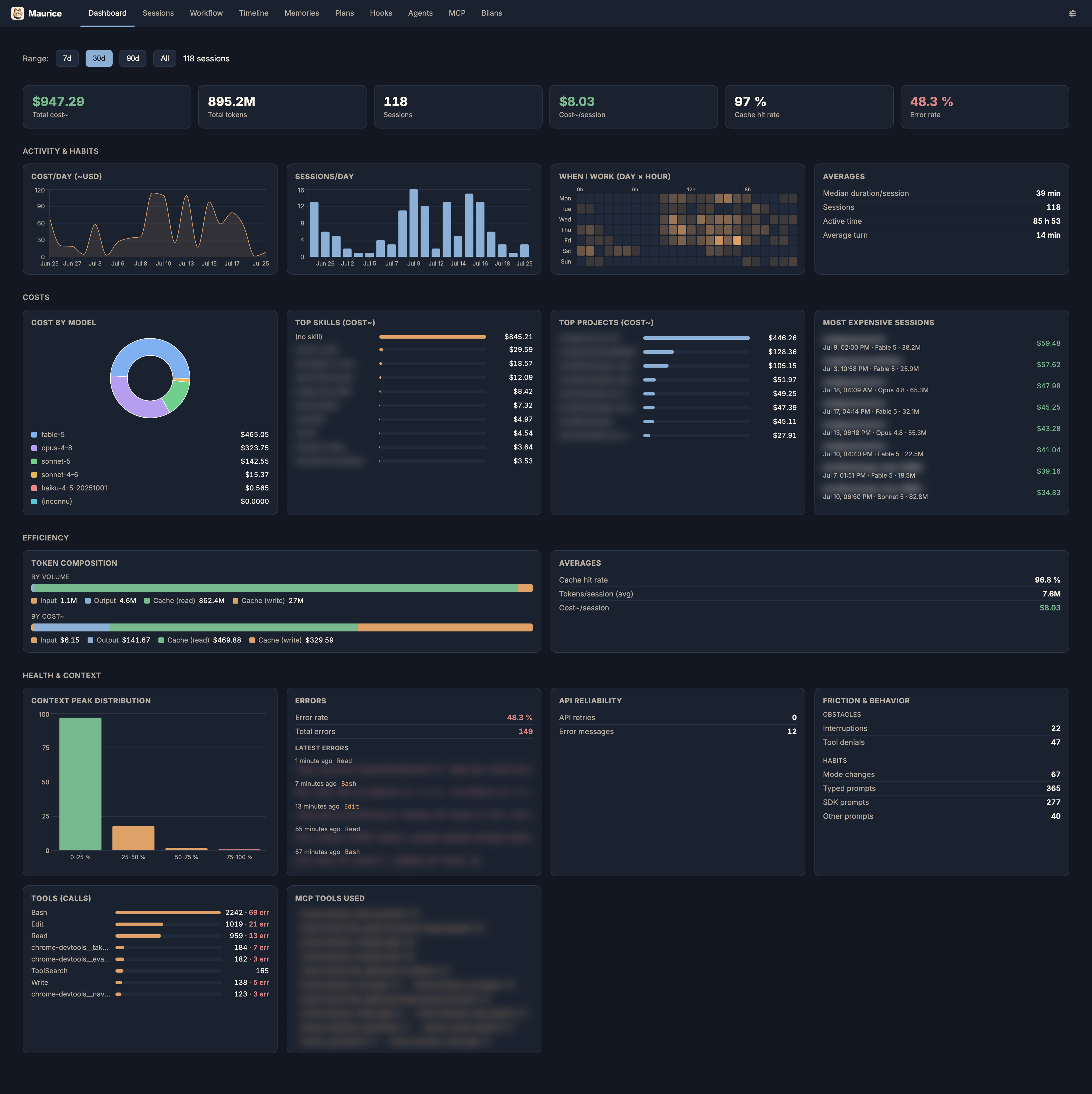
Dashboard — analytics over a period: KPIs, activity charts, cost by model / skill / project.
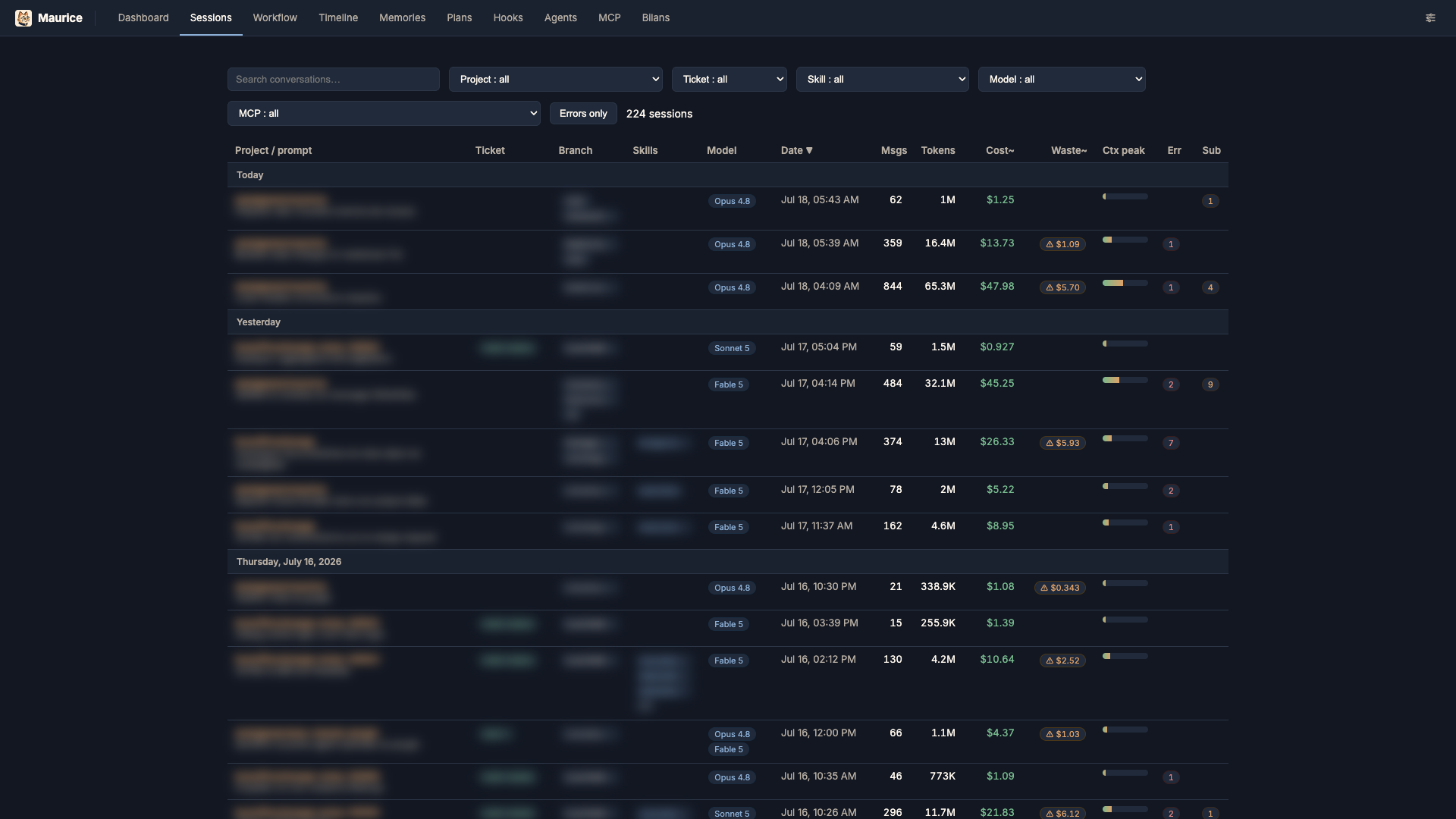
Sessions — searchable, filterable list with estimated cost, peak context fill, errors and subagents.
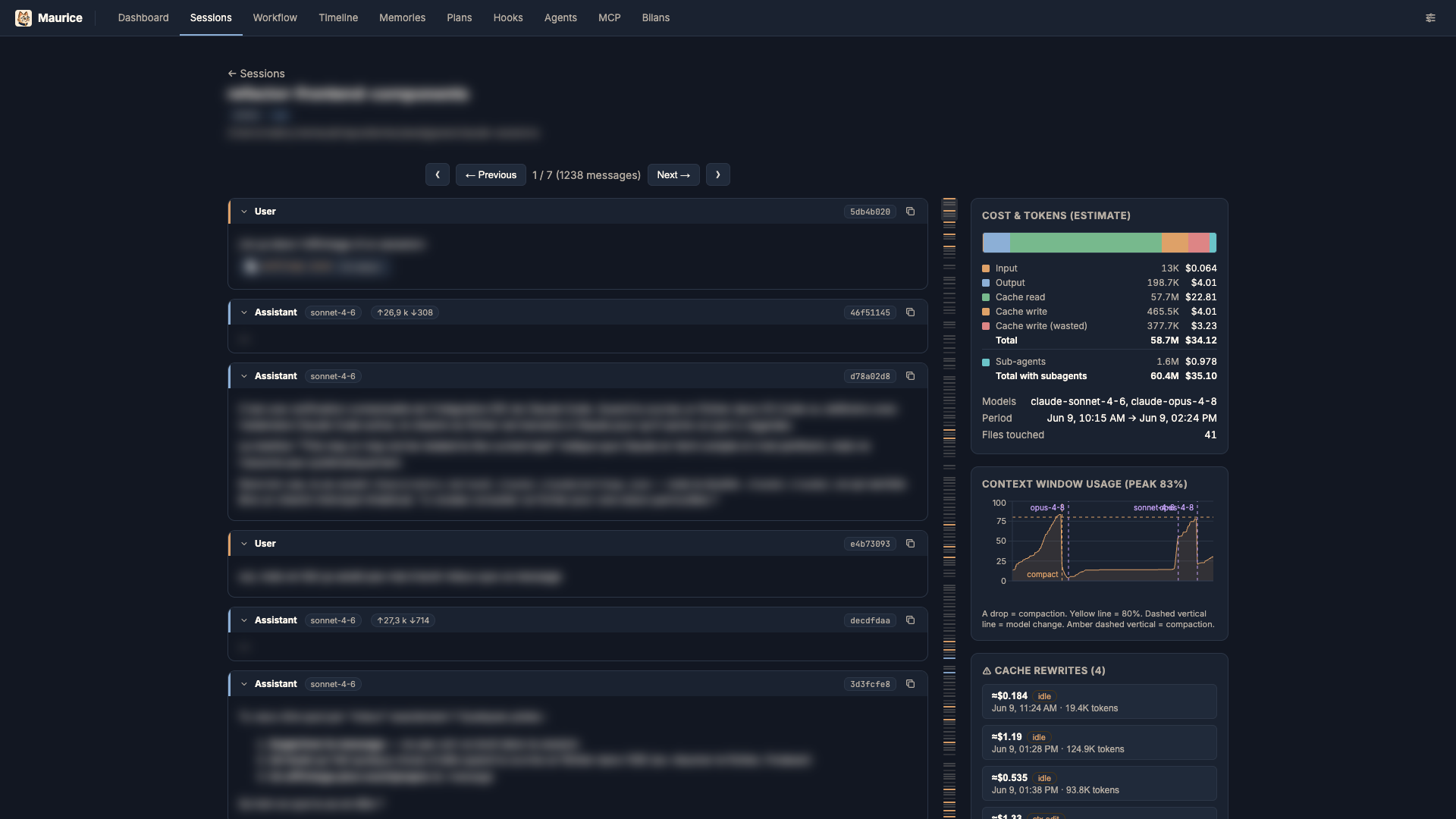
Session detail — readable thread with the context-window fill curve and a cost / token panel.
Workflow — cost pivoted by skill / ticket / branch.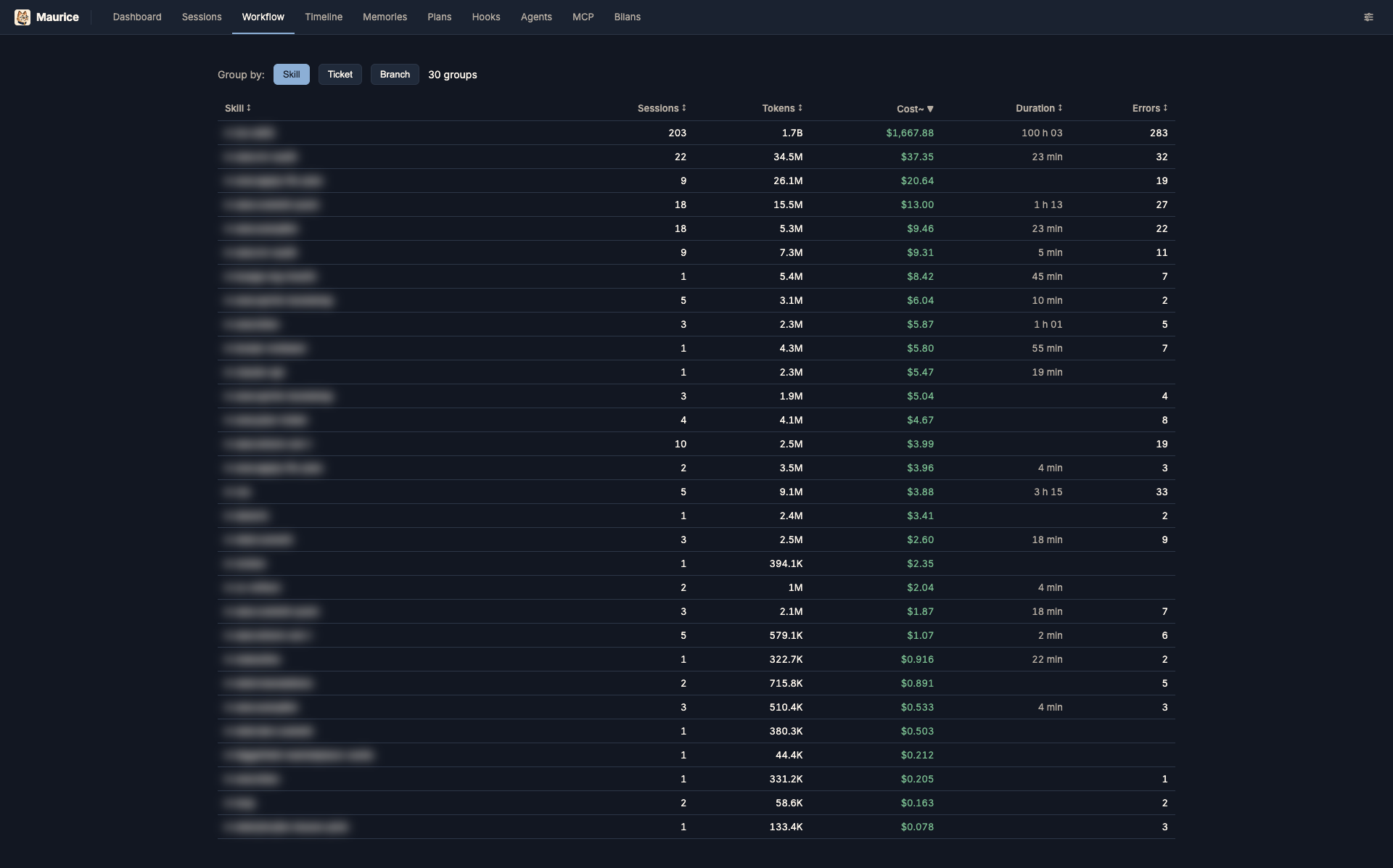 |
Timeline — sessions as time-positioned bars, colored by model.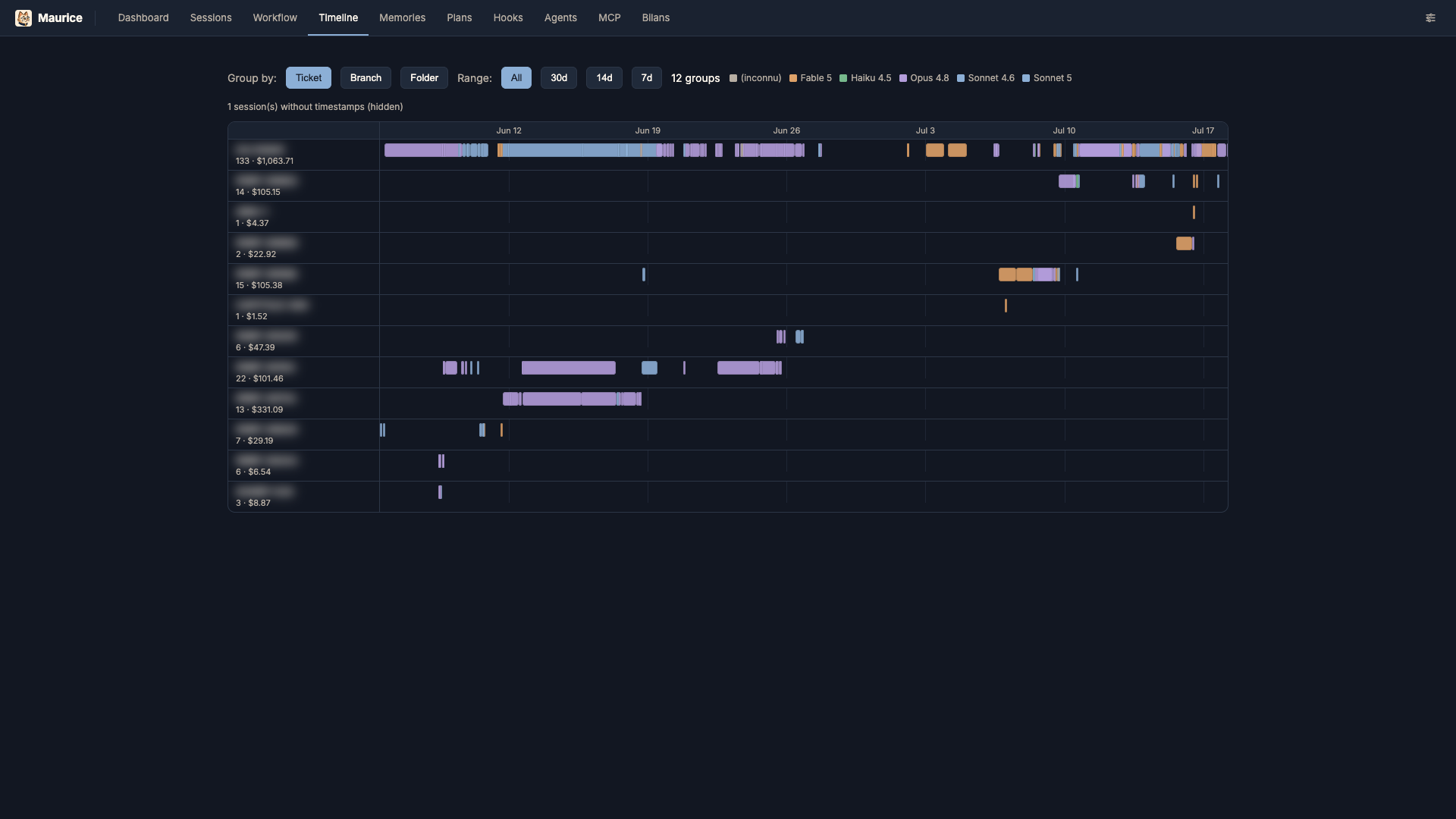 |
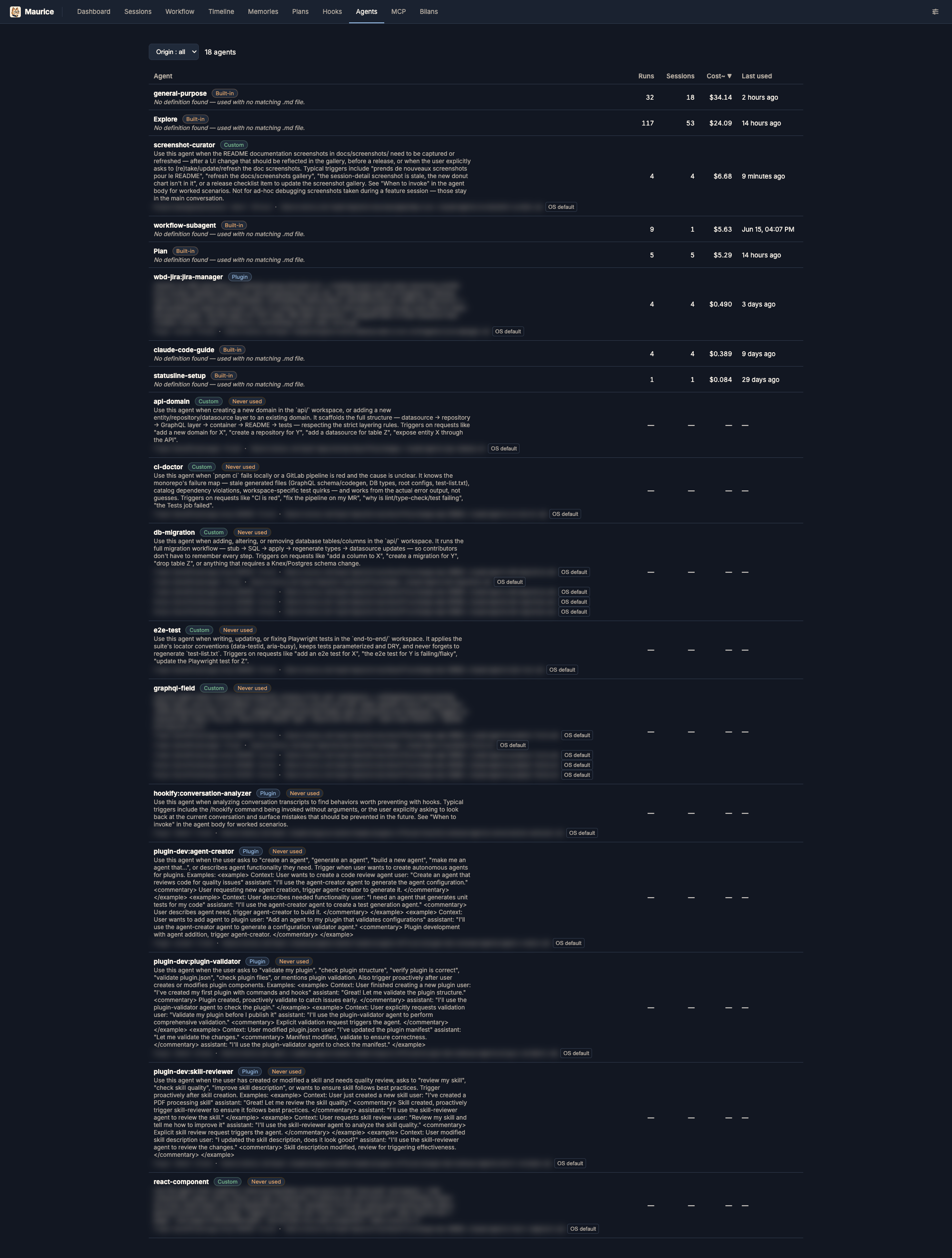
Agents — registry of every subagent type seen in your history, joined with its on-disk definition (builtin / custom / plugin) and usage stats.
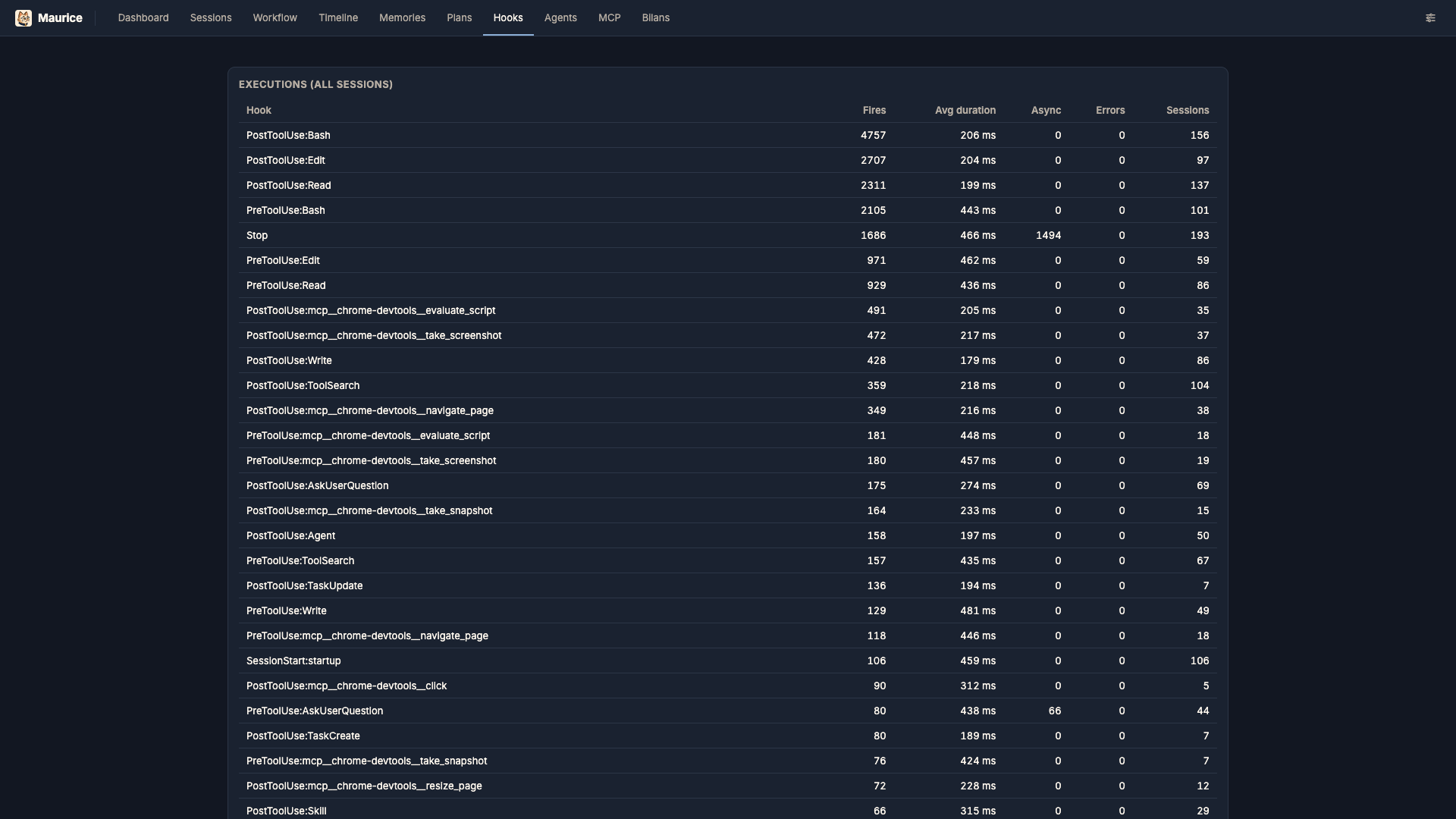
Hooks — configured hook commands plus execution analytics (fires, average latency, async responses, errors) aggregated from what actually ran.
Getting started
npm install
npm run dev      # Vite :5173 (UI) + Express API :5174, with proxy
# → http://localhost:5173
Production build:
npm run build
npm start        # serves dist/ + API on http://localhost:5174
What it shows
- Dashboard — analytics overview over a period (7 / 30 / 90 days / all): KPIs (cost, tokens, sessions, cost per session, cache-hit %, error rate), activity charts (cost & sessions over time, day×hour heatmap), cost breakdown by model / skill / project, most expensive sessions, token composition, context-peak distribution, and MCP tool usage. A health section adds per-tool usage with error counts, a friction & behavior panel split into obstacles (interruptions, tool denials) and habits (permission-mode changes, prompt provenance), and API reliability counters; averages surface active time and mean turn duration. Cards link through to filtered Sessions.
- Sessions — all sessions, led by their Claude-generated title (falling back to the first prompt): project, ticket, skills, date, messages, tokens, estimated cost, peak context window fill, error badge, subagent count. Full-text search + filters (project / ticket / skill / model / MCP / errors). Includes a branch column and an active session indicator in the topbar.
- Detail — readable thread (errors highlighted, thoughts collapsible), context window fill curve (drop = compaction, amber markers on compaction boundaries, dashed markers on model switches, per-model window %), a files touched count, cost/token panel with a cost breakdown table merging tokens and estimated cost per component (input / output / cache read / cache write / subagents) with a stacked bar strip, MCP tools called, subagents (clickable transcripts, own cost surfaced, unified with the session view), and a "copy
claude --resume <id>" button. First/last page navigation buttons (⟪ / ⟫). Renders inline images embedded in the thread — both uploaded images and those returned by MCP tool results. Navigate into/out of rewind-abandoned thread forks, with a deep link back to the divergence point. A quick-nav panel jumps straight to any prompt-cache rewrite warning in the thread. - Cache rewrite warnings — the provider's prompt cache expires after ~5min idle, so returning to a session after a break re-writes the whole context at the cache-write rate instead of reading it. Maurice detects this per billed request (idle vs. context-edit cause), flags it inline on the message, and aggregates it per session (count + estimated wasted cost) as a sortable column in Sessions.
- Workflow — sessions pivoted by skill (default), ticket, or branch, with per-group aggregates including a sortable time-per-group column. Tokens/cost in the skill pivot are attributed per message (
attributionSkill), so no double-counting across skills. - Timeline — Gantt-style view of sessions as time-positioned bars, grouped into lanes by ticket (default), branch, or project, colored by model, with a period filter.
- Memory — browse and delete entries from
~/.claude/projects/*/memory/. - Plans — browse, rename and delete plan-mode markdown files from
~/.claude/plans/(global) and each project's.claude/plans/, grouped by date / folder / ticket. - Hooks — browse the hook commands configured in
settings.json(global / project, plus their.localvariants), grouped by event and filterable by scope, alongside execution analytics (fires, average latency, async responses, errors) aggregated from what actually ran. - Agents — registry of every subagent type seen in your history, joined with its on-disk definition (builtin / custom / plugin) and usage across sessions.
- MCP — install instructions for the MCP server (see below) and the live list of its tools — parameters, types, descriptions — sourced from the server itself so it never drifts.
- Bilans — periodic summaries generated by the
awa:bilanskill, listing completed work and key decisions per period.
MCP server
Maurice also exposes its read-only data as an MCP server, so an agent can query your Claude Code history directly. It is served by the same Express process on /mcp (streamable HTTP), loopback-only with DNS-rebinding protection — start Maurice (npm run dev or npm start), then register it:
claude mcp add --transport http maurice http://localhost:5174/mcp
Tools (all read-only): search_sessions, list_sessions, get_session, list_memories, list_bilans, read_bilan, cost_summary, filters, agents. Cost stays an estimate (see below).
Technical notes
- Reads
process.env.CLAUDE_DIR ?? ~/.claude. Read-only, except the explicit user-driven file operations: deleting a memory entry, and deleting/renaming a plan. Caches stay in the project-local.cache/. - Streaming parser; session index disk-cached (
.cache/), invalidated by(size, mtime)— first run takes a few hundred ms, subsequent runs are near-instant. - Cost is an estimate (
server/pricing.ts): Claude Code subscriptions reportcostUSD: 0, so cost is derived from public API pricing per model. Adjust the table freely.
Environment variables
| Var | Default | Purpose |
|---|---|---|
CLAUDE_DIR |
~/.claude |
source directory (read-only) |
PORT |
5174 |
API / production server port |
CONTEXT_WINDOW |
200000 |
window size for fill ratio |
PERF |
(off) | set 1 for per-request API timing logs |
License
MIT © Awalgawe.
Maurice is an unofficial, independent tool and is not affiliated with, endorsed by, or sponsored by Anthropic. "Claude" and "Claude Code" are trademarks of Anthropic. It only reads your local ~/.claude data and never transmits it anywhere.
Установка Maurice
У этого сервера нет опубликованного пакета — он собирается из исходников. Открой репозиторий и следуй инструкции в README.
▸ github.com/Awalgawe/mauriceFAQ
Maurice MCP бесплатный?
Да, Maurice MCP бесплатный — установка в пару кликов через Unyly без оплаты.
Нужен ли API-ключ для Maurice?
Нет, Maurice работает без API-ключей и переменных окружения.
Maurice — hosted или self-hosted?
Self-hosted: сервер запускается локально на твоей машине командой из раздела установки.
Как установить Maurice в Claude Desktop, Claude Code или Cursor?
Открой Maurice на unyly.org, выбери вкладку своего клиента (Claude Desktop, Claude Code, Cursor) и нажми Install — конфиг сгенерируется автоматически, без правки JSON.
Похожие MCP
GitHub
PRs, issues, code search, CI status
 автор: GitHub
Filesystem
Secure file operations with configurable access controls.
Memory
Knowledge graph-based persistent memory system.
Template MCP Server
A CLI tool to create a new Model Context Protocol server project with TypeScript support, dual transport options, and an extensible structure
 автор: mcpdotdirect
Compare Maurice with
Не уверен что выбрать?
Найди свой стек за 60 секунд
Автор?
Embed-бейдж для README
Похожее
Все в категории development