
Debugger
БесплатноНе проверенProvides debugging capabilities for Python, C, C++, Rust, Swift, and more through the Debug Adapter Protocol, enabling breakpoints, step-by-step evaluation, and

Описание
Provides debugging capabilities for Python, C, C++, Rust, Swift, and more through the Debug Adapter Protocol, enabling breakpoints, step-by-step evaluation, and stack traces.
README
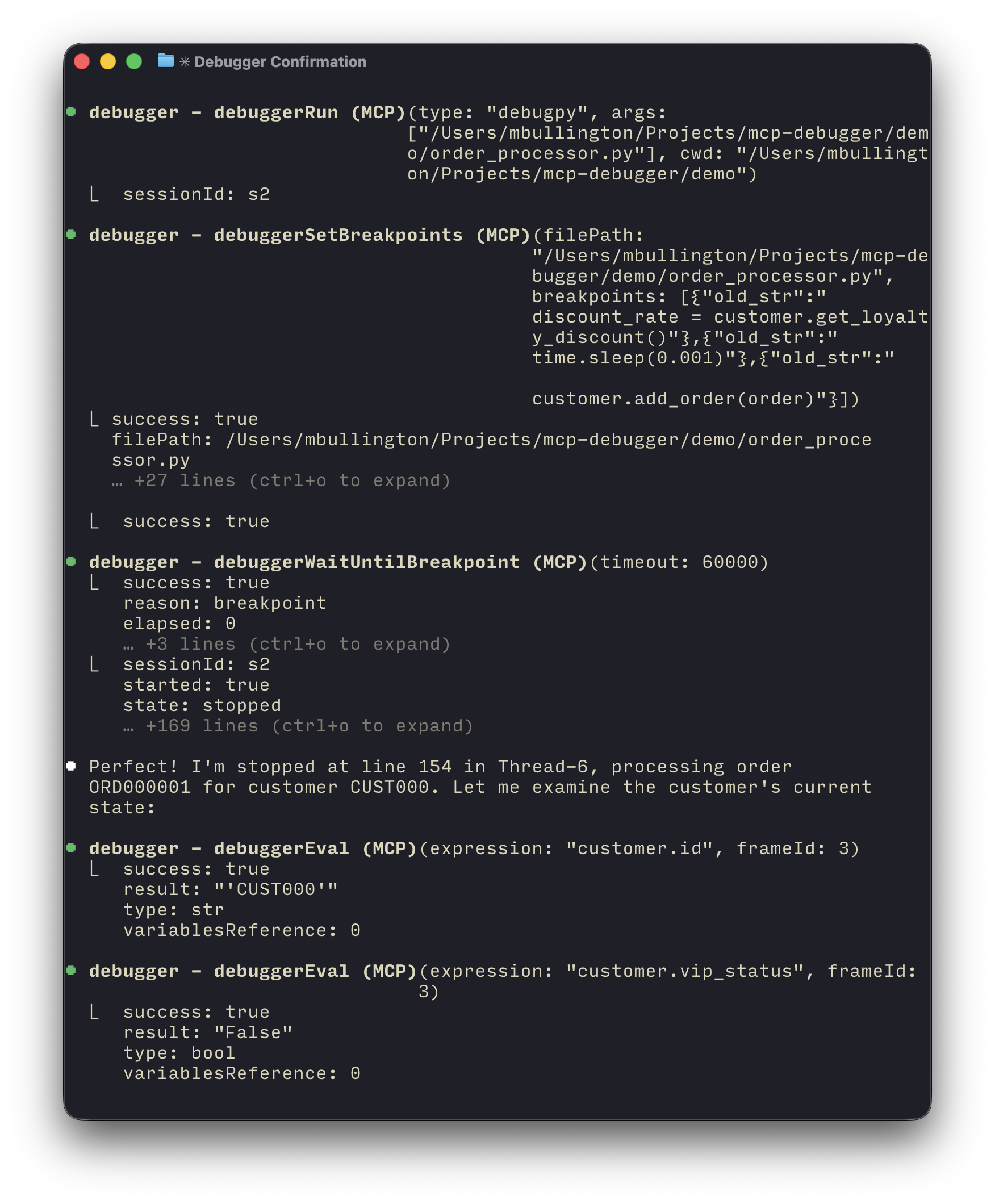
An Model Context Protocol (MCP) server that provides debugging capabilities for Python, C, C++, Rust, Swift, and more through the Debug Adapter Protocol (DAP).
- Get breakpoints, step-by-step evaluation, and segfault stack traces.
- Read program stdout/stderr in pages (lines: 0-100, etc...) without flooding the context window.
- Programs run async, debug multiple applications at once.
Installation
Cursor:
Claude Code:
claude mcp add --transport stdio Debugger -- npx -y mcp-debugger-dap@latest
Manual configuration:
"Debugger": {
  "command": "npx",
  "args": ["-y", "mcp-debugger-dap@latest"]
}
Supported debuggers
mcp-debugger-dap supports either Python (debugpy) or LLDB supported languages (tested: C, C++, Rust, Swift). Probably more such as Objective-C, Zig, etc... are supported through LLDB.
Python (debugpy)
Python 3 and pip must be installed.
The debugpy wheel is automatically downloaded to ~/.mcp-debugger.
LLDB
LLDB support requires a recent binary of lldb-dap.
For macOS users: On macOS Sequoia+ I confirmed tested, before this YMMV, comes included with XCode Command Line Tools.
For Linux users: I recommend the Helix editor guide to installing lldb-dap.
Demo
The demo/ directory contains example scripts demonstrating race conditions and other bugs that can be debugged using this MCP server.
cd demo
# Use Claude Code or another MCP client to debug:
# "Let's use the debugger to find the race condition in order_processor.py"
References
Установка Debugger
У этого сервера нет опубликованного пакета — он собирается из исходников. Открой репозиторий и следуй инструкции в README.
▸ github.com/darknoon/mcp-debuggerFAQ
Debugger MCP бесплатный?
Да, Debugger MCP бесплатный — установка в пару кликов через Unyly без оплаты.
Нужен ли API-ключ для Debugger?
Нет, Debugger работает без API-ключей и переменных окружения.
Debugger — hosted или self-hosted?
Self-hosted: сервер запускается локально на твоей машине командой из раздела установки.
Как установить Debugger в Claude Desktop, Claude Code или Cursor?
Открой Debugger на unyly.org, выбери вкладку своего клиента (Claude Desktop, Claude Code, Cursor) и нажми Install — конфиг сгенерируется автоматически, без правки JSON.
Похожие MCP
GitHub
PRs, issues, code search, CI status
 автор: GitHub
Filesystem
Secure file operations with configurable access controls.
Memory
Knowledge graph-based persistent memory system.
Template MCP Server
A CLI tool to create a new Model Context Protocol server project with TypeScript support, dual transport options, and an extensible structure
 автор: mcpdotdirect
Compare Debugger with
Не уверен что выбрать?
Найди свой стек за 60 секунд
Автор?
Embed-бейдж для README
Похожее
Все в категории development