
For Stock Market Analysis
БесплатноНе проверенA production-grade MCP server that provides tools to fetch historical stock data, company information, and technical indicators (SMA, EMA, RSI, MACD, Bollinger

Описание
A production-grade MCP server that provides tools to fetch historical stock data, company information, and technical indicators (SMA, EMA, RSI, MACD, Bollinger Bands) via yfinance, and includes a Flask web dashboard for visual analysis.
README
A production-grade Model Context Protocol (MCP) server for stock market analysis, designed to work with Claude Desktop as the AI client. Includes a local Flask web dashboard for visual analysis.
Architecture
graph TD
    subgraph Client Layer
        CD[Claude Desktop]
        FD[Flask Web Dashboard]
    end

    subgraph MCP Layer
        MS[Python MCP Server]
    end

    subgraph Tools
        FS[fetch_stock]
        GC[get_company]
        ST[statistics]
    end

    CD -- stdio --> MS
    FD -- HTTP API --> MS

    MS --> FS
    MS --> GC
    MS --> ST

    FS -- yfinance --> API[Yahoo Finance API]
    GC -- yfinance --> API
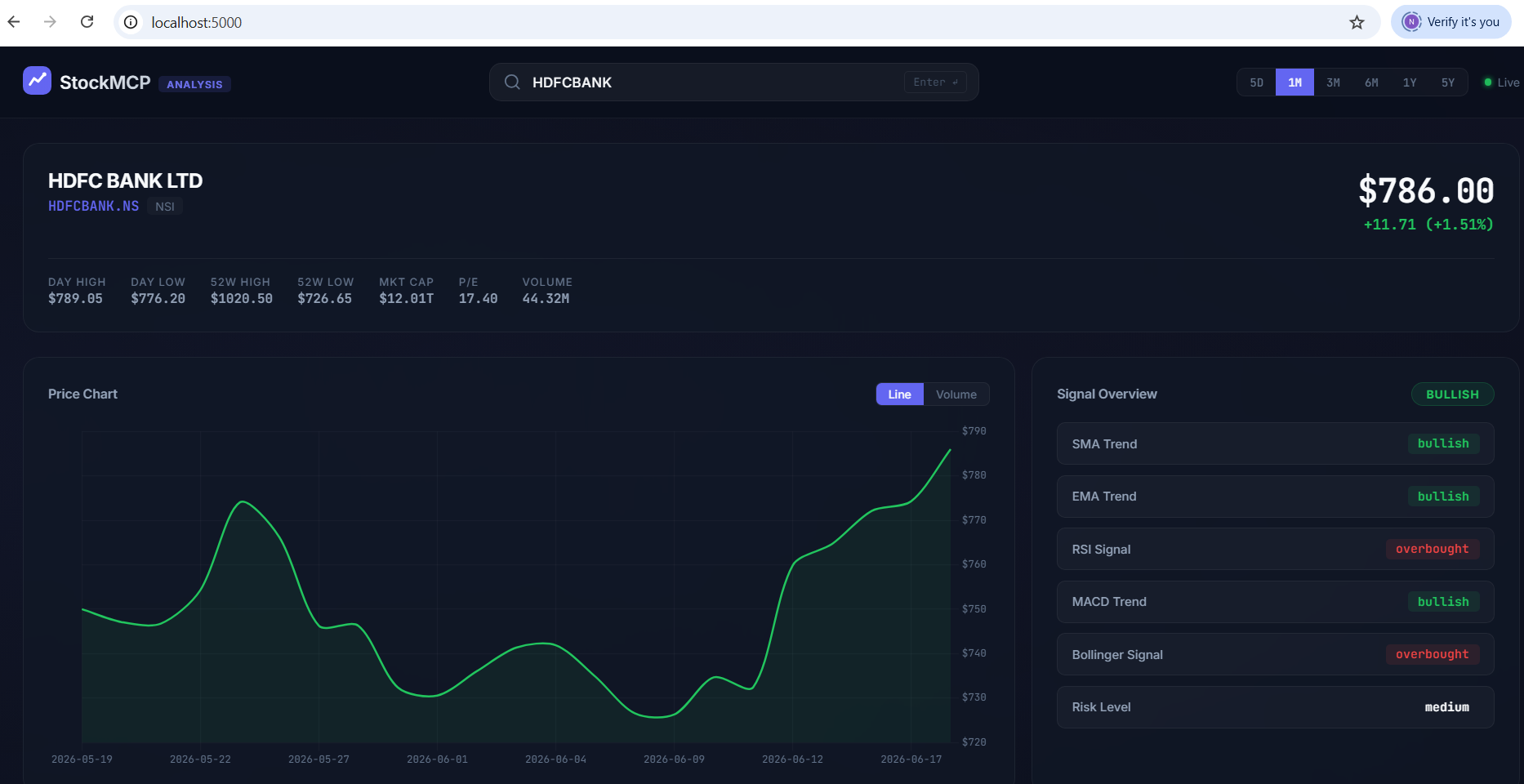
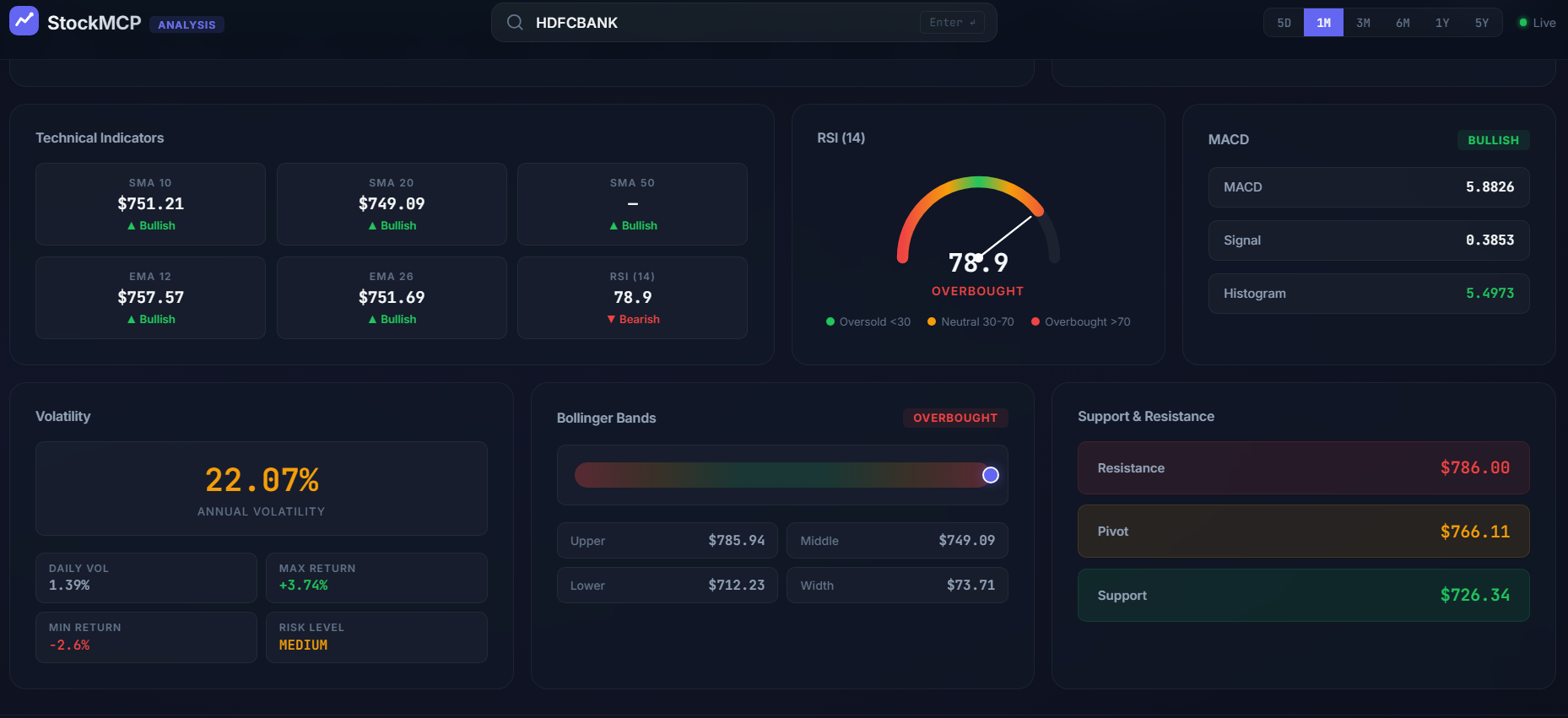
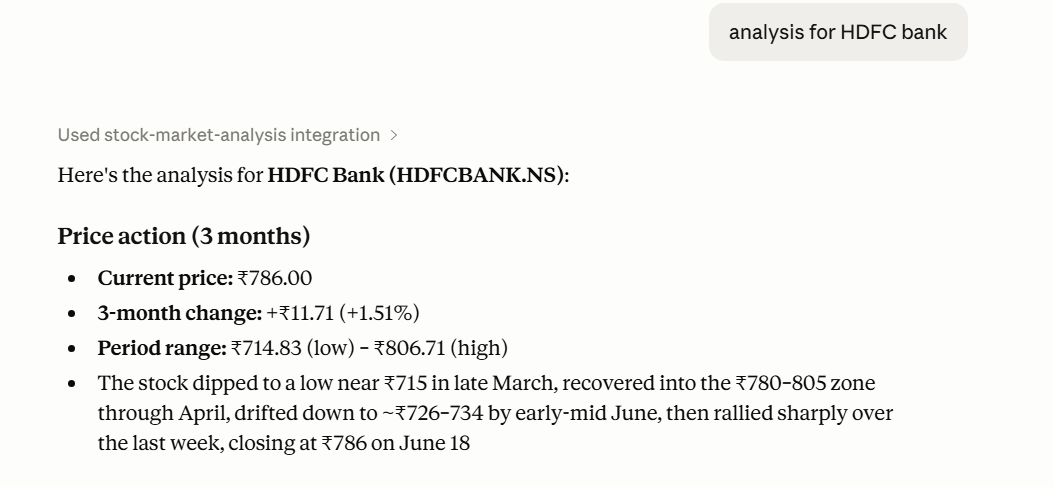
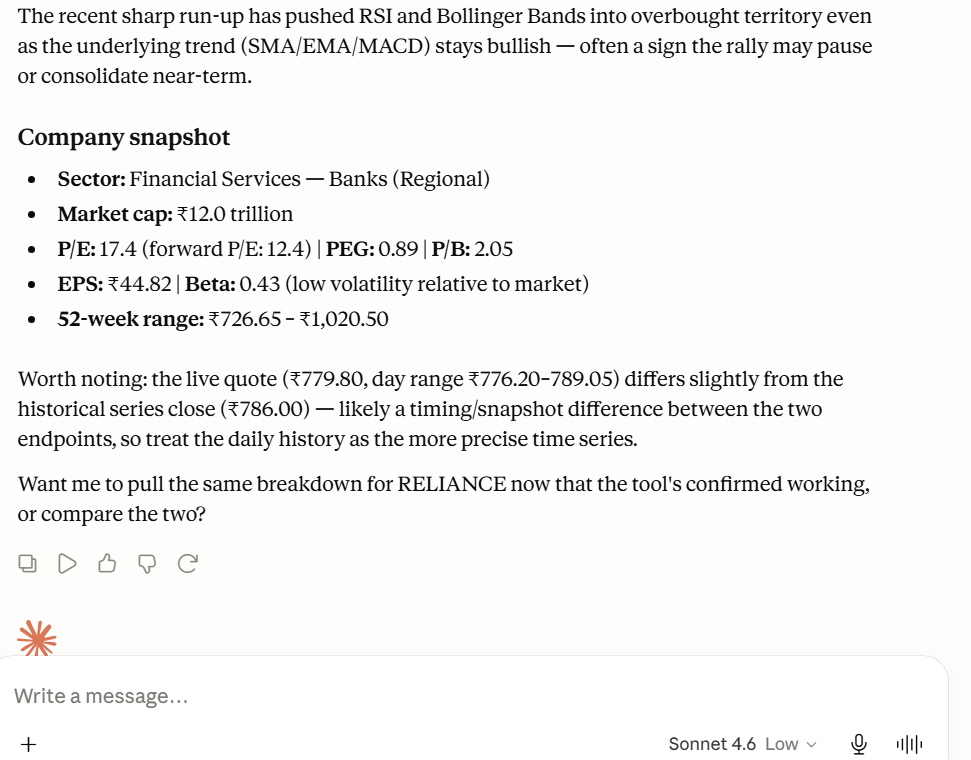
Dashboard Screenshots
Features
MCP Tools (used by Claude Desktop)
fetch_stock— Fetch OHLCV price history for any stock symbolget_company— Company info: sector, market cap, P/E, 52-week range, etc.statistics— Full technical analysis: SMA, EMA, RSI, MACD, Bollinger Bands, Volatility, Support/Resistance
Web Dashboard
- 🌗 Premium dark theme with glassmorphism
- 📊 Interactive price charts (Chart.js)
- 📈 RSI gauge, MACD display, Bollinger Bands visualization
- 🔍 Stock search with popular picks
- ⚡ Real-time data fetching
Quick Start
1. Setup Python Environment
cd "MCP for Stock Market Analysis"
python -m venv venv
venv\Scripts\activate          # Windows
# source venv/bin/activate    # Mac/Linux
pip install -r requirements.txt
2. Run the Flask Dashboard
python flask_app/app.py
Open http://localhost:5000 in your browser.
3. Connect to Claude Desktop
Add the following to your Claude Desktop config file:
Windows: %APPDATA%\Claude\claude_desktop_config.json
Mac: ~/Library/Application Support/Claude/claude_desktop_config.json
{
    "mcpServers": {
        "stock-market-analysis": {
            "command": "C:\\path\\to\\your\\project\\venv\\Scripts\\python.exe",
            "args": ["C:\\path\\to\\your\\project\\mcp_server\\server.py"]
        }
    }
}
Important: You must replace
C:\path\to\your\project\with the actual absolute path to where you saved this folder on your computer. Make sure to use double backslashes\\in the JSON!
Restart Claude Desktop. You should see the stock market tools available.
4. Use with Claude Desktop
Ask Claude things like:
- "Fetch the stock data for AAPL for the last 3 months"
- "What are the technical indicators for Tesla?"
- "Give me a full analysis of NVDA including RSI, MACD, and Bollinger Bands"
- "Compare the volatility of AAPL vs MSFT"
Claude will automatically use the MCP tools to fetch data and provide analysis.
Project Structure
MCP for Stock Market Analysis/
├── mcp_server/                  # MCP Server (Python)
│   ├── server.py                # Main MCP server entry point
│   ├── tools/
│   │   ├── stock_fetcher.py     # Tool 1: Stock data fetcher
│   │   └── statistics_tool.py   # Tool 2: Technical indicators
│   └── database/
│       └── db.py                # SQLite caching layer
│
├── flask_app/                   # Web Dashboard
│   ├── app.py                   # Flask application
│   ├── templates/
│   │   └── index.html           # Dashboard HTML
│   └── static/
│       ├── css/style.css        # Premium dark theme
│       └── js/app.js            # Dashboard logic
│
├── requirements.txt             # Python dependencies
├── claude_desktop_config.json   # Claude Desktop config snippet
├── .env.example                 # Environment template
├── .gitignore
└── README.md
Technical Indicators
| Indicator | Description | Signal |
|---|---|---|
| SMA (10, 20, 50) | Simple Moving Average | Price above SMA = Bullish |
| EMA (12, 26) | Exponential Moving Average | EMA12 > EMA26 = Bullish |
| RSI (14) | Relative Strength Index | <30 Oversold, >70 Overbought |
| MACD (12, 26, 9) | Moving Average Convergence Divergence | Histogram > 0 = Bullish |
| Bollinger Bands (20, 2σ) | Volatility bands | Position in band |
| Volatility | Standard deviation of returns | Annual risk level |
| Support/Resistance | Key price levels | 20-day high/low |
API Endpoints (Flask Dashboard)
| Endpoint | Method | Description |
|---|---|---|
/api/stock/<symbol> |
GET | Fetch OHLCV data |
/api/company/<symbol> |
GET | Company information |
/api/statistics/<symbol> |
GET | Technical indicators |
/api/health |
GET | Health check |
Query parameters: period (1d, 5d, 1mo, 3mo, 6mo, 1y, 5y), interval (1d, 1wk, 1mo)
Tech Stack
- MCP Server: Python,
mcp[cli]SDK - Data: yfinance, pandas, numpy
- Dashboard: Flask, Chart.js, vanilla CSS
- Database: SQLite (auto-created)
- AI Client: Claude Desktop (free tier)
License
MIT
Установка For Stock Market Analysis
У этого сервера нет опубликованного пакета — он собирается из исходников. Открой репозиторий и следуй инструкции в README.
▸ github.com/nbx0021/MCP-for-Stock-Market-AnalysisFAQ
For Stock Market Analysis MCP бесплатный?
Да, For Stock Market Analysis MCP бесплатный — установка в пару кликов через Unyly без оплаты.
Нужен ли API-ключ для For Stock Market Analysis?
Нет, For Stock Market Analysis работает без API-ключей и переменных окружения.
For Stock Market Analysis — hosted или self-hosted?
Self-hosted: сервер запускается локально на твоей машине командой из раздела установки.
Как установить For Stock Market Analysis в Claude Desktop, Claude Code или Cursor?
Открой For Stock Market Analysis на unyly.org, выбери вкладку своего клиента (Claude Desktop, Claude Code, Cursor) и нажми Install — конфиг сгенерируется автоматически, без правки JSON.
Похожие MCP
GitHub
PRs, issues, code search, CI status
 автор: GitHub
Filesystem
Secure file operations with configurable access controls.
Memory
Knowledge graph-based persistent memory system.
Template MCP Server
A CLI tool to create a new Model Context Protocol server project with TypeScript support, dual transport options, and an extensible structure
 автор: mcpdotdirect
Compare For Stock Market Analysis with
Не уверен что выбрать?
Найди свой стек за 60 секунд
Автор?
Embed-бейдж для README
Похожее
Все в категории development