
Playwright Fork
БесплатноНе проверенA fork of the Playwright MCP Server with additional smooth mouse control commands, enabling LLMs to perform browser automation, web scraping, and JavaScript exe

Описание
A fork of the Playwright MCP Server with additional smooth mouse control commands, enabling LLMs to perform browser automation, web scraping, and JavaScript execution.
README
|
|
| MseeP.ai Security Assessment | Special thanks to Warp, the AI terminal for developers |
Playwright MCP Server 🎭
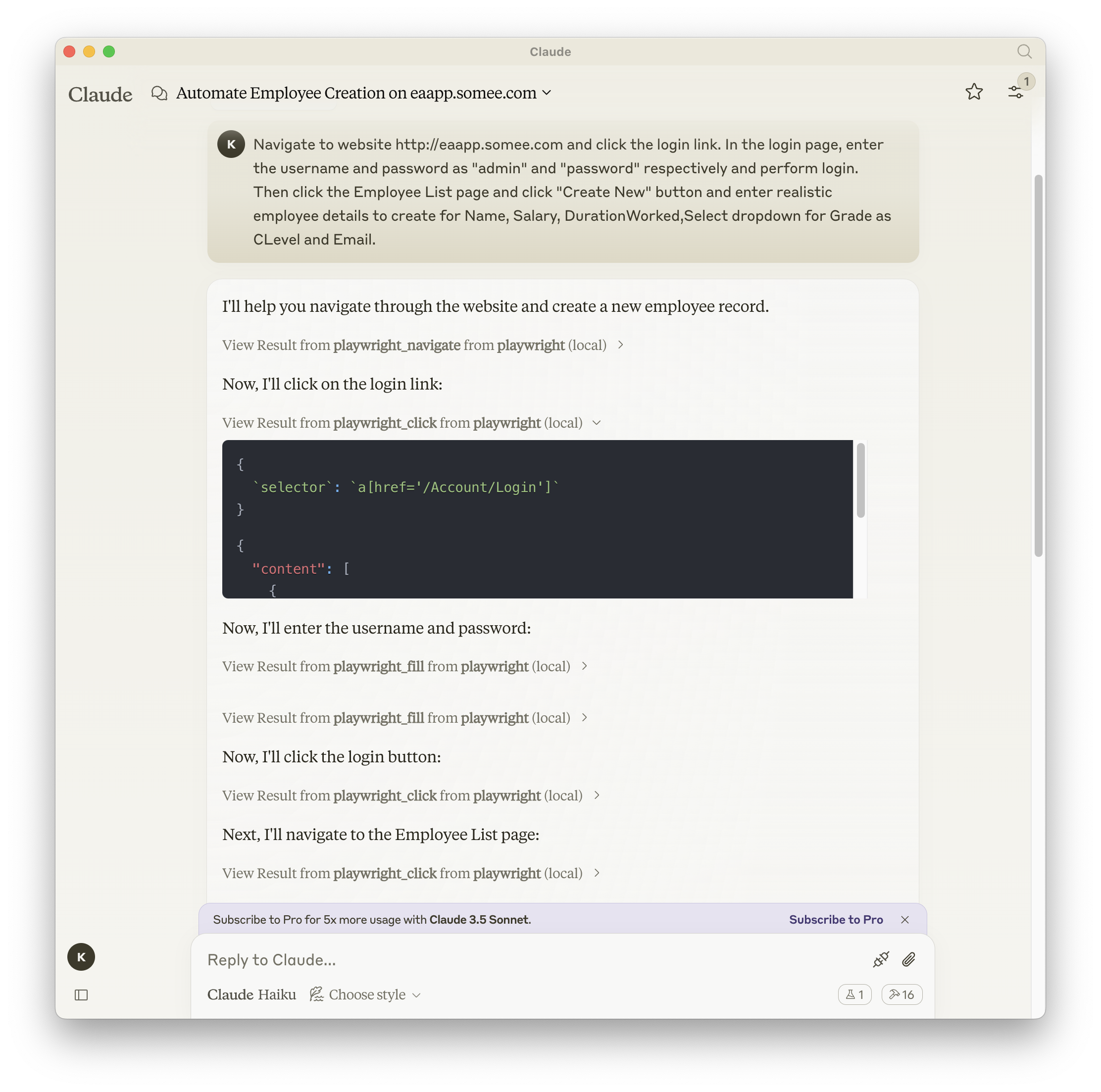
A Model Context Protocol server that provides browser automation capabilities using Playwright. This server enables LLMs to interact with web pages, take screenshots, generate test code, web scraps the page and execute JavaScript in a real browser environment.
Screenshot
Documentation | API reference
Installation
This fork includes additional smooth mouse control commands not available in the original version. Install this enhanced version:
🎯 Recommended Installation (This Fork with Mouse Commands)
For Claude Code:
claude mcp add --scope user playwright -- npx github:yeswecan/mcp-playwright-fork
For Claude Desktop:
Add this to your MCP configuration:
{
  "mcpServers": {
    "playwright": {
      "command": "npx",
      "args": ["github:yeswecan/mcp-playwright-fork"]
    }
  }
}
Alternative Installation Methods:
# Direct npx usage
npx github:yeswecan/mcp-playwright-fork

# Install globally from GitHub
npm install -g github:yeswecan/mcp-playwright-fork
📦 Original Version Installation
If you prefer the original version without mouse commands:
# Original via npm
npm install -g @executeautomation/playwright-mcp-server

# Original via npx
npx @executeautomation/playwright-mcp-server
Quick Start
After installation, you can immediately use all Playwright commands plus the new mouse control features:
// New smooth mouse commands
await playwright_mouse_move({ x: 200, y: 200, steps: 10 });
await playwright_smooth_drag({
  fromX: 100, fromY: 100,
  toX: 300, toY: 300,
  steps: 15, delay: 200
});
Testing
This project uses Jest for testing. The tests are located in the src/__tests__ directory.
Running Tests
You can run the tests using one of the following commands:
# Run tests using the custom script (with coverage)
node run-tests.cjs

# Run tests using npm scripts
npm test           # Run tests without coverage
npm run test:coverage  # Run tests with coverage
npm run test:custom    # Run tests with custom script (same as node run-tests.cjs)
The test coverage report will be generated in the coverage directory.
Running evals
The evals package loads an mcp client that then runs the index.ts file, so there is no need to rebuild between tests. You can load environment variables by prefixing the npx command. Full documentation can be found here.
OPENAI_API_KEY=your-key npx mcp-eval src/evals/evals.ts src/tools/codegen/index.ts
Contributing
When adding new tools, please be mindful of the tool name length. Some clients, like Cursor, have a 60-character limit for the combined server and tool name (server_name:tool_name).
Our server name is playwright-mcp. Please ensure your tool names are short enough to not exceed this limit.
Star History
Установка Playwright Fork
У этого сервера нет опубликованного пакета — он собирается из исходников. Открой репозиторий и следуй инструкции в README.
▸ github.com/yeswecan/mcp-playwright-forkFAQ
Playwright Fork MCP бесплатный?
Да, Playwright Fork MCP бесплатный — установка в пару кликов через Unyly без оплаты.
Нужен ли API-ключ для Playwright Fork?
Нет, Playwright Fork работает без API-ключей и переменных окружения.
Playwright Fork — hosted или self-hosted?
Self-hosted: сервер запускается локально на твоей машине командой из раздела установки.
Как установить Playwright Fork в Claude Desktop, Claude Code или Cursor?
Открой Playwright Fork на unyly.org, выбери вкладку своего клиента (Claude Desktop, Claude Code, Cursor) и нажми Install — конфиг сгенерируется автоматически, без правки JSON.
Похожие MCP
Playwright
Browser automation, scraping, screenshots
 автор: Microsoft
Puppeteer
Browser automation and web scraping.
 автор: modelcontextprotocol
opentabs-dev/opentabs
Plugin-based MCP server + Chrome extension that gives AI agents access to web applications through the user's authenticated browser session. 100+ plugins with a
 автор: opentabs-dev
robhunter/agentdeals
1,500+ developer infrastructure deals, free tiers, and startup programs across 54 categories. Search deals, compare vendors, plan stacks, and track pricing chan
 автор: robhunter
Compare Playwright Fork with
Не уверен что выбрать?
Найди свой стек за 60 секунд
Автор?
Embed-бейдж для README
Похожее
Все в категории browse