
Mcpmongo
БесплатноНе проверенThis project demonstrates the integration of MongoDB with the Model Context Protocol (MCP) to provide AI assistants with database interaction capabilities.

Описание
This project demonstrates the integration of MongoDB with the Model Context Protocol (MCP) to provide AI assistants with database interaction capabilities.
README
This project demonstrates the integration of MongoDB with the Model Context Protocol (MCP) to provide AI assistants with database interaction capabilities. It consists of two main components:
- MCP MongoDB Server - A server that exposes MongoDB operations as MCP tools
- Client-side Gemini Integration - A terminal-based chatbot that uses Google's Gemini AI with access to MongoDB tools
Project Structure
.
├── client-side/            # Client application using Gemini AI
│   ├── index.js            # Main client application
│   └── package.json        # Client dependencies
└── mcp-mongo-project/      # MCP server with MongoDB tools
    ├── src/
    │   ├── index.js        # Server setup and tool definitions
    │   └── services/
    │       └── mcp-service.js  # MongoDB service implementation
    └── package.json        # Server dependencies
Features
- MongoDB Integration: Full CRUD operations exposed as MCP tools
- MCP Server: Implements the Model Context Protocol for AI tool use
- Gemini AI Integration: Connects to Google's Gemini models
- Terminal Chatbot: Interactive chat interface for database operations
Prerequisites
- Node.js (v14 or higher)
- MongoDB instance (local or remote)
- Google Gemini API key
Setup Instructions
1. Server Setup
# Navigate to the server directory
cd mcp-mongo-project

# Install dependencies
npm install

# Create a .env file with your MongoDB connection details
echo "MONGODB_URI=mongodb://localhost:27017" > .env
echo "MONGODB_NAME=your_database_name" >> .env

# Start the server
npm start
2. Client Setup
# Navigate to the client directory
cd client-side

# Install dependencies
npm install

# Create a .env file with your Gemini API key
echo "GEMINI_API_KEY=your_gemini_api_key" > .env

# Start the client
node index.js
Available MongoDB Tools
The MCP server exposes the following MongoDB operations as tools:
- findDocuments: Query documents in a collection
- findOneDocument: Find a single document
- insertOneDocument: Insert a document
- insertManyDocuments: Insert multiple documents
- updateOneDocument: Update a single document
- updateManyDocuments: Update multiple documents
- deleteOneDocument: Delete a document
- deleteManyDocuments: Delete multiple documents
- aggregateDocuments: Run aggregation pipelines
- countDocuments: Count documents in a collection
- listCollections: List all collections
- createCollection: Create a new collection
Usage Examples
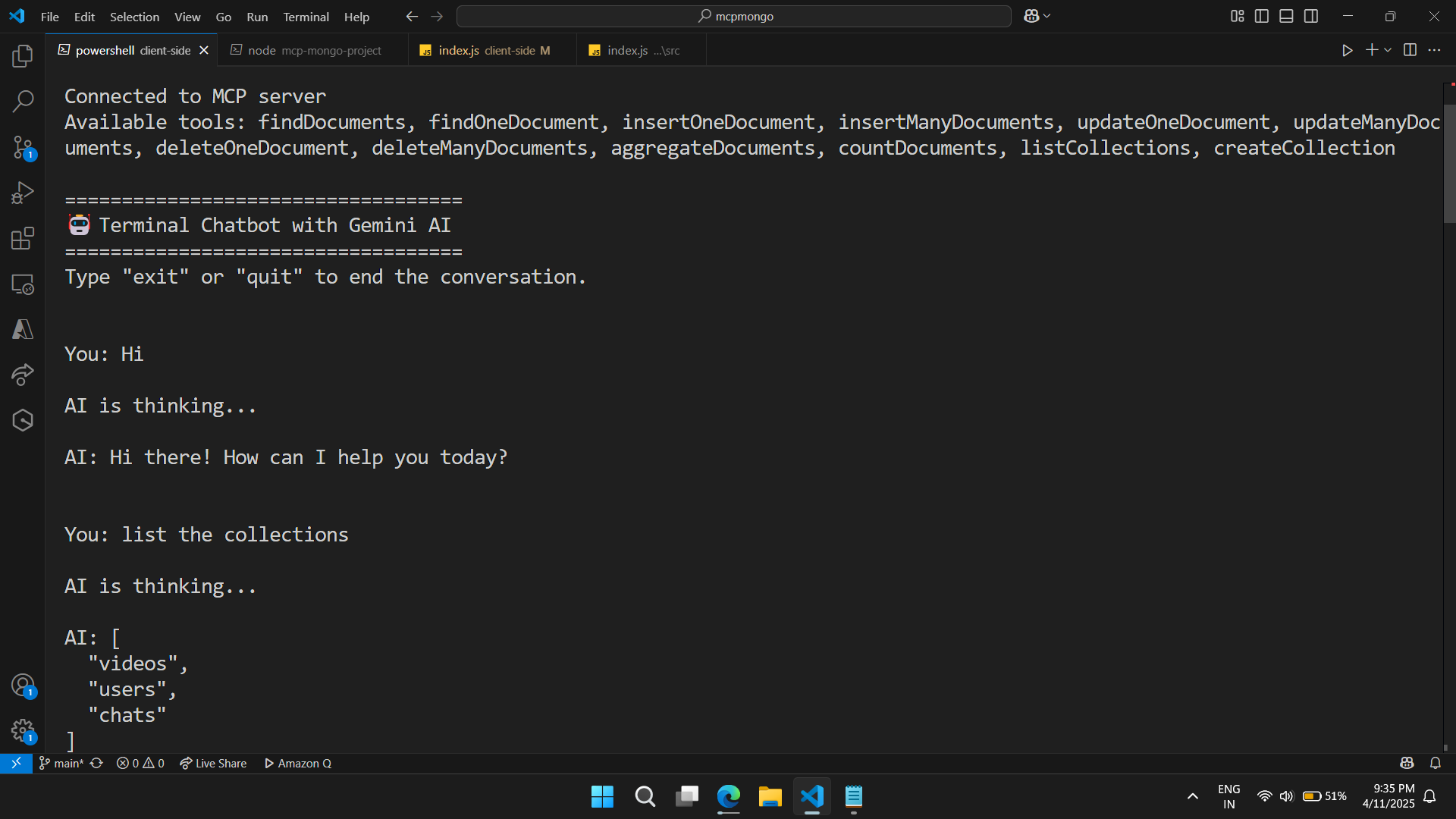
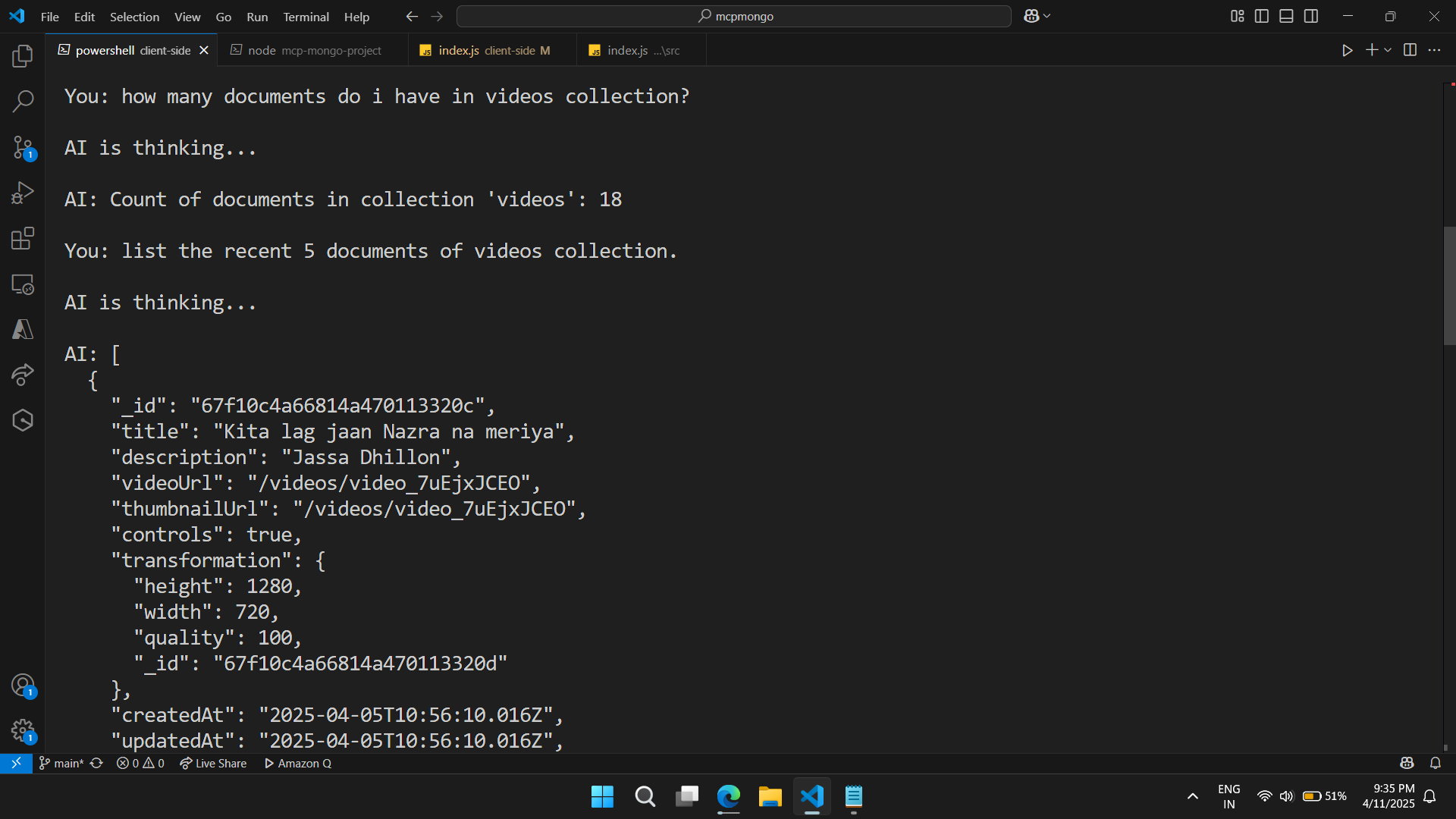
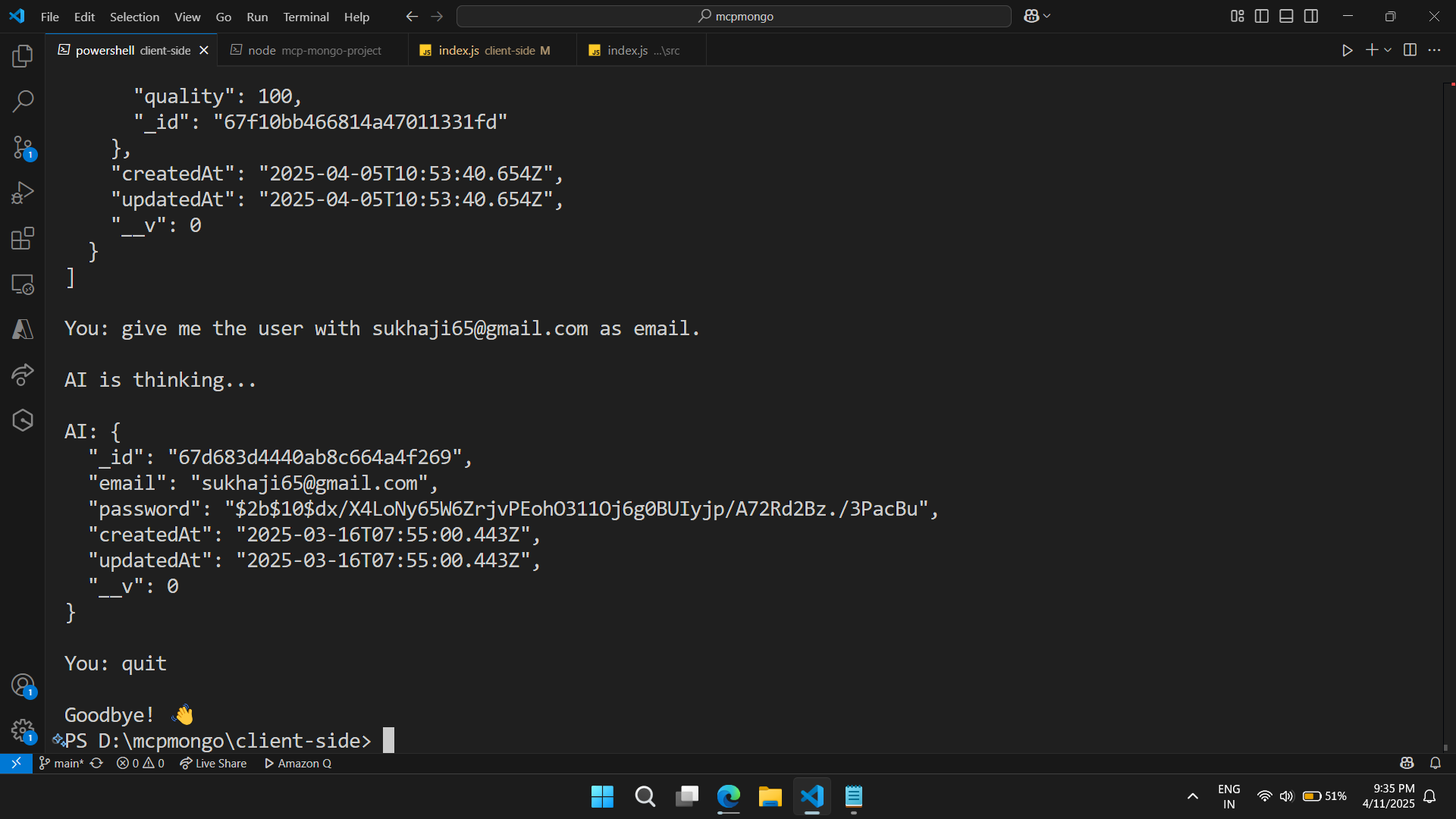
Once both the server and client are running, you can interact with MongoDB through the chat interface:
You: Show me all collections in the database
AI: Found 3 collections in the database
[
  "users",
  "products",
  "orders"
]

You: Find all users with age greater than 30
AI: Found 2 documents in collection 'users'
[
  {
    "_id": "6450a7c63020e15b2a1cf5d2",
    "name": "John Doe",
    "age": 35
  },
  {
    "_id": "6450a7d93020e15b2a1cf5d3",
    "name": "Jane Smith",
    "age": 42
  }
]
How it Works
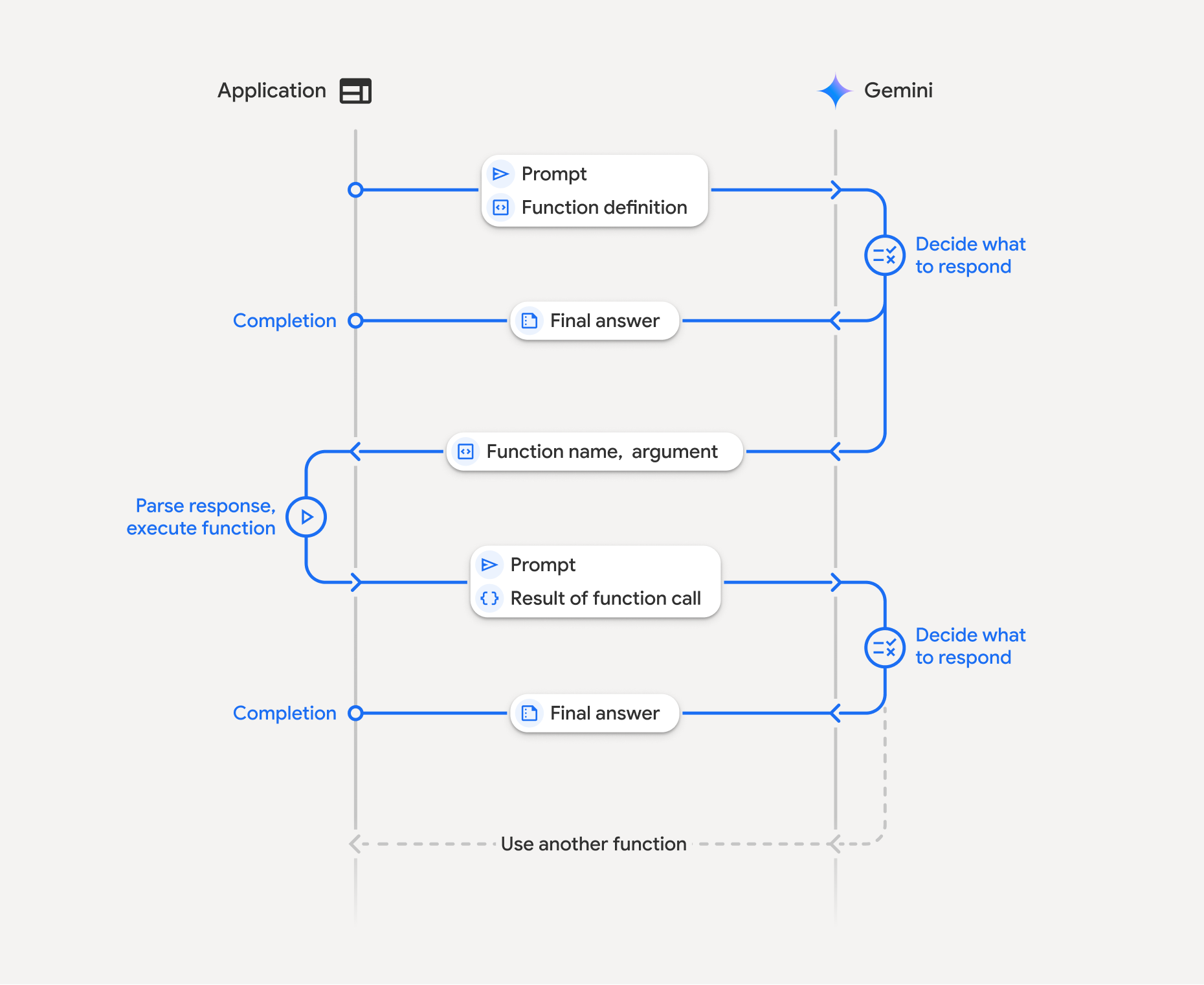
- The MCP server creates a connection to MongoDB and exposes operations as tools
- The client connects to the MCP server via Server-Sent Events (SSE)
- User queries are sent to Gemini AI, which decides when to use MongoDB tools
- Tool calls are forwarded to the MCP server, executed, and results returned
- Gemini AI incorporates the database results in its response to the user
Environment Variables
Server (.env file in mcp-mongo-project/)
MONGODB_URI: Connection string for MongoDBMONGODB_NAME: Name of the database to use
Client (.env file in client-side/)
GEMINI_API_KEY: API key for Google's Gemini AI
Images
License
ISC
Contributing
Feel free to contribute to this project by opening issues or submitting pull requests.
Установка Mcpmongo
У этого сервера нет опубликованного пакета — он собирается из исходников. Открой репозиторий и следуй инструкции в README.
▸ github.com/the-sukhsingh/mcpmongoFAQ
Mcpmongo MCP бесплатный?
Да, Mcpmongo MCP бесплатный — установка в пару кликов через Unyly без оплаты.
Нужен ли API-ключ для Mcpmongo?
Нет, Mcpmongo работает без API-ключей и переменных окружения.
Mcpmongo — hosted или self-hosted?
Self-hosted: сервер запускается локально на твоей машине командой из раздела установки.
Как установить Mcpmongo в Claude Desktop, Claude Code или Cursor?
Открой Mcpmongo на unyly.org, выбери вкладку своего клиента (Claude Desktop, Claude Code, Cursor) и нажми Install — конфиг сгенерируется автоматически, без правки JSON.
Похожие MCP
Postgres
Query your database in natural language
 автор: Anthropic
wenb1n-dev/SmartDB_MCP
Connect to multiple databases at once (MySQL, PostgreSQL, SQL Server, MariaDB, Dameng, Oracle) for operations, health analysis and SQL optimization.
 автор: wenb1n-dev
Postgres Server
This server enables interaction with PostgreSQL databases through the Model Context Protocol, optimized for the AWS Bedrock AgentCore Runtime. It provides tools
 автор: madhurprash
PostgreSQL
Read-only database access with schema inspection.
автор: modelcontextprotocolRedis
Interact with Redis key-value stores.
автор: modelcontextprotocolSQLite
Database interaction and business intelligence capabilities.
автор: modelcontextprotocolmxcp
Open-source framework for building enterprise-grade MCP servers using just YAML, SQL, and Python, with built-in auth, monitoring, ETL and policy enforcement.
 автор: raw-labs
julien040/anyquery
Query apps with SQL from a single local-first binary; also connects to PostgreSQL, MySQL and SQLite-compatible databases.
 автор: julien040
drakonkat/wizzy-mcp-tmdb
Search and retrieve movie, TV show and person information from The Movie Database (TMDB) API.
 автор: drakonkat
longevity-genie/opengenes-mcp
Query the OpenGenes database for aging and longevity research.
 автор: longevity-genie
Compare Mcpmongo with
Не уверен что выбрать?
Найди свой стек за 60 секунд
Автор?
Embed-бейдж для README
Похожее
Все в категории data