

Описание
interactive programming of melodies, producing MIDI
README
Introduction
melrōse is a tool to create and play music by programming melodies.
It uses a custom language to compose notes and create loops and tracks to play.
This is an example of a simple major scale C.
sequence('c d e f g a b c5')
Note sequences in your program can be changed while playing giving you direct audible feedback.
For the best experience, use the melrōse tool together with the Visual Studio Code Plugin for Melrōse.
See also Blog post
Install
See Build instructions.
Usage
melrōse is a tool to create music by programming melodies and uses a custom language to compose notes that are played with MIDI.
Note sequences in your program can be changed while playing which makes it possible to even use it for live performance.
For the best experience, use the melrōse together with the Visual Studio Code Plugin for Melrōse.
Read the documentation on how to use melrōse.
Status
The language has reached version 1.0 since tool version v1.0.0 and therefore future changes will only extend it (1.x) and not introduce breaking changes.
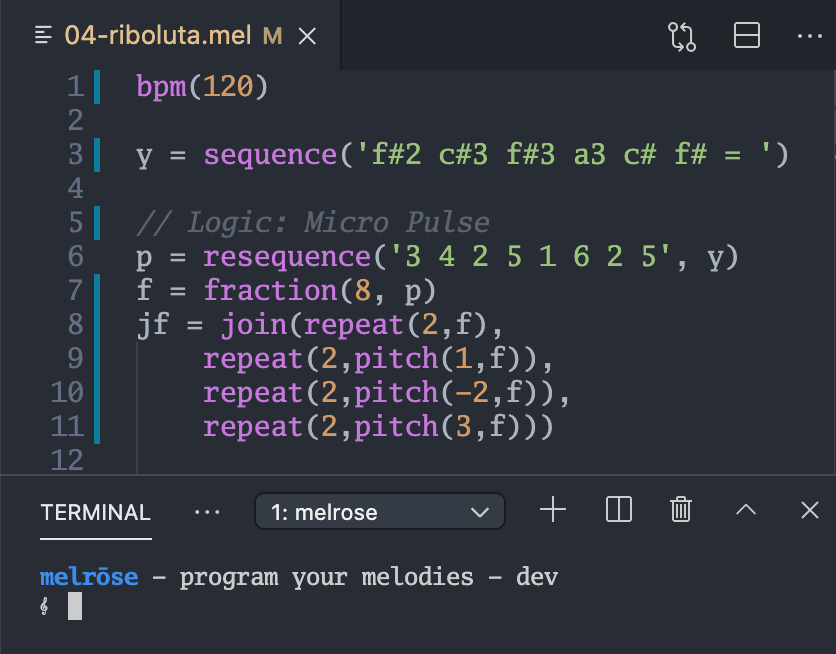
Programming music
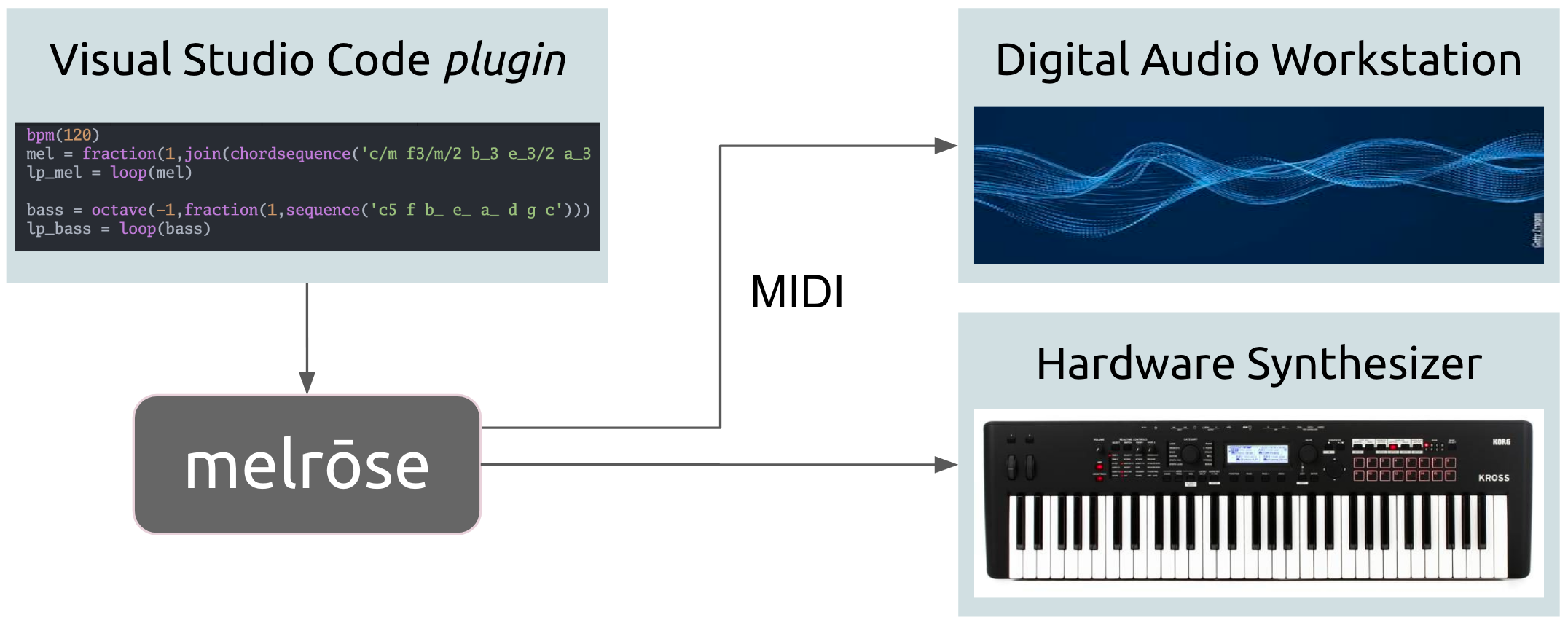
System setup
Melrōse MCP Server
melrose-mcp is a (server) tool that uses the MCP protocol to receive expressions to play.
See melrose-mcp for details how to install and use it.
Contributions
Fixes, suggestions, documentation improvements are all welcome. Fork this project and submit small Pull requests. Discuss larger ones in the Issues list. You can also sponsor Melrōse via Github Sponsors.
Software is licensed under MIT. © 2026 ernestmicklei.com
Установка Melrose
У этого сервера нет опубликованного пакета — он собирается из исходников. Открой репозиторий и следуй инструкции в README.
▸ github.com/emicklei/melroseFAQ
Melrose MCP бесплатный?
Да, Melrose MCP бесплатный — установка в пару кликов через Unyly без оплаты.
Нужен ли API-ключ для Melrose?
Нет, Melrose работает без API-ключей и переменных окружения.
Melrose — hosted или self-hosted?
Self-hosted: сервер запускается локально на твоей машине командой из раздела установки.
Как установить Melrose в Claude Desktop, Claude Code или Cursor?
Открой Melrose на unyly.org, выбери вкладку своего клиента (Claude Desktop, Claude Code, Cursor) и нажми Install — конфиг сгенерируется автоматически, без правки JSON.
Похожие MCP
ARA
Generate images, video and audio from any AI agent — one connector.
 автор: ARA
Omni Video
An MCP server that transforms LLM-enabled IDEs into professional video editors by pre-processing footage into text proxies, generating motion graphics via HTML/
 автор: buildwithtaza
YouTube
Transcripts, channel stats, search
 автор: YouTube
EverArt
AI image generation using various models.
 автор: modelcontextprotocol
Compare Melrose with
Не уверен что выбрать?
Найди свой стек за 60 секунд
Автор?
Embed-бейдж для README
Похожее
Все в категории media