
Memroach Server
БесплатноНе проверенBacks your AI coding agent's memories, skills, and settings to CockroachDB with automatic sync, hybrid semantic+keyword search, knowledge graph, smart context p

Описание
Backs your AI coding agent's memories, skills, and settings to CockroachDB with automatic sync, hybrid semantic+keyword search, knowledge graph, smart context priming, and 16 MCP tools for cross-machine memory management.
README
Unkillable memory for AI agents. Your AI coding agent's memories, skills, and settings — synced across machines, searchable, and never lost.
What is MemRoach?
AI coding agents like Claude Code and Cursor store everything locally — memories, learned skills, project context, session history. Switch machines, and it's all gone. Reinstall, and you start from scratch.
MemRoach fixes this by backing your agent's memory to CockroachDB with automatic sync, semantic search, and a web dashboard to explore it all.
How it works: Your agent saves memories as files like normal. MemRoach automatically syncs them to CockroachDB in the background. When your agent needs to recall something, it searches across all your memories using semantic + keyword hybrid search — even memories saved on a different machine.
Features
Cross-Machine Sync
Push and pull agent memories between machines via CockroachDB. UUID-based machine identity, SHA-256 change detection, optimistic concurrency, and automatic conflict resolution for .md files. Auto-sync via Claude Code hooks — push on Stop, pull on first prompt.
Hybrid Search
Combines vector embeddings (OpenAI / Voyage AI) with keyword matching for search that understands meaning and catches exact terms. Scoring: 0.7 × vector + 0.3 × keyword.
Knowledge Graph
Link related memories with typed relationships — relates_to, supersedes, duplicates, caused_by, refines. Explore connections visually in the web UI.
Smart Context Priming
memroach_prime auto-loads the most relevant memories at session start, combining project relevance, recency, access frequency, and cross-machine changes.
Memory Decay & Compaction
Tracks every memory access. Identifies old, large, rarely-read memories and suggests compaction — the agent summarizes them and stores a compact version while preserving the original in version history.
Team Sharing
Per-memory visibility controls. Mark memories as team to share with colleagues, or keep them private (default).
Column-Level Encryption
Optional AES encryption for stored content using CockroachDB's native encrypt()/decrypt(). Backward-compatible — enable at any time without migrating existing data.
Web Dashboard
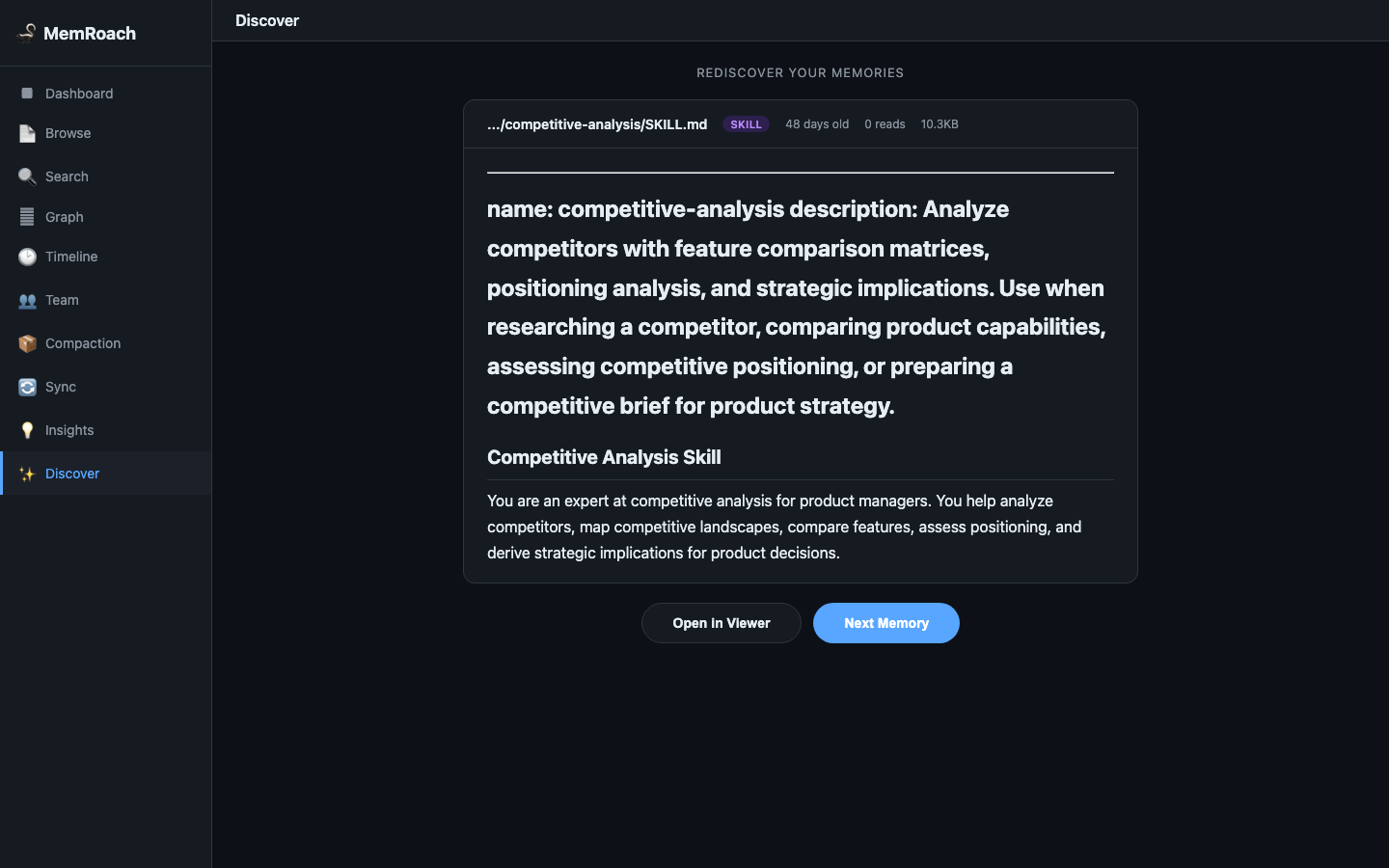
14-view SPA for browsing, searching, and analyzing your memory system. Includes insights (health, analytics, topic clusters, duplicates) and a social-media-style "Discover" feed for rediscovering old memories.
MCP Server
16-tool MCP server that works with any MCP-compatible client — Claude Code, Cursor, or any other agent.
Quick Start
git clone https://github.com/biplav-crl/memroach.git
cd memroach
Then run the interactive setup wizard from Claude Code:
/setup
The wizard walks you through everything — database connection, schema, MCP registration, auto-sync hooks, semantic search, and encryption. It handles both new database setup and connecting to an existing database (e.g., setting up a second machine).
Not using Claude Code? See Manual Setup below for step-by-step shell commands.
Architecture
┌──────────────┐  ┌──────────────┐  ┌──────────────┐
│ Claude Code  │  │   Cursor     │  │  Any MCP     │
│              │  │              │  │  Client       │
└──────┬───────┘  └──────┬───────┘  └──────┬───────┘
       │                 │                 │
       │  MCP            │  MCP            │  MCP
       ▼                 ▼                 ▼
┌─────────────────────────────────────────────────────┐
│  memroach_mcp_server.py (PRIMARY INTERFACE)         │
│  16 tools: search, store, graph, prime, compact...  │
└──────────────────────┬──────────────────────────────┘
                       │ pg8000 (TLS)
                       ▼
┌─────────────────────────────────────────────────────┐
│  CockroachDB (per-user accounts)                    │
│  ├── memroach_blobs (content-addressable, gzip+AES) │
│  ├── memroach_files (metadata + visibility + version)│
│  ├── memroach_embeddings (vector search)            │
│  ├── memroach_history (version changelog)           │
│  ├── memroach_links (knowledge graph)               │
│  ├── memroach_access (read tracking / decay)        │
│  └── memroach_log (audit trail)                     │
└─────────────────────────────────────────────────────┘
                       ▲
                       │ pg8000 (TLS)
┌──────────────────────┴──────────────────────────────┐
│  memroach_sync.py (CLAUDE CODE CONVENIENCE)         │
│  CLI: push, pull, status, search, history, share    │
│  Hooks: auto-push on Stop, auto-pull on Start       │
└─────────────────────────────────────────────────────┘
                       ▲
┌──────────────────────┴──────────────────────────────┐
│  memroach_daemon.py (BACKGROUND SYNC)               │
│  Polls for cross-machine changes, auto-pulls        │
└─────────────────────────────────────────────────────┘
CLI Reference
memroach init                          # Test DB connectivity, generate machine_id
memroach push                          # Upload changed files to DB
memroach push --force                  # Skip version checks (last-write-wins)
memroach push --dry-run                # Show what would be pushed
memroach pull                          # Download latest from all machines
memroach pull --force                  # Overwrite even if local is newer
memroach status                        # Show sync status
memroach diff                          # Detailed differences (alias: status -v)
memroach search "auth patterns"        # Hybrid semantic + keyword search
memroach history path/to/file.md       # Version changelog for a file
memroach share path/to/file --team     # Make a memory team-visible
memroach share path/to/file --private  # Restrict visibility
MCP Tools
Core
| Tool | Description |
|---|---|
memroach_search(query) |
Hybrid vector + keyword search across all memories |
memroach_get(file_path) |
Fetch content of a specific memory/skill/config |
memroach_store(path, content) |
Store or update a memory directly |
memroach_list(file_type, filter) |
List entries, filterable by type and path pattern |
memroach_share(path, visibility) |
Change visibility (private/team) |
memroach_team(query) |
Search team-shared entries only |
memroach_history(file_path) |
Show version timeline with timestamps and operations |
Knowledge Graph
| Tool | Description |
|---|---|
memroach_link(from, to, type) |
Create a typed link between two memories |
memroach_unlink(from, to) |
Remove a link |
memroach_graph(file_path) |
Show all incoming and outgoing links for a memory |
Link types: relates_to (bidirectional), duplicates, supersedes, caused_by, refines
Intelligence
| Tool | Description |
|---|---|
memroach_prime(project_hint) |
Smart context priming — loads the most relevant memories for your session |
memroach_context(topic) |
Curated context bundle with full content for a specific topic |
memroach_consolidate(threshold) |
Find near-duplicate memories using embedding similarity |
memroach_merge(paths, content) |
Merge duplicates into one, with supersedes links |
memroach_compact(max_age_days) |
Find old, rarely-accessed memories for summarization |
memroach_changes(since_minutes) |
Check for recent changes from other machines |
Web UI
Built-in web dashboard for browsing, searching, and analyzing your memory system. No extra dependencies — uses Starlette/uvicorn (already installed via mcp[cli]).
python memroach_web.py          # Starts on http://127.0.0.1:8080
python memroach_web.py --port 9090  # Custom port
Or use the Claude Code shortcut: /memroach_web
To make the shortcut available from any project (global scope):
cp /path/to/memroach/.claude/skills/memroach_web.md ~/.claude/skills/
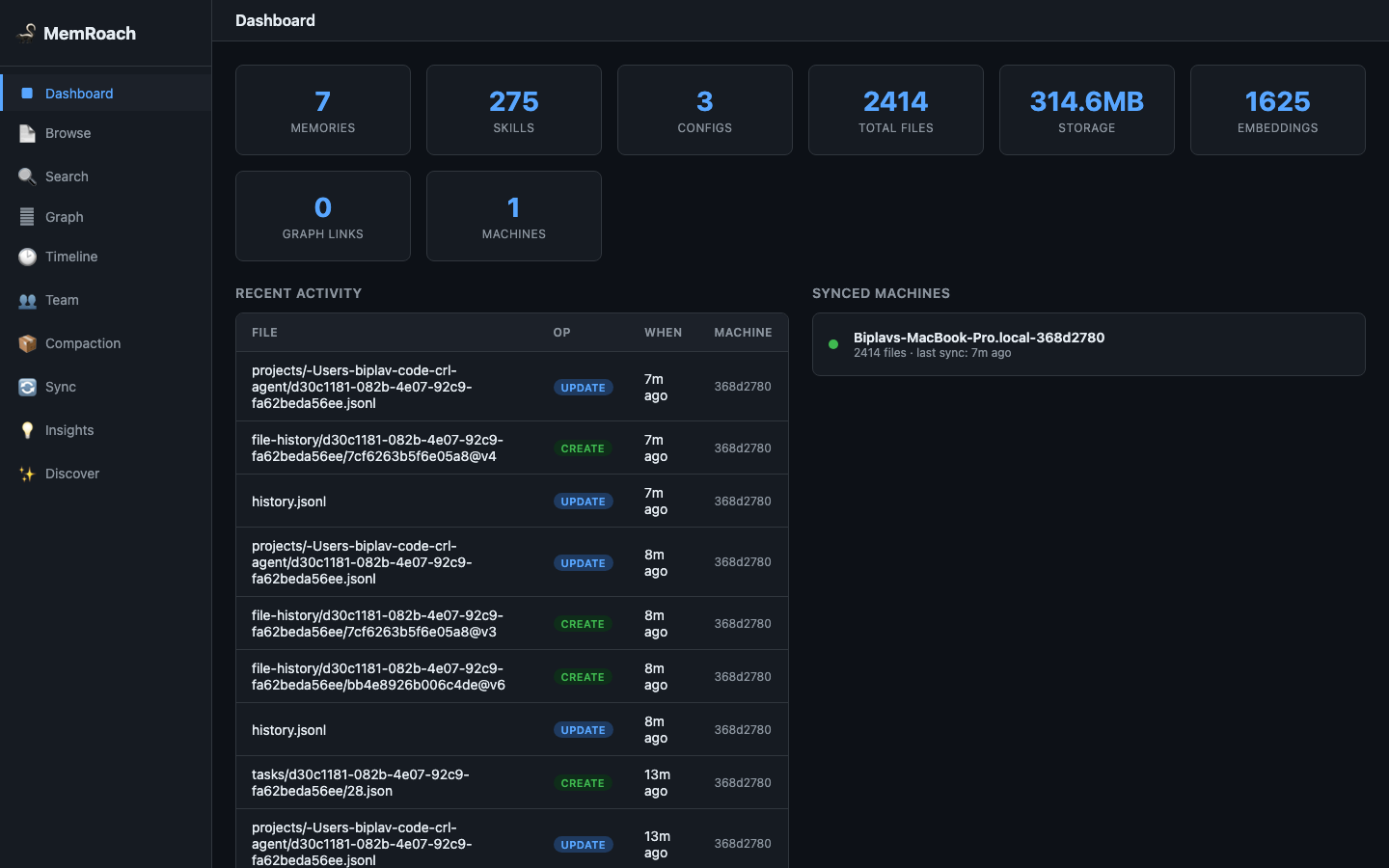
Dashboard
Overview of your memory system — file counts by type, total storage, recent activity, and quick stats.
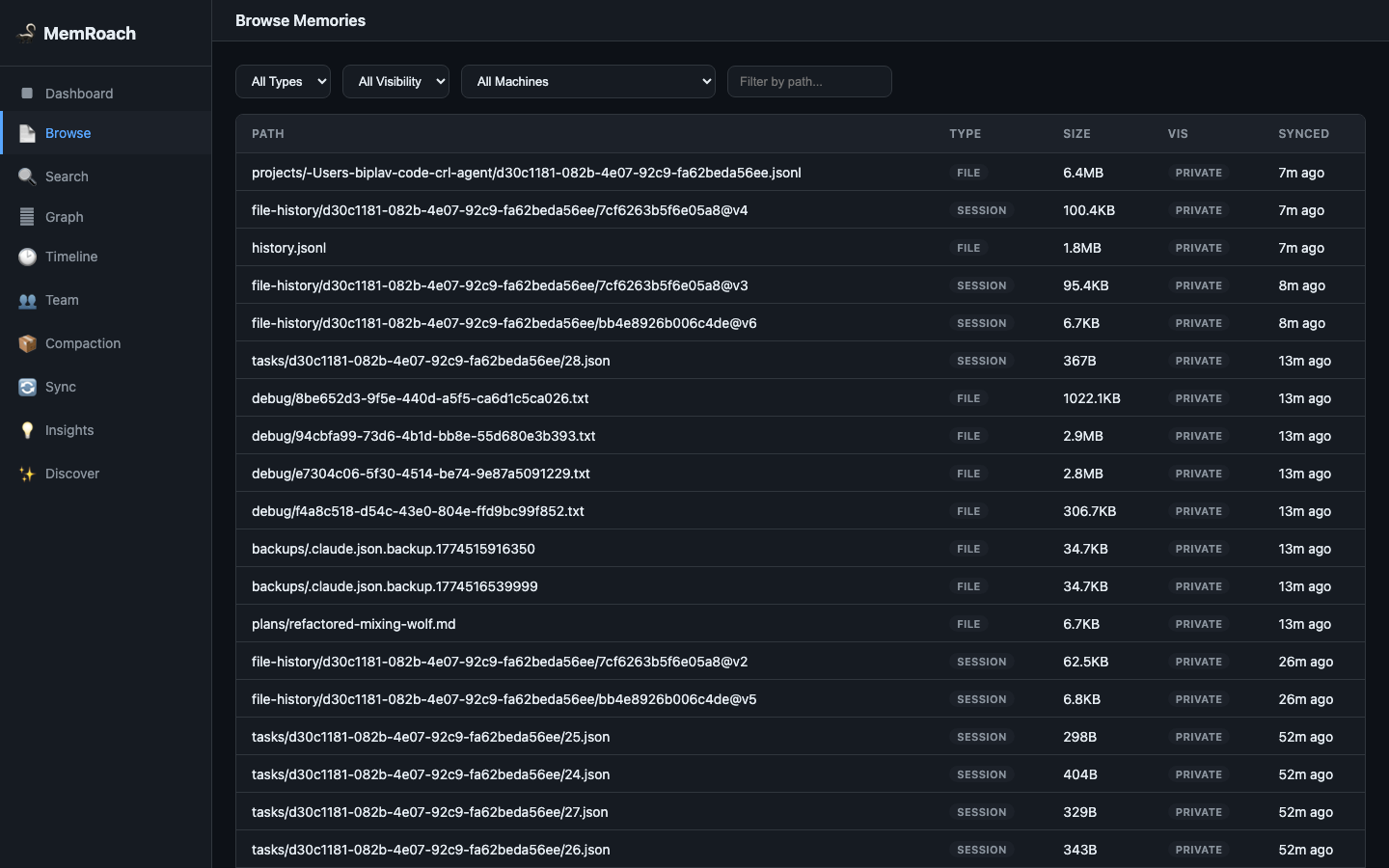
Browse
Paginated file browser with sorting by name, type, size, or sync date. Click any file to open the Memory Viewer with full content, version history, and knowledge graph links.
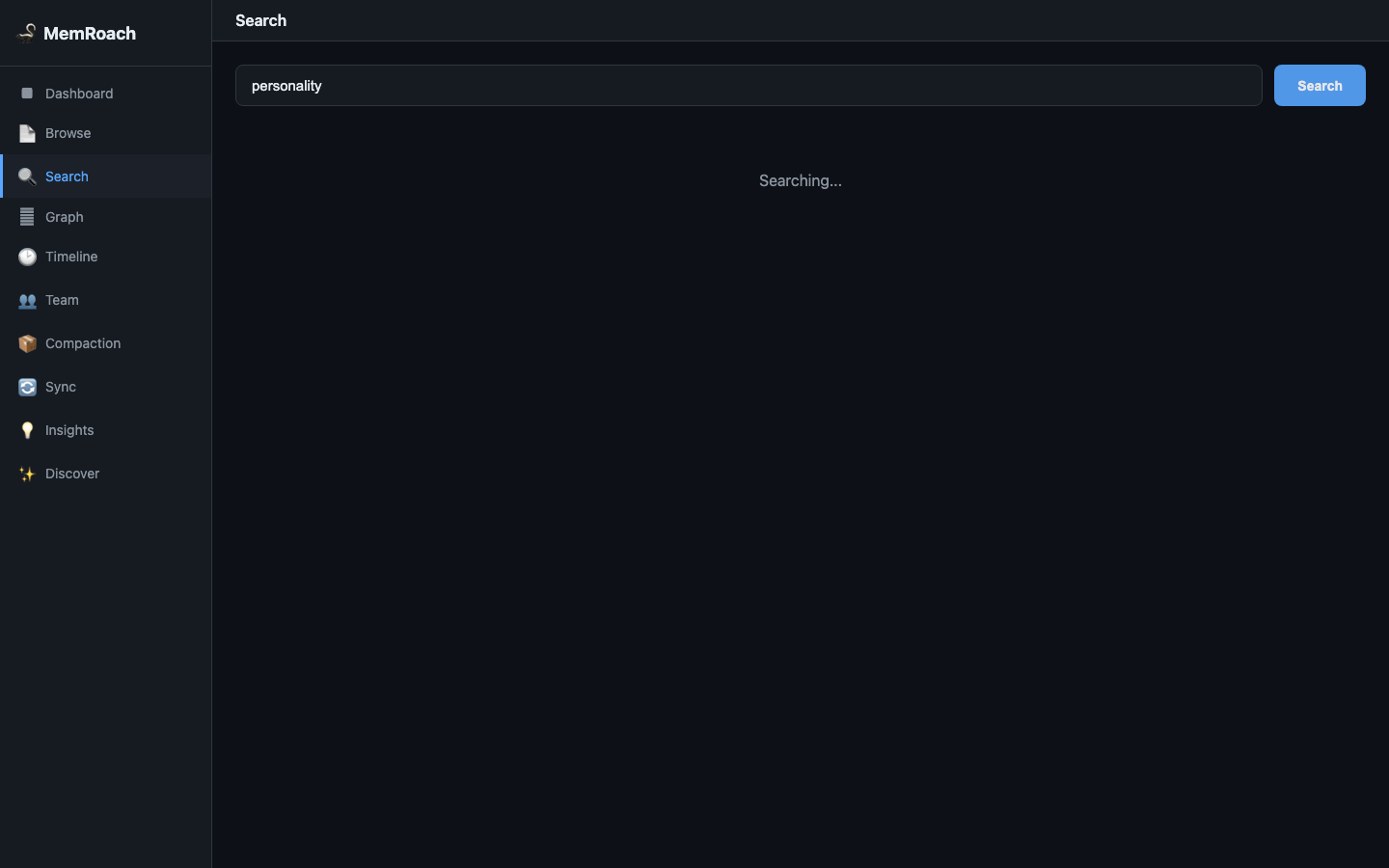
Search
Hybrid semantic + keyword search across all memories. Results show file path, type, size, and relevance score.
Knowledge Graph
Interactive D3.js force-directed graph visualization of all memory links. Nodes are color-coded by file type, edges labeled with relationship type.
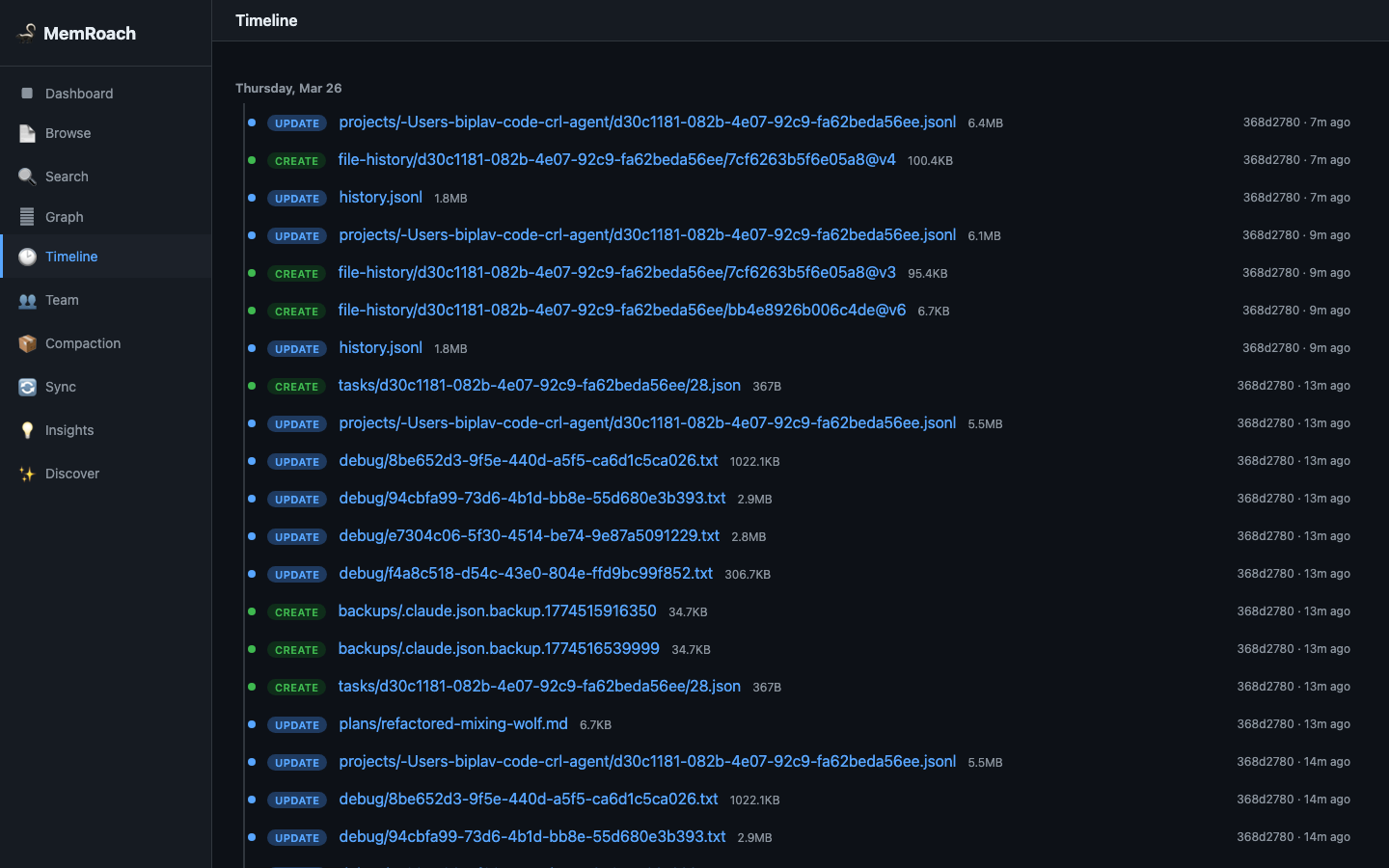
Timeline
Chronological history of all memory operations (create, update, delete) across all files.
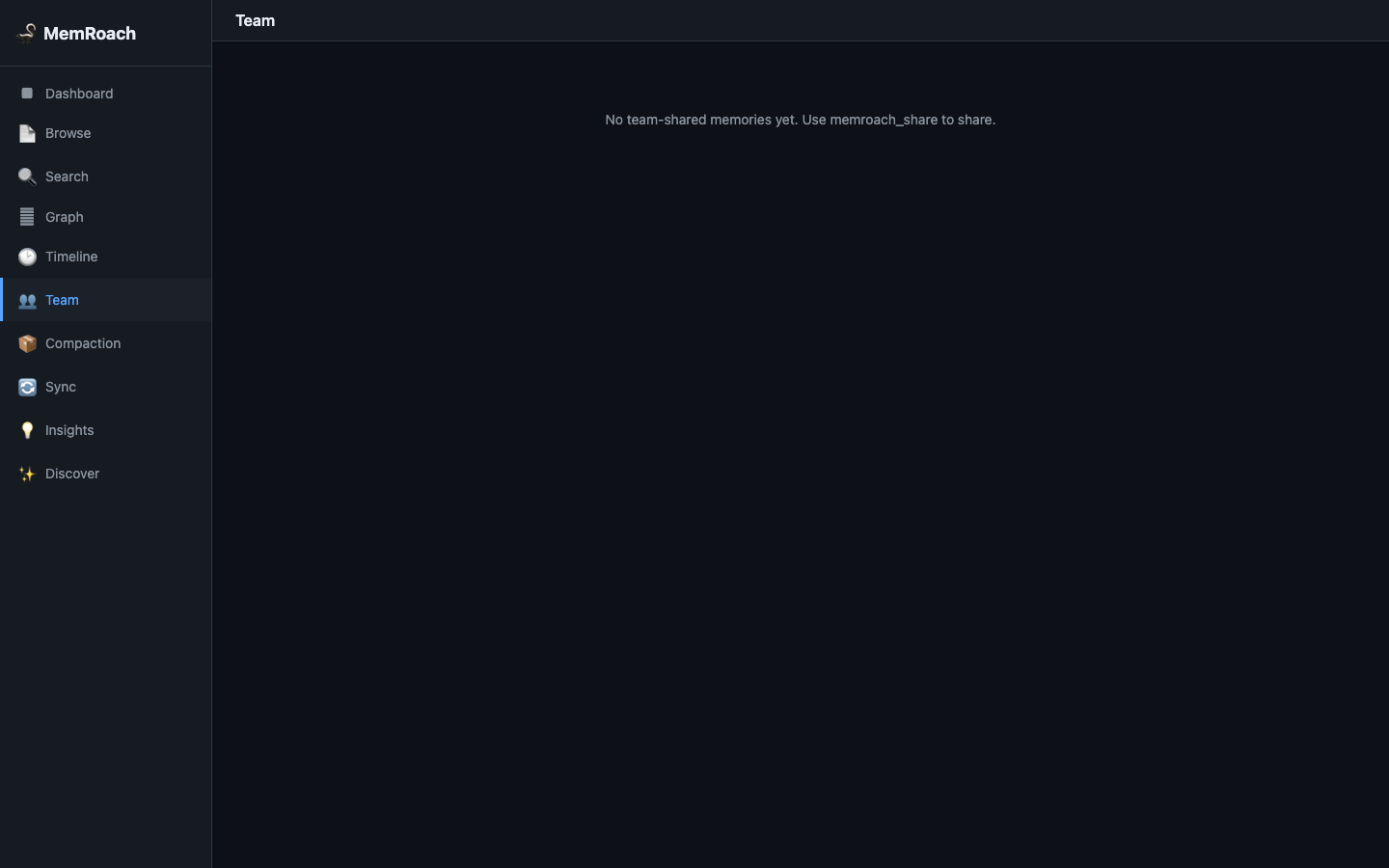
Team
Browse and search team-shared memories. Shows visibility status and allows filtering.
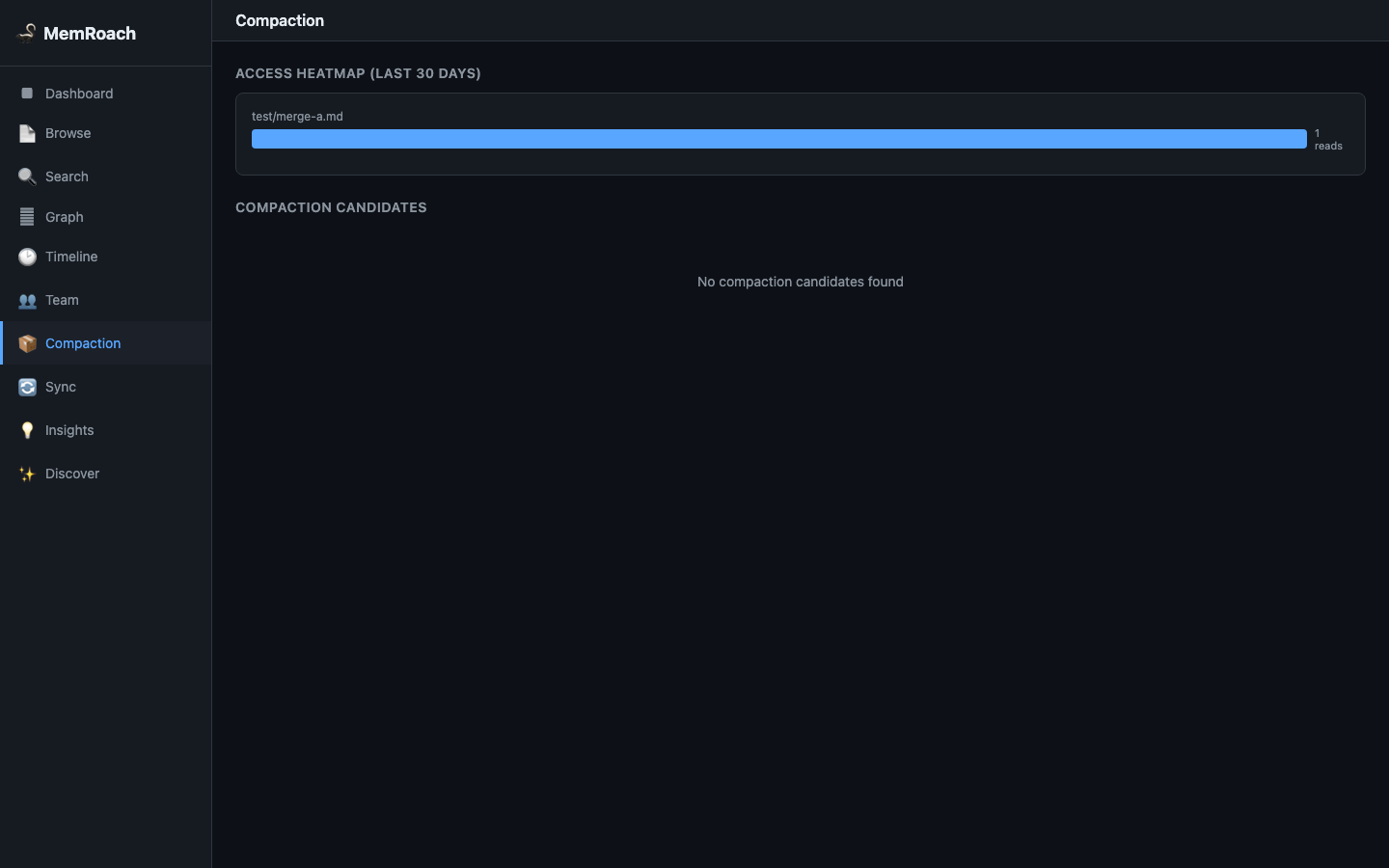
Compaction
Identifies old, large, rarely-accessed memories that are candidates for summarization.
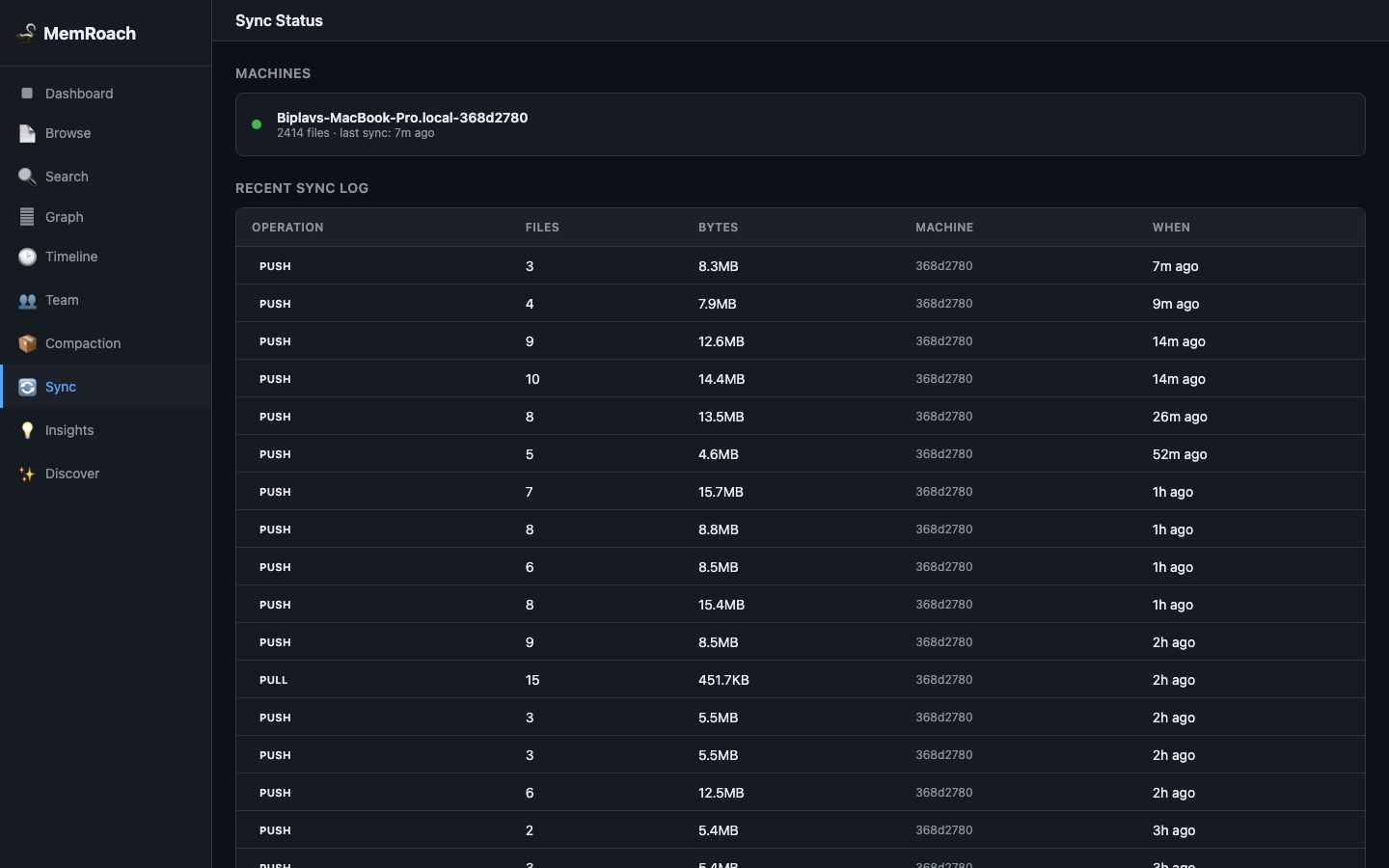
Sync Status
Real-time view of sync state — last push/pull times, machine identity, pending changes, and daemon status.
Insights
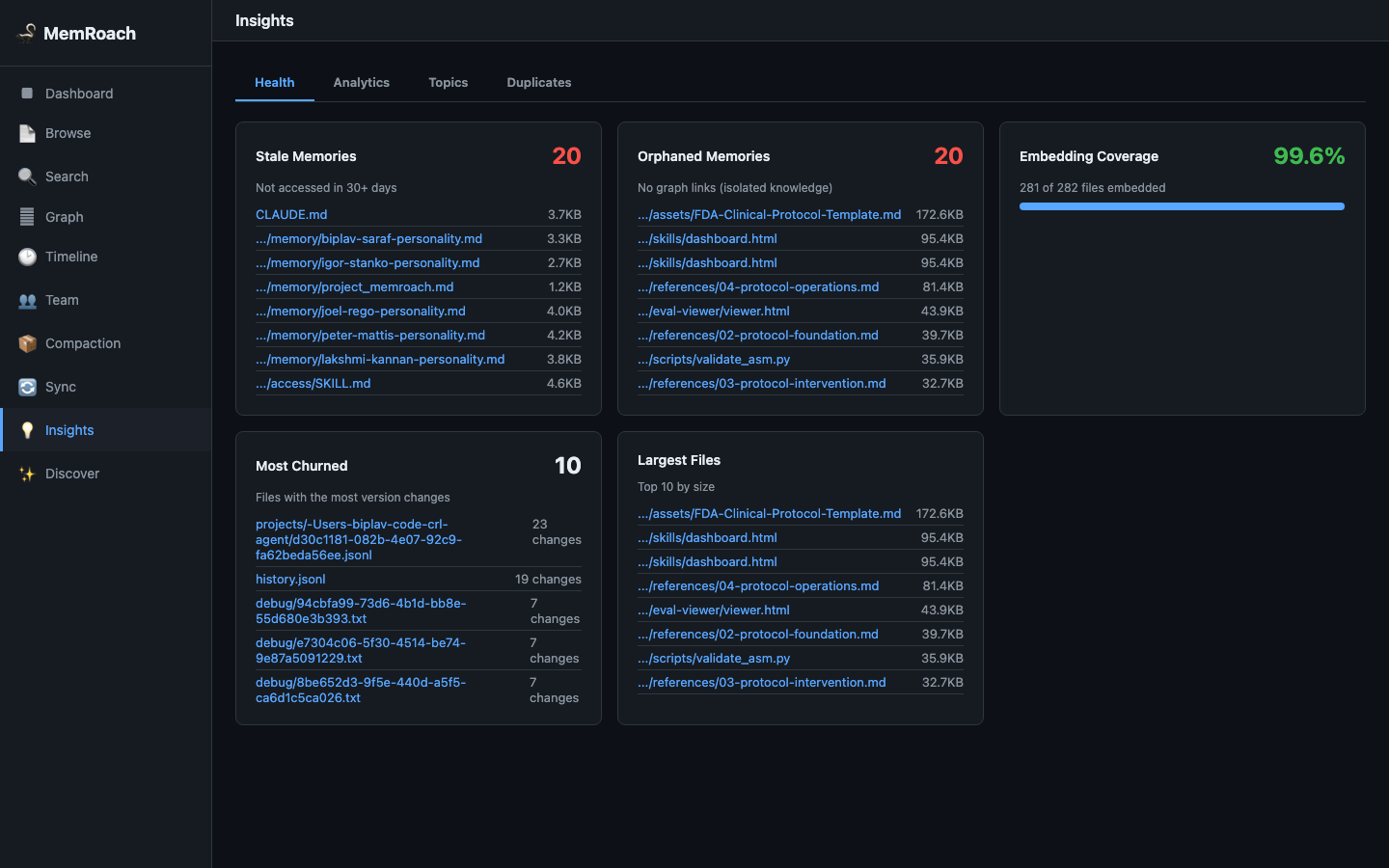
Memory Health
Health report card with colored indicators for stale memories, orphaned files (no graph links), oversized files, version churn, and embedding coverage.
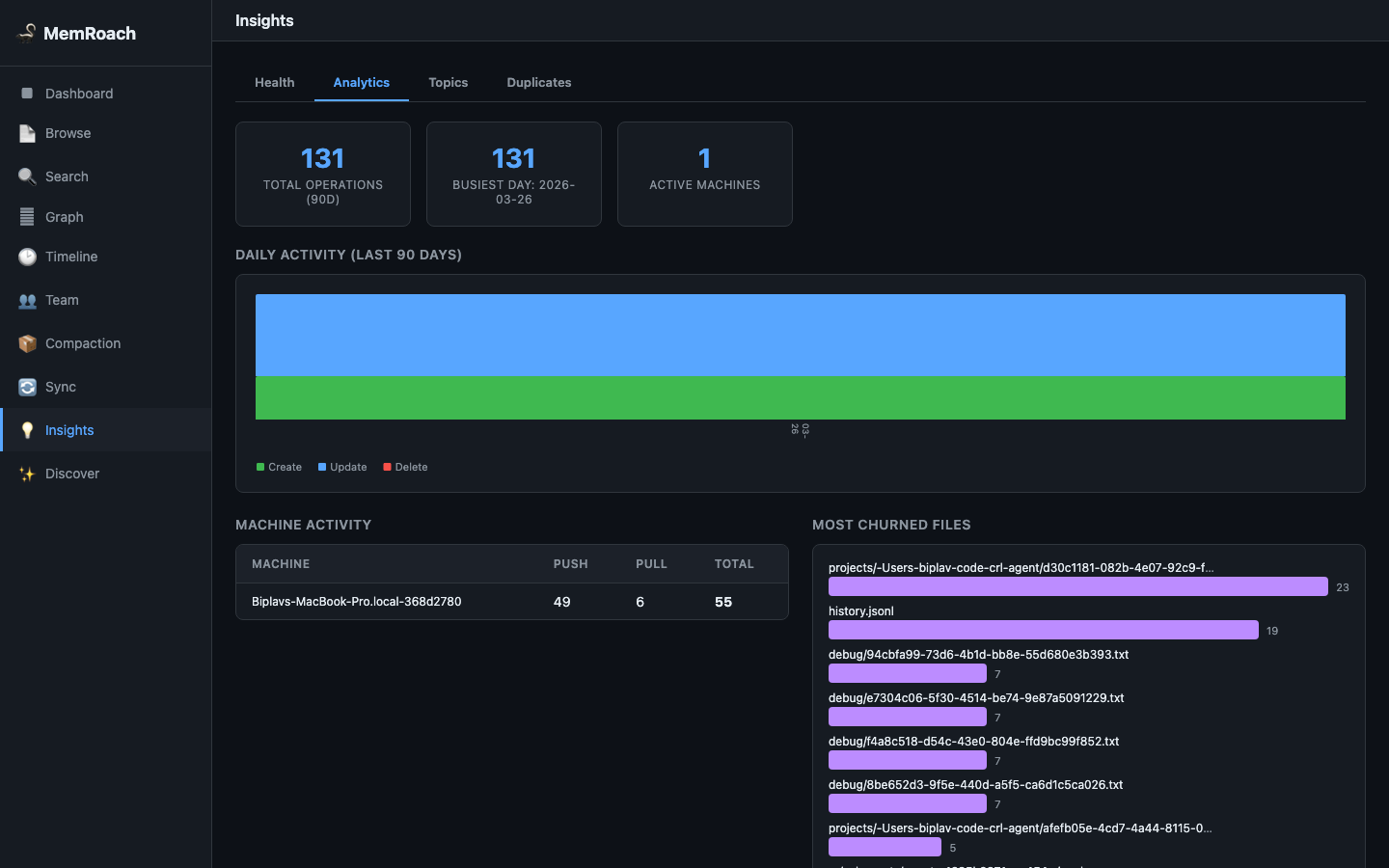
Growth & Activity Analytics
Daily activity charts showing creates, updates, and deletes over time. Includes machine activity breakdown and most-churned files.
Topic Clusters
K-means clustering on embedding vectors groups memories into topics. Each cluster shows an auto-generated label, file count, and representative files.
Duplicate Detection
Finds near-duplicate memories using embedding cosine similarity. Side-by-side comparison with merge button to consolidate directly from the UI.
Discover
Social-media-style feed that surfaces old, forgotten memories. Weighted random selection favors older and less-accessed files.
How Claude Uses MemRoach
MemRoach works transparently with Claude's existing memory system:
- Saving memories — Claude saves to
~/.claude/memory/files as normal. Sync hooks automatically push to CockroachDB. - Retrieving memories — Claude uses MCP tools (
memroach_search,memroach_prime,memroach_context) for richer results than reading local files. - Advanced features — Team sharing (
memroach_share), knowledge graph links (memroach_link), duplicate consolidation (memroach_consolidate,memroach_merge).
See CLAUDE.md for the full decision guide.
How It Works
Cross-Machine Sync
Machine A (push) ──► CockroachDB ──► Machine B (pull)
     │                                    │
     │ UUID machine_id prevents           │ Conflict detection:
     │ hostname collisions                │ both changed → merge or .conflict
     │                                    │
     │ Auto-push on Stop/SessionEnd       │ Auto-pull on first prompt
- Push: only uploads files with changed SHA-256 hash, optimistic concurrency via version column
- Pull: fetches latest version across all machines, detects conflicts when both sides changed
- Merge: memory
.mdfiles get section-based auto-merge; other conflicts saved as.conflict
Context Priming
memroach_prime combines four signals to select the most relevant memories:
| Signal | Weight | Description |
|---|---|---|
| Project match | 2.0 | Memories matching the project hint |
| Cross-machine changes | 1.5 | Recent updates from other devices |
| Recency | 1.0 | Recently modified memories |
| Access frequency | 0.8 | Most frequently read memories |
File Type Classification
Files are auto-classified by path pattern:
| Type | Path Pattern | Embedded? |
|---|---|---|
memory |
*/memory/*.md, CLAUDE.md |
Yes |
skill |
*/skills/ |
Yes |
config |
settings.json, mcp.json |
No |
session |
UUID directories | No |
file |
Everything else | No |
Real-Time Sync Daemon
For continuous sync without hooks:
python memroach_daemon.py --daemonize --interval 60  # Poll every 60s
python memroach_daemon.py --status                    # Check if running
python memroach_daemon.py --stop                      # Stop daemon
Configuration Reference
memroach_config.json:
{
  "db_host": "your-cockroachdb-host",
  "db_port": 26257,
  "db_user": "your_username",
  "db_password": "",
  "db_name": "memroach",
  "db_sslrootcert": "/path/to/ca.crt",
  "machine_id": "",
  "auto_push_on_stop": true,
  "auto_push_on_session_end": true,
  "auto_pull_on_start": true,
  "embed_model": "text-embedding-3-small",
  "embed_api_key": "",
  "exclude_patterns": [],
  "max_file_size_mb": 50,
  "encryption_enabled": false,
  "encryption_key": ""
}
| Key | Description |
|---|---|
machine_id |
Auto-generated UUID on first run. Do not share across machines. |
embed_model |
text-embedding-3-small (OpenAI) or voyage-3 (Voyage AI) |
embed_api_key |
Leave empty to disable hybrid search (keyword-only fallback) |
encryption_enabled |
Set to true to encrypt blob content and embedding text at rest |
encryption_key |
AES key (hex-encoded, 16/24/32 bytes). Leave empty when disabled. |
auto_push_on_stop |
Push changes when Claude stops responding (default: true) |
auto_pull_on_start |
Pull changes on first prompt of session (default: true) |
exclude_patterns |
File patterns to skip during sync |
max_file_size_mb |
Skip files larger than this (default: 50) |
Database Schema
| Table | Purpose |
|---|---|
memroach_blobs |
Content-addressable store (SHA-256, gzip, optional AES) |
memroach_files |
File metadata, type, visibility, version, per user+machine |
memroach_embeddings |
Vector embeddings (1024-dim) for semantic search |
memroach_history |
Version changelog — every push records a history entry |
memroach_links |
Knowledge graph edges (typed relationships) |
memroach_access |
Read tracking for memory decay scoring |
memroach_log |
Audit trail (push/pull operations) |
User Management
MemRoach supports CockroachDB's built-in LDAP/OIDC integration for automatic user provisioning. For environments without an IdP, use memroach_admin.py:
python memroach_admin.py create-user alice
python memroach_admin.py list-users
python memroach_admin.py user-stats alice
Manual Setup
For users not using Claude Code, or who prefer manual configuration.
1. Install
git clone https://github.com/biplav-crl/memroach.git
cd memroach
python3 -m venv venv
source venv/bin/activate
pip install -r requirements.txt
2. Configure
cp memroach_config.json.example memroach_config.json
Edit memroach_config.json with your CockroachDB credentials:
{
  "db_host": "your-cockroachdb-host",
  "db_port": 26257,
  "db_user": "your_username",
  "db_password": "your_password",
  "db_name": "memroach",
  "db_sslrootcert": "/path/to/ca.crt"
}
3. Initialize
New database:
# Apply schema
cockroach sql --url "postgresql://user@host:26257/memroach?sslmode=verify-full" \
  < schema/memroach_schema.sql

# Test connectivity, generate machine_id
python memroach_sync.py init

# Upload your agent's memories
python memroach_sync.py push
Existing database (second machine):
# Copy memroach_config.json from your other machine, then clear machine_id
# (a new unique ID will be auto-generated)

# Test connectivity, generate machine_id
python memroach_sync.py init

# Download memories from the database
python memroach_sync.py pull
4. Register MCP Server
Add to your .mcp.json (Claude Code) or Cursor MCP config:
{
  "mcpServers": {
    "memroach": {
      "command": "/path/to/memroach/venv/bin/python",
      "args": ["memroach_mcp_server.py"],
      "cwd": "/path/to/memroach"
    }
  }
}
5. Auto-Sync Hooks (Optional)
Add to ~/.claude/settings.json:
{
  "hooks": {
    "UserPromptSubmit": [
      { "hooks": [{ "type": "command", "command": "/path/to/memroach/venv/bin/python /path/to/memroach/memroach_sync.py", "timeout": 15 }] }
    ],
    "Stop": [
      { "hooks": [{ "type": "command", "command": "/path/to/memroach/venv/bin/python /path/to/memroach/memroach_sync.py", "timeout": 10 }] }
    ],
    "SessionEnd": [
      { "hooks": [{ "type": "command", "command": "/path/to/memroach/venv/bin/python /path/to/memroach/memroach_sync.py", "timeout": 10 }] }
    ]
  }
}
| Event | Action |
|---|---|
UserPromptSubmit |
Auto-pull once per session (first prompt only) |
Stop |
Auto-push in background after Claude responds |
SessionEnd |
Final push before session closes |
The hook handler never crashes or blocks — exits cleanly on missing config, unreachable DB, or any error.
6. Semantic Search (Optional)
{
  "embed_model": "text-embedding-3-small",
  "embed_api_key": "sk-..."
}
Supports OpenAI (text-embedding-3-small) and Voyage AI (voyage-3).
7. Encryption (Optional)
python3 -c "import os; print(os.urandom(32).hex())"
{
  "encryption_enabled": true,
  "encryption_key": "your-64-char-hex-key"
}
Encrypts content_bytes and chunk_text at rest. Existing unencrypted data remains readable.
File Layout
memroach/
├── memroach_mcp_server.py      # MCP server (16 tools)
├── memroach_sync.py            # File sync client + CLI + hooks
├── memroach_daemon.py          # Background sync daemon
├── memroach_web.py             # Web UI dashboard (single-file SPA)
├── memroach_crypto.py          # Optional column-level encryption (AES)
├── memroach_embed.py           # Shared embedding module (OpenAI + Voyage)
├── memroach_admin.py           # User management (non-IdP fallback)
├── memroach_config.json        # Config (gitignored)
├── schema/
│   └── memroach_schema.sql     # CockroachDB DDL (7 tables)
├── docs/screenshots/           # Web UI screenshots
├── requirements.txt            # Python dependencies
├── .claude/skills/setup.md         # Interactive setup wizard
├── .claude/skills/memroach_web.md  # /memroach_web shortcut
└── README.md
Dependencies
pg8000— CockroachDB connection (direct, no Cloud Function)mcp[cli]— FastMCP server framework + Starlette/uvicorn (web UI)numpy— cosine similarity, k-means clusteringopenai— OpenAI embedding API (optional)voyageai— Voyage AI embedding API (optional)
License
MIT
Установка Memroach Server
У этого сервера нет опубликованного пакета — он собирается из исходников. Открой репозиторий и следуй инструкции в README.
▸ github.com/biplav-crl/memroachFAQ
Memroach Server MCP бесплатный?
Да, Memroach Server MCP бесплатный — установка в пару кликов через Unyly без оплаты.
Нужен ли API-ключ для Memroach Server?
Нет, Memroach Server работает без API-ключей и переменных окружения.
Memroach Server — hosted или self-hosted?
Доступен hosted-вариант: Unyly запускает сервер в облаке, локальная установка не обязательна.
Как установить Memroach Server в Claude Desktop, Claude Code или Cursor?
Открой Memroach Server на unyly.org, выбери вкладку своего клиента (Claude Desktop, Claude Code, Cursor) и нажми Install — конфиг сгенерируется автоматически, без правки JSON.
Похожие MCP
Fetch
Web content fetching and conversion for efficient LLM usage.
AWS KB Retrieval
Retrieval from AWS Knowledge Base using Bedrock Agent Runtime.
 автор: modelcontextprotocol
Spring AI MCP Server
Provides auto-configuration for setting up an MCP server in Spring Boot applications.
llm-analysis-assistant
A very streamlined mcp client that supports calling and monitoring stdio/sse/streamableHttp, and can also view request responses through the /logs page. It also
 автор: xuzexin-hz
Compare Memroach Server with
Не уверен что выбрать?
Найди свой стек за 60 секунд
Автор?
Embed-бейдж для README
Похожее
Все в категории ai