
MIDAS
БесплатноНе проверенLocal-first AI agent for approval-gated automation and verifiable LLM workflows.

Описание
Local-first AI agent for approval-gated automation and verifiable LLM workflows.
README

CI Cross-platform CodeQL Lighthouse A11y License Python Tests Type-checked
Demo (15 s): coming — see tools/record_demo.md to record it locally and drop the file at
docs/assets/midas-demo.gif.
Local-first AI agent for approval-gated automation and verifiable LLM workflows.
MIDAS is a self-hosted AI agent with a local dashboard, CLI, signed receipts, budget controls, Ollama support, and MCP tooling. It helps you draft, review, and verify agent actions before they change files, call services, publish content, or use external tools.
For non-developers: download the repo, open the folder, then double-click
Launch MIDAS.bat on Windows. On macOS, use Launch MIDAS.command. On Linux,
run ./launch-midas.sh. See docs/INSTALL_FOR_EVERYONE.md.
Read DISCLAIMER.md before using MIDAS with external accounts, generated content, automation, or third-party tools.
Who It Is For
- Users who want a local-first AI agent with a dashboard instead of terminal-only setup.
- Developers building LLM workflows that need approvals, receipts, and budget controls.
- Operators who want an audit trail before connecting email, files, MCP tools, or external APIs.
- Teams testing Ollama, cloud model providers, and self-hosted agent workflows.
What It Does
- Plans and drafts work through a bounded LLM agent loop.
- Stores every step as an Ed25519-signed receipt in a hash chain.
- Routes file writes, code execution, spreadsheet writes, outbound sends, Stripe intents, media files, and external MCP calls through the approval queue.
- Preserves untrusted taint across agent steps so fetched pages, PDFs, emails, and third-party tool output cannot become instructions.
- Uses a lightweight skill index and loads
SKILL.mdonly when needed. - Links receipts to operator-recorded outcomes so runs can be reviewed later.
Screenshots
| Chat | Approvals | Proof Ledger |
|---|---|---|
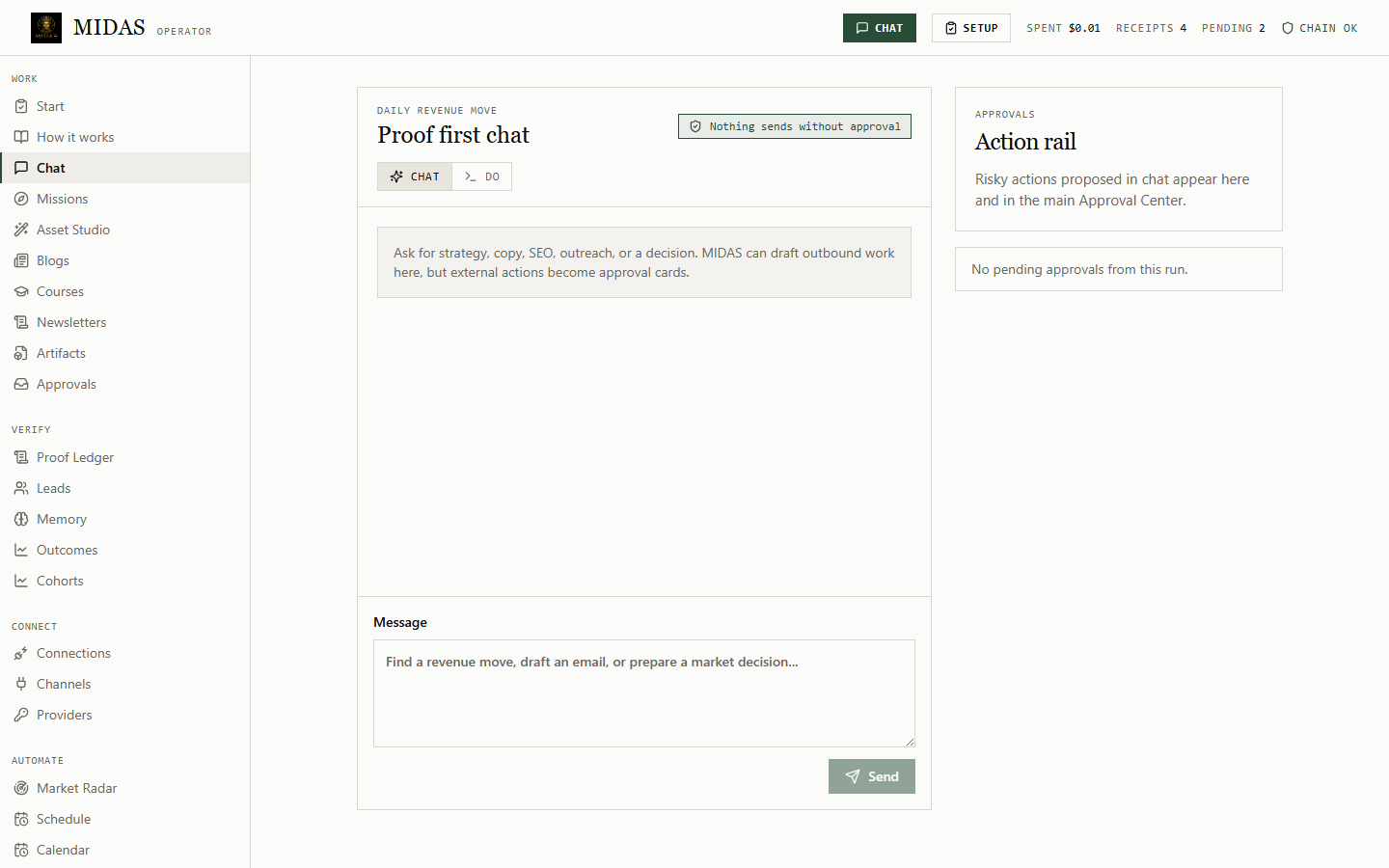 |
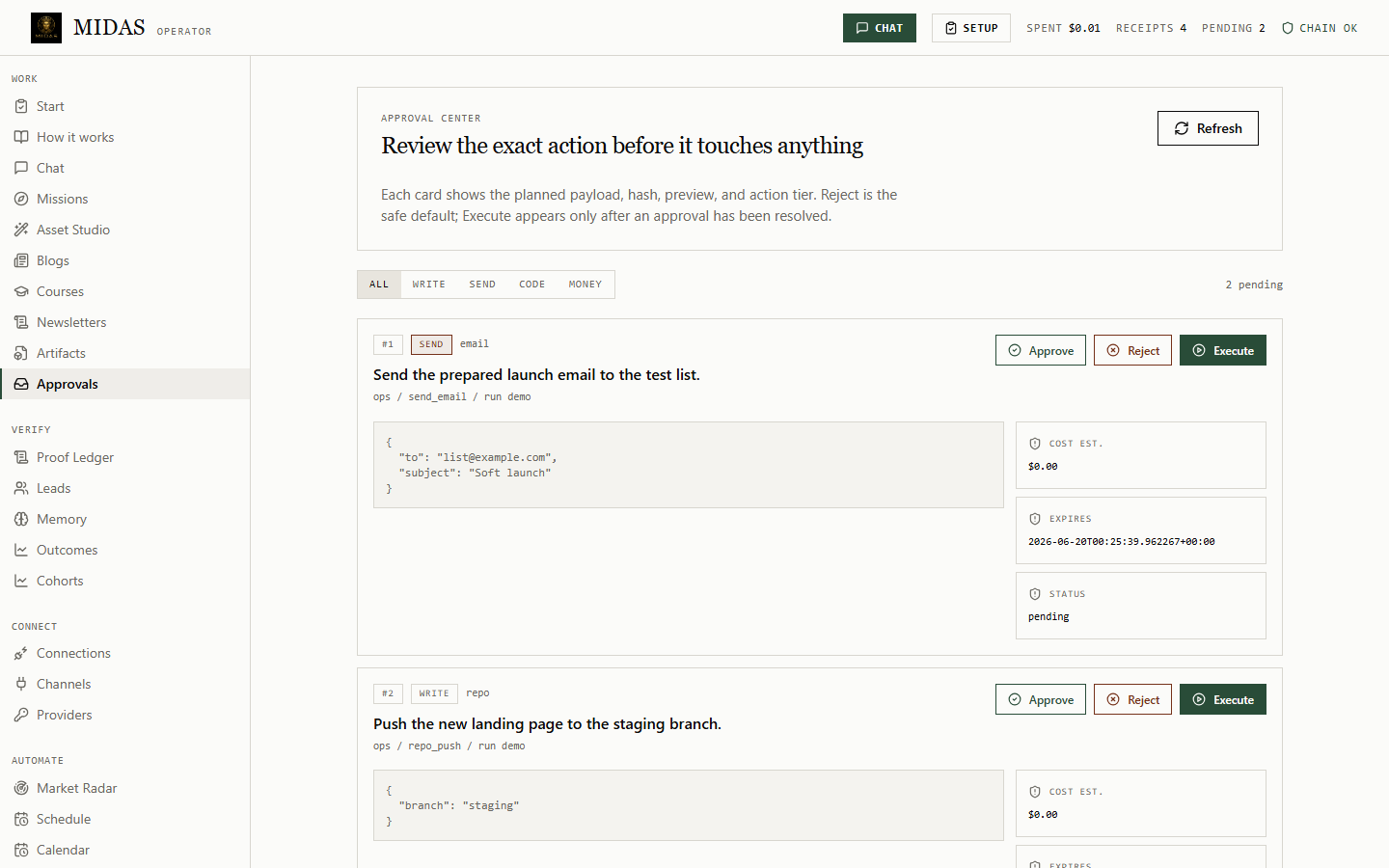 |
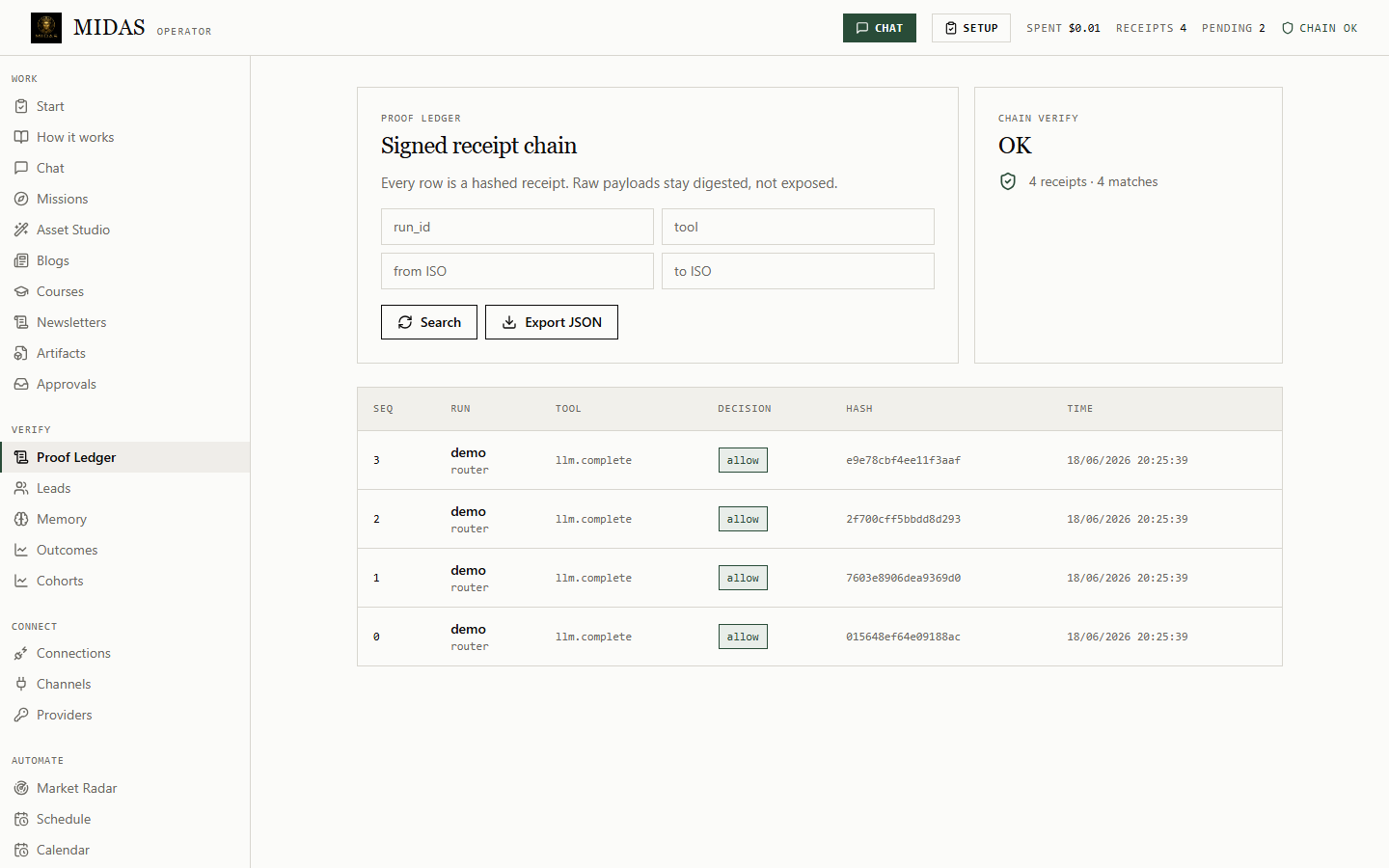 |
Status
- ✅ Code gates — 718 tests, mypy strict (157 files), ruff, import-linter contract
core ↛ flagship, bandit medium+, ShipVitalsREADY p0=0 p1=0. - ✅ Secret scan — clean.
- ⏳ Human UAT — see docs/UAT_CHECKLIST.md, unsigned at first release.
- ⏳ Lighthouse + axe-core (WCAG 2.2 AA) — workflows wired, first results pending after
v0.1.0. - ⏳ Cross-platform — Linux/macOS/Windows × Python 3.11/3.12 matrix runs via the Cross-platform workflow.
- ❌ Independent third-party security review — not yet performed. Until that lands, MIDAS is local-first, approval-gated, with security defaults. It is not described as "secure", "certified", or "production-ready".
Use Cases
- Run a self-hosted LLM agent from a local dashboard or CLI.
- Draft files, media plans, and code changes behind approval cards.
- Use Ollama locally, or connect a cloud provider with your own API key.
- Route MCP tools through an approval workflow and receipt ledger.
- Verify agent activity with signed receipts and an independent verifier.
- Check local capabilities before installing or enabling extra tools.
Quickstart
No-terminal start
Windows:
Double-click: Launch MIDAS.bat
macOS:
Double-click: Launch MIDAS.command
Linux:
chmod +x launch-midas.sh
./launch-midas.sh
The launcher creates a private .venv, installs MIDAS, prepares local state,
opens the dashboard, and prints a rescue login link if the browser does not
open.
Developer start
git clone https://github.com/omarkhandji-commits/midas.git
cd midas
python -m venv .venv
.venv\Scripts\pip install -e ".[llm,web,dev]"
midas init
midas dashboard
Open the local dashboard, connect a model, then run one mission. The dashboard is loopback-only and uses a one-time login token.
midas init detects local Ollama, or accepts one cloud API key:
midas init                      # running Ollama, no key needed
midas init --key sk-...         # OpenAI
midas init --key sk-ant-...     # Anthropic
midas init --key sk-or-...      # OpenRouter
CLI
midas earn "<niche>"               # scan, prepare, queue
midas capabilities scan            # detect local tools, no install
midas capabilities plan "make a video with voice"
midas approvals list
midas approvals approve <id>
midas execute <id>
midas roi
midas outcome record <run_id> "<note>" -m value=<amount>
midas proof export out.html --run-id <run_id>
midas repo-map src/
midas blog-lint path/to/post.md
midas course "topic" --modules 5
midas drain                        # queue due scheduled posts
Run as an MCP server:
midas mcp serve
Media
MIDAS never downloads tools silently. midas capabilities scan checks for
ffmpeg, Node/Remotion, Edge TTS, Kokoro, Piper, XTTS/Coqui, NeuTTS, Ollama,
Docker/Podman, Git, and MCP adapters. midas capabilities plan "<goal>"
returns the local/free path, setup gaps, approval needs, privacy notes, cost
notes, and fallback.
Current media tools:
image.draft: offline PNG placeholder or opt-in provider.voice.synthesize: deterministic offline WAV and opt-in provider hooks.video.scriptandvideo.storyboard: pure planning tools.remotion.project.draft: approval-gated ZIP with a minimal Remotion project.
Security Defaults
- Default-deny Sentinel policy.
- Approval metadata: risk, estimated cost, expiry, hash preview when available.
- Drift checks for approved file writes and
code.run. - Per-task, daily, monthly, per-skill, and per-persona budget gates.
- Remote skills are queued for review; they are not installed automatically.
- Secrets stay out of receipts, logs, prompts, fixtures, and screenshots.
- Kill switch blocks tool execution.
See SECURITY.md, docs/SECURITY.md, docs/THREAT_MODEL.md, and docs/SECURITY_RELEASE_NOTES.md.
Verify Receipts
pip install ./tools/verify
midas keys export-public
python -m midas_verify .midas/receipts.jsonl --public-key <hex>
Flip one byte in the ledger and rerun. Verification reports the corrupted sequence index.
Testing
ruff check .
mypy src
lint-imports
bandit -r src -ll
pytest
midas eval
cd web && npm run lint && npm test && npm run build
python -m build
twine check dist/*
ShipVitals is used as a final release-readiness evidence pack. It does not replace tests, security review, Playwright checks, or human review.
Project Layout
src/midas/core/        sentinel, budget fuse, receipts, memory, router
src/midas/flagship/    CLI, dashboard, agent loop, tools, eval suites, MCP
config/                policy and provider templates
docs/                  architecture, security, recipes, receipt spec
tests/                 unit, security, eval, fixtures
tools/verify/          standalone receipt verifier
web/                   React dashboard
License
MIT. See LICENSE.
Установка MIDAS
У этого сервера нет опубликованного пакета — он собирается из исходников. Открой репозиторий и следуй инструкции в README.
▸ github.com/omarkhandji-commits/midasFAQ
MIDAS MCP бесплатный?
Да, MIDAS MCP бесплатный — установка в пару кликов через Unyly без оплаты.
Нужен ли API-ключ для MIDAS?
Нет, MIDAS работает без API-ключей и переменных окружения.
MIDAS — hosted или self-hosted?
Self-hosted: сервер запускается локально на твоей машине командой из раздела установки.
Как установить MIDAS в Claude Desktop, Claude Code или Cursor?
Открой MIDAS на unyly.org, выбери вкладку своего клиента (Claude Desktop, Claude Code, Cursor) и нажми Install — конфиг сгенерируется автоматически, без правки JSON.
Похожие MCP
Fetch
Web content fetching and conversion for efficient LLM usage.
AWS KB Retrieval
Retrieval from AWS Knowledge Base using Bedrock Agent Runtime.
 автор: modelcontextprotocol
Spring AI MCP Server
Provides auto-configuration for setting up an MCP server in Spring Boot applications.
llm-analysis-assistant
A very streamlined mcp client that supports calling and monitoring stdio/sse/streamableHttp, and can also view request responses through the /logs page. It also
 автор: xuzexin-hz
Compare MIDAS with
Не уверен что выбрать?
Найди свой стек за 60 секунд
Автор?
Embed-бейдж для README
Похожее
Все в категории ai