
Nimble
БесплатноНе проверенA token-efficient MCP server that reduces context window bloat by lazy loading tool descriptions and proxying calls through three simple tools, with a dashboard

Описание
A token-efficient MCP server that reduces context window bloat by lazy loading tool descriptions and proxying calls through three simple tools, with a dashboard for managing connections.
README
A token-efficient MCP server that lazy loads tools and proxies tool calls
- comes with a local dashboard to connect and configure MCP servers
- proxies tool calls with 3 simple top-level tools:
list-tools,get-tool,execute-tool - supports tool summarization by LLM, you may also customize your own tool summaries
How it works
MCP clients naively include all tool descriptions and schemas on the context window. This results in excessive token consumption even when you only use a few tools. Multiply this over several MCP servers and your chat session becomes bloated. It's not only costly but also unsable as you'll quickly run into the model's token limit.
nimble solves the problem by allowing tools to be lazy loaded only when they're needed. The idea is connect to a unified MCP server with concise tool summaries and let LLM discover and expand full tool description when needed.
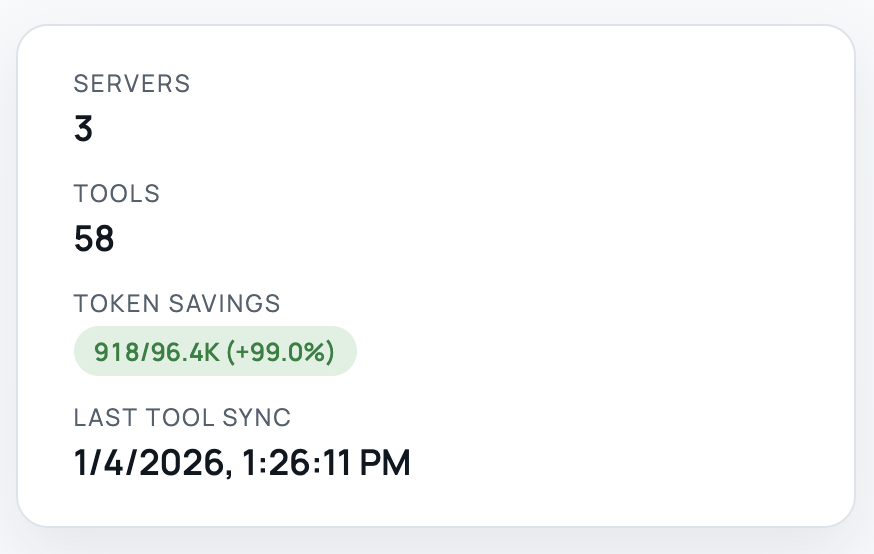
When tested with popular MCP servers (Notion, Linear, Figma, etc.), we see over 99% token savings on initial load and 90% during typical chat sessions.
Installation
nimble runs over stdio. Configure your MCP client to launch it:
{
  "mcpServers": {
    "nimble-mcp": {
      "command": "npx",
      "args": ["-y", "nimble-mcp"],
      "env": {
        "NIMBLE_ENCRYPTION_KEY": "your-encryption-key",
        "NIMBLE_UI_PORT": "3333"
      }
    }
  }
}
The NIMBLE_UI_PORT determines the port for the local config server (default: http://localhost:3333).
The NIMBLE_ENCRYPTION_KEY is used to encrypt server credentials (access & refresh tokens), which are stored in local sqlite db.
Add OpenAI env vars here if you want LLM summaries to be automatically inferred when connecting a server.
Example:
{
  "mcpServers": {
    "nimble-mcp": {
      "command": "npx",
      "args": ["-y", "nimble-mcp"],
      "env": {
        "NIMBLE_ENCRYPTION_KEY": "your-encryption-key",
        "OPENAI_API_KEY": "sk-...",
        "OPENAI_MODEL": "gpt-5-mini"
      }
    }
  }
}
Tools
list-toolsprovides a list of available tools and a brief summary of each toolget-toolretrieves a given tool's detailed description and schemaexecute-toolperforms the tool call that proxies the input argument to the original tool server
Quick guide
Once configuration in your MCP client complete, open the config dashboard (http://localhost:3333/) in the browser to setup MCP connections.
Add a server and authenticate
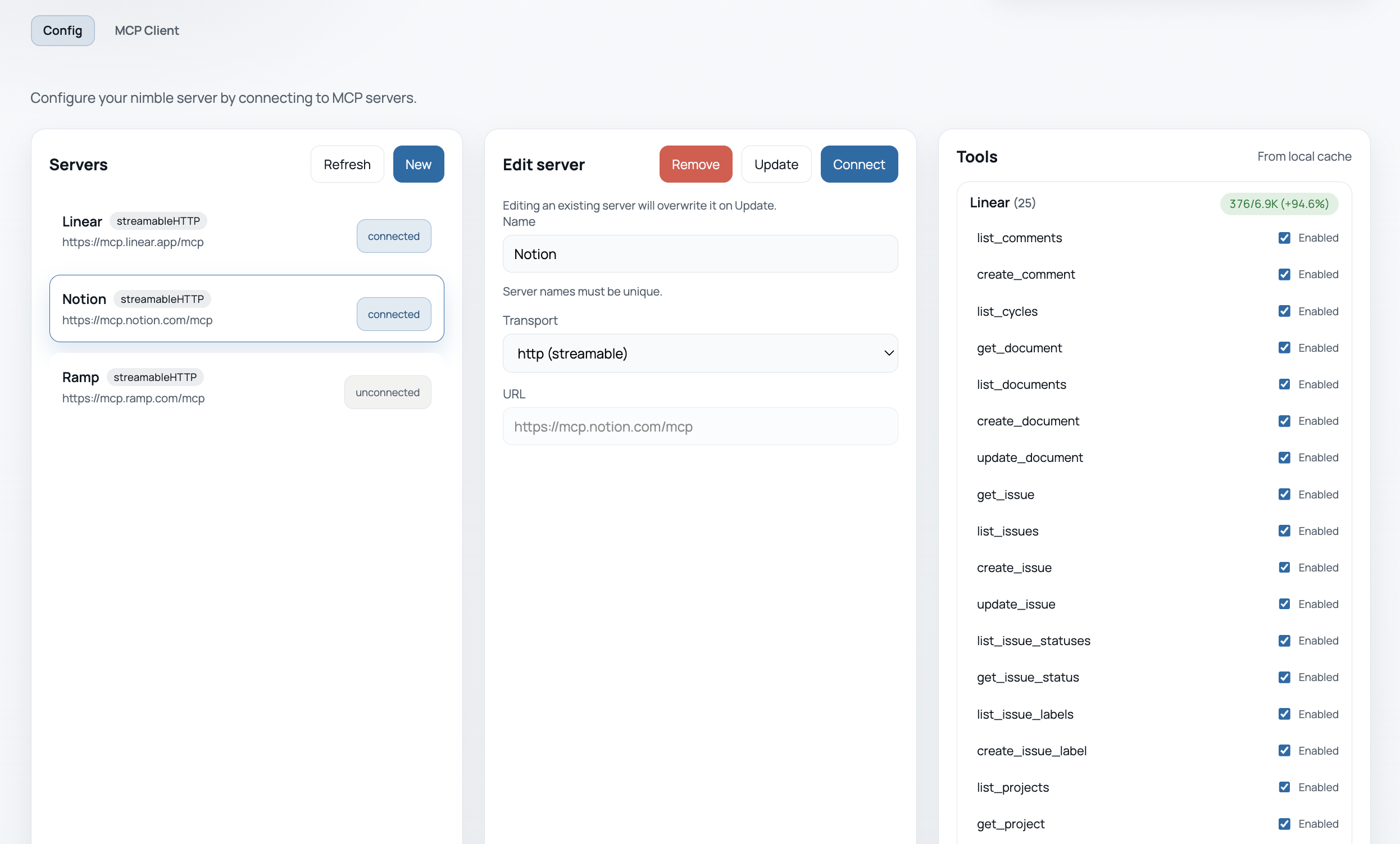
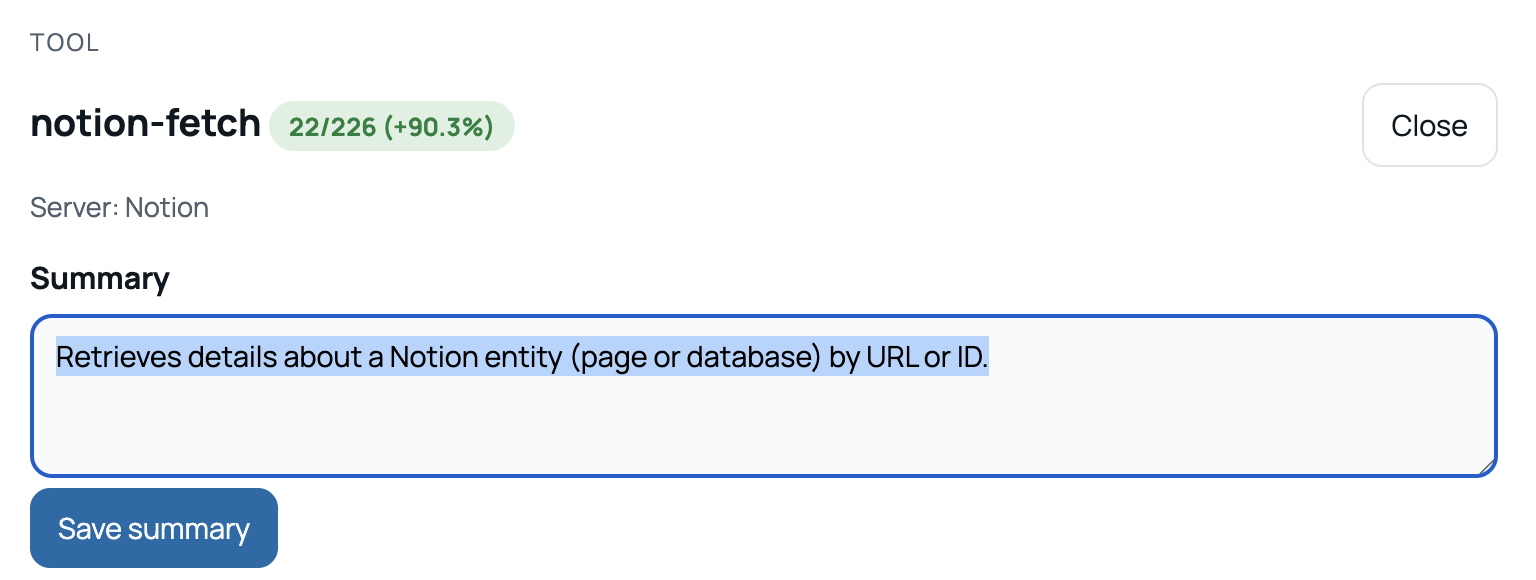
If you provided an OPENAI_API_KEY, the summaries will be automatically inferred by LLM (OpenAI for now). Otherwise, the first sentence from the description will be used. You may also customize this by clicking on the tool and modify the summary from the tool modal
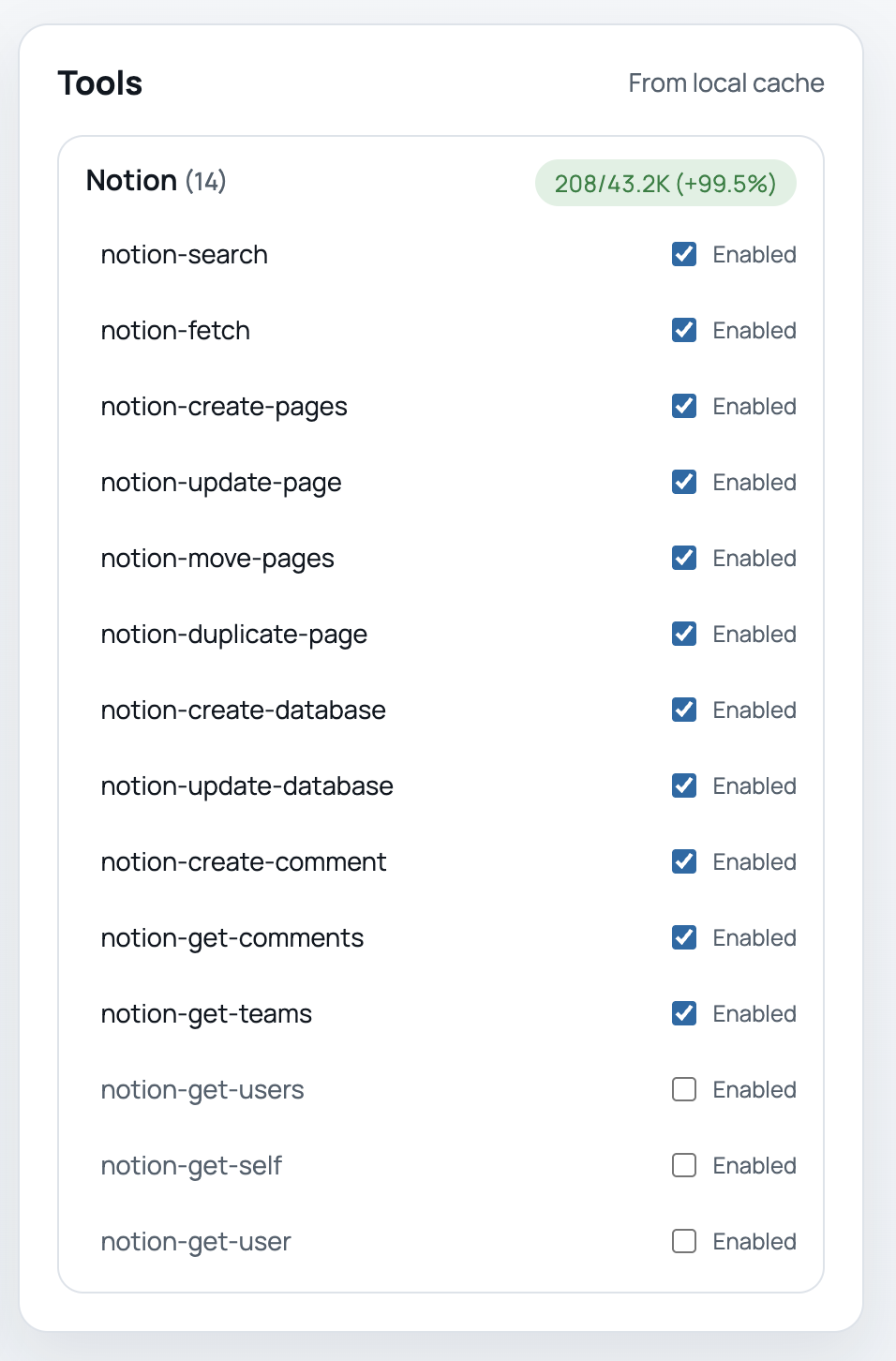
You can also toggle tools on/off
Test out the server from the included MCP client
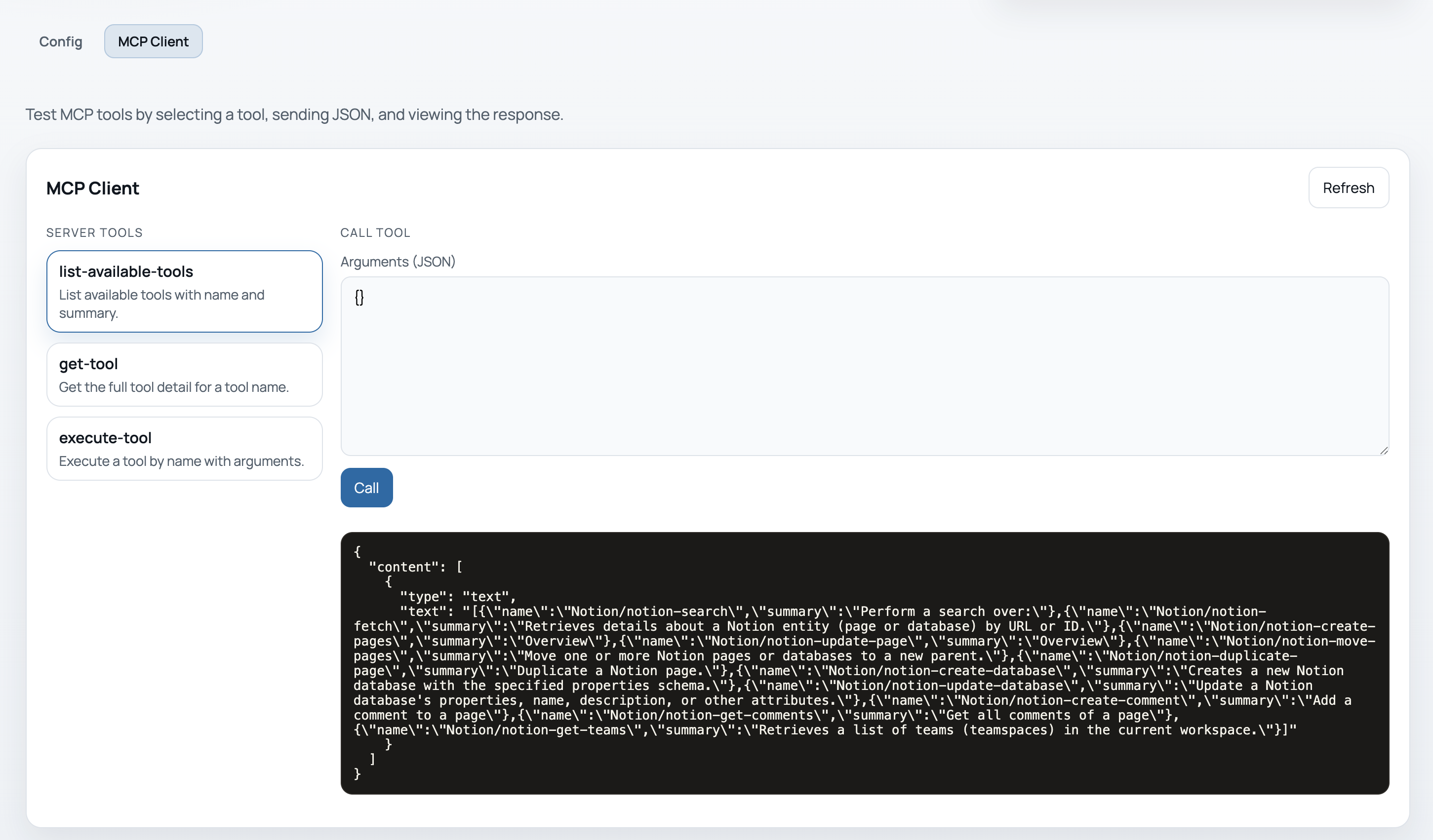
Repeat the process to add more MCP servers.
Development
Create a .env file in the repo root (see .env.example) to manage env vars locally.
npm run dev
Scripts
Server:
npm run build
npm run dev
npm test
UI:
npm run ui:build
npm run ui:dev
npm run ui:preview
Config UI
The server also hosts a local config UI on http://127.0.0.1:3333.
The UI reads and writes the SQLite DB.
Build UI once:
npm run ui:build
Or build UI + server:
npm run build
Run UI dev server:
npm run ui:dev
LLM Summaries
Optional: auto-generate tool summaries on connect using OpenAI.
OPENAI_API_KEY=sk-... \
OPENAI_MODEL=gpt-5-mini \
npm run dev
Storage
nimble stores configuration and tool cache in a local SQLite database.
Default DB path:
./nimble.sqlite
Override with:
NIMBLE_DB_PATH=/path/to/nimble.sqlite
OAuth flow by URL/transport (manual):
NIMBLE_ENCRYPTION_KEY=your-encryption-key node dist/index.js --server-url https://mcp.notion.com/mcp --transport streamableHttp
If the server does not exist yet, this will auto-add a default OAuth entry and use a local callback at http://127.0.0.1:8787/callback.
Publish
npm login
npm publish --access public
Установка Nimble
У этого сервера нет опубликованного пакета — он собирается из исходников. Открой репозиторий и следуй инструкции в README.
▸ github.com/mquan/nimbleFAQ
Nimble MCP бесплатный?
Да, Nimble MCP бесплатный — установка в пару кликов через Unyly без оплаты.
Нужен ли API-ключ для Nimble?
Нет, Nimble работает без API-ключей и переменных окружения.
Nimble — hosted или self-hosted?
Self-hosted: сервер запускается локально на твоей машине командой из раздела установки.
Как установить Nimble в Claude Desktop, Claude Code или Cursor?
Открой Nimble на unyly.org, выбери вкладку своего клиента (Claude Desktop, Claude Code, Cursor) и нажми Install — конфиг сгенерируется автоматически, без правки JSON.
Похожие MCP
GitHub
PRs, issues, code search, CI status
 автор: GitHub
Filesystem
Secure file operations with configurable access controls.
Memory
Knowledge graph-based persistent memory system.
Template MCP Server
A CLI tool to create a new Model Context Protocol server project with TypeScript support, dual transport options, and an extensible structure
 автор: mcpdotdirect
Compare Nimble with
Не уверен что выбрать?
Найди свой стек за 60 секунд
Автор?
Embed-бейдж для README
Похожее
Все в категории development