
NotebookLM2PPT
БесплатноНе проверенEnables AI models to convert NotebookLM PDF exports into high-quality PowerPoint presentations with automatic watermark removal and vector graphics preservation

Описание
Enables AI models to convert NotebookLM PDF exports into high-quality PowerPoint presentations with automatic watermark removal and vector graphics preservation. It provides automated tools for slide conversion, metadata management, and document processing via the Model Context Protocol.
README
notebookLM2PPT
PyPI version Python License: MIT GitHub stars
Convert PDF Slides to PowerPoint Presentations with Vector Graphics (highest resolution).
✨ Features
- 🎯 Vector Graphics - Maintains highest resolution in generated PPT
- 📝 Metadata Conversion - Preserves title, author and other metadata
- 📐 Auto Detection - Automatically detects slide size and aspect ratio
- 🚀 Easy to Use - Simple command line interface with beautiful output
- 📄 Page Selection - Convert specific pages with
--pagesoption - ⚡ Parallel Processing - Speed up conversion with
--paralleloption - 🔍 Dependency Check - Automatically checks for required tools
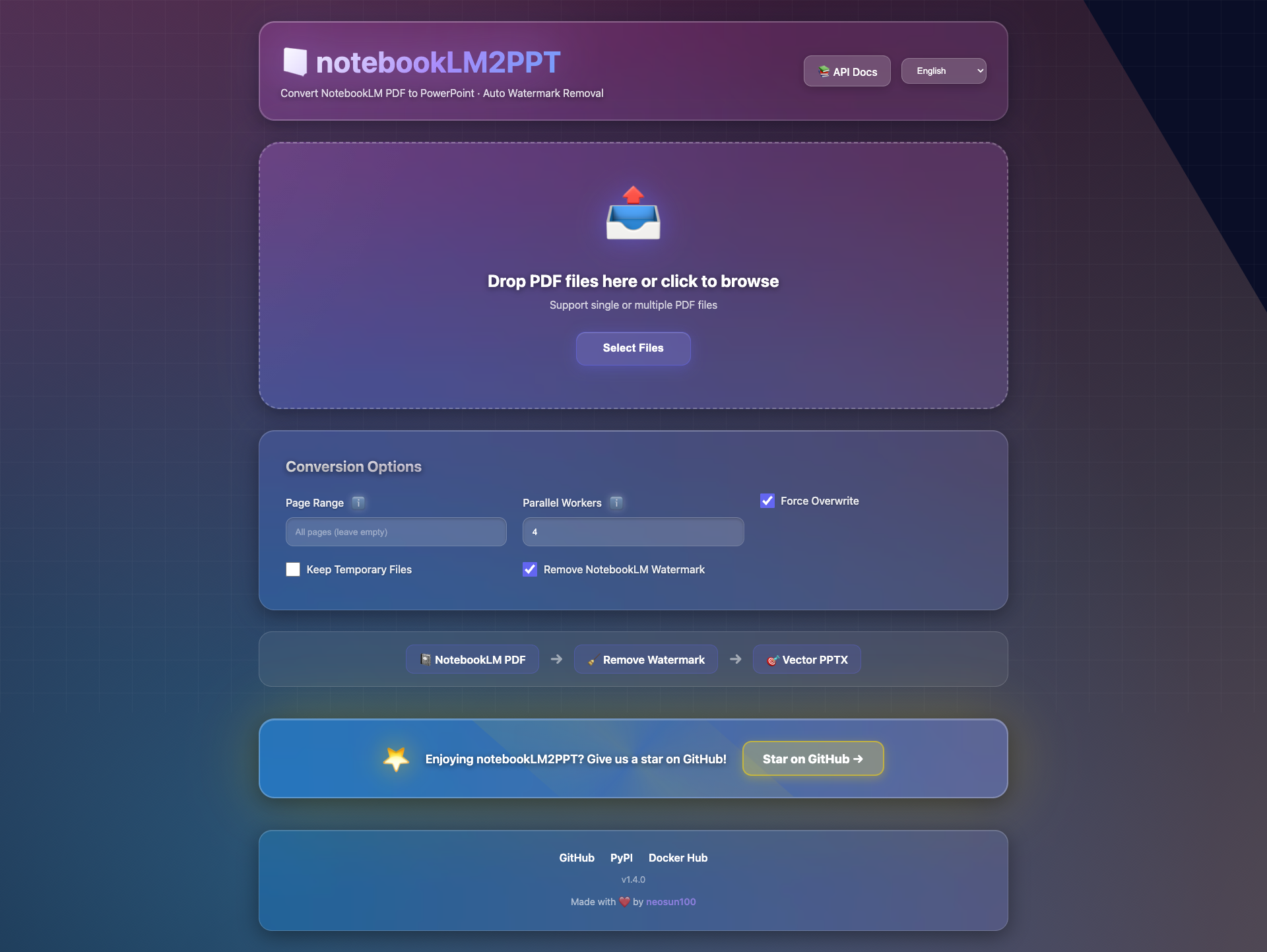
- 🎨 Web UI - Modern web interface with drag-and-drop support
- 📡 REST API - FastAPI server with async processing
- 🔧 MCP Support - Model Context Protocol for AI integration
- 🐳 Docker Ready - All-in-one Docker image available
- 💎 Glassmorphism Design - Ultra modern frosted glass UI with neon effects
- 🌍 18 Languages - Full internationalization support
🌍 Supported Languages
| Language | Code | Language | Code |
|---|---|---|---|
| English | en | Italiano | it |
| 简体中文 | zh-CN | Русский | ru |
| 繁體中文 | zh-TW | العربية | ar |
| 日本語 | ja | हिन्दी | hi |
| 한국어 | ko | ไทย | th |
| Français | fr | Tiếng Việt | vi |
| Deutsch | de | Nederlands | nl |
| Español | es | Polski | pl |
| Português | pt | Türkçe | tr |
🎯 Motivation
- LaTeX users can easily convert beamer slides from PDF to PPT
- Typst users can easily convert touying slides from PDF to PPT
🚀 Quick Start
Option 1: Command Line (pipx)
# Install via pipx (recommended)
pipx install notebooklm2ppt

# Convert PDF to PPT
pdf2ppt input.pdf output.pptx
Option 2: Web UI (Docker)
For x86_64 / AMD64 (Linux servers, Intel Macs):
docker run -d -p 8100:8100 neosun/notebooklm2ppt:1.2.0-amd64
For ARM64 (Apple Silicon Macs, ARM servers):
docker run -d -p 8100:8100 neosun/notebooklm2ppt:1.2.0-arm64
Auto-detect architecture:
docker run -d -p 8100:8100 neosun/notebooklm2ppt:latest
Access at: http://localhost:8100
Option 3: API Server
# Install with server dependencies
pip install "notebooklm2ppt[server]"

# Start server
python -m uvicorn web.app:app --host 0.0.0.0 --port 8100
API Documentation: http://localhost:8100/docs
📦 Installation
Prerequisites
Install Dependencies
macOS:
brew install pdf2svg inkscape
Ubuntu/Debian:
sudo apt-get install pdf2svg inkscape
Windows:
Install notebookLM2PPT
# Recommended: Install with pipx (isolated environment)
pipx install notebooklm2ppt

# Or install with pip
pip install notebooklm2ppt
📖 Usage
Basic Usage
# Specify output file
pdf2ppt input.pdf output.pptx

# Auto-generate output filename (input.pptx)
pdf2ppt input.pdf

# Verbose mode
pdf2ppt input.pdf --verbose
Advanced Usage
# Convert specific pages
pdf2ppt input.pdf -p 1-5,7,9-11

# Parallel processing (4 workers)
pdf2ppt input.pdf -j 4

# Force overwrite existing file
pdf2ppt input.pdf output.pptx --force

# Keep temporary files for debugging
pdf2ppt input.pdf --no-clean
Command Line Options
usage: pdf2ppt [-h] [-v] [--verbose] [--no-clean] [--no-check] [--force]
               [--pages PAGES] [--parallel PARALLEL]
               [--pdf2svg-path PATH] [--inkscape-path PATH]
               input [output]

positional arguments:
  input                 Input PDF file
  output                Output PPTX file (default: input.pptx)

options:
  -h, --help            show this help message and exit
  -v, --version         show program's version number and exit
  --verbose             Verbose output
  --no-clean            Keep temporary files
  --no-check            Skip SVG filter check
  --force, -f           Overwrite output file if exists
  --pages, -p PAGES     Page range (e.g., "1-5,7,9-11")
  --parallel, -j N      Parallel workers (default: 1)
  --pdf2svg-path PATH   Path to pdf2svg executable
  --inkscape-path PATH  Path to inkscape executable
🔧 Technical Implementation
- Convert PDF to SVG using
pdf2svg - Convert SVG to EMF using
inkscape(due to python-pptx limitations) - Insert EMF into PPT using
python-pptx
🛠️ Tech Stack
| Component | Technology |
|---|---|
| Language | Python 3.9+ |
| PDF Processing | pypdf |
| PPT Generation | python-pptx |
| PDF to SVG | pdf2svg |
| SVG to EMF | Inkscape |
| CLI Output | rich |
⚠️ Known Issues
Transparent Background
Elements with transparency are not fully supported due to dependency limitations. You will receive a warning when such issues are detected. You can manually copy the generated SVG to fix the problem.
See #1 for more details.
🤝 Contributing
Contributions are welcome! Please feel free to submit a Pull Request.
- Fork the repository
- Create your feature branch (
git checkout -b feature/AmazingFeature) - Commit your changes (
git commit -m 'Add some AmazingFeature') - Push to the branch (
git push origin feature/AmazingFeature) - Open a Pull Request
📄 License
This project is licensed under the MIT License - see the LICENSE file for details.
Copyright © 2023-2024 Teddy van Jerry (Wuqiong Zhao)
⭐ Star History
📱 Follow Us

Установить NotebookLM2PPT в Claude Desktop, Claude Code, Cursor
unyly install notebooklm2pptСтавит в Claude Desktop, Claude Code, Cursor и VS Code — сам разбирается с npx, uvx и сборкой из исходников.
Впервые? Поставь CLI: curl -fsSL https://unyly.org/install | sh
Или настроить вручную
Выполни в терминале:
claude mcp add notebooklm2ppt -- uvx notebooklm2pptПошаговые гайды: как установить NotebookLM2PPT
FAQ
NotebookLM2PPT MCP бесплатный?
Да, NotebookLM2PPT MCP бесплатный — установка в пару кликов через Unyly без оплаты.
Нужен ли API-ключ для NotebookLM2PPT?
Нет, NotebookLM2PPT работает без API-ключей и переменных окружения.
NotebookLM2PPT — hosted или self-hosted?
Self-hosted: сервер запускается локально на твоей машине командой из раздела установки.
Как установить NotebookLM2PPT в Claude Desktop, Claude Code или Cursor?
Открой NotebookLM2PPT на unyly.org, выбери вкладку своего клиента (Claude Desktop, Claude Code, Cursor) и нажми Install — конфиг сгенерируется автоматически, без правки JSON.
Похожие MCP
Fetch
Web content fetching and conversion for efficient LLM usage.
Roblox Studio
Enables AI coding tools to control Roblox Studio for workspace exploration, instance manipulation, and script management. It provides tools for playtesting, sce
 автор: paralov
Opencode Omniroute Plugin
OpenCode plugin for the OmniRoute AI Gateway. Drives dynamic model discovery, /connect auth flow, and multi-instance OmniRoute providers via the official @openc
 автор: GitHub Actions
AWS KB Retrieval
Retrieval from AWS Knowledge Base using Bedrock Agent Runtime.
 автор: modelcontextprotocol
Spring AI MCP Server
Provides auto-configuration for setting up an MCP server in Spring Boot applications.
llm-analysis-assistant
A very streamlined mcp client that supports calling and monitoring stdio/sse/streamableHttp, and can also view request responses through the /logs page. It also
 автор: xuzexin-hz
MCP-Agent
A simple, composable framework to build agents using Model Context Protocol by [LastMile AI](https://www.lastmileai.dev)
 автор: lastmile-ai
Spring AI MCP Client
Provides auto-configuration for MCP client functionality in Spring Boot applications.
mcp.natoma.ai
A Hosted MCP Platform to discover, install, manage and deploy MCP servers by [Natoma Labs](https://www.natoma.ai)
MCPHub
Website to list high quality MCP servers and reviews by real users. Also provide online chatbot for popular LLM models with MCP server support.
Compare NotebookLM2PPT with
Не уверен что выбрать?
Найди свой стек за 60 секунд
Автор?
Embed-бейдж для README
Похожее
Все в категории ai