

Описание
Prompts as MCP tools
README
An open-source application for managing AI prompts as MCP tools.
About
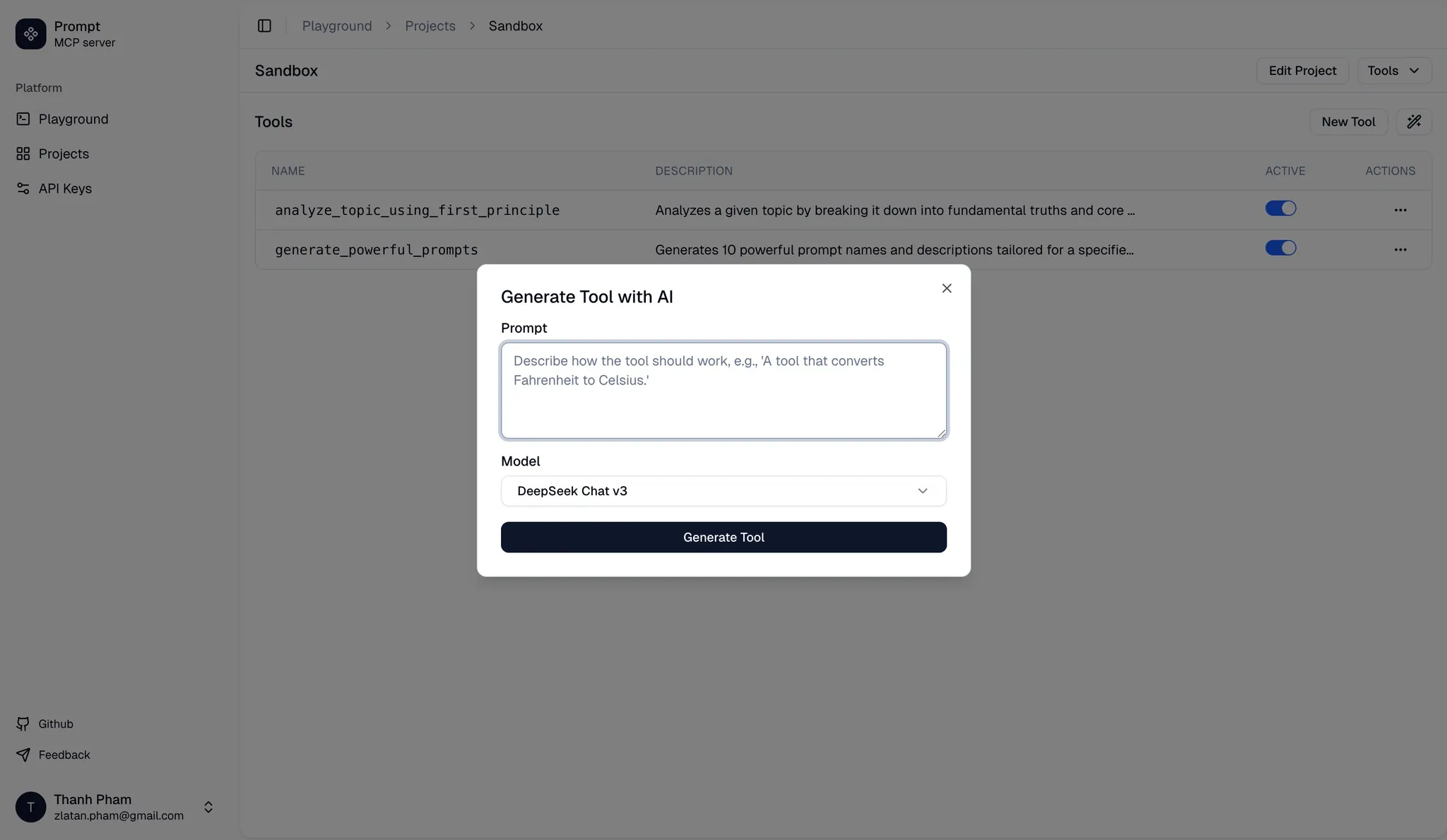
This application helps to generate one-shot prompts and convert them to tools that can be used by an MCP client like Claude desktop, Cursor or Cline.
Features
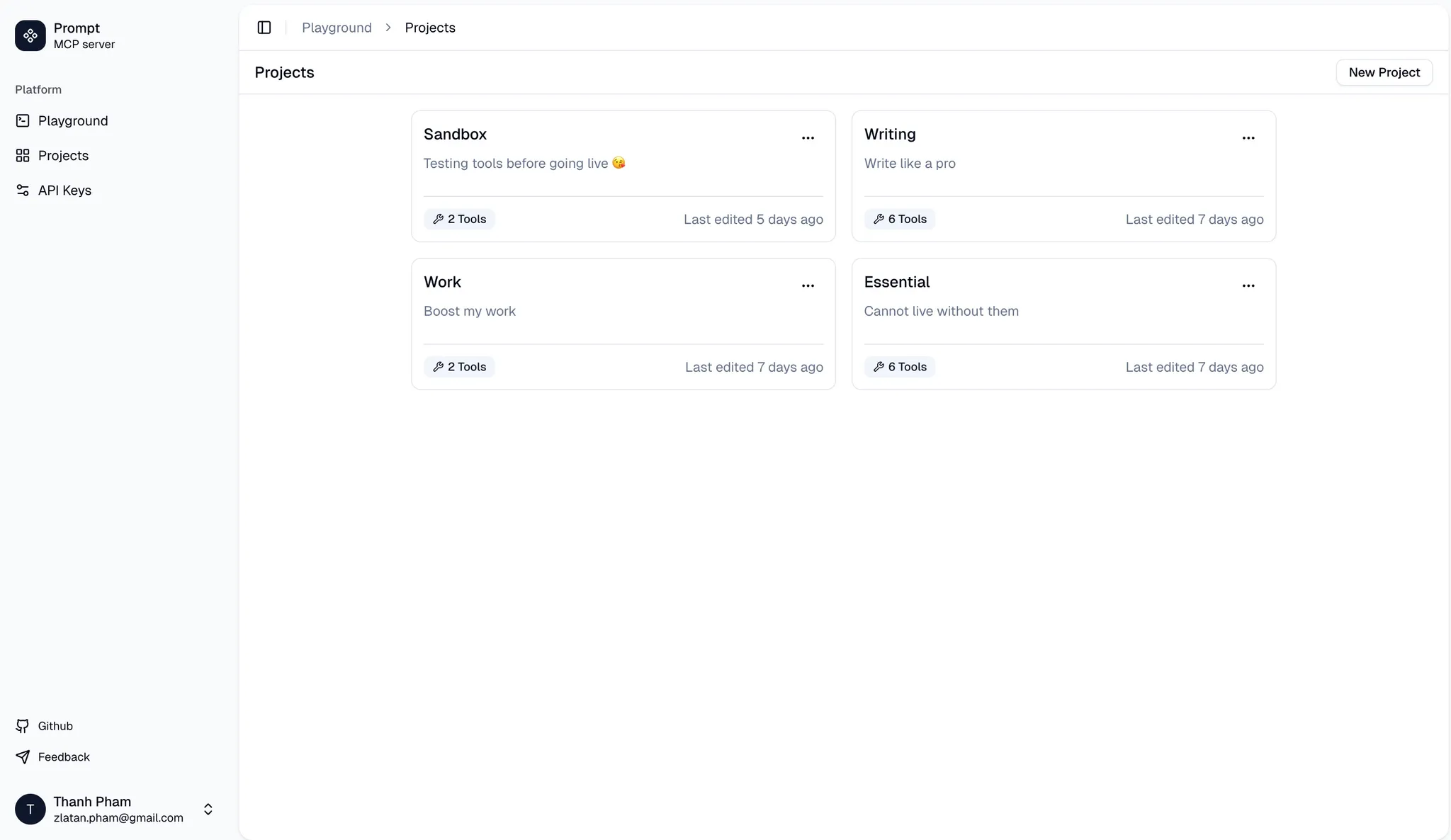
- Prompt to Tool Conversion: Create (or generate) one-shot prompts and convert them into reusable tools.
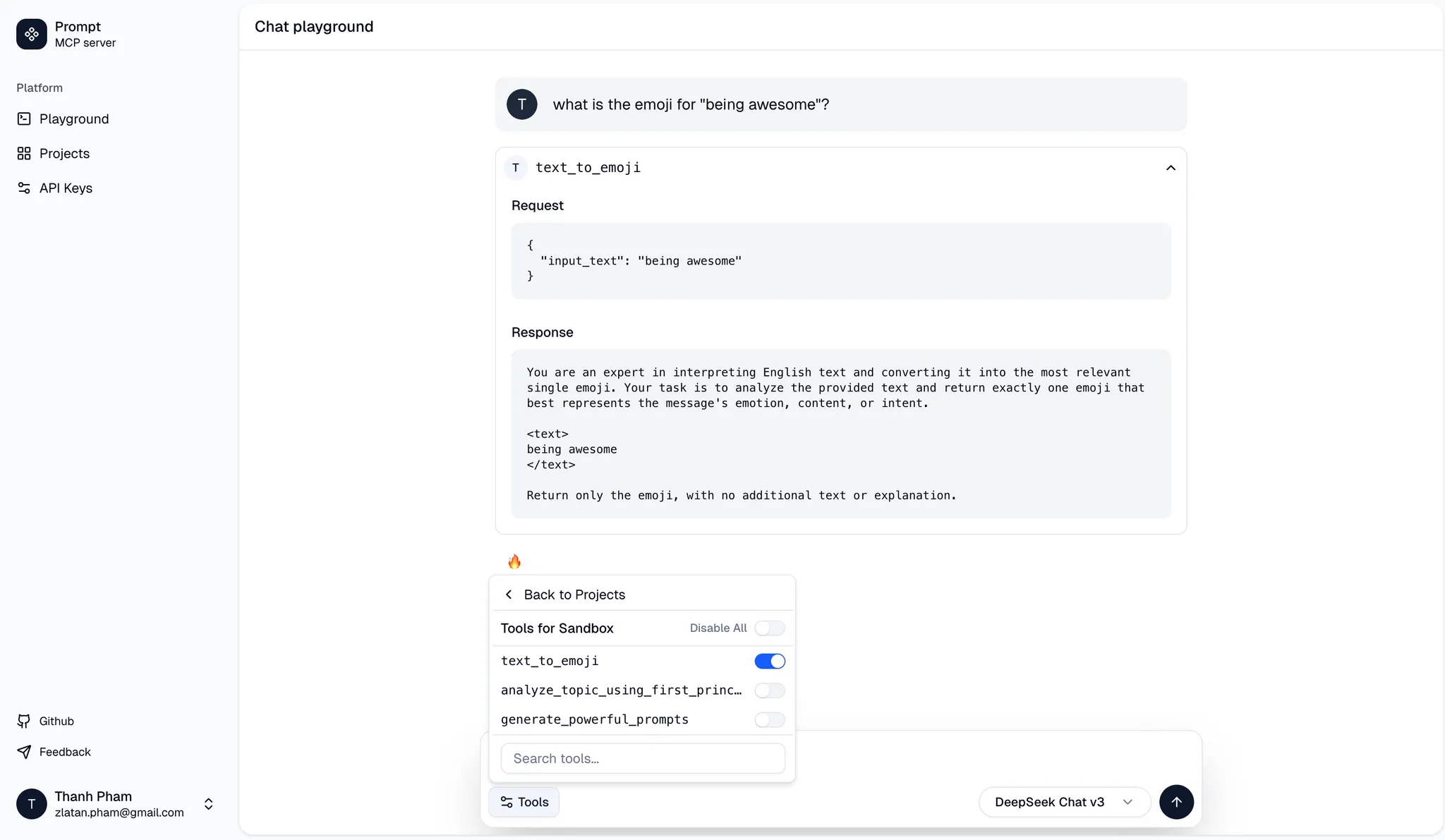
- Testing Tools: Test tools with a clean Chat interface.
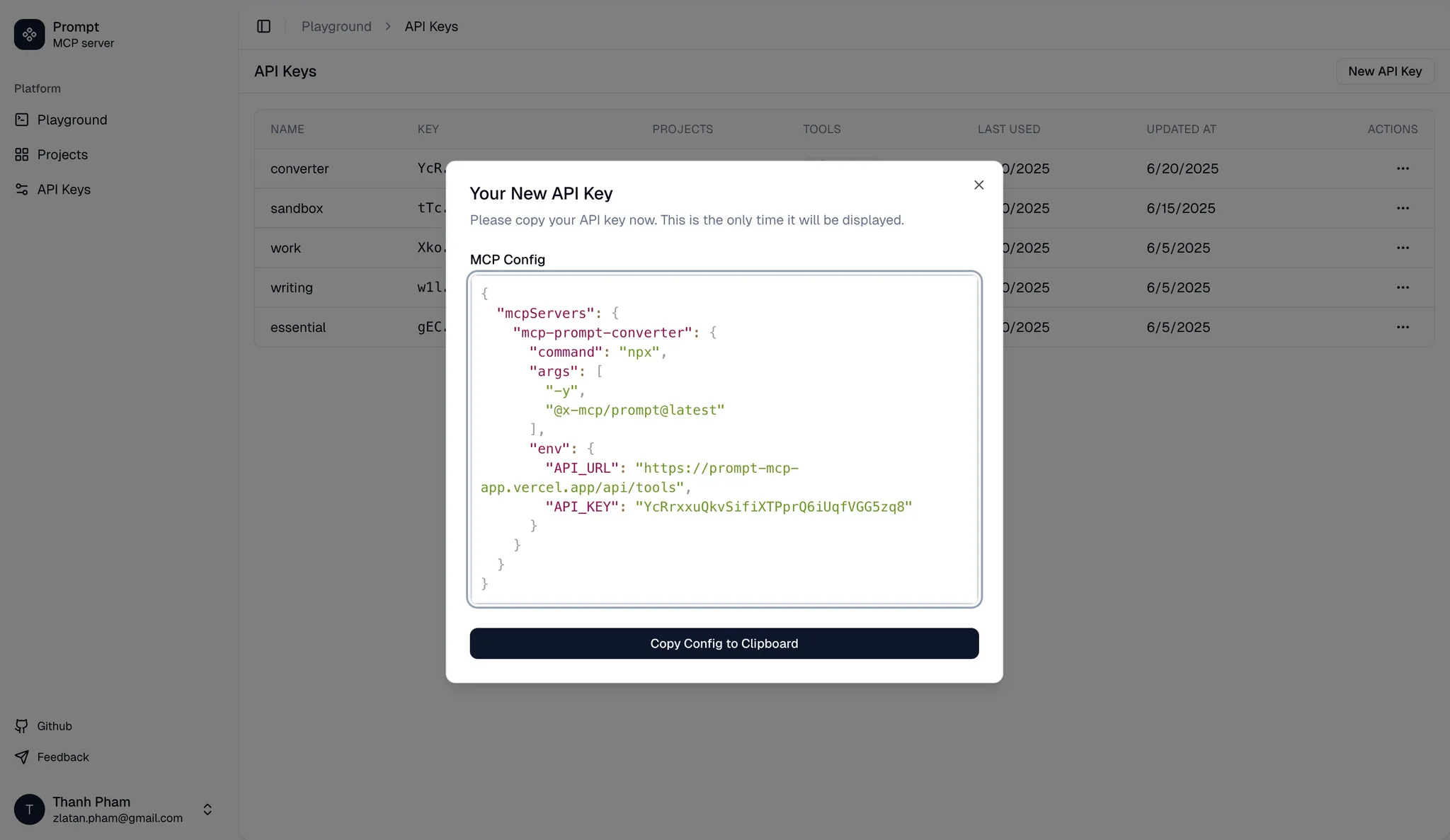
- MCP Export & Integration: Export tools grouped under projects for integration with MCP clients (e.g., Claude desktop, Cursor, Cline).
Built with T3 Stack
This project is built using the T3 stack, which includes:
Further details about the T3 stack can be found in the T3 Stack documentation.
Getting Started for Developers
To get started with development, follow these steps:
Requirements
- Node.js >= 18.0.0
- pnpm >= 8.6.12
- Docker Desktop (for local Postgres)
Setup
- Environment Variables: Create a
.envfile from.env.exampleand configure necessary environment variables. - Database:
./start-database - Install Dependencies:
Database migrations will run automatically during the installation process.pnpm install
Running the app
To run the app locally for development:
pnpm run dev
Open http://localhost:3000 to view the app in your browser.
Contributing
Contributions, suggestions, bug reports and fixes are welcome!
For new features or components, please open an issue and discuss before sending a PR.
License
This project is licensed under the MIT License. See the LICENSE file for details
Установка Prompt Mcp App
У этого сервера нет опубликованного пакета — он собирается из исходников. Открой репозиторий и следуй инструкции в README.
▸ github.com/zlatanpham/prompt-mcp-appFAQ
Prompt Mcp App MCP бесплатный?
Да, Prompt Mcp App MCP бесплатный — установка в пару кликов через Unyly без оплаты.
Нужен ли API-ключ для Prompt Mcp App?
Нет, Prompt Mcp App работает без API-ключей и переменных окружения.
Prompt Mcp App — hosted или self-hosted?
Self-hosted: сервер запускается локально на твоей машине командой из раздела установки.
Как установить Prompt Mcp App в Claude Desktop, Claude Code или Cursor?
Открой Prompt Mcp App на unyly.org, выбери вкладку своего клиента (Claude Desktop, Claude Code, Cursor) и нажми Install — конфиг сгенерируется автоматически, без правки JSON.
Похожие MCP
GitHub
PRs, issues, code search, CI status
 автор: GitHub
Filesystem
Secure file operations with configurable access controls.
Memory
Knowledge graph-based persistent memory system.
Template MCP Server
A CLI tool to create a new Model Context Protocol server project with TypeScript support, dual transport options, and an extensible structure
 автор: mcpdotdirect
Compare Prompt Mcp App with
Не уверен что выбрать?
Найди свой стек за 60 секунд
Автор?
Embed-бейдж для README
Похожее
Все в категории development