
Receipts Api
БесплатноНе проверенEnables querying and analyzing receipt data with SQL-style grouped statistics, filtering, and receipt lookup through natural language via MCP-compatible clients

Описание
Enables querying and analyzing receipt data with SQL-style grouped statistics, filtering, and receipt lookup through natural language via MCP-compatible clients.
README
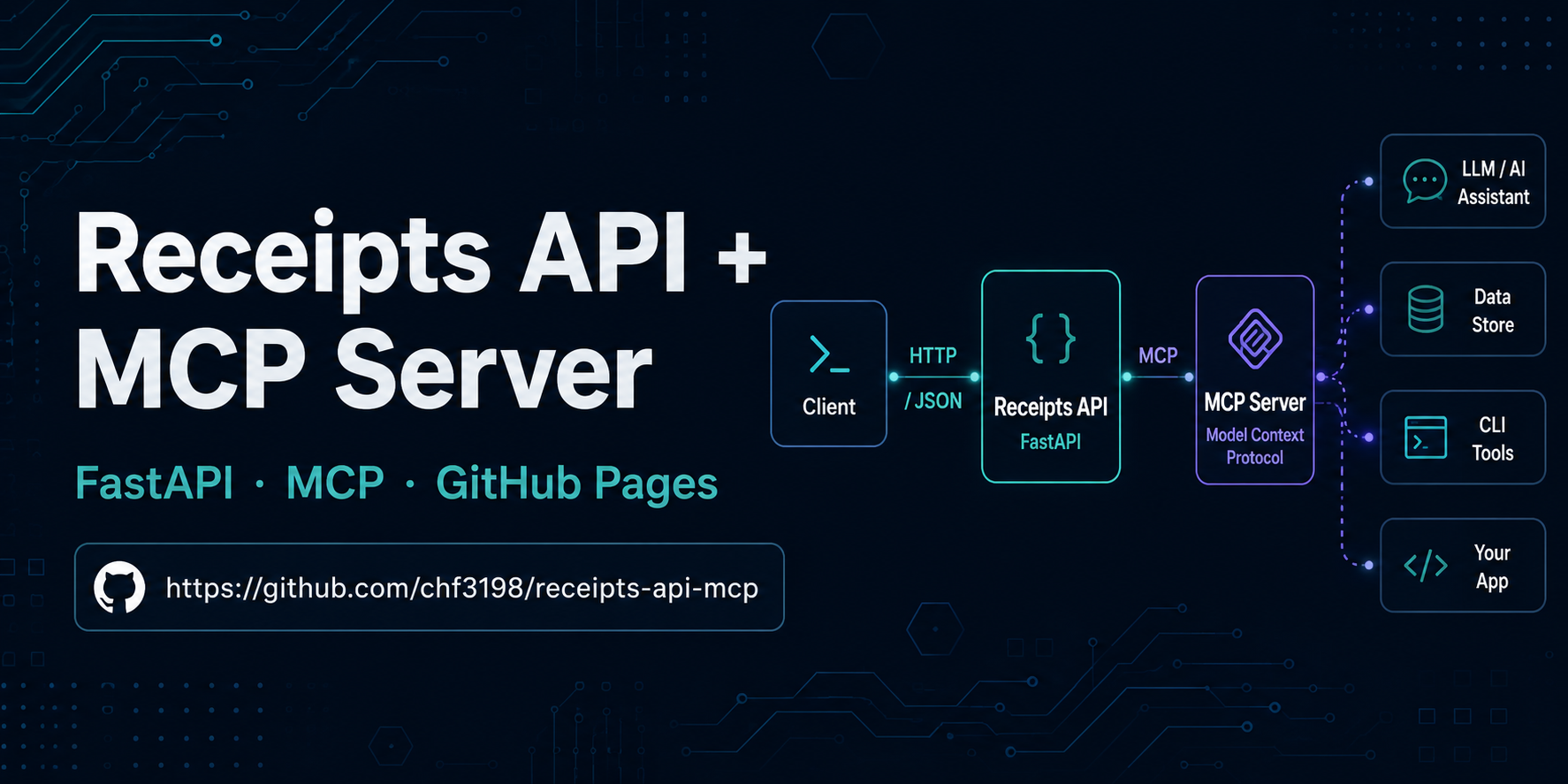
FastAPI receipts statistics server with a built-in MCP layer and a self-contained GitHub Pages testing dashboard.
Live dashboard (no setup required): https://chf3198.github.io/receipts-api-mcp/
The dashboard loads CSV data directly from this repository and processes everything in the browser. No server, no account, no cold start — open the link and it works.
Overview
| Layer | Technology | Notes |
|---|---|---|
| Demo dashboard | Vanilla JS + Chart.js + Papa Parse (GitHub Pages) | Always-on, zero setup — visit the link above |
| REST API | FastAPI | Run locally: uv run receipts-api → http://localhost:8000 |
| MCP server | fastapi-mcp (Streamable HTTP) | Available at http://localhost:8000/mcp when running locally |
Data source: data/receipts_2025_01.csv + data/receipts_2025_02.csv (also served from docs/data/ for the dashboard).
Quick Start
Prerequisites
Install uv (replaces pip + venv):
curl -LsSf https://astral.sh/uv/install.sh | sh
Run locally
git clone https://github.com/chf3198/receipts-api-mcp.git
cd receipts-api-mcp
uv sync
uv run uvicorn receipts_api.main:app --reload
Or via the project script:
uv run receipts-api
API is live at http://localhost:8000
Interactive docs: http://localhost:8000/docs
API Endpoints
| Method | Path | Description |
|---|---|---|
GET |
/receipts |
List receipts with optional filters |
GET |
/receipts/stats |
SQL-style grouped statistics |
GET |
/receipts/companies |
Distinct company names |
GET |
/receipts/categories |
Distinct product categories |
GET |
/receipts/{receipt_id} |
Single receipt by ID |
Filters (all endpoints)
| Param | Type | Description |
|---|---|---|
company |
string | Exact match, case-insensitive |
product_category |
string | Exact match, case-insensitive |
date_from |
ISO date | Earliest receipt date (inclusive) |
date_to |
ISO date | Latest receipt date (inclusive) |
status |
string | e.g. Paid |
/receipts/stats — grouping
?group_by=company · ?group_by=product_category · ?group_by=company,product_category
Returns receipt_count, sum/avg/min/max_total_usd, sum_discount_usd, sum_tax_usd per group.
MCP Connection
Connect any MCP-compatible client (Cursor, Claude Desktop, etc.) to the running server:
{
  "mcpServers": {
    "receipts-api": {
      "url": "http://localhost:8000/mcp"
    }
  }
}
All five receipt endpoints are auto-exposed as MCP tools with full parameter schemas.
Development
uv sync --extra dev   # installs pytest + httpx
uv run pytest -v      # run test suite (16 smoke tests)
uv run ruff check .   # lint
uv run ruff format .  # format
Security
This is a public, read-only demo API — authentication is intentionally absent by design.
| Aspect | Posture |
|---|---|
| CORS | allow_origins=["*"], allow_methods=["GET"] — required for GitHub Pages dashboard access |
| Auth | None — all endpoints are public read-only; no PII or sensitive data |
| Data | Synthetic sample CSV — no real financial records or personal information |
| Dependencies | Audited via pip-audit + Dependabot — no known CVEs |
| CDN integrity | SRI hashes on Chart.js and PapaParse script tags |
| Branch protection | master requires PR + CI green before merge |
A full Phase-0 security audit (threat model, automated scans, cross-family fleet red-team) completed 2026-06-08. See SECURITY.md for the full posture report.
Project Structure
receipts-api-mcp/
├── src/
│   └── receipts_api/
│       ├── main.py            # FastAPI app, CORS, MCP mount, entrypoint
│       ├── data_loader.py     # CSV → shared in-memory list
│       ├── utils.py           # shared filter + serialise helpers
│       └── routers/
│           ├── receipts.py    # /receipts endpoints
│           └── stats.py       # /receipts/stats grouped aggregates
├── data/                      # CSV source files (API runtime reads here)
├── docs/                      # GitHub Pages dashboard (zero-build HTML/JS)
│   ├── assets/                # dashboard images
│   ├── data/                  # CSV copy for browser fetch (Pages same-origin)
│   └── index.html             # self-contained dashboard
├── assets/
│   └── interview/             # original interview brief + setup instructions
├── tests/
│   └── test_api.py            # 16 pytest smoke tests (TestClient)
├── pyproject.toml             # uv + ruff + pytest config
├── uv.lock                    # deterministic lockfile
└── .python-version            # pins Python 3.11 for uv
Data Layout
The CSV data exists in two locations intentionally — each serves a different consumer:
| Path | Consumer | Notes |
|---|---|---|
data/ |
API runtime | data_loader.py reads data/*.csv at startup; this is the source of truth for all API responses |
docs/data/ |
GitHub Pages dashboard | The dashboard (docs/index.html) fetches CSV files via relative path in the browser; GitHub Pages same-origin policy requires a local copy under docs/ |
These two copies must remain in sync. The assets/interview/ folder contains the original interview brief and setup instructions (not consumed by any runtime).
Установка Receipts Api
У этого сервера нет опубликованного пакета — он собирается из исходников. Открой репозиторий и следуй инструкции в README.
▸ github.com/chf3198/receipts-api-mcpFAQ
Receipts Api MCP бесплатный?
Да, Receipts Api MCP бесплатный — установка в пару кликов через Unyly без оплаты.
Нужен ли API-ключ для Receipts Api?
Нет, Receipts Api работает без API-ключей и переменных окружения.
Receipts Api — hosted или self-hosted?
Self-hosted: сервер запускается локально на твоей машине командой из раздела установки.
Как установить Receipts Api в Claude Desktop, Claude Code или Cursor?
Открой Receipts Api на unyly.org, выбери вкладку своего клиента (Claude Desktop, Claude Code, Cursor) и нажми Install — конфиг сгенерируется автоматически, без правки JSON.
Похожие MCP
wenb1n-dev/SmartDB_MCP
A universal database MCP server supporting simultaneous connections to multiple databases. It provides tools for database operations, health analysis, SQL optim
 автор: wenb1n-dev
Postgres Server
This server enables interaction with PostgreSQL databases through the Model Context Protocol, optimized for the AWS Bedrock AgentCore Runtime. It provides tools
 автор: madhurprash
Postgres
Query your database in natural language
 автор: Anthropic
PostgreSQL
Read-only database access with schema inspection.
автор: modelcontextprotocolCompare Receipts Api with
Не уверен что выбрать?
Найди свой стек за 60 секунд
Автор?
Embed-бейдж для README
Похожее
Все в категории data