
Roblox Studio
БесплатноНе проверенConnects coding agents to Roblox Studio for inspecting, generating, and editing game maps via MCP.

Описание
Connects coding agents to Roblox Studio for inspecting, generating, and editing game maps via MCP.
README
roblox-studio connects Claude Code, Codex, Cursor, Gemini CLI, and other coding agents to the place open in Roblox Studio.
The agent can inspect the hierarchy, draft a SceneSpec, create terrain and geometry, write scoped Luau, patch generated instances, mirror code to Rojo, validate the map, and coordinate playtests. Studio changes use Undo recording and new builds stay under Workspace/MapDrafts.
Prompt -> inspect -> SceneSpec -> dry run -> apply -> validate -> playtest
Install
Claude Code
The marketplace plugin includes the skill and starts the local MCP server:
/plugin marketplace add ShiroKSH/skills
/plugin install roblox-studio@skills
Codex
npx skills add ShiroKSH/skills -g
codex mcp add roblox-studio -- npx -y github:ShiroKSH/skills
Restart Codex after adding the MCP server.
Cursor, Copilot, Gemini CLI, and other hosts
Install the skill:
npx skills add ShiroKSH/skills -g
Add the bridge as a stdio MCP server:
{
  "mcpServers": {
    "roblox-studio": {
      "command": "npx",
      "args": ["-y", "github:ShiroKSH/skills"]
    }
  }
}
Requirements: Node.js 20 or newer and Roblox Studio.
Install the Studio plugin
Clone the repository and run the installer:
git clone https://github.com/ShiroKSH/skills.git
cd skills
npm install
npm run install:plugin
The command builds dist/RobloxStudioBridge.rbxm with Rojo and copies it into the local Roblox plugins directory on Windows or macOS. The project pins Rojo in rokit.toml.
Manual fallback: run npm run build:plugin, then copy the .rbxm file into %LOCALAPPDATA%\Roblox\Plugins on Windows or ~/Documents/Roblox/Plugins on macOS.
Connect Studio
- Enable HTTP requests for the place.
- Open the
Roblox Studio Bridgeplugin panel. - Keep host
127.0.0.1and port3765. - Paste the token printed by the MCP server and select
Connect. - Run
studio_pingfrom the agent.
The token is generated locally, is never a Roblox credential, is not persisted by the plugin, and is cleared from the panel after connection. Set ROBLOX_STUDIO_BRIDGE_TOKEN only when a stable local token is needed.
What the bridge exposes
- Bounded hierarchy and property inspection.
- SceneSpec map builds and graybox passes.
- Terrain generation through Studio APIs.
- Batched create, set, ensure, and delete operations inside managed roots.
- Camera control and viewport raycast probes for visual checks.
- Doors, buttons, elevators, teleporters, checkpoints, and scoped runtime scripts.
- Geometry validation, map-readiness contracts, playtest requests, and Studio output.
- Rojo projects under
generated/rojo/<mapName>whencodegen.targetisrojoorboth.
The full MCP tool list and protocol are documented in docs/protocol.md. SceneSpec fields are defined in docs/scene-spec.schema.json.
Map workflow
- Run
studio_pingand inspect the relevant place hierarchy. - Build a SceneSpec rooted at
Workspace/MapDrafts. - Run
map_apply_scene_specwithdryRun=true. - Review the target root, object count, touched services, scripts, filesystem writes, terrain, and risks.
- Apply with
dryRun=false. - Run
map_validateon the returned map root with strict geometry enabled. - Run
map_readiness_checkfor playable builds. - Inspect several camera angles, playtest interactions, read Studio output, and patch concrete failures.
Start with examples/simple-obby.scene.json for a minimal spec or examples/vertical-bazaar.scene.json for a layered map. Every apply writes a filesystem manifest under logs/manifests/ and a SceneManifest value under the generated map root.
Build evolution
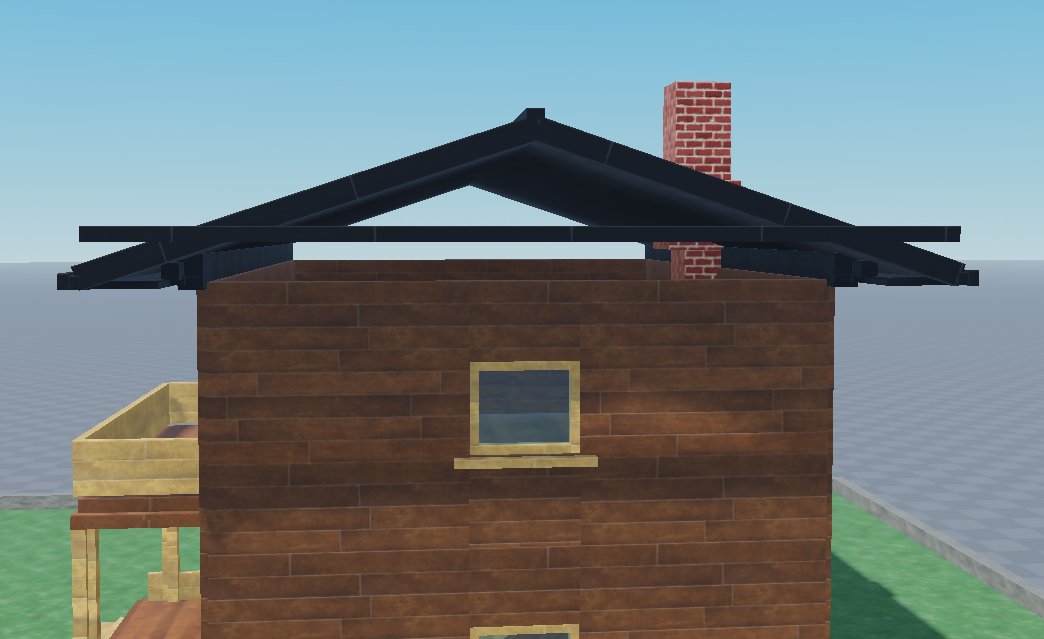
These are cropped Roblox viewport frames from real iterations. Desktop chrome, chats, usernames, paths, tokens, and unrelated files are excluded.
| V1 first pass | V4 exterior pass |
|---|---|
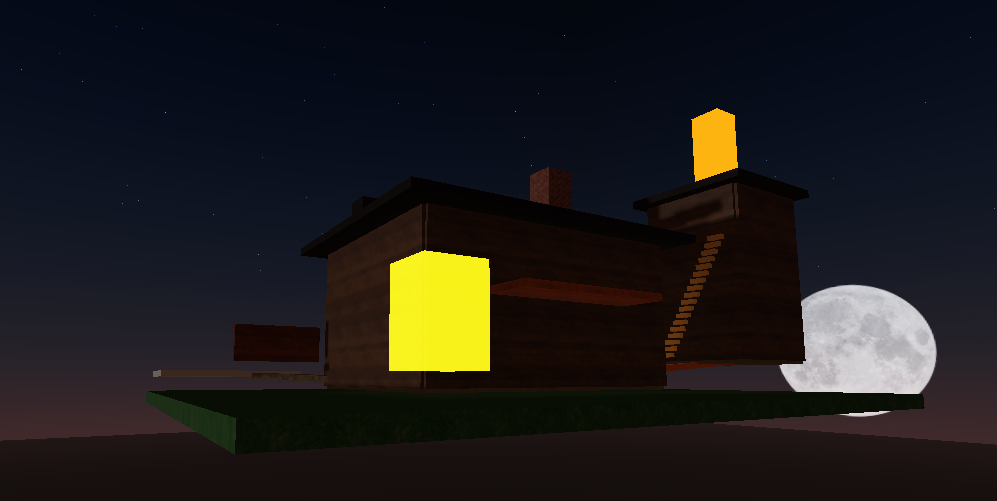 |
|
| V4 balcony | V4 window and chimney |
|---|---|
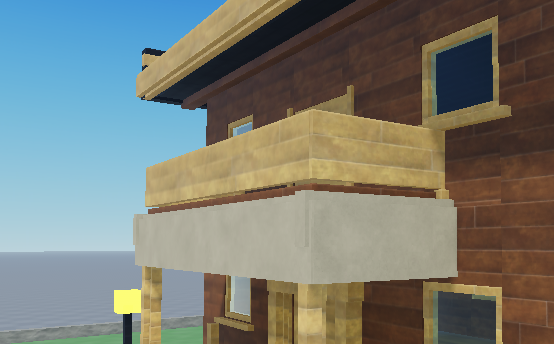 |
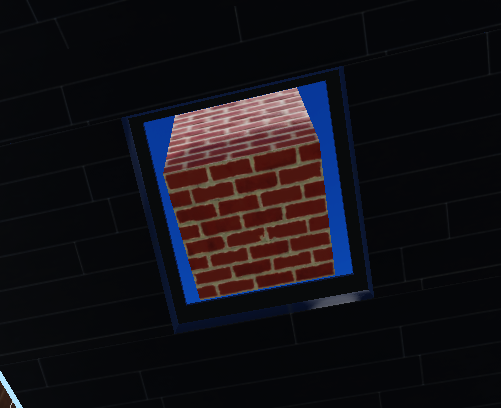 |
Safety
- The HTTP bridge binds to loopback only; the Studio plugin rejects non-loopback hosts.
- Every plugin endpoint except minimal health status requires the shared token.
- Poll credentials are sent in a POST body, not a URL.
- Dangerous Luau execution is disabled by default and filtered again in Studio.
- Deletes require
DELETE_MAP_DRAFTSand remain limited to managed build roots. - External asset IDs require an explicit allowlist.
- Command logs redact tokens, source, code, cookies, passwords, and confirmation values.
- Studio changes use
ChangeHistoryServicerecording with a waypoint fallback.
See docs/safety.md for the full boundary.
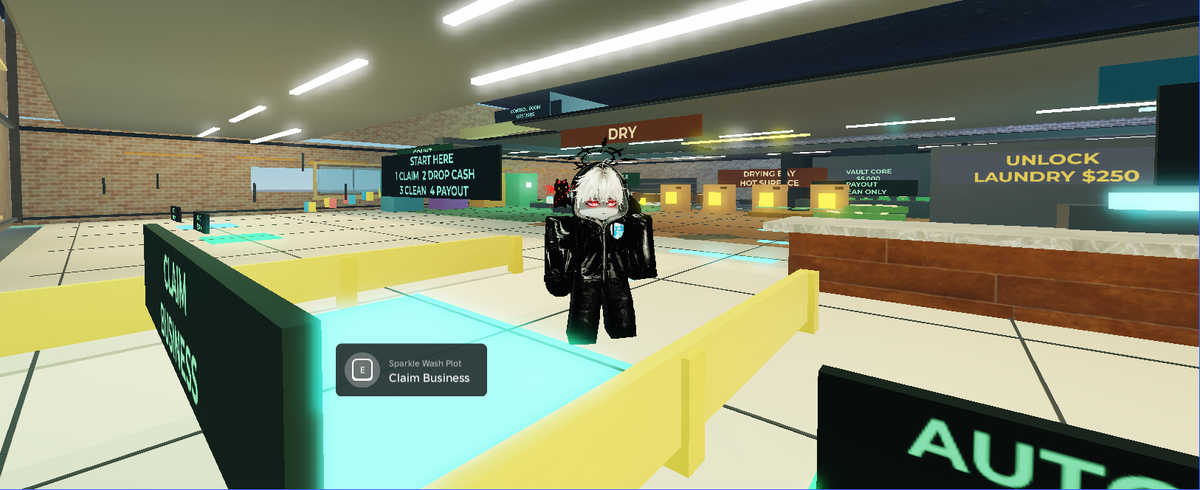
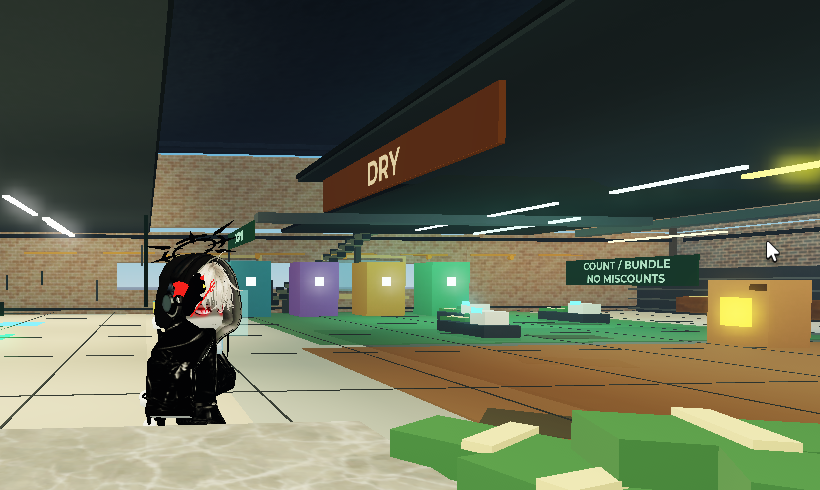
Final result
The same workflow can move from an early blockout to a connected, interactive Roblox place, then keep repairing it from validation and playtest feedback:
| Latest playtest | Latest station detail |
|---|---|
 |
 |
Development
npm install
npm run check
npm run validate:skill
npm run build:plugin
Pull requests receive automatic reviews from CodeRabbit, Qodo, and Sourcery. GitHub CodeQL scans JavaScript and TypeScript changes, while Dependabot opens grouped weekly dependency updates and immediate security-fix PRs. Automated suggestions still need to be verified against the tests and the Roblox Studio safety boundaries.
More detail: Contributing, Protocol, Safety, Troubleshooting, and Changelog.
Установка Roblox Studio
У этого сервера нет опубликованного пакета — он собирается из исходников. Открой репозиторий и следуй инструкции в README.
▸ github.com/ShiroKSH/skillsFAQ
Roblox Studio MCP бесплатный?
Да, Roblox Studio MCP бесплатный — установка в пару кликов через Unyly без оплаты.
Нужен ли API-ключ для Roblox Studio?
Нет, Roblox Studio работает без API-ключей и переменных окружения.
Roblox Studio — hosted или self-hosted?
Self-hosted: сервер запускается локально на твоей машине командой из раздела установки.
Как установить Roblox Studio в Claude Desktop, Claude Code или Cursor?
Открой Roblox Studio на unyly.org, выбери вкладку своего клиента (Claude Desktop, Claude Code, Cursor) и нажми Install — конфиг сгенерируется автоматически, без правки JSON.
Похожие MCP
GitHub
PRs, issues, code search, CI status
 автор: GitHub
Filesystem
Secure file operations with configurable access controls.
Memory
Knowledge graph-based persistent memory system.
Template MCP Server
A CLI tool to create a new Model Context Protocol server project with TypeScript support, dual transport options, and an extensible structure
 автор: mcpdotdirect
Compare Roblox Studio with
Не уверен что выбрать?
Найди свой стек за 60 секунд
Автор?
Embed-бейдж для README
Похожее
Все в категории development