
SEO Analytics
БесплатноНе проверенAn MCP server that integrates Google Search Console and Google Analytics 4 to provide unified SEO and web traffic analysis. It allows users to fetch search perf

Описание
An MCP server that integrates Google Search Console and Google Analytics 4 to provide unified SEO and web traffic analysis. It allows users to fetch search performance data, merge page metrics, and generate automated trend reports or actionable insights through tool calls.
README
MCP server for Google Search Console (GSC) + Google Analytics 4 (GA4).
How It Works
What .venv Means
.venvis this project's private Python environment.- It contains its own Python interpreter and dependencies for this repo only.
run-local.shactivates.venvso the MCP server runs with the correct package versions.
What stdio Means
stdiomeans the MCP client and server communicate through standard input/output streams.- The client starts
run-local.sh, sends tool requests in, and reads JSON responses out. - No web server or HTTP endpoint is required for the default local setup.
- Your MCP client (Claude/Codex) launches
run-local.shas a stdio server process. run-local.shprepares.venv, installs dependencies, loadsconfig/.env, and validatesconfig/service-account.json.- The Python server (
seo-analytics-mcp) receives tool calls, fetches data from GSC/GA4 using the service account, and computes merged analysis outputs. - Results are returned to the MCP client as structured JSON.
Deployment Model
- This project is deployed as a local process on your machine via stdio.
- It is not an HTTP API service by default and does not require cloud hosting.
- To "deploy" it for another environment, clone the repo there, provide
config/.envandconfig/service-account.json, then register that machine'srun-local.shpath in the MCP client.
Prerequisites
- Python 3.11+
Quick Start
- Create local config files from templates:
cp config/.env.example config/.env
cp config/service-account.example.json config/service-account.json
- Fill required values:
config/.envDEFAULT_GSC_SITE_URL(required format:sc-domain:example.com)DEFAULT_GA4_PROPERTY_ID
config/service-account.json- Replace all
REPLACE_WITH_...fields with real Google service-account values.
- Replace all
- Run the server:
./run-local.sh
The script creates/uses .venv, installs dependencies, loads config/.env, validates credentials, and starts seo-analytics-mcp over stdio.
MCP Client Setup
Use the local launcher script as the MCP server command:
/absolute/path/to/analytics/run-local.sh
Codex App
Add server:
codex mcp add seo-analytics -- /absolute/path/to/analytics/run-local.sh
Verify:
codex mcp list
Remove:
codex mcp remove seo-analytics
Claude Code CLI
Add server:
claude mcp add -s project seo-analytics -- /absolute/path/to/analytics/run-local.sh
Verify:
claude mcp list
Remove:
claude mcp remove seo-analytics
Claude Desktop App (macOS)
- Quit Claude Desktop completely.
- Edit
~/Library/Application Support/Claude/claude_desktop_config.json. - Add this server entry (merge into existing
mcpServersif present):
{
  "mcpServers": {
    "seo-analytics": {
      "type": "stdio",
      "command": "/absolute/path/to/analytics/run-local.sh",
      "args": []
    }
  }
}
- Start Claude Desktop again.
- In a new chat, run tool
capabilitiesto confirm connection.
Main Tools
capabilitiesgsc_list_sitesgsc_top_pagesgsc_top_queriesga4_landing_pagesanalytics_merge_page_metricsanalytics_generate_action_itemsanalytics_trend_reportanalytics_data_quality_report
Screenshots
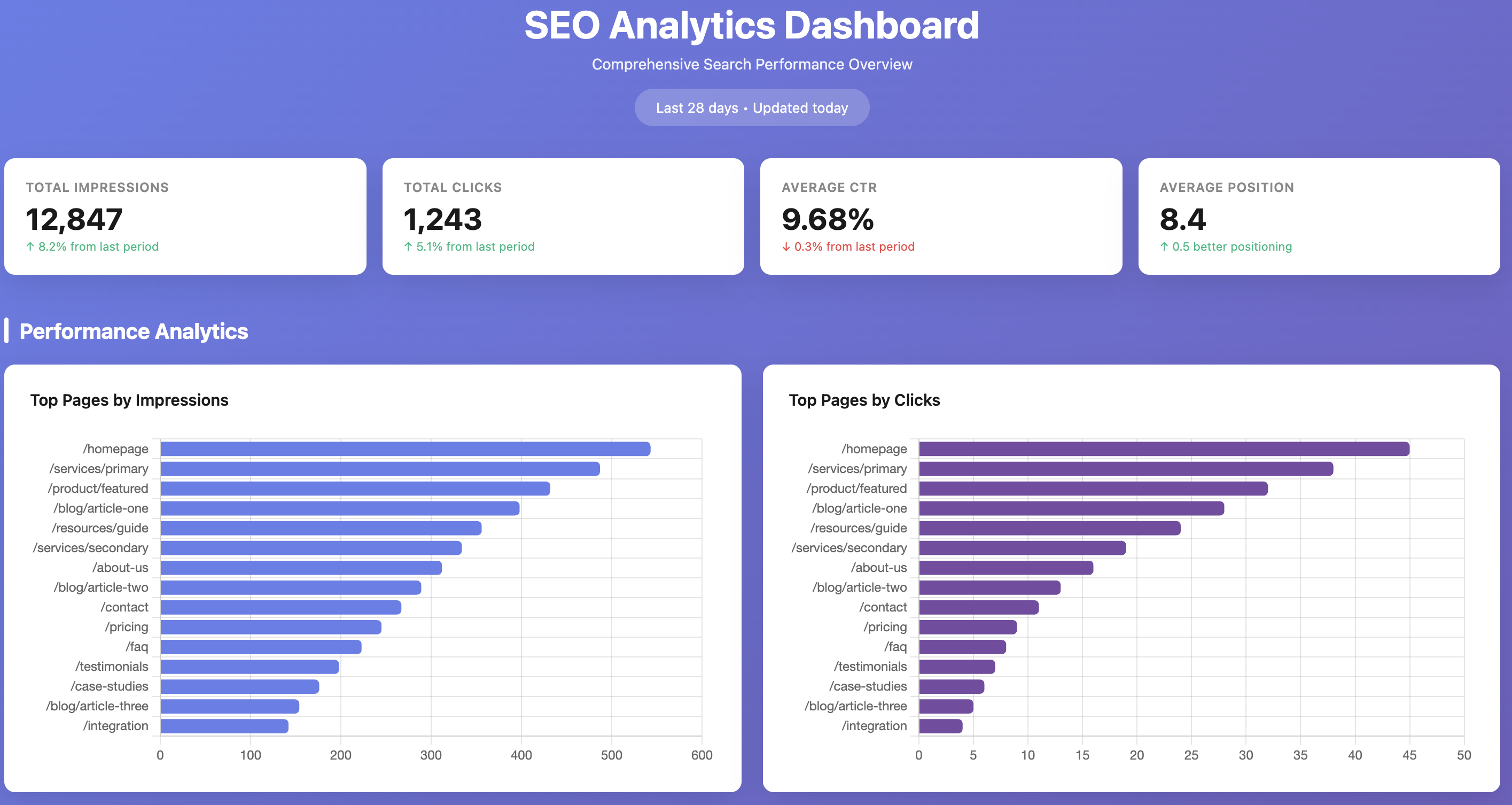
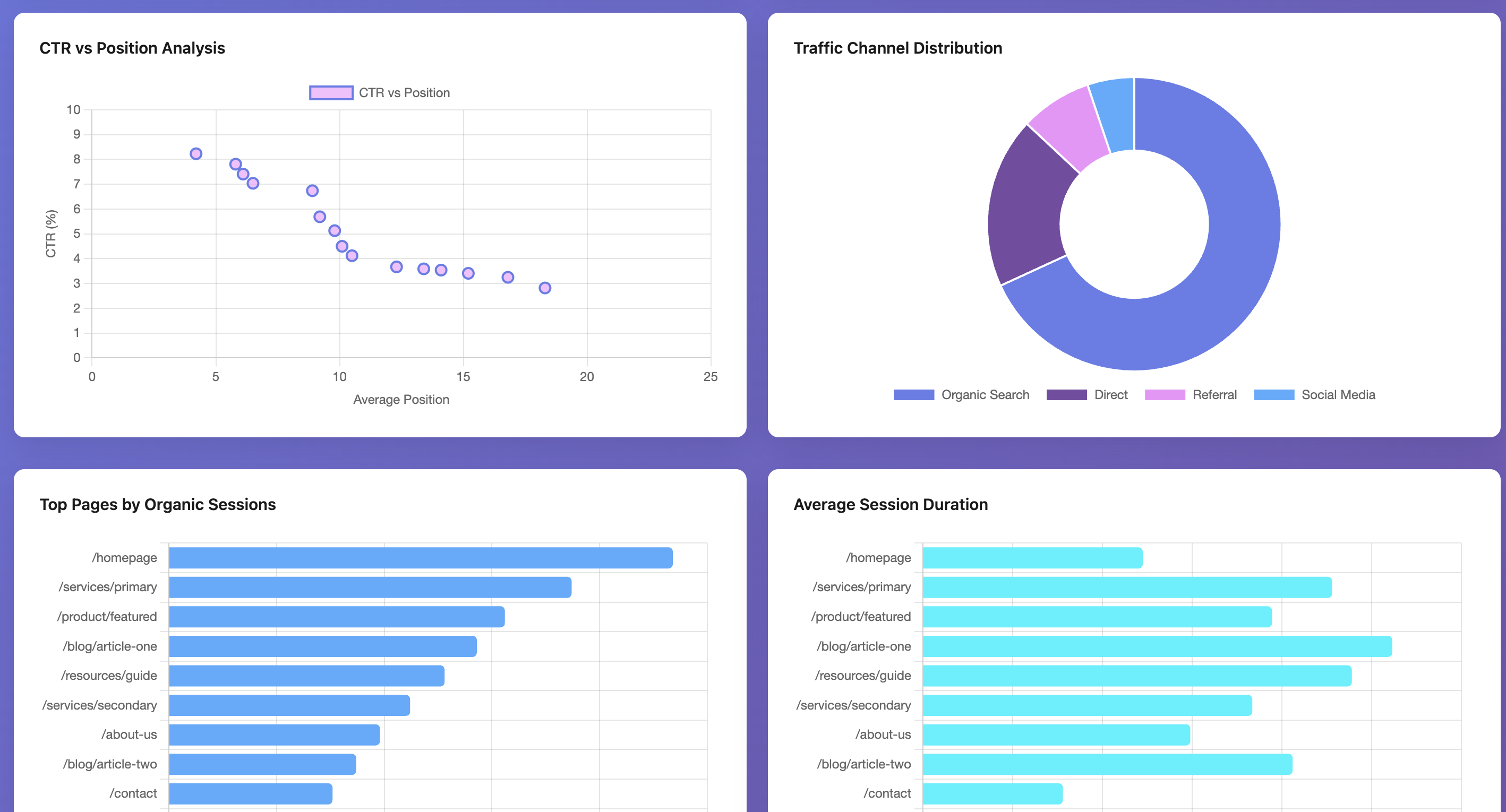
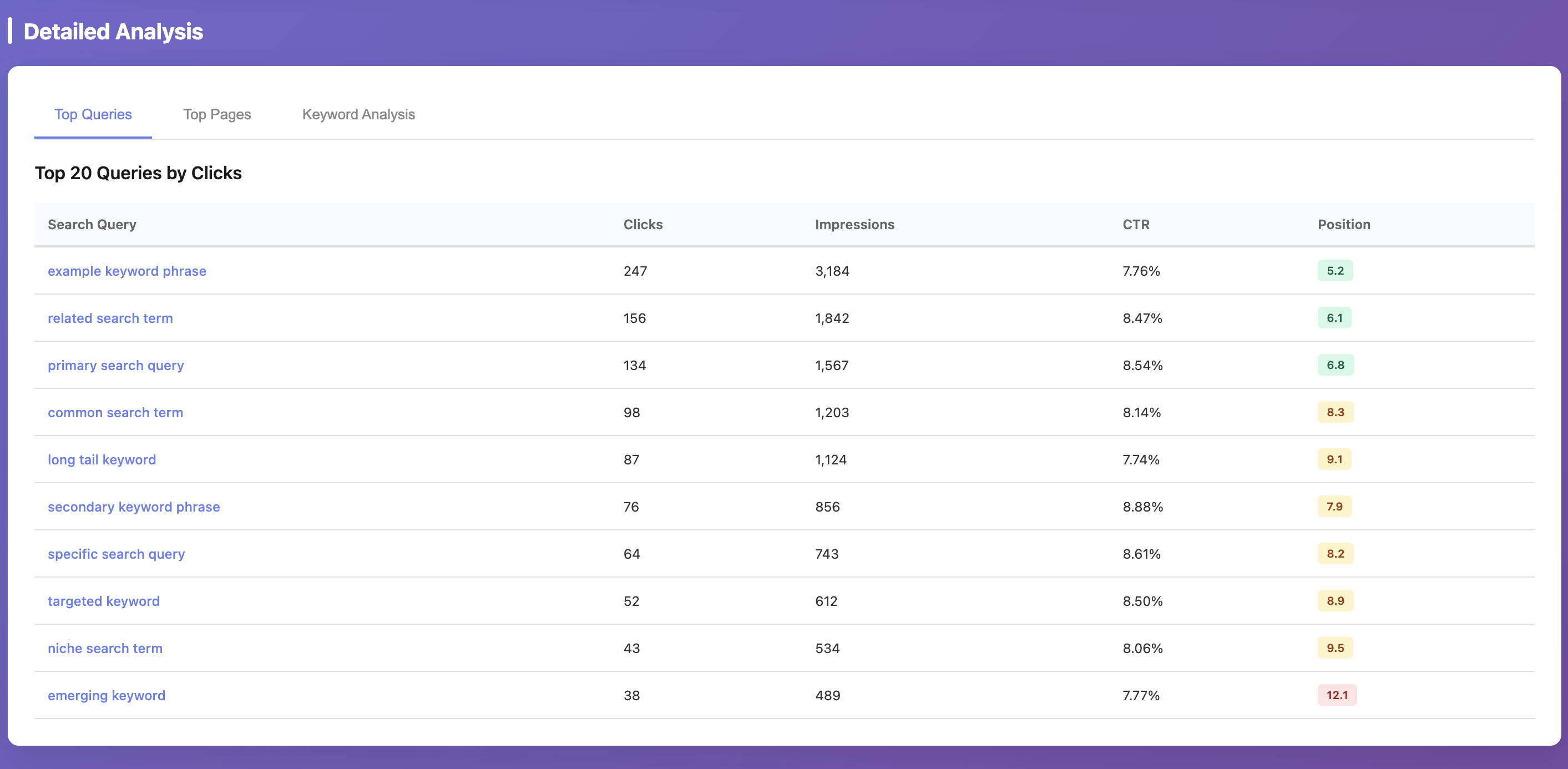
These screenshots are example outputs produced by using Claude Code with this MCP server. The MCP provides the underlying GSC/GA4 data and analytics tools; dashboard rendering is not generated by default by the server itself. For privacy reasons, values shown in the screenshots are randomized; the actual workflow was executed against real data.
Troubleshooting
service-account.json still contains placeholder values- Replace all
REPLACE_WITH_...fields inconfig/service-account.json.
- Replace all
No such file or directory: .../credentials/service-account.json- You have a stale credential env override from an older setup.
- Re-add the MCP server so it runs the latest
run-local.shand usesconfig/service-account.json.
Operation not permittedwhen Claude Desktop starts MCP- macOS is blocking execution from protected folders (commonly
~/Documents). - Either grant Claude Desktop access in
System Settings -> Privacy & Security(Files and Foldersand/orFull Disk Access) or move the repo to a non-protected path like~/dev/analytics. - After changing permissions/path, restart Claude Desktop and re-add the MCP entry if needed.
- macOS is blocking execution from protected folders (commonly
Missing property_id and DEFAULT_GA4_PROPERTY_ID is not set- Set
DEFAULT_GA4_PROPERTY_IDinconfig/.env.
- Set
Missing site_url...- Set
DEFAULT_GSC_SITE_URLinconfig/.env.
- Set
- GSC permission error on
https://...property- This server enforces GSC properties in
sc-domain:<domain>format to avoid URL-prefix mismatch issues. - Use a Domain property in Search Console and grant your service account access there.
- This server enforces GSC properties in
Security
- Never commit
config/service-account.jsonorconfig/.env. - Commit only template files:
config/service-account.example.jsonconfig/.env.example
Установить SEO Analytics в Claude Desktop, Claude Code, Cursor
unyly install seo-analytics-mcpСтавит в Claude Desktop, Claude Code, Cursor и VS Code — сам разбирается с npx, uvx и сборкой из исходников.
Впервые? Поставь CLI: curl -fsSL https://unyly.org/install | sh
Или настроить вручную
Выполни в терминале:
claude mcp add seo-analytics-mcp -- uvx --from git+https://github.com/jafforgehq/google-analytics-mcp seo-analytics-mcpПошаговые гайды: как установить SEO Analytics
FAQ
SEO Analytics MCP бесплатный?
Да, SEO Analytics MCP бесплатный — установка в пару кликов через Unyly без оплаты.
Нужен ли API-ключ для SEO Analytics?
Нет, SEO Analytics работает без API-ключей и переменных окружения.
SEO Analytics — hosted или self-hosted?
Self-hosted: сервер запускается локально на твоей машине командой из раздела установки.
Как установить SEO Analytics в Claude Desktop, Claude Code или Cursor?
Открой SEO Analytics на unyly.org, выбери вкладку своего клиента (Claude Desktop, Claude Code, Cursor) и нажми Install — конфиг сгенерируется автоматически, без правки JSON.
Похожие MCP
GitHub
PRs, issues, code search, CI status
 автор: GitHub
Filesystem
Secure file operations with configurable access controls.
Memory
Knowledge graph-based persistent memory system.
Template MCP Server
A CLI tool to create a new Model Context Protocol server project with TypeScript support, dual transport options, and an extensible structure
 автор: mcpdotdirect
Compare SEO Analytics with
Не уверен что выбрать?
Найди свой стек за 60 секунд
Автор?
Embed-бейдж для README
Похожее
Все в категории development