
Serve Mcp
БесплатноНе проверенLocal MCP-controlled artifact shelf: agents publish HTML, Markdown, folders and files; humans get nice preview URLs.

Описание
Local MCP-controlled artifact shelf: agents publish HTML, Markdown, folders and files; humans get nice preview URLs.
README
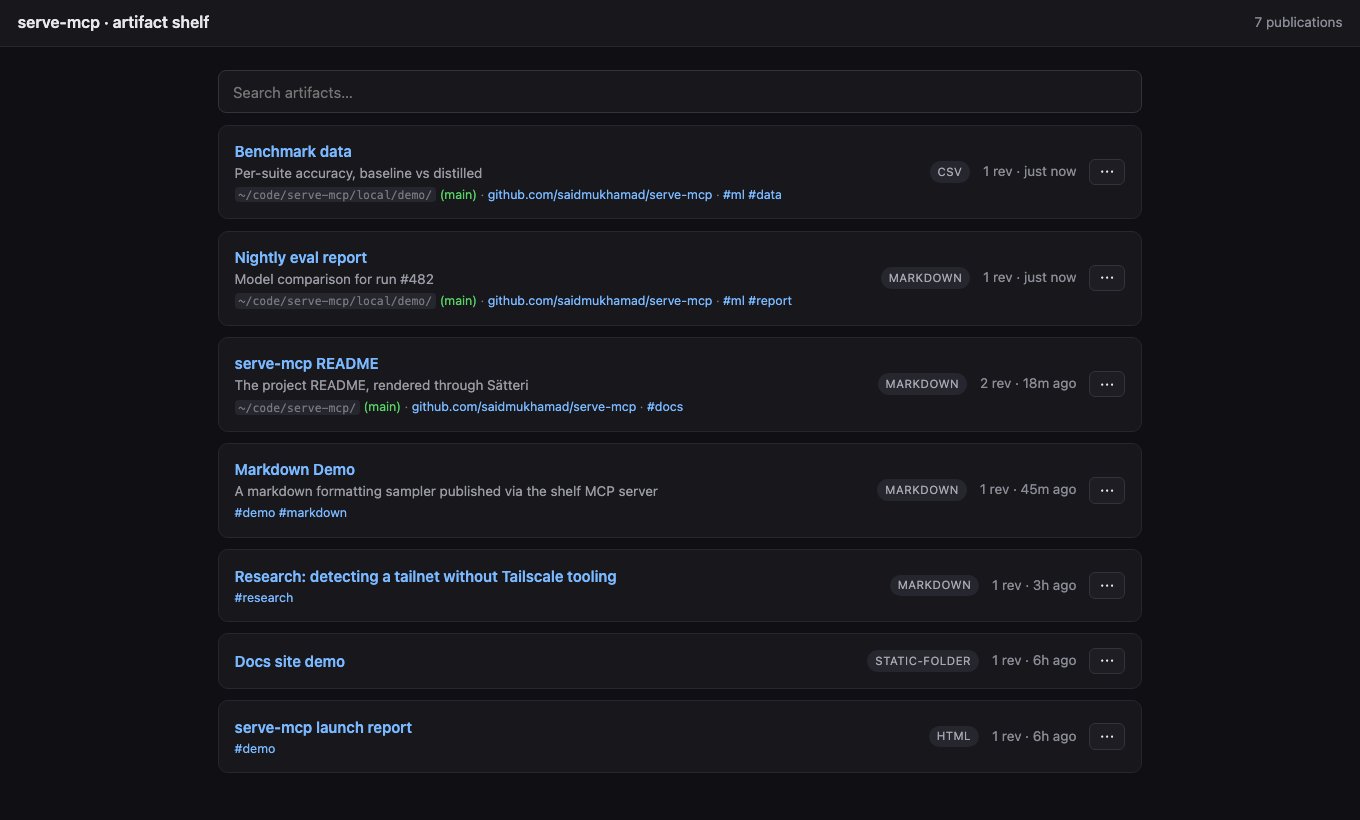
A local, MCP-controlled artifact shelf. Your AI agents publish the HTML, Markdown, folders, CSV, and JSON they generate; you get stable, safely-rendered browser URLs to look at them. Built for a machine running several agents at once: each agent gets its own MCP process, and they all publish to one shared shelf.
Quickstart
npm install -g @saidmukhamad/serve-mcp
Add it to whatever agents you run — they all publish into the same shelf (the first process starts the HTTP server, the rest find it):
# Claude Code
claude mcp add serve-mcp -- npx -y @saidmukhamad/serve-mcp mcp

# Codex
codex mcp add serve-mcp -- npx -y @saidmukhamad/serve-mcp mcp

# Gemini CLI
gemini mcp add serve-mcp npx -y @saidmukhamad/serve-mcp mcp
Anything else that speaks MCP (Cursor, Windsurf, ...) — the usual mcpServers block:
{
  "mcpServers": {
    "serve-mcp": { "command": "npx", "args": ["-y", "@saidmukhamad/serve-mcp", "mcp"] }
  }
}
That's it. Ask any agent to publish something and open the URL it returns — one gallery for everything, whoever made it.
The permanent setup
One always-on server that every agent and human on the machine works against:
serve-mcp config host 0.0.0.0    # reachable over your tailnet/LAN (skip for localhost-only)
serve-mcp config port 7331       # fixed port, stable URLs
serve-mcp service install        # launchd / systemd --user / Task Scheduler
loginctl enable-linger $USER     # Linux only: keep it alive after you log out
Without this the shelf still works — it just lives and dies with your MCP sessions (details in Lifecycle).
Proactive publishing
The server's MCP instructions already tell agents to publish viewable output on their own. For the strongest nudge in Claude Code, install the bundled skill — it auto-triggers whenever the agent produces something viewable:
mkdir -p ~/.claude/skills/publish-artifact
curl -fsSL https://raw.githubusercontent.com/saidmukhamad/serve-mcp/main/skills/publish-artifact/SKILL.md \
  -o ~/.claude/skills/publish-artifact/SKILL.md
How it works
MCP = control plane        (artifact_publish, artifact_list, resources)
HTTP = human preview plane (gallery, /p/:slug, sandboxed previews)
Registry = SQLite          (stable publications -> revisions)
Store = live | snapshot    (path/folder serve live by default; live:false freezes a copy)
The tools
artifact_publish
{
  "source": { "type": "path", "path": "./report.md" },   // or content / folder
  "title": "Training run explanation",
  "slug": "training-run-explanation",                     // stable /p/<slug>; generated if omitted
  "updateExisting": true,                                 // add a revision; false = conflict on an existing slug
  "live": true,                                           // default for path/folder: edits show on refresh; false = frozen snapshot
  "tags": ["ml", "report"],
  "renderer": { "options": { "allowScripts": false } }    // optional: disable scripts for this artifact
}
Returns the preview URL, a raw URL, an MCP resource_link, and structured artifact/publication objects. Publications are stable slots; every publish is an immutable revision at /p/:slug/r/:artifactId.
artifact_list
Filter by query, tags, kind; paginate with cursor; order by createdAt | updatedAt | title.
artifact_delete
Remove a publication by slug — all revisions and stored files go with it. Irreversible.
Resources
Only registry://publications (JSON list of everything on the shelf) appears in resources/list, so host UIs stay clean no matter how many publications exist. Two more resolve when read directly (tool results link to them): publication://<slug> (compact JSON) and artifact://<id> (raw source of a revision).
Multi-agent port discovery
N agents, one shelf, no coordination. The first serve-mcp to start binds a port (--port/SERVE_MCP_PORT, else ephemeral) and records its reachable URL in <dataDir>/server.json; every other serve-mcp process — agents, the CLI — finds that record, checks the pid is alive, and publishes into the running shelf instead of starting its own.
Rendering & safety
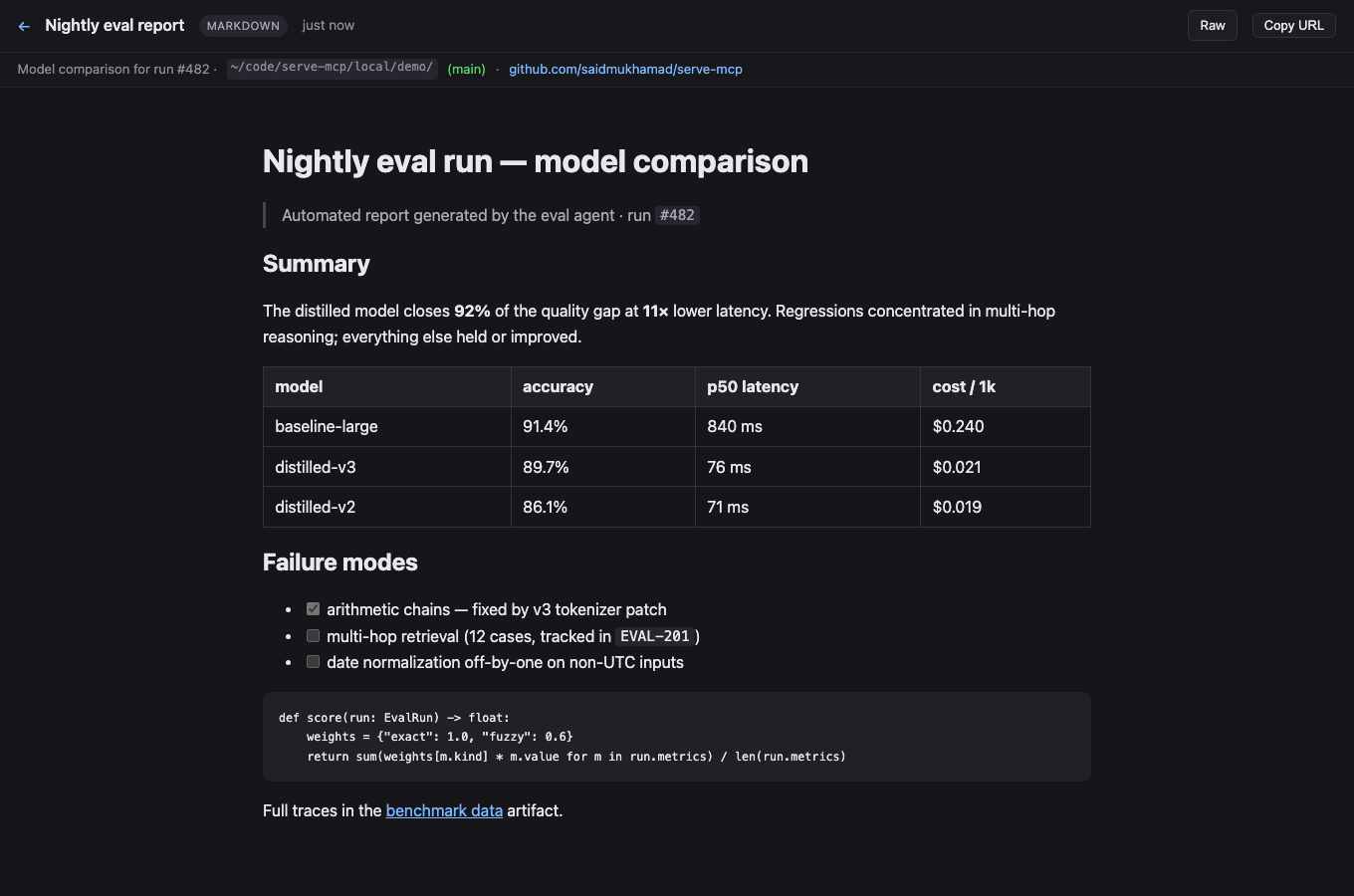
Path and folder sources serve live by default — the shelf reads straight from the source on every request, so edits show on refresh (and the page breaks if the source moves). Publish with live: false (CLI: --snapshot) to freeze an immutable copy into the store (~/.local/share/serve-mcp) instead; inline content sources are always stored. Markdown/MDX renders through Sätteri (GFM, frontmatter, live mermaid diagrams); JSON pretty-prints; CSV becomes a table; folders serve as static sites.
HTML files and static folders run inline and same-shelf JavaScript by default inside a sandboxed iframe (without allow-same-origin). Set stripScripts to true to block scripts server-wide with CSP plus the iframe sandbox, or publish one artifact with renderer.options.allowScripts: false. Markdown and the other rendered formats stay script-blocked; Mermaid uses nonce-gated scripts.
The server binds 127.0.0.1 unless you opt into 0.0.0.0, and there is no auth — only expose it to networks you trust (a Tailscale tailnet qualifies; the open internet does not). Restrict path publishing with SERVE_MCP_ALLOWED_ROOTS=/path/a:/path/b.
Folder navigation
Folders behave like a classic file server: each directory serves its own index.html / index.md / README.md (or pass entrypoint), dir redirects to dir/ so relative and ../ links resolve, and directories without an index get a browsable listing with a ../ entry. In-folder Markdown/CSV/JSON render on the fly, and any file is downloadable with ?raw.
Provenance capture
Every publish records where it came from — source directory plus git branch, remote, and commit — read straight from .git files (no git subprocess, works even without git installed). This shows on the gallery cards and the preview subbar.
HTTP routes
GET    /                         gallery (search, pinned, recent)
GET    /p/:slug                  latest revision, rendered
GET    /p/:slug/r/:artifactId    a specific revision
GET    /raw/:artifactId          original source
GET    /meta/:artifactId         artifact metadata JSON
GET    /api/publications         JSON list (query, cursor, limit)
DELETE /api/publications/:slug   remove a publication and all its revisions
Lifecycle: who keeps the shelf alive
A shelf runs in one of three modes:
- Session-managed (default) — the first MCP session on the machine becomes the shelf as a side effect and it lives as long as that session; the next session takes over. Zero setup, but the shelf has gaps when no session is open, and the URL changes unless you set a fixed port.
- Foreground —
serve-mcp servein a terminal. Ctrl-C kills it, nothing respawns it. - Service-managed (recommended) — the OS supervises it: starts at login, restarts on crash, independent of any session or terminal.
serve-mcp shows which one is running; serve-mcp restart (alias apply) restarts it — through the supervisor when the service is installed, by pid otherwise. The service mode is the permanent setup from the top. Manage it with serve-mcp service start|stop|restart|status|logs|uninstall. Everything is user-level — no root/admin:
- macOS — launchd agent (
io.github.saidmukhamad.serve-mcpin~/Library/LaunchAgents), KeepAlive supervision, logs in<dataDir>/serve.log. - Linux — systemd user unit,
Restart=on-failure, logs in the journal. To survive logout:loginctl enable-linger $USER. On WSL, systemd user services are often unavailable — runserve-mcp servein tmux instead. - Windows — Task Scheduler task registered from XML (no admin): starts hidden at logon via
wscript, restarts on failure, logs in<dataDir>\serve.log.
The service pins the current runtime and package paths (shown on install) — re-run service install after upgrading either.
Tailscale / LAN access
To reach the shelf from other machines, set host to 0.0.0.0 (the permanent setup above does this). Advertised URLs then pick the best reachable name automatically: MagicDNS name (learned via reverse DNS through Quad100 and verified with the system resolver, so it's only used when peers can actually resolve it) → Tailscale IP (100.64.0.0/10) → first LAN address. Tailnet detection needs no Tailscale tooling — it keys off the interface's CGNAT address and Tailscale's ULA prefix.
CLI
serve-mcp ./report.md                            # publish anything, get its URL
serve-mcp .                                      # serve this directory, live
serve-mcp                                        # status: running shelf + what's on it
serve-mcp config host 0.0.0.0                    # set config (host, port, baseUrl)
serve-mcp serve                                  # HTTP shelf only
serve-mcp publish ./report.md --title "Report"   # the longhand, with options
serve-mcp list                                   # (also discovers a running shelf)
Config
serve-mcp config shows it, serve-mcp config <key> <value> sets it (empty value unsets). Stored in <dataDir>/config.json (default ~/.local/share/serve-mcp/config.json), everything optional:
{
  "host": "0.0.0.0",
  "port": 7331,
  "baseUrl": "http://my-machine.tailnet.ts.net:7331",
  "allowedRoots": ["~/projects", "/srv/artifacts"],
  "stripScripts": false
}
host— bind host, default127.0.0.1port— fixed port; omit for an ephemeral port + discovery viaserver.jsonbaseUrl— advertised-URL override (e.g. a MagicDNS name)allowedRoots— restrict wherepath/folderpublishing may read from (default: anywhere readable)stripScripts— block JavaScript in HTML and static-folder previews, defaultfalse
Env vars (SERVE_MCP_HOST, SERVE_MCP_PORT, SERVE_MCP_BASE_URL, SERVE_MCP_DATA_DIR, SERVE_MCP_ALLOWED_ROOTS, SERVE_MCP_STRIP_SCRIPTS) override the file; --host/--port flags override both.
Development
npm install
npm test          # typecheck + node:test — core, http, mcp round-trip
npm start         # HTTP server
npm run build     # tsc -> dist/
Written in TypeScript; dev and tests run .ts directly via Node's native type stripping. The published package runs on Node ≥ 22.5 (built-in node:sqlite); developing needs Node ≥ 22.18 (type stripping).
Changes live in CHANGELOG.md; bleeding edge installs with @dev instead of @latest.
MIT.
Установить Serve Mcp в Claude Desktop, Claude Code, Cursor
unyly install serve-mcpСтавит в Claude Desktop, Claude Code, Cursor и VS Code — сам разбирается с npx, uvx и сборкой из исходников.
Впервые? Поставь CLI: curl -fsSL https://unyly.org/install | sh
Или настроить вручную
Выполни в терминале:
claude mcp add serve-mcp -- npx -y @saidmukhamad/serve-mcpFAQ
Serve Mcp MCP бесплатный?
Да, Serve Mcp MCP бесплатный — установка в пару кликов через Unyly без оплаты.
Нужен ли API-ключ для Serve Mcp?
Нет, Serve Mcp работает без API-ключей и переменных окружения.
Serve Mcp — hosted или self-hosted?
Self-hosted: сервер запускается локально на твоей машине командой из раздела установки.
Как установить Serve Mcp в Claude Desktop, Claude Code или Cursor?
Открой Serve Mcp на unyly.org, выбери вкладку своего клиента (Claude Desktop, Claude Code, Cursor) и нажми Install — конфиг сгенерируется автоматически, без правки JSON.
Похожие MCP
GitHub
PRs, issues, code search, CI status
 автор: GitHub
Filesystem
Secure file operations with configurable access controls.
Memory
Knowledge graph-based persistent memory system.
Template MCP Server
A CLI tool to create a new Model Context Protocol server project with TypeScript support, dual transport options, and an extensible structure
 автор: mcpdotdirect
Compare Serve Mcp with
Не уверен что выбрать?
Найди свой стек за 60 секунд
Автор?
Embed-бейдж для README
Похожее
Все в категории development