
Shoddy Fettler
БесплатноНе проверенBounded file, search and edit tools for an AI assistant — CLI and MCP

Описание
Bounded file, search and edit tools for an AI assistant — CLI and MCP
README
File, search and edit tools for a model and a script. One program, two front ends, and no shell between it and the file.
An assistant given Fettler cannot go wandering. Every path it touches must sit inside a tree — a folder you named ahead of time. Outside those trees everything is refused: writing, reading, listing, even learning that a file exists. There is no current directory to change, no path can climb out of a tree, and there is no shell to sneak past it with. So it cannot wander into a sibling project, an old copy, or your home directory, read the wrong thing, and then answer from it with complete confidence.
And nothing it does changes how you work. Your shell, your file explorer, your editor and your git stay exactly as they were.
| One file to install | Self-contained and single-file, per OS. The target machine needs no .NET and no checkout. |
| Two front ends, one program | fettle serve speaks MCP to an assistant; fettle read src/A.cs answers a script. Same operations, same boundary. |
| Every answer is the next call's argument | search hands back tree:path:line:column; read numbers its lines and states a hash; edit asks for exactly those. Refused edits stop happening. |
| It reads more than source | Notebooks as cells, spreadsheets as rows with their formulas, Word as paragraphs under their headings, PDF as text per page, images as facts — and inside archives without unpacking them. |
| Many calls become one | read takes several paths. search takes several patterns. batch takes a whole sequence, applied all or not at all. |
| A screen you can switch on | Refuses to disclose regulated data out of a scope you name — and refuses rather than serving it unscreened if the screen cannot run. |
Read the docs · Quick start · Installing it · In a project
The project, the lane and the MCP server are Fettler. The thing a
person or a script types is fettle, the imperative — because
fettle move a.txt b.txt reads as an instruction and fettler move
does not. Both spellings are correct and neither is a typo.
The fettled workstation

The disk, and every way off it. The hatched ground is the whole machine, and it is the default; the lit blocks are the entire list, not a summary of it. A repository can be opened at one folder and shut at the next. The files that define the boundary are sealed inside the very tree that grants everything else. And the two exits open from one room only, because that is the single place permitted to run anything at all. Then there is Dropbox — a way off the machine that no task opens and nothing here can close, which is why sealing that folder is not about privacy but about shutting a route that would bypass every other line on the map.

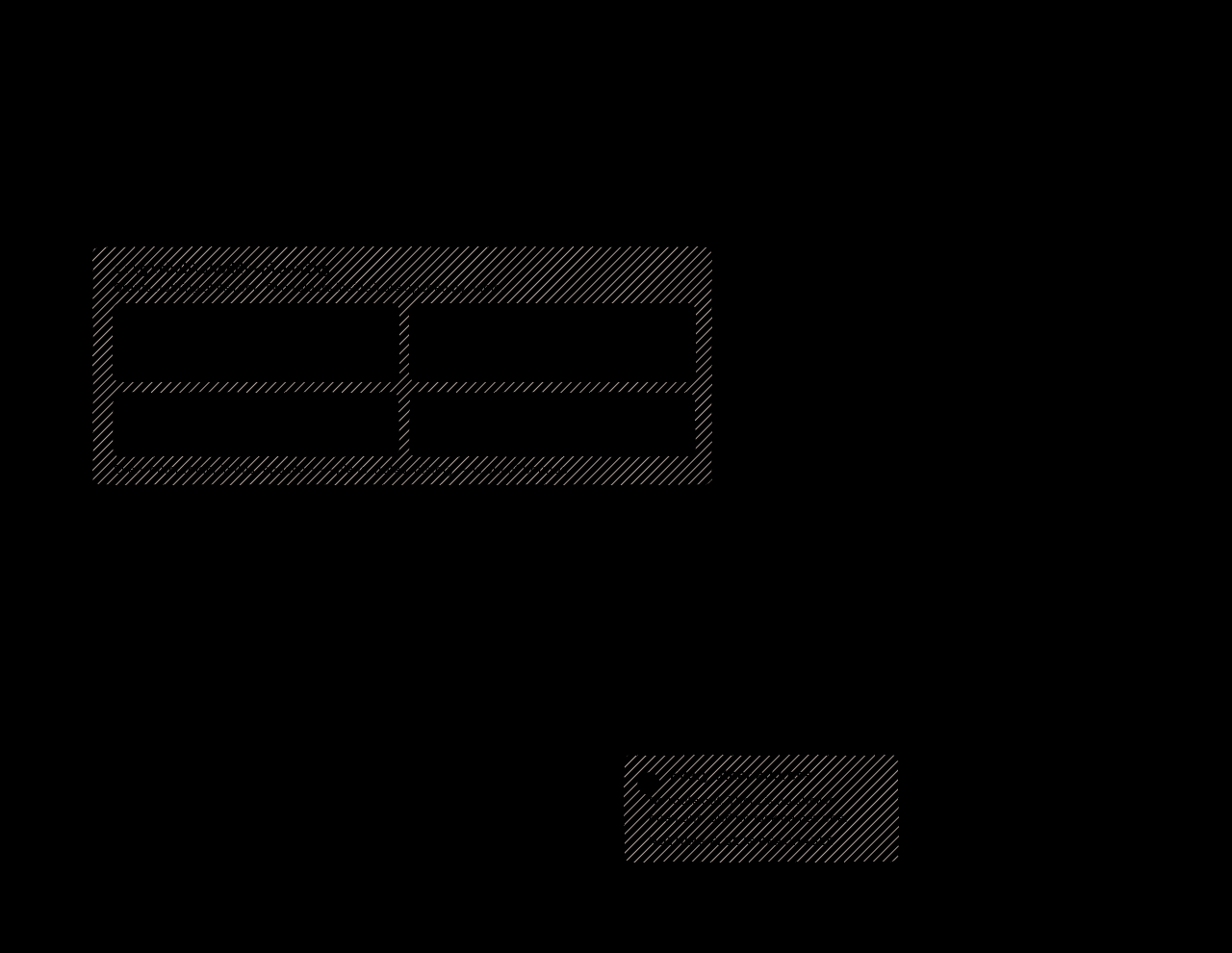

A workstation in fine fettle. The client denies all eleven of its own
built-ins — the six file tools, the three shells, and the two output readers —
so the Fettler server is the only route to disk. Monitor is a shell,
running what it is handed in the same environment Bash does, so denying
Bash and leaving it open would deny the word and not the thing.
BashOutput and TaskOutput are readers: they start nothing and write
nothing, but they hand back the output of work already done, and those bytes
reached the model without passing the tree boundary, the secret scan or the
disclosure screen.
Both diagrams full size, with the reasoning behind every line
What is here
| Project | What it holds |
|---|---|
Fettler/Core |
the operations: containment, text, writes, glob, find, search, edit, file operations, tasks |
Fettler/Cli |
the command-line front end — verbs, exit codes, and both output modes |
Fettler/Mcp |
the MCP front end — stdio JSON-RPC, hand-rolled over System.Text.Json |
fettle |
the executable, and the whole of it is wiring |
burler |
the disclosure screen's model host — a second executable, for the reason below |
Fettler.Tests |
the proof; every item in R10 of the requirements is an assertion here |
burler.Tests |
burler's own proof — its own project, so each side of the pipe asserts the wire independently |
docs/ |
the published site, deployed to Pages from main |
scripts/ |
the verifiers and the sitemap generator — all Node, all read-only bar one |
release-notes/ |
one file per tag; the whole file becomes the release body |
Building and working on it
This repository is set up for Fettler, and builds itself with itself.
.fettler.json declares one tree and the tasks below, so an assistant working
here reaches the build through run and never through a shell. That is the
tool's own argument applied to the tool: run executes only what the
configuration declares, never composes a command line, and needs the tree to
grant execute, which is never a default.
None of that is required to build it. Every task is a script in the root of this repository, and a terminal is a first-class way in. The two routes run the same file with the same arguments — there is no privileged path.
This repository needs nothing built first. Fettler references no project
outside its own tree, so there is no staged binary to publish and nothing to
weave. scripts/fettler-build.ps1 test is the whole suite and it runs in minutes: no gate
harness, no receipt store, and no --resume, because there is nothing long
enough to be worth resuming.
From a terminal
./scripts/fettler-build.ps1               # restore + build (Debug)
./scripts/fettler-build.ps1 test          # Fettler.Tests AND burler.Tests — both, always
./scripts/fettler-build.ps1 check         # the verifiers: twins, permissions, docs, errors
./scripts/fettler-build.ps1 release       # Release build
./scripts/fettler-build.ps1 publish 1.0.0 # self-contained single-file per OS, per program
./scripts/fettler-install.ps1             # install over the fettle on PATH
./scripts/fettler-install.ps1 -Stop       # ...and end the servers still on the old build
fettler-install.ps1 is the one that closes the loop on a change: it publishes a
self-contained fettle for this machine and puts it over whichever one is
already on PATH.
A running copy does not stop it. It never overwrites the file in place —
Windows moves the old one aside and copies into the name it vacates, Unix
renames the new one onto the old — so the write always succeeds and nothing
has to be killed to make room for it. What a running copy does mean is that
it goes on serving the old build until restarted, because a process does not
reload its own image. So -Stop is about effect, not about writing: without
it you are told which pids are still on the old build, with it they are ended
— and only ever after the new file is in place and has answered
--version, so a failed build cannot leave you with nothing that works.
It is not a declared task, deliberately — run through fettle run with
-Stop it would be a child of the very server it is ending, so the kill would
take the task with it before it could report. It refuses when it sees that. It
cannot restart an MCP server either, and does not pretend to: a stdio server
belongs to the client that launched it, so install, then reconnect from the
client.
The git workflow is scripted too, end to end apart from the merge:
./scripts/fettler-branch.ps1 feature NAME              # cut a branch off an up-to-date main
./scripts/fettler-checkin.ps1 -Message "what changed"  # stage and commit; pushes nothing
./scripts/fettler-pr.ps1                               # push and open a pull request
                                               #   <- a person merges it on GitHub
./scripts/fettler-branch.ps1 land                      # return to main, delete the branch
./scripts/fettler-ship.ps1 1.0.0                       # tag and push — CI publishes
Every script has a .sh twin taking the same arguments, flags included, and
fettler-verify-twins.js fails the build if the two drift apart. On Windows run the
.ps1 — it is the half that actually ships there, and the twin that goes
unexercised is the twin that rots.
WORKFLOW.md is that sequence in full.
From an assistant, or any MCP client
The same commands, as declared tasks. From a terminal:
fettle tasks              # what is declared, and what each would actually launch
fettle run test           # run one
From an MCP client the tools are tasks and run, taking the same names. A
task takes no arguments from its caller — name and timeout are the only
inputs, and anything else is refused rather than ignored. A variant is a
second declared task, or a value the configuration declares in braces.
| Task | Runs | Mutates |
|---|---|---|
build |
scripts/fettler-build.ps1 build |
build output |
test |
scripts/fettler-build.ps1 test |
build output |
check |
scripts/fettler-build.ps1 check |
stages an executable bit, if one is wrong |
build-release |
scripts/fettler-build.ps1 release |
build output |
publish |
scripts/fettler-build.ps1 publish {release-version} |
build output |
verify-twins |
scripts/fettler-verify-twins.js |
nothing |
verify-permissions |
scripts/fettler-verify-permissions.js |
stages an executable bit |
verify-docs |
scripts/fettler-verify-docs.js |
nothing |
verify-errors |
scripts/fettler-verify-errors.js |
nothing |
sitemap |
scripts/fettler-make-sitemap.ps1 |
docs/sitemap.xml |
feature |
scripts/fettler-branch.ps1 feature {feature-branch} |
a local branch |
bug |
scripts/fettler-branch.ps1 bug {bug-branch} |
a local branch |
sync |
scripts/fettler-branch.ps1 sync |
your branch |
checkin |
scripts/fettler-checkin.ps1 -Message {checkin-note} |
history, locally |
pr |
scripts/fettler-pr.ps1 |
origin, and opens a pull request |
pr-draft |
scripts/fettler-pr.ps1 -Draft |
as above, as a draft |
land |
scripts/fettler-branch.ps1 land -Yes |
deletes a merged branch |
ship |
scripts/fettler-ship.ps1 {release-version} -Yes |
publishes a release |
No task is named with a bare git word — the committing task is checkin,
not commit — and every script carries the fettler- prefix, so an
assistant's permission layer never mistakes a declared task for the raw git
command it resembles.
The braced names are replacements — values the configuration supplies, so
a branch name or a version never has to be composed into a command line by
whoever is calling. They live in .fettler.local.json, which is gitignored,
so today's branch name stays out of the diff. An undeclared name is refused
and the configuration does not load, which is why that file is required here
rather than optional.
The last five write something you cannot take back. They are declared
because the whole procedure is meant to be reachable, not because they should
be run casually — land under -Yes refuses a branch it cannot confirm was
merged, and ship refuses on anything but a clean main whose CI is green.
Where the rest of it is written down
This file is the shop window. The documentation is the site, and that is the only place any of it is maintained — nothing is repeated here, so nothing here can drift out of step with it.
| You want | Page |
|---|---|
| Installed and turned on, in about five minutes | Quick start |
| What the boundary looks like on a disk, drawn | The workstation |
| Per-machine wiring and client registrations | Install |
| Declaring trees, scopes and tasks | In a project |
| Refusing to disclose regulated data | Screening |
| The models the clinical, legal and scientific tiers need | Screening: the models |
| The boundary in full, every verb, every refusal, every exit code, the threat model | Reference |
| Why any of it is shaped the way it is | the source — the reasoning sits beside the code it explains |
Contributing
CONTRIBUTING.md carries the invariants that must not be
quietly relaxed: no ProjectReference leaving this repository, a
PackageReference only from the allowlist, Fettler.Core naming no protocol
and no exit code, and the version living in the git tag rather than in a file.
RELEASING.md is the release path; WORKFLOW.md
is the sequence.
Licence
MIT, © 2026 Stephen Vincent Foster. fettle bundles PdfPig
(Apache-2.0); every archive carries NOTICE and LICENSE, and
THIRD-PARTY-NOTICES.md is the full statement.
Установка Shoddy Fettler
У этого сервера нет опубликованного пакета — он собирается из исходников. Открой репозиторий и следуй инструкции в README.
▸ github.com/shoddymills/shoddy-fettlerFAQ
Shoddy Fettler MCP бесплатный?
Да, Shoddy Fettler MCP бесплатный — установка в пару кликов через Unyly без оплаты.
Нужен ли API-ключ для Shoddy Fettler?
Нет, Shoddy Fettler работает без API-ключей и переменных окружения.
Shoddy Fettler — hosted или self-hosted?
Self-hosted: сервер запускается локально на твоей машине командой из раздела установки.
Как установить Shoddy Fettler в Claude Desktop, Claude Code или Cursor?
Открой Shoddy Fettler на unyly.org, выбери вкладку своего клиента (Claude Desktop, Claude Code, Cursor) и нажми Install — конфиг сгенерируется автоматически, без правки JSON.
Похожие MCP
GitHub
PRs, issues, code search, CI status
 автор: GitHub
Filesystem
Secure file operations with configurable access controls.
Memory
Knowledge graph-based persistent memory system.
Template MCP Server
A CLI tool to create a new Model Context Protocol server project with TypeScript support, dual transport options, and an extensible structure
 автор: mcpdotdirect
Amap Maps Mcp Server
MCP server for using the AMap Maps API
 автор: duxiaohui
Supabase
Database, auth and storage
 автор: Supabase
Everything
Reference / test server with prompts, resources, and tools.
Git
Tools to read, search, and manipulate Git repositories.
Sequential Thinking
Dynamic and reflective problem-solving through thought sequences.
Time
Time and timezone conversion capabilities.
Compare Shoddy Fettler with
Не уверен что выбрать?
Найди свой стек за 60 секунд
Автор?
Embed-бейдж для README
Похожее
Все в категории development