

Описание
MCP server that provides access to Siri shortcuts
README
This MCP server provides access to Siri shortcuts functionality via the Model Context Protocol (MCP). It allows listing, opening, and running shortcuts from the macOS Shortcuts app.
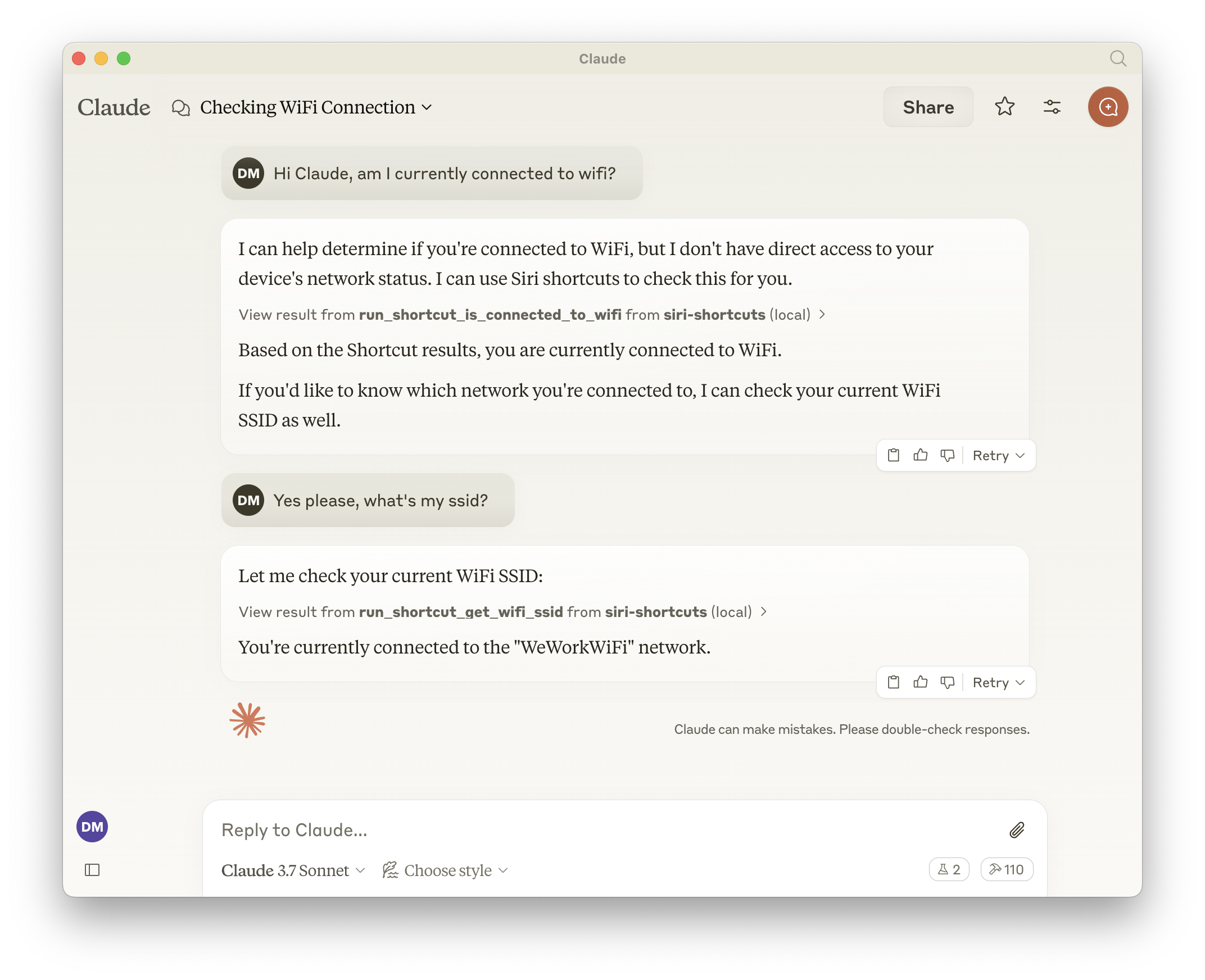
Features
- Exposes all shortcuts, meaning the LLM can call anything that is available in the Shortcuts app.
- List all available shortcuts
- Open shortcuts in the Shortcuts app
- Run shortcuts with optional input parameters
- Dynamically generated tools for each available shortcut
Tools
Base Tools
list_shortcuts- Lists all available Siri shortcuts on the system
- No input required
- Returns: Array of shortcut names
{ "shortcuts": [{ "name": "My Shortcut 1" }, { "name": "My Shortcut 2" }] }open_shortcut- Opens a shortcut in the Shortcuts app
- Input:
name(string): Name of the shortcut to open
run_shortcut- Runs a shortcut with optional input
- Input:
name(string): Name or identifier (UUID) of the shortcut to runinput(string, optional): Text input or filepath to pass to the shortcut
Dynamic Tools
The server automatically generates additional tools for each available shortcut in the format:
- Tool name:
run_shortcut_[sanitized_shortcut_name] - Description: Runs the specific shortcut
- Input:
input(string, optional): Text input or filepath to pass to the shortcut
Configuration
The server supports the following environment variables:
GENERATE_SHORTCUT_TOOLS(default:true): When set tofalse, disables the generation of dynamic shortcut tools. Only the base tools (list_shortcuts,open_shortcut,run_shortcut) will be available.INJECT_SHORTCUT_LIST(default:false): When set totrue, injects the list of available shortcuts into therun_shortcuttool description to help the LLM understand which shortcuts are available.
Usage with Claude
Add to your Claude configuration:
{
  "mcpServers": {
    "siri-shortcuts": {
      "command": "npx",
      "args": ["mcp-server-siri-shortcuts"],
      "env": {
        "GENERATE_SHORTCUT_TOOLS": "true",
        "INJECT_SHORTCUT_LIST": "false"
      }
    }
  }
}
Implementation Details
- Uses the macOS
shortcutsCLI command under the hood - Sanitizes shortcut names for tool naming compatibility
- Supports both direct text input and file-based input
- Returns shortcut output when available
- Implements standard MCP error handling
Установить Siri Shortcuts в Claude Desktop, Claude Code, Cursor
unyly install siri-shortcutsСтавит в Claude Desktop, Claude Code, Cursor и VS Code — сам разбирается с npx, uvx и сборкой из исходников.
Впервые? Поставь CLI: curl -fsSL https://unyly.org/install | sh
Или настроить вручную
Выполни в терминале:
claude mcp add siri-shortcuts -- npx -y mcp-server-siri-shortcutsFAQ
Siri Shortcuts MCP бесплатный?
Да, Siri Shortcuts MCP бесплатный — установка в пару кликов через Unyly без оплаты.
Нужен ли API-ключ для Siri Shortcuts?
Нет, Siri Shortcuts работает без API-ключей и переменных окружения.
Siri Shortcuts — hosted или self-hosted?
Self-hosted: сервер запускается локально на твоей машине командой из раздела установки.
Как установить Siri Shortcuts в Claude Desktop, Claude Code или Cursor?
Открой Siri Shortcuts на unyly.org, выбери вкладку своего клиента (Claude Desktop, Claude Code, Cursor) и нажми Install — конфиг сгенерируется автоматически, без правки JSON.
Похожие MCP
GitHub
PRs, issues, code search, CI status
 автор: GitHub
Filesystem
Secure file operations with configurable access controls.
Memory
Knowledge graph-based persistent memory system.
Template MCP Server
A CLI tool to create a new Model Context Protocol server project with TypeScript support, dual transport options, and an extensible structure
 автор: mcpdotdirect
Compare Siri Shortcuts with
Не уверен что выбрать?
Найди свой стек за 60 секунд
Автор?
Embed-бейдж для README
Похожее
Все в категории development