
Steps
БесплатноНе проверенTask planning and execution MCP server with durable SQLite storage and a browser UI for reviewing plans and following progress.

Описание
Task planning and execution MCP server with durable SQLite storage and a browser UI for reviewing plans and following progress.
README
Steps MCP is an agent-friendly task planning and execution MCP server with durable SQLite storage and a browser UI for reviewing plans and following progress.
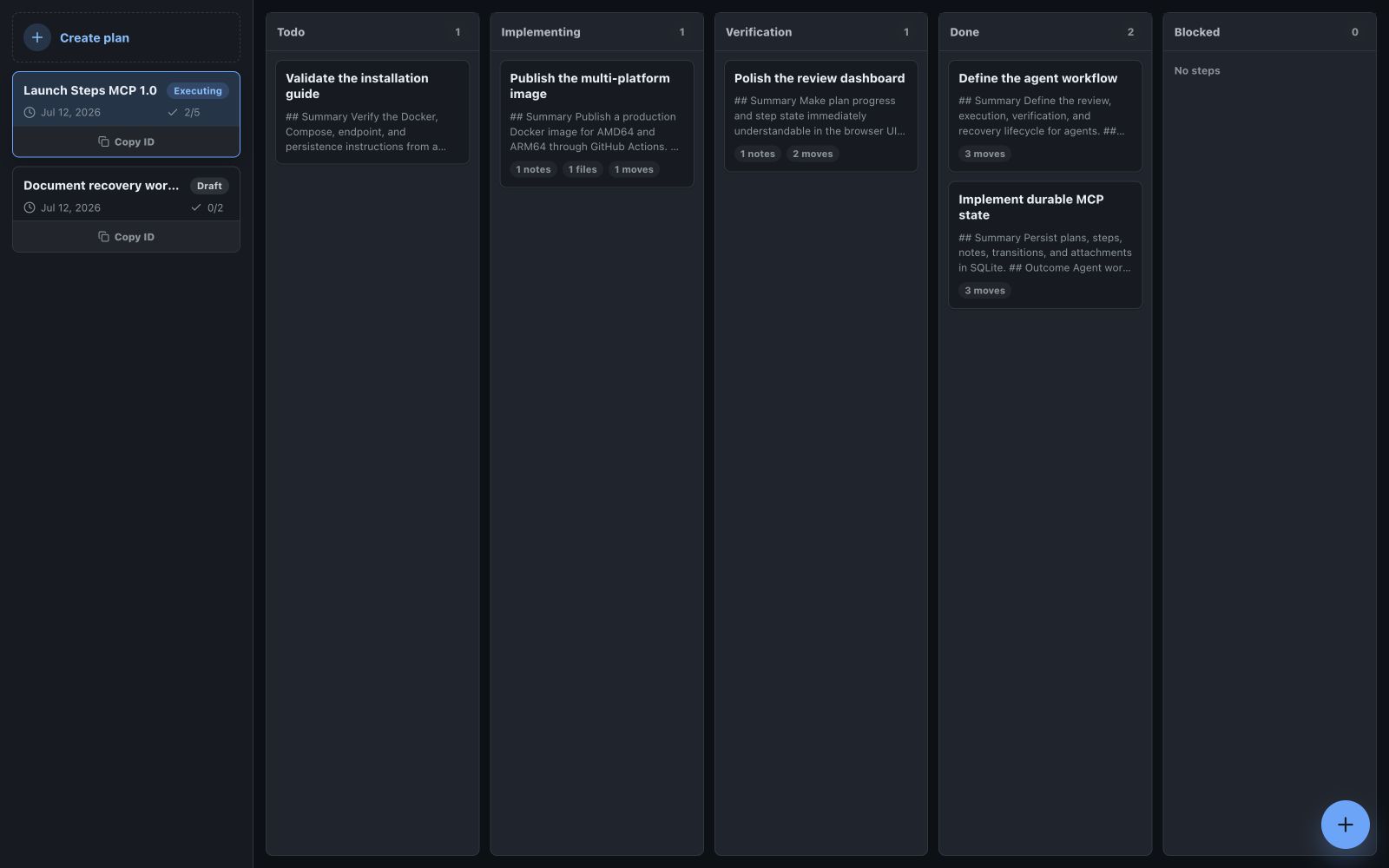
The board makes the execution state visible at a glance while the MCP surface gives agents compact tools, durable resources, and an explicit next safe action.
Run with Docker
docker run -d \
  --name steps-mcp \
  --restart unless-stopped \
  -v steps-mcp-data:/app/data \
  -p 3001:3001 \
  ghcr.io/dassader/steps-mcp:latest
The /app/data volume stores plans, steps, notes, transitions, attachments, and workflow state.
The latest image is published for linux/amd64 and linux/arm64, so Docker selects the correct platform automatically.
After the container starts:
- MCP endpoint:
http://localhost:3001/mcp - User interface:
http://localhost:3001/ - Health check:
http://localhost:3001/health
Connect an MCP client to the Streamable HTTP endpoint above. Call server.get_started for the built-in workflow guide, then use the returned prompts, tools, and resource URIs to plan and execute work.
Workflow
Steps MCP keeps planning, review, execution, verification, and blockers explicit:
- Create a draft plan and detailed steps.
- Review the plan in the browser UI and record explicit approval.
- Start the server-selected next step.
- Add durable notes and attachments while work progresses.
- Move completed implementation through verification, or record an honest blocker.
Tool responses include the current state, relevant identifiers, and the next safe action so an agent does not need the entire state machine in tool descriptions.
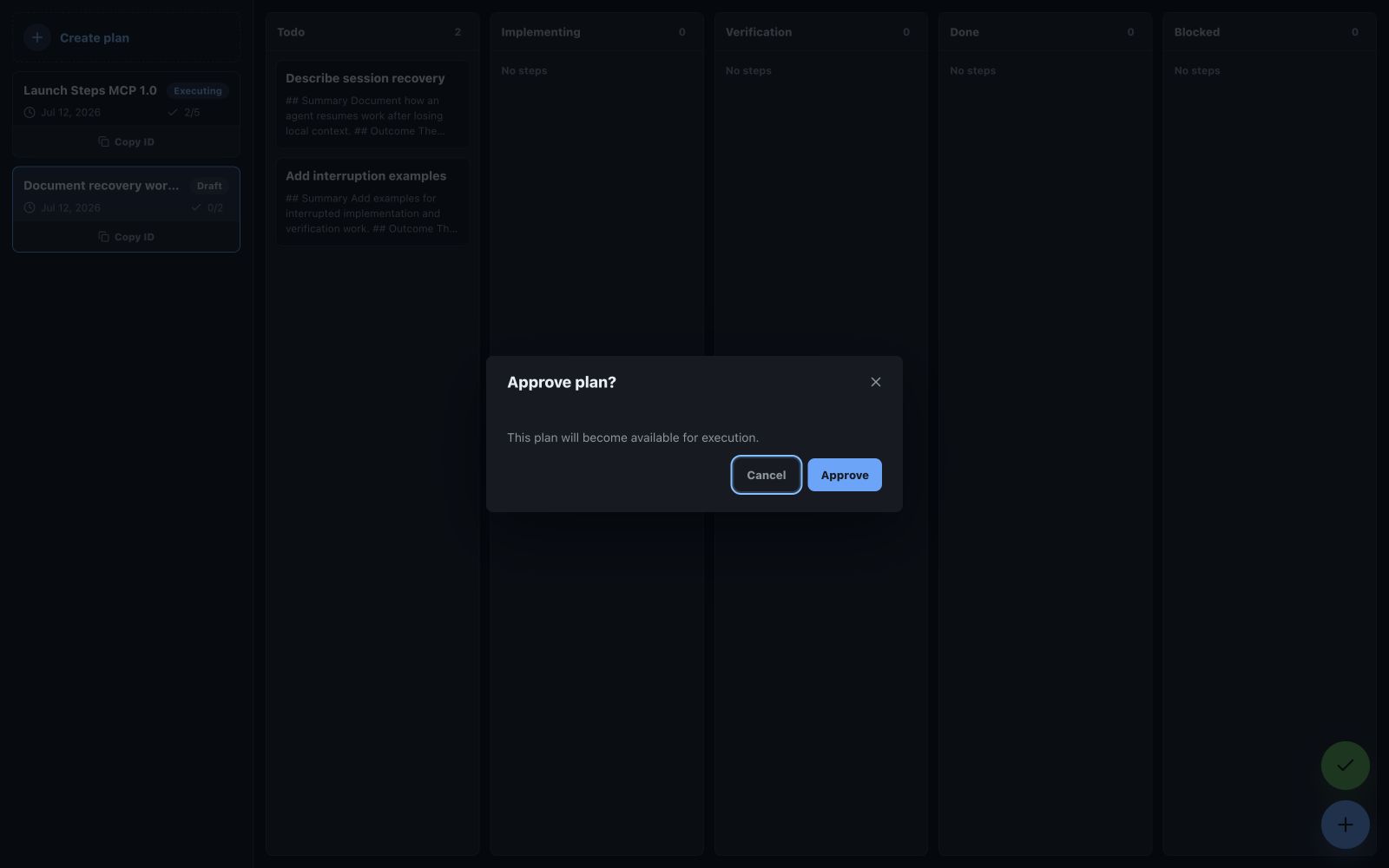
Durable work evidence
Every status transition creates an audit note. Agents can also add standalone notes and attach text, binary evidence, or links without changing step status.
Configuration
| Variable | Default | Purpose |
|---|---|---|
HOST |
0.0.0.0 in Docker |
HTTP bind address |
PORT |
3001 |
Container HTTP port |
PUBLIC_URL |
http://localhost:3001 |
Base URL returned in browser review links |
MCP_ENDPOINT |
/mcp |
Streamable HTTP MCP path |
MCP_STATEFUL |
true |
Enables stateful MCP sessions |
MCP_JSON_RESPONSE |
false |
Returns JSON responses instead of opening SSE streams |
DB_PATH |
/app/data/steps.db in Docker |
SQLite database path |
ALLOWED_ORIGINS |
empty | Additional comma-separated browser origins |
Local development
Requires Node.js 20 or newer.
npm ci
npm run typecheck
npm test
npm run build
npm start
The default local database is steps.db. Copy .env.example to .env to customize local settings.
License
Установка Steps
У этого сервера нет опубликованного пакета — он собирается из исходников. Открой репозиторий и следуй инструкции в README.
▸ github.com/dassader/steps-mcpFAQ
Steps MCP бесплатный?
Да, Steps MCP бесплатный — установка в пару кликов через Unyly без оплаты.
Нужен ли API-ключ для Steps?
Нет, Steps работает без API-ключей и переменных окружения.
Steps — hosted или self-hosted?
Доступен hosted-вариант: Unyly запускает сервер в облаке, локальная установка не обязательна.
Как установить Steps в Claude Desktop, Claude Code или Cursor?
Открой Steps на unyly.org, выбери вкладку своего клиента (Claude Desktop, Claude Code, Cursor) и нажми Install — конфиг сгенерируется автоматически, без правки JSON.
Похожие MCP
wenb1n-dev/SmartDB_MCP
A universal database MCP server supporting simultaneous connections to multiple databases. It provides tools for database operations, health analysis, SQL optim
 автор: wenb1n-dev
Postgres Server
This server enables interaction with PostgreSQL databases through the Model Context Protocol, optimized for the AWS Bedrock AgentCore Runtime. It provides tools
 автор: madhurprash
Postgres
Query your database in natural language
 автор: Anthropic
PostgreSQL
Read-only database access with schema inspection.
автор: modelcontextprotocolCompare Steps with
Не уверен что выбрать?
Найди свой стек за 60 секунд
Автор?
Embed-бейдж для README
Похожее
Все в категории data