
Vs Api Demo
БесплатноНе проверенAn interactive, open-source workshop that runs the same AI request through a traditional API integration and through the Model Context Protocol (MCP), side by s

Описание
An interactive, open-source workshop that runs the same AI request through a traditional API integration and through the Model Context Protocol (MCP), side by side, and shows every step as it happens.
README
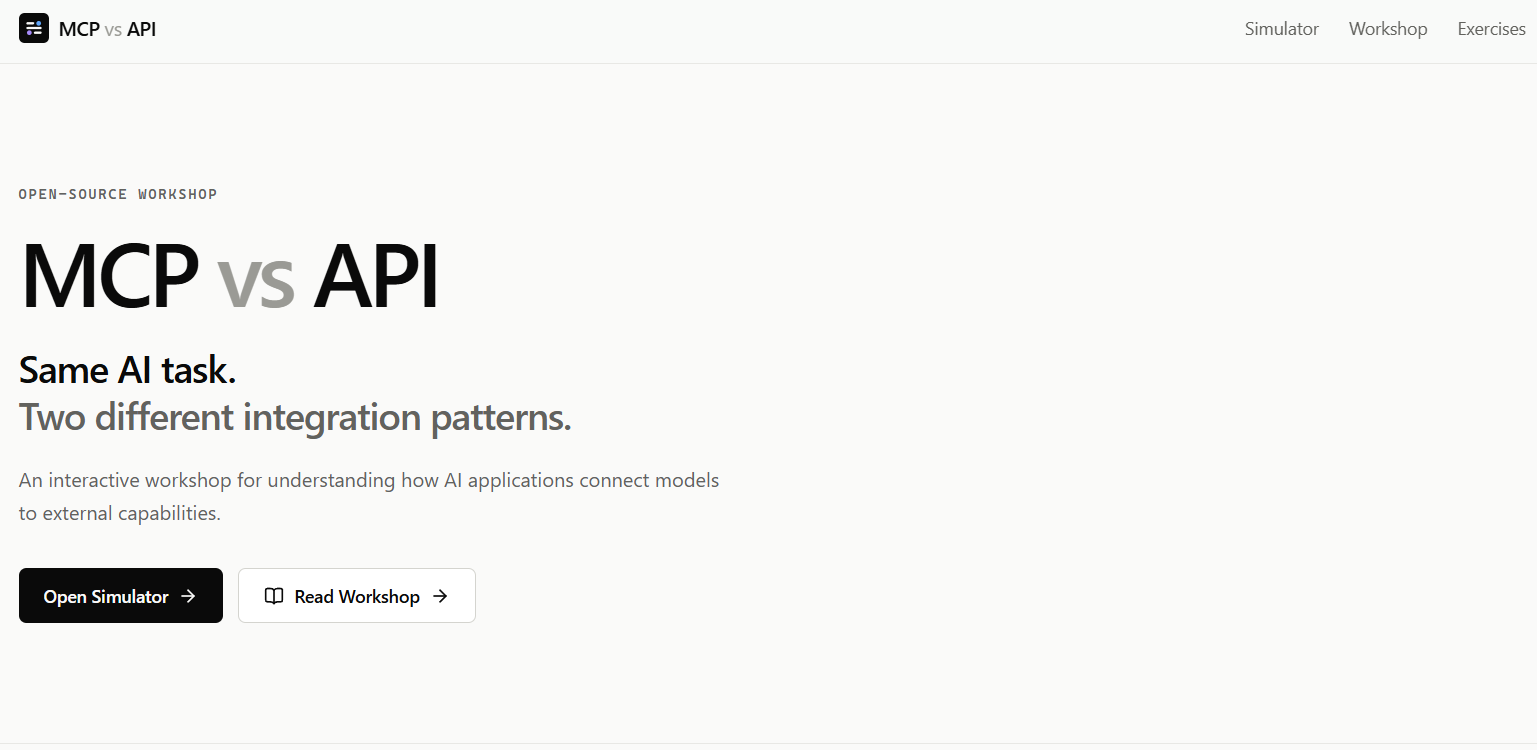
Same AI task. Two different ways to connect capabilities.
An interactive, open-source workshop that runs the same AI request through a traditional API integration and through the Model Context Protocol (MCP), side by side, and shows every step as it happens.







Contents
- Why this project?
- What you'll learn
- Demo
- Architecture
- Project Structure
- Requirements
- Quick Start
- Automated Setup
- Manual Setup
- Configure Groq
- Running the Application
- Deploy to Vercel
- Using the Simulator
- Understanding API Mode
- Understanding MCP Mode
- Hands-on Exercises
- Build Your Own MCP Tool
- Contributing
- Pull Request Workflow
- Running the Tests
- Troubleshooting
- FAQ
- License
Why this project?
"MCP vs API" is often framed as a competition. It isn't one.
- An API lets an application call a service or function. The application controls the integration.
- MCP is a standardized protocol that lets an AI application discover and call capabilities exposed by an MCP server.
MCP does not replace APIs. An MCP tool can itself call a REST API, a database, an internal service, a SaaS API, files or custom logic. MCP can sit above APIs.
This repository makes that difference visible. You ask one question, click Run Both, and watch two real execution paths stream into the browser.
What you'll learn
- Traditional API integration: the application defines tools and calls them directly.
- LLM tool calling: the model decides when a capability is needed.
- MCP-based integration: tools are discovered with
tools/listand invoked withtools/callthrough a standard protocol. - How to add your own MCP tool, test it and contribute it back with a pull request.
Demo
Default prompt: "What's the weather in Mumbai?"
API                                   MCP

POST /api/api-mode/chat               MCP client initialized
        ↓                                     ↓
      Groq                               tools/list
        ↓                                     ↓
get_weather(city="Mumbai")         get_weather, calculate discovered
        ↓                                     ↓
Mumbai · 29°C · Partly cloudy        Groq decides to use get_weather
        ↓                                     ↓
  Final response                         tools/call
                                              ↓
                                     MCP server runs get_weather
                                              ↓
                                   Mumbai · 29°C · Partly cloudy
                                              ↓
                                        Final response
Two tools are available: get_weather(city) and calculate(expression).
Weather is deterministic demo data, not live weather, for Mumbai, Delhi, Bangalore, London, New York and Singapore (other cities get a fixed fallback). No weather API key is needed.
Architecture
flowchart TD
    UI["React UI<br/>Vite + TypeScript"] -->|"POST + Server-Sent Events"| API["FastAPI backend<br/>backend/app.py"]
    API --> AM["API mode<br/>backend/api_mode"]
    API --> MM["MCP mode<br/>backend/mcp_mode"]
    AM <-->|tool calling| G1["Groq LLM"]
    AM --> F["get_weather()<br/>plain Python function"]
    MM <-->|tool calling| G2["Groq LLM"]
    MM --> C["MCP client"]
    C -->|"tools/list · tools/call<br/>Streamable HTTP"| S["MCP server<br/>mcp-server/server.py"]
    S --> T["get_weather()"]
API mode
sequenceDiagram
    participant R as React
    participant B as FastAPI
    participant G as Groq
    participant T as get_weather()
    R->>B: POST /api/api-mode/chat
    B->>G: prompt + hand-written tool definitions
    G-->>B: tool call: get_weather(city="Mumbai")
    B->>T: direct Python call
    T-->>B: {"temperature_celsius": 29, ...}
    B->>G: tool result
    G-->>B: final answer
    B-->>R: events streamed as they happen
MCP mode
sequenceDiagram
    participant R as React
    participant B as FastAPI (MCP client)
    participant S as MCP server
    participant G as Groq
    R->>B: POST /api/mcp-mode/chat
    B->>S: connect
    B->>S: tools/list
    S-->>B: get_weather, calculate (+ JSON schemas)
    B->>G: prompt + discovered tools
    G-->>B: tool call: get_weather(city="Mumbai")
    B->>S: tools/call get_weather
    S-->>B: result
    B->>G: tool result
    G-->>B: final answer
    B-->>R: events streamed as they happen
More detail: docs/architecture.md.
Project Structure
mcp-vs-api-demo/
├── frontend/                 React + Vite + TypeScript + Tailwind
│   ├── src/
│   │   ├── components/       Timeline, ModePanel, ArchitectureView, ...
│   │   ├── pages/            Home, Simulator, Workshop, Exercises
│   │   ├── lib/              API client, SSE parser, timeline logic, presets
│   │   └── types/            Event types shared with the backend
│   └── scripts/run-tests.mjs Zero-dependency test runner (Vite + node:test)
│
├── backend/                  FastAPI app, run with `python app.py`
│   ├── app.py                Endpoints + Server-Sent Events streaming
│   ├── api_mode/             tools.py (hand-written tools) + service.py
│   ├── mcp_mode/             client.py (MCP client) + service.py
│   ├── shared/               config, Groq client, events, demo data
│   └── tests/
│
├── mcp-server/               The MCP server, run with `python server.py`
│   ├── server.py             create → register → implement → run
│   ├── tools.py              Plain Python tool implementations
│   └── tests/
│
├── docs/                     Workshop, architecture, exercises, guides
├── .github/                  PR + issue templates, CI workflow
├── setup.py                  One-command setup (and optional --run)
└── .env.example              Reference for every environment variable
Requirements
| Tool | Version | Check with |
|---|---|---|
| Python | 3.10 or newer | python --version |
| Node.js | 20.19+ or 22.12+ (LTS recommended) | node --version |
| npm | comes with Node.js | npm --version |
| Groq API key | free | console.groq.com/keys |
No Docker, database or weather API key needed. On macOS/Linux you may need to type python3 instead of python.
Quick Start
git clone https://github.com/jars-demo/mcp-vs-api-demo.git
cd mcp-vs-api-demo

python setup.py
Then add your key to backend/.env:
GROQ_API_KEY=your-groq-key
Now open three terminals from the project folder.
Terminal 1: MCP server
Windows:
cd mcp-server
.venv\Scripts\activate
python server.py
macOS/Linux:
cd mcp-server
source .venv/bin/activate
python server.py
Terminal 2: backend
Windows:
cd backend
.venv\Scripts\activate
python app.py
macOS/Linux:
cd backend
source .venv/bin/activate
python app.py
Terminal 3: frontend
cd frontend
npm run dev
Open http://localhost:5173/simulator and click Run Both.
Prefer one terminal?
python setup.py --runstarts all three services together (optional, Ctrl+C stops them).
Automated Setup
python setup.py is safe to run as often as you like. It:
- Detects your operating system.
- Checks Python (3.10+), Node.js (20.19+) and npm, and explains exactly what is missing. It never installs system software.
- Creates
backend/.venvand installsbackend/requirements.txt. - Creates
mcp-server/.venvand installsmcp-server/requirements.txt. - Runs
npm installinfrontend/. - Creates
backend/.envandmcp-server/.envfrom their.env.examplefiles (existing files are never overwritten). - Prints the next steps for your OS.
It never deletes anything, and it skips dependencies that are already installed.
Manual Setup
Prefer to do it by hand? These are the same steps setup.py runs.
What is a virtual environment?
A virtual environment (.venv) is a private folder of Python packages for one project, so this workshop's packages don't clash with anything else on your machine. You create it once, then activate it in each new terminal before running python. When it's active, your prompt shows (.venv).
Backend
Windows:
cd backend
python -m venv .venv
.venv\Scripts\activate
pip install -r requirements.txt
copy .env.example .env
python app.py
macOS/Linux:
cd backend
python3 -m venv .venv
source .venv/bin/activate
pip install -r requirements.txt
cp .env.example .env
python app.py
MCP server
Windows:
cd mcp-server
python -m venv .venv
.venv\Scripts\activate
pip install -r requirements.txt
copy .env.example .env
python server.py
macOS/Linux:
cd mcp-server
python3 -m venv .venv
source .venv/bin/activate
pip install -r requirements.txt
cp .env.example .env
python server.py
The MCP server uses the Streamable HTTP transport and listens on http://127.0.0.1:8001/mcp.
Frontend
cd frontend
npm install
npm run dev          # development server on http://localhost:5173
Production build:
npm run build
npm start            # serves the production build on http://localhost:4173
Both npm run dev and npm start forward /api and /health to the backend, so the browser never talks to Groq directly.
Configure Groq
Create a free key at console.groq.com/keys.
Put it in
backend/.env:GROQ_API_KEY=your-groq-key GROQ_MODEL=openai/gpt-oss-120b MCP_SERVER_URL=http://127.0.0.1:8001/mcp BACKEND_PORT=8000Restart the backend.
A .env in the project root also works: the backend falls back to it for any value that is empty in backend/.env.
GROQ_MODEL can be any Groq model that supports tool calling (see Groq's model list).
Security: the key is only read by the Python backend. It is never sent to the browser, never logged, and .env is git-ignored. There is deliberately no VITE_GROQ_API_KEY, because anything prefixed VITE_ is bundled into public JavaScript.
Running the Application
| Service | Command | URL |
|---|---|---|
| MCP server | python server.py (in mcp-server/, venv active) |
http://127.0.0.1:8001/mcp |
| Backend | python app.py (in backend/, venv active) |
http://127.0.0.1:8000 · docs at/docs |
| Frontend (dev) | npm run dev (in frontend/) |
http://localhost:5173 |
| Frontend (prod) | npm run build && npm start |
http://localhost:4173 |
Health check: curl http://127.0.0.1:8000/health → {"status":"ok"}
Deploy to Vercel
One click: Vercel clones the repo, asks for GROQ_API_KEY, then builds and deploys. Everything is already configured in vercel.json:
- the React build is served as static files (
frontend/dist) /api/*and/healthgo to one Python function (api/index.py) that runs the FastAPI backend- optional env var:
GROQ_MODEL(defaultopenai/gpt-oss-120b)
How MCP runs on Vercel: serverless functions can't keep a separate MCP server process alive, so the deployed backend loads mcp-server/server.py in the same process (MCP_TRANSPORT=inprocess). It still speaks MCP (tools/list, tools/call); only the network hop is gone, and the timeline says so. Run locally to show the full three-process setup.
Custom domain: in the Vercel project open Settings → Domains, add your subdomain (e.g. mcp-vs-api.example.com), then add the DNS record Vercel shows you (usually a CNAME to cname.vercel-dns.com).
A public deployment uses your Groq key for every visitor. Groq's free-tier limits cap usage, but keep an eye on it or remove the deployment after the event.
Using the Simulator
- Go to /simulator. The header shows Backend, MCP Server and Groq status.
- Pick a preset or type a prompt:
- What's the weather in Mumbai? / London? / Singapore?
- What is 42 × 17? (the model picks
calculate) - Tell me a joke. (the model uses no tool, and the tool steps show as Skipped)
- Click Run API, Run MCP or Run Both (or press Enter).
- Click any step to expand the real payload the backend sent.
- Turn on Presenter Mode to show request payloads, auto-expanded
tools/list/tools/call, timestamps, file names in the architecture view and the raw event stream.
Nothing in the timeline is simulated. Each row is an event streamed by FastAPI as that step happens.
Understanding API Mode
The application controls the integration.
- Tool definitions are written by hand in backend/api_mode/tools.py.
- The backend sends them to Groq. Groq decides whether a tool is needed.
- When Groq asks for
get_weather, the backend calls its own Python function directly. - Adding a tool means editing the backend.
Code: backend/api_mode/service.py
Understanding MCP Mode
The AI application discovers standardized capabilities exposed by an MCP server.
- The backend's MCP client connects to the MCP server.
tools/listreturns every tool with its JSON Schema.- Those tools are converted to Groq's tool format. Nothing is hard-coded.
- Groq chooses a tool.
tools/callruns it on the MCP server.- The result goes back to Groq for the final answer.
Adding a tool means editing only the MCP server. The backend discovers it automatically.
Code: mcp-server/server.py · backend/mcp_mode/service.py · backend/mcp_mode/client.py
| Concept | API Integration | MCP |
|---|---|---|
| Primary abstraction | Endpoint / function | Protocol |
| Tool discovery | Application-defined | Standardized MCP mechanism |
| Invocation | Application / API call | MCP tool call |
| Reusability | Depends on the integration | Designed for reusable tool exposure |
| Can use APIs internally | Yes | Yes |
| AI-specific protocol | Not necessarily | Yes |
Neither approach is automatically better. They solve different problems, and they often work together:
MCP Server → get_weather()   → could call → REST API
MCP Server → get_customer()  → could call → PostgreSQL
MCP Server → create_ticket() → could call → Jira API
Hands-on Exercises
Full instructions with hints and solutions: /exercises in the app, or docs/exercises.md.
- Add
get_time(city): create, describe, register, discover and invoke a new MCP tool. - Add
get_exchange_rate(from_currency, to_currency): a two-argument tool with validation and demo rates.
Build Your Own MCP Tool
Fork → branch → add your MCP tool → update docs → test → commit → push → Pull Request
Ideas that need no secrets: convert_units(), get_random_quote(), search_documentation(), get_github_repo_info() (public API), search_local_events() (local JSON).
See docs/extending.md for exactly which files to touch.
Contributing
Contributions are welcome, especially new tools, exercises and docs improvements. Start with docs/contributing.md.
Pull Request Workflow
# 1. Fork on GitHub, then:
git clone https://github.com/<you>/mcp-vs-api-demo.git
cd mcp-vs-api-demo
git checkout -b feat/my-mcp-tool
python setup.py

# 2. Add your tool + tests + docs, then:
git add .
git commit -m "feat: add unit converter MCP tool"
git push origin feat/my-mcp-tool
# 3. Open a Pull Request on GitHub. The template asks what/why/how tested.
Running the Tests
# Backend (venv active)
cd backend && python -m pytest

# MCP server (venv active)
cd mcp-server && python -m pytest

# Frontend
cd frontend && npm test && npm run build
Tests never call the real Groq API: a scripted fake model stands in, so no key is needed. The same checks run on GitHub Actions (.github/workflows/test.yml).
Troubleshooting
| Symptom | Fix |
|---|---|
| "Groq API key not configured." | AddGROQ_API_KEY to backend/.env (or the root .env), then restart python app.py. |
| "Backend unavailable." | Start the backend (Terminal 2). Check http://127.0.0.1:8000/health. |
| "MCP server unavailable." | Start the MCP server (Terminal 1). The header should showMCP Server ● Connected. |
python not found (macOS/Linux) |
Usepython3 (for example python3 setup.py). |
.venv\Scripts\activate blocked (PowerShell) |
RunSet-ExecutionPolicy -Scope CurrentUser RemoteSigned once, or use Command Prompt. |
ModuleNotFoundError |
Your venv isn't active. Activate it (see above) or runpython setup.py. |
| Port already in use | ChangeBACKEND_PORT in backend/.env (and set BACKEND_URL=http://127.0.0.1:<port> before npm run dev) or MCP_PORT in mcp-server/.env (and MCP_SERVER_URL in backend/.env). |
| "Groq could not complete the request." | Occasionally a model emits a malformed tool call. Run again, or try anotherGROQ_MODEL. |
| "Groq rate limit reached." | Free tier limits. Wait a few seconds. |
| Frontend blank / Node errors | Node 20.19+ is required:node --version. |
Turn on Presenter Mode to see the technical error detail for any failure.
FAQ
Is MCP a replacement for REST APIs? No. MCP standardizes how AI applications discover and call tools. The tools themselves often call APIs.
Is MCP faster or better than calling a function directly? This project makes no such claim. Both paths are shown so you can compare architecture, not declare a winner.
Is the MCP mode real? Yes. The backend is a genuine MCP client (official Python SDK) talking to a separate MCP server process over Streamable HTTP. It never imports the server's code.
Why does the backend (not the browser) talk to MCP and Groq? To keep the API key on the server and keep the frontend simple.
Why is the weather fake?
So the workshop is free, deterministic and works offline (apart from Groq). Replacing get_weather() with a real weather API is a good extension exercise.
Can I use another LLM?
Yes. Only backend/shared/groq_client.py knows about Groq. Any provider with tool calling can be swapped in.
License
Установка Vs Api Demo
У этого сервера нет опубликованного пакета — он собирается из исходников. Открой репозиторий и следуй инструкции в README.
▸ github.com/jars-demo/mcp-vs-api-demoFAQ
Vs Api Demo MCP бесплатный?
Да, Vs Api Demo MCP бесплатный — установка в пару кликов через Unyly без оплаты.
Нужен ли API-ключ для Vs Api Demo?
Нет, Vs Api Demo работает без API-ключей и переменных окружения.
Vs Api Demo — hosted или self-hosted?
Self-hosted: сервер запускается локально на твоей машине командой из раздела установки.
Как установить Vs Api Demo в Claude Desktop, Claude Code или Cursor?
Открой Vs Api Demo на unyly.org, выбери вкладку своего клиента (Claude Desktop, Claude Code, Cursor) и нажми Install — конфиг сгенерируется автоматически, без правки JSON.
Похожие MCP
Opencode Omniroute Plugin
OpenCode plugin for the OmniRoute AI Gateway. Drives dynamic model discovery, /connect auth flow, and multi-instance OmniRoute providers via the official @openc
 автор: GitHub Actions
Roblox Studio
Enables AI coding tools to control Roblox Studio for workspace exploration, instance manipulation, and script management. It provides tools for playtesting, sce
 автор: paralov
Antigravity Drawio
MCP server that enables AI assistants to create, parse, render, and validate Draw.io diagrams programmatically.
 автор: S-SUJAN-S
Fetch
Web content fetching and conversion for efficient LLM usage.
AWS KB Retrieval
Retrieval from AWS Knowledge Base using Bedrock Agent Runtime.
 автор: modelcontextprotocol
Spring AI MCP Server
Provides auto-configuration for setting up an MCP server in Spring Boot applications.
llm-analysis-assistant
A very streamlined mcp client that supports calling and monitoring stdio/sse/streamableHttp, and can also view request responses through the /logs page. It also
 автор: xuzexin-hz
MCP-Agent
A simple, composable framework to build agents using Model Context Protocol by [LastMile AI](https://www.lastmileai.dev)
 автор: lastmile-ai
Spring AI MCP Client
Provides auto-configuration for MCP client functionality in Spring Boot applications.
mcp.natoma.ai
A Hosted MCP Platform to discover, install, manage and deploy MCP servers by [Natoma Labs](https://www.natoma.ai)
Compare Vs Api Demo with
Не уверен что выбрать?
Найди свой стек за 60 секунд
Автор?
Embed-бейдж для README
Похожее
Все в категории ai