

Описание
Wanaku MCP Router
README
The Wanaku MCP Router is a router for AI-enabled applications powered by the Model Context Protocol (MCP).
This protocol is an open protocol that standardizes how applications provide context to LLMs.
The project name comes from the origins of the word Guanaco, a camelid native to South America.
Key Features
- Unified Access - Centralized routing and resource management for AI agents
- MCP-to-MCP Bridge - Act as a gateway or proxy for other MCP servers
- Extensive Connectivity - Leverage 400+ Apache Camel components for integration
- Secure by Default - Built-in authentication and authorization via Keycloak (optional — can run without auth)
- Kubernetes-Native - First-class support for OpenShift and Kubernetes deployments
- Extensible Architecture - Easy to add custom tools and resource providers
- Multi-Namespace Support - Organize tools and resources across isolated namespaces
Quick Start
Getting started is a single command. Download the CLI from releases page, unpack, and then just run:
wanaku start local
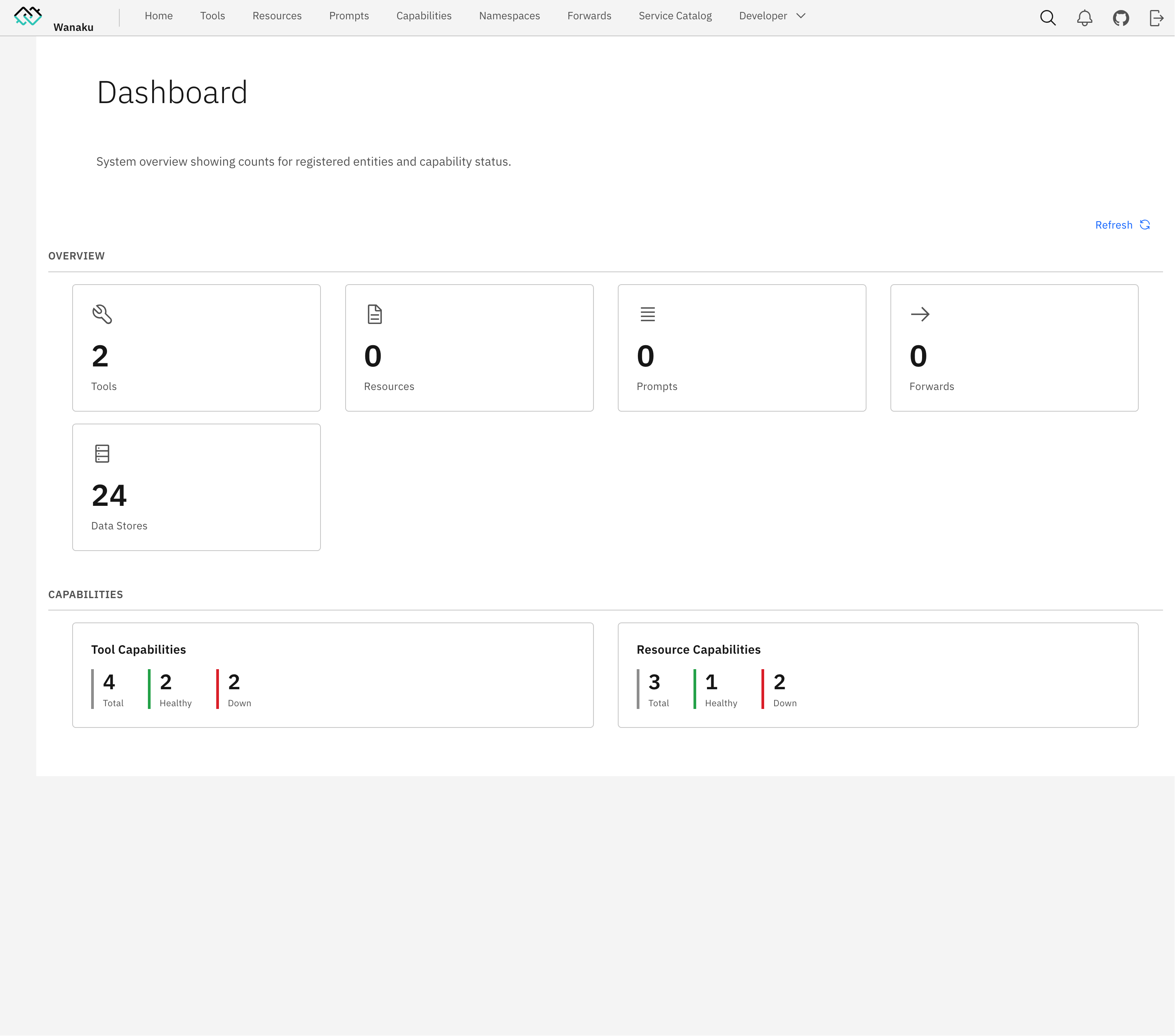
Access http://localhost:8080 to enter the dashboard:
Learn Wanaku
The easiest way to learn Wanaku is by following the guided tutorial.
Basic Usage
The reference documentation, including the complete installation and configuration instructions, is available on the usage guide.
Documentation
The Wanaku Documentation website contains additional documentation, covering several of components that are part of the project - some of which are hosted in different repositories (i.e.: such as the Camel Integration Capability, the Java SDK, etc.).
Community
- GitHub Issues - Bug reports and feature requests
- Discussions - Ask questions and share ideas
- Examples - Example capabilities and integrations
Contributors working on the project may want to refer to the development version of the documentation including
- Pre-release Usage Guide - Pre-release usage guide
- Architecture - System architecture and components
- Building - Build and package the project
- Contributing - Contribution guidelines
- Security - Security policy and best practices
License
This project is licensed under the Apache 2.0 License - see the LICENSE file for details.
Установка Wanaku
У этого сервера нет опубликованного пакета — он собирается из исходников. Открой репозиторий и следуй инструкции в README.
▸ github.com/wanaku-ai/wanakuFAQ
Wanaku MCP бесплатный?
Да, Wanaku MCP бесплатный — установка в пару кликов через Unyly без оплаты.
Нужен ли API-ключ для Wanaku?
Нет, Wanaku работает без API-ключей и переменных окружения.
Wanaku — hosted или self-hosted?
Self-hosted: сервер запускается локально на твоей машине командой из раздела установки.
Как установить Wanaku в Claude Desktop, Claude Code или Cursor?
Открой Wanaku на unyly.org, выбери вкладку своего клиента (Claude Desktop, Claude Code, Cursor) и нажми Install — конфиг сгенерируется автоматически, без правки JSON.
Похожие MCP
Fetch
Web content fetching and conversion for efficient LLM usage.
AWS KB Retrieval
Retrieval from AWS Knowledge Base using Bedrock Agent Runtime.
 автор: modelcontextprotocol
Spring AI MCP Server
Provides auto-configuration for setting up an MCP server in Spring Boot applications.
llm-analysis-assistant
A very streamlined mcp client that supports calling and monitoring stdio/sse/streamableHttp, and can also view request responses through the /logs page. It also
 автор: xuzexin-hz
Compare Wanaku with
Не уверен что выбрать?
Найди свой стек за 60 секунд
Автор?
Embed-бейдж для README
Похожее
Все в категории ai