
Wezbridge
БесплатноНе проверенZero-dependency MCP server to orchestrate a swarm of Claude Code / Codex sessions across WezTerm panes: any session can discover, spawn, prompt, and read the ot

Описание
Zero-dependency MCP server to orchestrate a swarm of Claude Code / Codex sessions across WezTerm panes: any session can discover, spawn, prompt, and read the others via MCP tools. One session becomes the coordinator; crash isolation keeps peers alive; auto-handoff resumes sessions when context fills. Optional Telegram phone control.
README
MCP bridge for controlling Claude Code / Codex sessions inside WezTerm panes, with optional Telegram remote control and simple text-based A2A messaging.
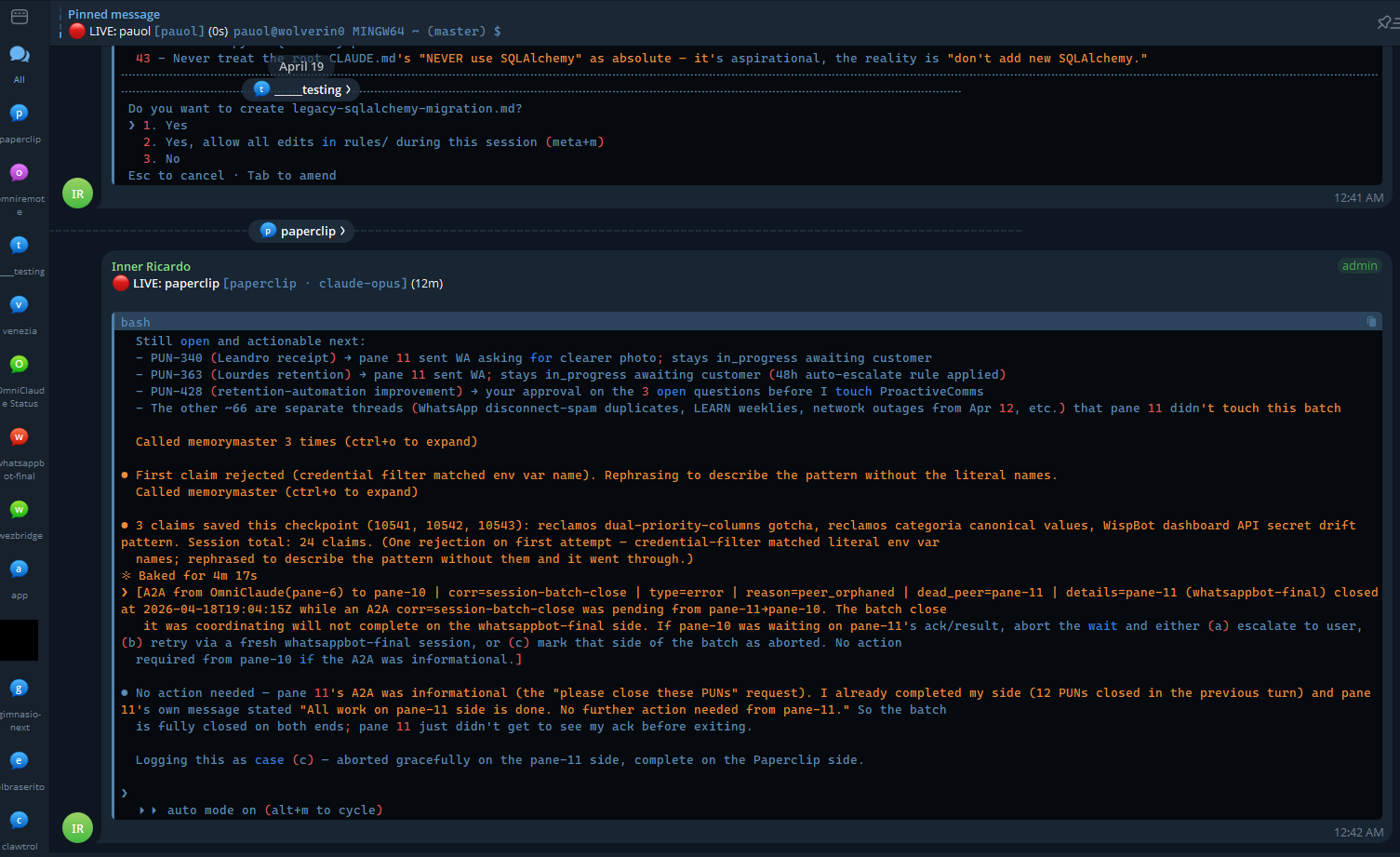
Run a swarm of long-lived AI coding sessions in parallel — one per WezTerm pane — and let any of them spawn, prompt, and read the others through mcp__wezbridge__* tool calls. Drive the whole thing from your phone via Telegram by designating one pane as your "OmniClaude" controller. No browser dashboard, no UI on the PC — the daemon on :4200 is a headless backend; the control surface is Claude Code itself.
Three layers
The repo ships in three opt-in tiers — install the core, add the others if you want them:
| Layer | What it gives you | Status |
|---|---|---|
| Core | mcp__wezbridge__* tool surface — discover_sessions, read_output, send_prompt, send_key, spawn_session, split_pane, set_tab_title, kill_session, auto_handoff, spawn_ssh_domain, bridge_health, plus the safety policy + command guard |
Stable. This is the product. |
| Telegram remote (optional) | Per-pane forum-topic streaming, inbound DMs to your OmniClaude pane via the official channel plugin, voice/media forwarding, ntfy backup, diff reporter | Stable, opt-in. Set up ~/.claude/channels/telegram/.env + ~/.omniclaude/telegram-topics.json. |
| Multi-agent layer (experimental) | A2A envelope protocol, agency mode (persona spawning), PRD-driven team bootstrap, auto-handoff at Ctx threshold, MA-backfill modules (rubric grader, A2A heartbeat, sidecar audit pane) | Experimental. Useful but evolving. Default OFF. |
   Your phone (Telegram)
        │  DM to bot                  forum topics (1 per worker)
        │                                    ▲
        ▼                                    │ outbound stream
   ┌─────────────────────────────────────────────┐
   │ WezTerm                                     │
   │                                             │
   │  pane-1: OmniClaude  ◀─── inbound DMs ──── channel plugin
   │      │                                      │
   │      │ mcp__wezbridge__send_prompt          │
   │      ▼                                      │
   │  pane-2 worker, pane-3 worker, ...  ────▶  telegram-streamer.cjs
   │                                             │
   └─────────────────────────────────────────────┘
                          │
                          ▼
              dashboard-server.cjs @ :4200
              (REST/SSE backend for the wezbridge MCP — no UI served)
For the full step-by-step on the Telegram pattern, see docs/SETUP-omniclaude-telegram.md.
Why use this
| Bot-centric Telegram-Claude bridges | wezbridge | |
|---|---|---|
| Coordinator | Node bot monolith | A real Claude Code session as orchestrator |
| Message passing | Bot → session, one direction | Peer ↔ peer via wezbridge MCP + A2A envelopes |
| Multi-LLM | Single provider | Claude + Codex in the same swarm |
| Crash isolation | Bot crash = total outage | One pane dies, peers and orchestrator survive |
| State durability | In-memory | active_tasks.md files + MemoryMaster claims |
| Session lifecycle | Manual reset when ctx fills | auto_handoff MCP tool: readiness check → /handoff → /clear → resume |
Quick start
One command (recommended)
git clone https://github.com/wolverin0/wezbridge.git && cd wezbridge
node scripts/install.cjs          # or:  npm run setup
That's the whole install. The script auto-detects your AI CLIs and:
- registers the
wezbridgeMCP on Claude Code (--scope user) and Codex (if present), - sets the Windows crash-prevention env var,
- starts the
:4200daemon and sets it to auto-launch on login, - verifies the daemon is responding.
It's idempotent (safe to re-run). Flags: --dry-run (preview, change nothing), --install-wezterm, --no-codex, --no-daemon, --help.
Prereqs: Node 20+ and at least one AI CLI (claude and/or codex). The installer can install WezTerm for you with --install-wezterm (winget on Windows, brew on macOS), or grab it from wezfurlong.org/wezterm.
Manual install — step by step (if you'd rather wire it yourself, or the script can't run)
The install is 6 steps: WezTerm → AI CLI → clone → register MCP on Claude → register MCP on Codex → launch daemon.
1. Install WezTerm
Download from wezfurlong.org/wezterm. The mux server is built in. Verify with wezterm cli list — if it prints a header row, the mux is reachable.
2. Install your AI CLI(s)
You need at least one. wezbridge works with both side-by-side.
# Claude Code
npm install -g @anthropic-ai/claude-code

# Codex CLI (optional, for cross-LLM swarms)
npm install -g @openai/codex
You'll also need Node.js 20+.
3. Clone
git clone https://github.com/wolverin0/wezbridge.git
cd wezbridge
No npm install needed — wezbridge has zero npm dependencies (uses only Node built-ins).
4. Register wezbridge MCP on Claude Code
claude mcp add wezbridge --scope user -- node "$(pwd)/src/mcp-server.cjs"
--scope user makes it available in every Claude Code session you ever start. Verify with claude mcp list.
5. Register wezbridge MCP on Codex CLI
Codex uses TOML at ~/.codex/config.toml (create the file if it doesn't exist):
[mcp_servers.wezbridge]
command = "node"
args = ["/absolute/path/to/wezbridge/src/mcp-server.cjs"]
Restart any running Codex sessions.
6. Crash-prevention env var (Windows only)
WezTerm's internal 10054 mux-disconnect error category accumulates to MB-sized log files under sustained MCP load. Silence it:
[Environment]::SetEnvironmentVariable('WEZTERM_LOG','wezterm_mux_server_impl::local=off','User')
Restart WezTerm so the new instance inherits it. macOS / Linux can skip.
7. Launch the daemon
npm run dashboard
This is a headless backend, not a UI. It serves /api/panes, /api/events (SSE), /api/grades, etc. The core MCP tools do NOT need it — they drive the WezTerm CLI directly. Only auto_handoff and the background services (SSE, telegram-streamer, session-snapshot crash-restore, grades) require it. It binds 127.0.0.1 only; opening http://127.0.0.1:4200 in a browser returns 404 — that's intentional. Verify it's up with curl http://127.0.0.1:4200/api/panes, or call the bridge_health MCP tool from any session. To expose it on a LAN set WEZBRIDGE_BIND=0.0.0.0 — a WEZBRIDGE_API_TOKEN then becomes mandatory or the daemon refuses to start.
8. (Optional) Telegram + OmniClaude pattern
If you want phone control, follow docs/SETUP-omniclaude-telegram.md.
Quick pointer:
- Bot token + group ID at
~/.claude/channels/telegram/.env - Per-project topic mapping at
~/.omniclaude/telegram-topics.json - Streamer (outbound):
npm run start-streamer - OmniClaude pane (inbound):
claude --channels plugin:telegram@claude-plugins-official
9. (Optional) v3.2 safety modules
All opt-in via env vars; default behavior unchanged.
node scripts/install-hooks.cjs                   # pre-push hook
export WEZBRIDGE_GUARD_SHIMS=1                   # PATH-based command guard
export PATH="$(pwd)/bin/guard-shims:$PATH"
export WEZBRIDGE_MM_INBOX=1                      # MemoryMaster Dreams inbox
export WEZBRIDGE_GRADER_BACKEND=claude           # outcome-grader backend
Bypass-once override env vars: WEZBRIDGE_GUARD_OVERRIDE, WEZBRIDGE_SAFETY_OVERRIDE, WEZBRIDGE_PREPUSH_OVERRIDE. See docs/USAGE-guard.md.
Network exposure: the daemon binds 127.0.0.1 by default. Set WEZBRIDGE_BIND=0.0.0.0 (or a specific interface) to reach it from another machine — a WEZBRIDGE_API_TOKEN is then required or startup aborts, since the pane-control API can type into (and spawn) sessions.
10. Session snapshot + crash recovery (default ON)
Captures every AI pane's launch state (cwd + cmdline + flags) on a 60s timer. After a WezTerm crash, recover with zero clicks — see step 11 for the wezterm-native UX.
Default ON since v3.4.1. Dashboard daemon arms the watcher automatically. Opt OUT with WEZBRIDGE_SESSION_SNAPSHOT=0.
npm run dashboard          # snapshot watcher arms automatically
npm run install-autostart  # one-time: dashboard auto-launches on user login (Windows)

# Manual restore from CLI (fallback if you skip step 11):
npm run restore-session
Only claude.exe and codex.exe panes are captured. Snapshots land at vault/_wezbridge/session-snapshot.jsonl.
11. (Recommended) Wezterm Lua plugin — zero-click recovery + launcher
Add the wezbridge.wezterm Lua plugin to your wezterm config for automatic crash recovery (no commands, no clicks) plus a fuzzy launcher menu for AI sessions with preset flag combos.
After a crash: just reopen wezterm. AI panes come back automatically if the snapshot is < 30 min old. Done.
Drop this into your ~/.wezterm.lua (C:\Users\<you>\.wezterm.lua on Windows):
local wezterm = require 'wezterm'
local config = wezterm.config_builder()

local wezbridge_dir = '/abs/path/to/your/wezbridge/clone'
package.path = package.path .. ';' .. wezbridge_dir .. '/wezterm/?.lua'

config.leader = { key = 'a', mods = 'CTRL', timeout_milliseconds = 2000 }
local wezbridge = require 'wezbridge'
wezbridge.apply(config, {
  wezbridge_dir = wezbridge_dir,
  auto_restore = true,                              -- silent auto-restore on cold boot
  restore_keybind = { mods = 'LEADER', key = 'r' }, -- LEADER+R: pick a snapshot manually
  launcher_keybind = { mods = 'LEADER', key = 'l' },-- LEADER+L: launcher menu (preset AI launches)
})

return config
See wezterm/example-wezterm.lua in this repo for a fuller example.
A2A protocol
Every peer-to-peer message uses an envelope, parseable by regex, threadable by corr:
[A2A from pane-<N> to pane-<M> | corr=<id> | type=request|ack|progress|result|error]
<body>
Hard rules for any agent using these tools:
- Always follow
send_promptwithsend_key("enter"). Enter after typing is unreliable on Windows even with the triple-redundant retry. - Never send bash via
send_promptinto a running TUI. Your text becomes a user prompt, not a shell command. - Every responder MUST push
type=progressevery ~3 min during long work andtype=resulton completion. Codex cannot subscribe viaMonitor; Claude can. - Before spawning a peer, declare your coordinator role —
parallel-worker/qa-verifier/pre-stager/monitor-only. "parallel" ≠ "delegated"; if you'll be idle while the peer runs, do the work in-session instead.
Full spec in docs/a2a-protocol.md.
Three orchestration layers
When picking how to dispatch work:
| Layer | Cost | Lifetime | Use for |
|---|---|---|---|
| Subagent (in-process) | cheap | dies with parent | tight loop, one-turn fan-out |
| Peer pane (same project) | medium | survives parent | long work, cross-LLM, resilience |
| Peer pane (cross-project) | medium | survives | ask another project's specialist |
Core pieces
| File | What it does |
|---|---|
src/mcp-server.cjs |
MCP server exposing mcp__wezbridge__* tools (discover_sessions, send_prompt, send_key, read_output, spawn_session, kill_session, auto_handoff, split_pane, bridge_health, …) |
src/wezterm.cjs |
Wrapper around wezterm cli with TTL caches — pane spawning, text injection, scrollback reads, socket discovery |
src/pane-discovery.cjs |
Claude/Codex pane detection, status classification (idle / working / permission / stuck), Ctx% + persona + model extraction |
src/dashboard-server.cjs |
Headless REST/SSE backend on :4200 (thin shim over dashboard-server-routes.cjs + handlers/). Binds 127.0.0.1. Needed only for auto_handoff + background services — core MCP tools work without it. No UI is served. |
src/telegram-streamer.cjs |
Outbound: streams each pane's live text to a Telegram forum topic. Inbound polling is deliberately disabled (the channel plugin owns DM ingestion). |
src/tasks-watcher.cjs + src/task-parser.cjs |
Watches active_tasks.md for follow-ups, stuck tasks, status transitions |
src/safety-policy.cjs |
5-rule action gate wired into MCP + dashboard handlers (no-self-kill, no-destructive-prompt-injection, worktree-outside-dotworktrees, broadcast-too-wide, send-key-ctrl-c-to-self) |
src/sidecar-spawn.cjs |
Paired audit-pane spawner that watches a coder mid-response |
src/{a2a-heartbeat,grades-registry,team-manifest,memory-inbox,outcome-grader,replay-merge,cost-meter}.cjs |
v3.2 Managed-Agents-backfill modules |
bin/guard-shims/{git,gh}.{sh,cmd} |
argv-token destructive-op gate at the shell layer |
scripts/start-telegram-streamer.cmd |
Standalone persistent streamer launcher (Windows) |
scripts/omniclaude-forever.sh |
Supervisor that keeps streamer + OmniClaude session aligned |
scripts/install-hooks.cjs |
Installs the wezbridge git pre-push guard hook |
License
MIT — see LICENSE.
Contributing
See CONTRIBUTING.md.
Установка Wezbridge
У этого сервера нет опубликованного пакета — он собирается из исходников. Открой репозиторий и следуй инструкции в README.
▸ github.com/wolverin0/wezbridgeFAQ
Wezbridge MCP бесплатный?
Да, Wezbridge MCP бесплатный — установка в пару кликов через Unyly без оплаты.
Нужен ли API-ключ для Wezbridge?
Нет, Wezbridge работает без API-ключей и переменных окружения.
Wezbridge — hosted или self-hosted?
Self-hosted: сервер запускается локально на твоей машине командой из раздела установки.
Как установить Wezbridge в Claude Desktop, Claude Code или Cursor?
Открой Wezbridge на unyly.org, выбери вкладку своего клиента (Claude Desktop, Claude Code, Cursor) и нажми Install — конфиг сгенерируется автоматически, без правки JSON.
Похожие MCP
Gmail
Read, send and search emails from Claude
 автор: Google
Slack
Send, search and summarize Slack messages
 автор: Slack
Runbear
No-code MCP client for team chat platforms, such as Slack, Microsoft Teams, and Discord.
Discord Server
A community discord server dedicated to MCP by [Frank Fiegel](https://github.com/punkpeye)
Compare Wezbridge with
Не уверен что выбрать?
Найди свой стек за 60 секунд
Автор?
Embed-бейдж для README
Похожее
Все в категории communication