
Youtube Summarize
FreeNot checkedMCP server that fetches YouTube video transcripts and optionally summarizes them. Supports multiple transcript formats (text, JSON, SRT, WebVTT), multi-language

About
MCP server that fetches YouTube video transcripts and optionally summarizes them. Supports multiple transcript formats (text, JSON, SRT, WebVTT), multi-language retrieval, and flexible YouTube URL parsing.
README
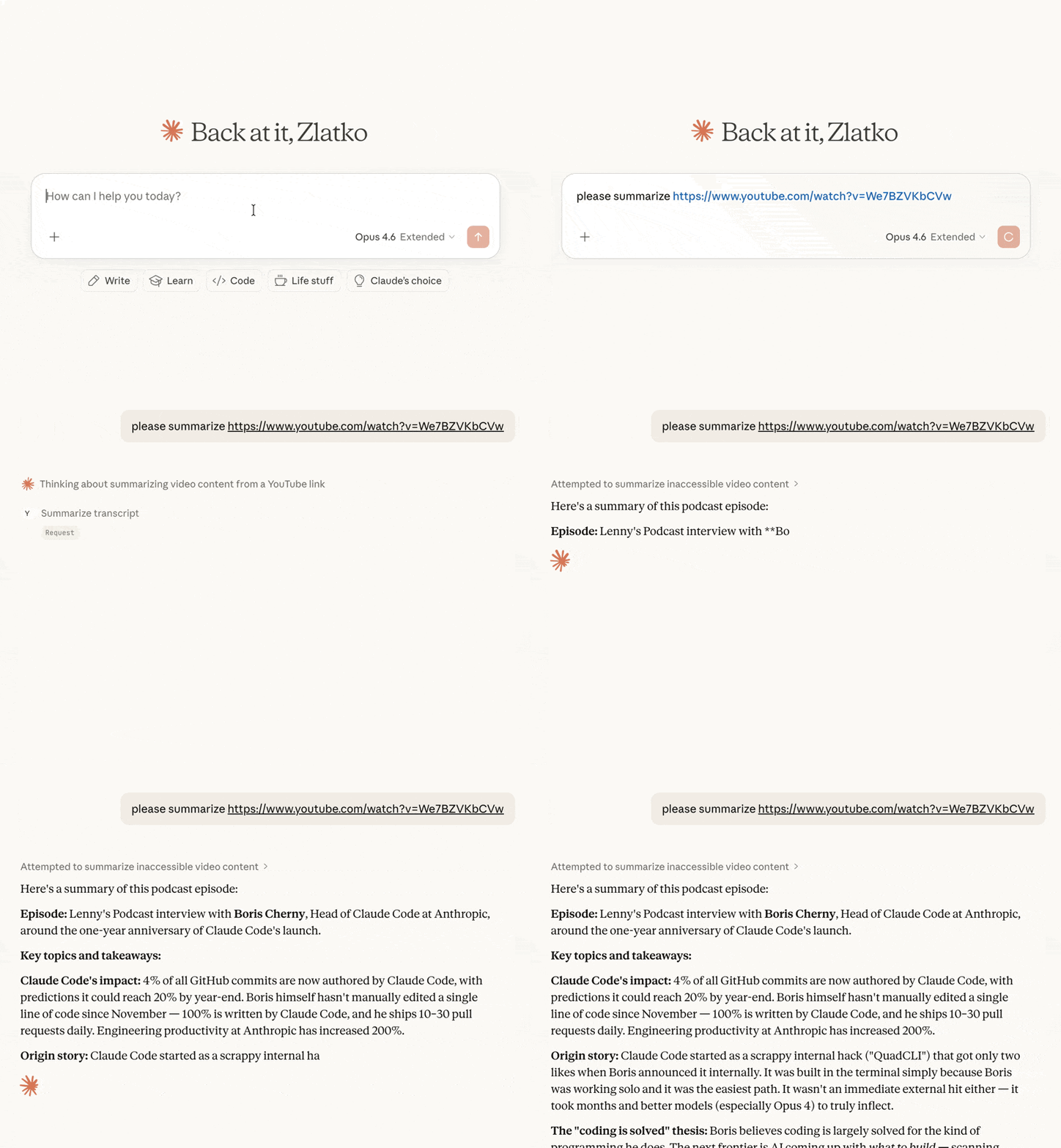
MCP server that fetches YouTube video transcripts and optionally summarizes them.
Features
- Fetch transcripts in multiple formats (text, JSON, SRT, WebVTT, pretty-print)
- Video metadata — title, description, channel, upload date, duration, views, chapters (via yt-dlp)
- Optional timestamps in plain-text transcripts
- Summarize videos — returns transcript with the prompt clearly broken out for human review before the LLM acts on it
- List playlist videos — fast enumeration of any public playlist with optional sorting
- Search videos — clean ranked results with sort and filter options, without the ads, Shorts shelves, and personalized recommendations of the YouTube website
- List available languages for any video's transcripts
- Flexible URL parsing — accepts full YouTube URLs (
youtube.com/watch?v=,youtu.be/,youtube.com/embed/,youtube.com/shorts/) or bare video IDs - Multi-language support — request transcripts in specific languages with fallback priority
Tools
get_transcript
Fetch a YouTube video's transcript. By default the response is prefixed with a [METADATA] block (title, channel, published, duration, views, description); pass include_metadata=false for transcript-only output.
| Parameter | Type | Default | Description |
|---|---|---|---|
url |
string | required | YouTube video URL or video ID |
languages |
string[] | ["en"] |
Preferred languages in priority order |
format |
string | "text" |
Output format: text, json, pretty, webvtt, srt |
preserve_formatting |
boolean | false |
Keep HTML formatting tags in the transcript |
include_timestamps |
boolean | false |
When true with format="text", prefix each line with [HH:MM:SS]. Ignored for other formats (they already include timestamps). |
include_metadata |
boolean | true |
Prepend a [METADATA] block before the transcript. Pass false for transcript-only output. |
summarize_transcript
Fetch a transcript and return it with summarization instructions. The response is structured into clearly-labeled sections ([INSTRUCTIONS], [PROMPT_SOURCE], [VIDEO], [METADATA], [TRANSCRIPT]) so a human can review the prompt before letting the LLM act on it.
| Parameter | Type | Default | Description |
|---|---|---|---|
url |
string | required | YouTube video URL or video ID |
prompt |
string | (default prompt) | Custom summarization instructions |
languages |
string[] | ["en"] |
Preferred languages in priority order |
include_timestamps |
boolean | false |
Prefix each transcript line with [HH:MM:SS]. |
include_metadata |
boolean | true |
Include a [VIDEO] block with title, channel, published, duration, views, and description. |
get_video_metadata
Fetch metadata (title, description, channel, upload date, duration, views, tags, chapters, etc.) for a YouTube video. Backed by yt-dlp.
| Parameter | Type | Default | Description |
|---|---|---|---|
url |
string | required | YouTube video URL or video ID |
list_playlist_videos
List the videos in a YouTube playlist (title, ID, channel, duration, views, URL). Per-video metadata is intentionally lean so the call stays fast even for large playlists; call get_video_metadata with a specific video ID for full detail.
| Parameter | Type | Default | Description |
|---|---|---|---|
url |
string | required | YouTube playlist URL (with ?list=...) or bare playlist ID |
limit |
integer | 500 |
Maximum videos to return |
sort_by |
string | "index" |
One of: index (playlist order), title, duration, views. upload_date is not supported. |
order |
string | "asc" |
asc or desc |
search_videos
Search YouTube for videos and return a clean ranked list (title, ID, channel, duration, views, URL) — only actual videos, with no ads, recommendation shelves, or personalization. Relevance ordering still comes from YouTube's backend. Pair with get_transcript or summarize_transcript on a result's ID or URL.
| Parameter | Type | Default | Description |
|---|---|---|---|
query |
string | required | Search terms |
limit |
integer | 10 |
Maximum results to return |
sort_by |
string | "relevance" |
One of: relevance, date (newest first), views, rating |
uploaded |
string | "any" |
Filter by upload time: any, hour, today, week, month, year |
duration |
string | "any" |
Filter by length: any, short (<4 min), medium (4–20 min), long (>20 min) |
list_transcripts
List available transcript languages for a video.
| Parameter | Type | Default | Description |
|---|---|---|---|
url |
string | required | YouTube video URL or video ID |
Installation
Quick start (recommended)
uvx youtube-summarize
Claude Desktop
Add to your claude_desktop_config.json:
- macOS:
~/Library/Application Support/Claude/claude_desktop_config.json - Windows:
%APPDATA%\Claude\claude_desktop_config.json
{
  "mcpServers": {
    "youtube-summarize": {
      "command": "uvx",
      "args": ["youtube-summarize"]
    }
  }
}
Claude Code
claude mcp add youtube-summarize -- uvx youtube-summarize
Other MCP clients
Run the server over stdio:
uvx youtube-summarize
Prerequisites
- Python 3.13+
- uv package manager
Development
# Install dependencies
uv sync

# Launch the MCP inspector (web UI for testing tools)
uv run mcp dev main.py
License
MIT
mcp-name: io.github.zlatkoc/youtube-summarize
Install Youtube Summarize in Claude Desktop, Claude Code & Cursor
unyly install youtube-summarizeInstalls into Claude Desktop, Claude Code, Cursor & VS Code — handles npx, uvx and build-from-source repos for you.
First time? Get the CLI: curl -fsSL https://unyly.org/install | sh
Or configure manually
Run in your terminal:
claude mcp add youtube-summarize -- uvx youtube-summarizeStep-by-step: how to install Youtube Summarize
FAQ
Is Youtube Summarize MCP free?
Yes, Youtube Summarize MCP is free — one-click install via Unyly at no cost.
Does Youtube Summarize need an API key?
No, Youtube Summarize runs without API keys or environment variables.
Is Youtube Summarize hosted or self-hosted?
A hosted option is available: Unyly runs the server in the cloud, no local setup required.
How do I install Youtube Summarize in Claude Desktop, Claude Code or Cursor?
Open Youtube Summarize on unyly.org, pick your client tab (Claude Desktop, Claude Code, Cursor) and press Install — the config is generated automatically, no JSON editing.
Related MCPs
ARA
Generate images, video and audio from any AI agent — one connector.
 by ARA
Omni Video
An MCP server that transforms LLM-enabled IDEs into professional video editors by pre-processing footage into text proxies, generating motion graphics via HTML/
 by buildwithtaza
YouTube
Transcripts, channel stats, search
 by YouTube
EverArt
AI image generation using various models.
 by modelcontextprotocol
gpu-bridge/mcp-server
Unified GPU inference API with 30 AI services (LLM, image gen, video, TTS, whisper, embeddings, reranking, OCR) as MCP tools. Pay-per-use via x402 USDC or API k
 by gpu-bridge
hamflx/imagen3-mcp
A powerful image generation tool using Google's Imagen 3.0 API through MCP. Generate high-quality images from text prompts with advanced photography, artistic,
 by hamflx
merterbak/Grok-MCP
MCP server for xAI's [Grok API](https://docs.x.ai/docs/overview) with agentic tool calling, image generation, vision, and file support.
 by merterbak
SureScaleAI/openai-gpt-image-mcp
OpenAI GPT image generation/editing MCP server.
 by SureScaleAI
YangLiangwei/PersonalizationMCP
Comprehensive personal data aggregation MCP server with Steam, YouTube, Bilibili, Spotify, Reddit and other platforms integrations. Features OAuth2 authenticati
 by YangLiangwei
AceDataCloud/MCPFlux
Flux AI image generation and editing (Black Forest Labs) via Ace Data Cloud API.
 by AceDataCloud
Compare Youtube Summarize with
Not sure what to pick?
Find your stack in 60 seconds
Author?
Embed badge for your README
Browse similar
All media MCPs