
3D Asset Processing
БесплатноНе проверенProcesses and optimizes 3D glTF/GLB models with analysis, validation, format conversion, compression, and geometry simplification tools for web, mobile, and gam

Описание
Processes and optimizes 3D glTF/GLB models with analysis, validation, format conversion, compression, and geometry simplification tools for web, mobile, and game engine compatibility.
README
A comprehensive MCP server for processing, validating, optimizing, and analyzing 3D models with glTF/GLB support.
Features
- Analysis: Get detailed model statistics including geometry, materials, animations, and performance metrics
- Validation: Ensure 3D models meet standards using built-in checks
- Basic Processing: Convert between glTF/GLB formats using gltf-pipeline
- Advanced Processing: Apply Meshopt/Draco compression, texture optimization, and geometry processing using gltf-transform
Installation
Add to your MCP client configuration:
{
  "mcpServers": {
    "3d-asset-processing-mcp": {
      "command": "npx",
      "args": ["-y", "3d-asset-processing-mcp"]
    }
  }
}
All dependencies (gltf-pipeline, gltf-transform) are included - no additional setup required.
Available Tools
analyze_model: Analyze 3D models and provide detailed statisticsvalidate_model: Validate 3D models for compliance and compatibilitygltf-pipeline-executor: Basic glTF operations (conversion, format upgrade, simple compression)gltf-transform-executor: Advanced glTF processing (Meshopt/Draco compression, texture optimization, geometry processing)
Development
# Clone the repository
git clone [email protected]:GeoLibra/3d-asset-processing-mcp.git
cd 3d-asset-processing-mcp

# Install dependencies
npm install

# Build the project
npm run build

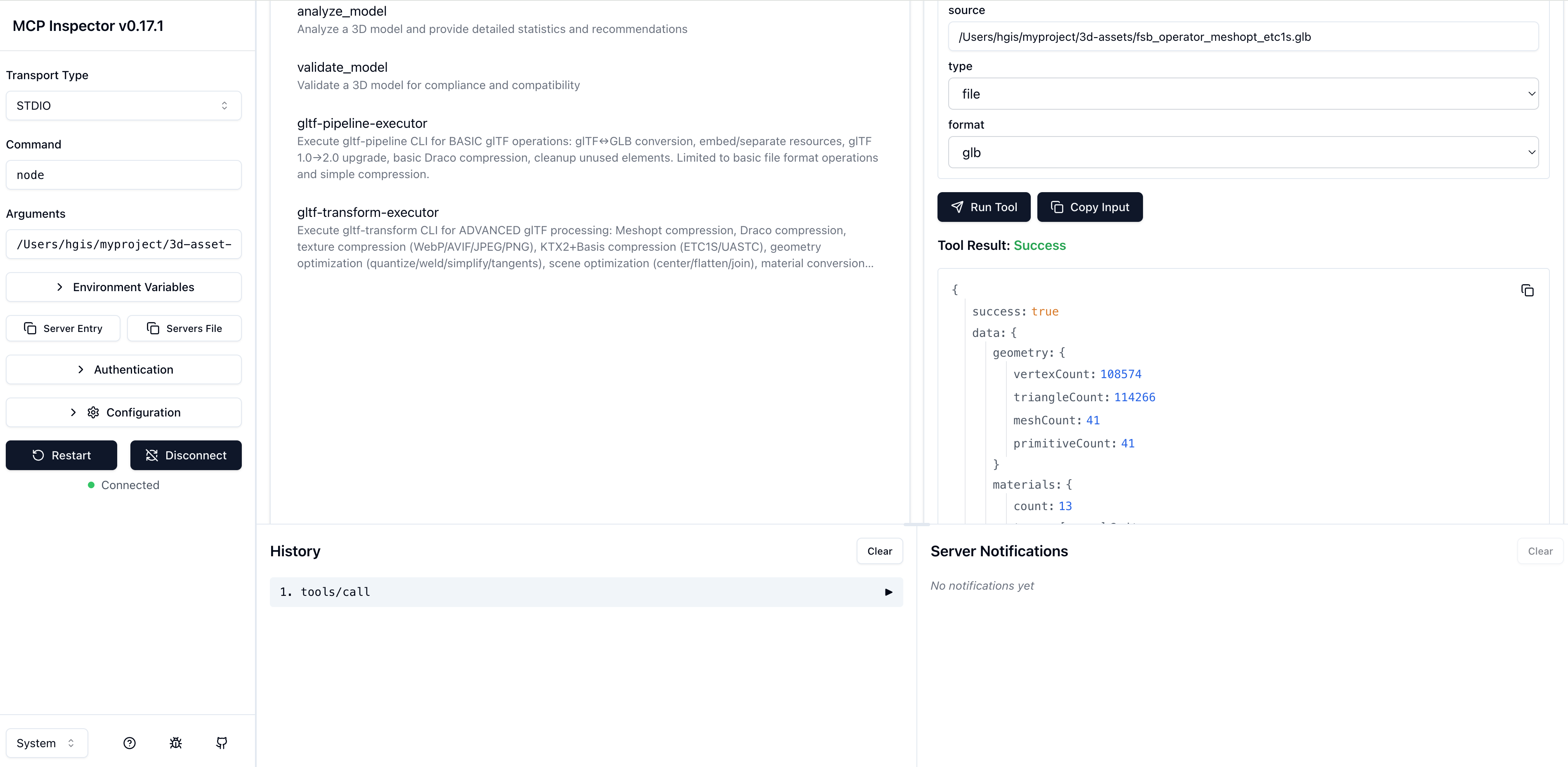
# debug mcp
"3d-asset-processing-mcp": {
  "command": "node",
  "args": [
    "/Users/hgis/myproject/3d-asset-processing-mcp/dist/server.js"
  ]
}
debug mcp
npx @modelcontextprotocol/inspector
License
MIT
Установить 3D Asset Processing в Claude Desktop, Claude Code, Cursor
unyly install 3d-asset-processingСтавит в Claude Desktop, Claude Code, Cursor и VS Code — сам разбирается с npx, uvx и сборкой из исходников.
Впервые? Поставь CLI: curl -fsSL https://unyly.org/install | sh
Или настроить вручную
Выполни в терминале:
claude mcp add 3d-asset-processing -- npx -y 3d-asset-processing-mcpПошаговые гайды: как установить 3D Asset Processing
FAQ
3D Asset Processing MCP бесплатный?
Да, 3D Asset Processing MCP бесплатный — установка в пару кликов через Unyly без оплаты.
Нужен ли API-ключ для 3D Asset Processing?
Нет, 3D Asset Processing работает без API-ключей и переменных окружения.
3D Asset Processing — hosted или self-hosted?
Self-hosted: сервер запускается локально на твоей машине командой из раздела установки.
Как установить 3D Asset Processing в Claude Desktop, Claude Code или Cursor?
Открой 3D Asset Processing на unyly.org, выбери вкладку своего клиента (Claude Desktop, Claude Code, Cursor) и нажми Install — конфиг сгенерируется автоматически, без правки JSON.
Похожие MCP
GitHub
PRs, issues, code search, CI status
 автор: GitHub
Filesystem
Secure file operations with configurable access controls.
Memory
Knowledge graph-based persistent memory system.
Template MCP Server
A CLI tool to create a new Model Context Protocol server project with TypeScript support, dual transport options, and an extensible structure
 автор: mcpdotdirect
Compare 3D Asset Processing with
Не уверен что выбрать?
Найди свой стек за 60 секунд
Автор?
Embed-бейдж для README
Похожее
Все в категории development