
Access Calibre
БесплатноНе проверенMCP server enabling LLMs to query a local Calibre Content Server for ebook metadata, chapters, and content in HTML or Markdown.

Описание
MCP server enabling LLMs to query a local Calibre Content Server for ebook metadata, chapters, and content in HTML or Markdown.
README
[!NOTE] This package has been entirely vibe-coded by Junie in JetBrains IntelliJ and not human checked.
A JavaScript library to connect to a local Calibre Content Server and grab portions of ebooks.
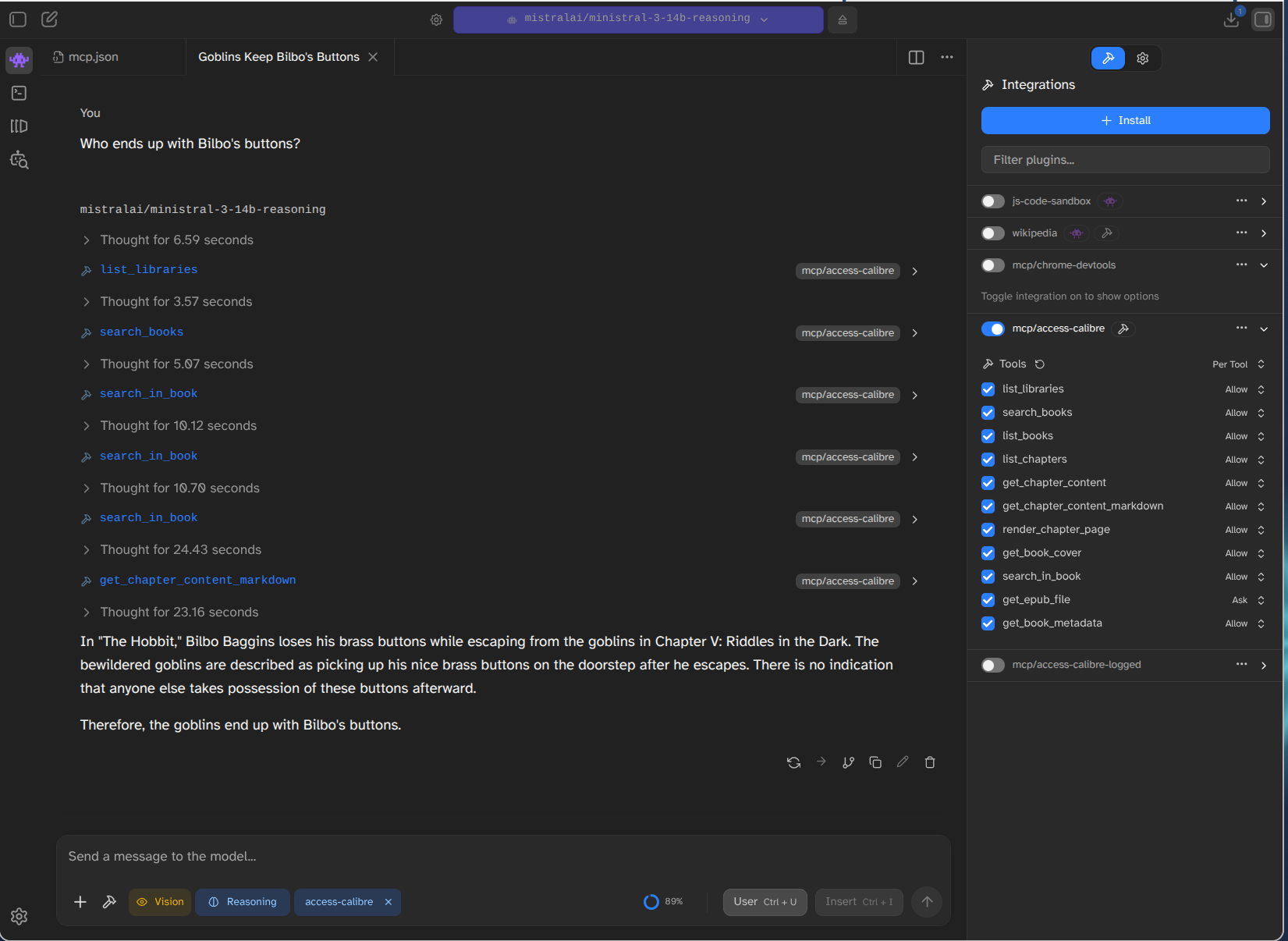
You will need to have a Calibre Content Server running locally. Start one by running calibre and choosing the "Connect/share" option.
MCP Server
This library includes an MCP (Model Context Protocol) server that allows LLMs to interact with your Calibre library.
Tools Provided:
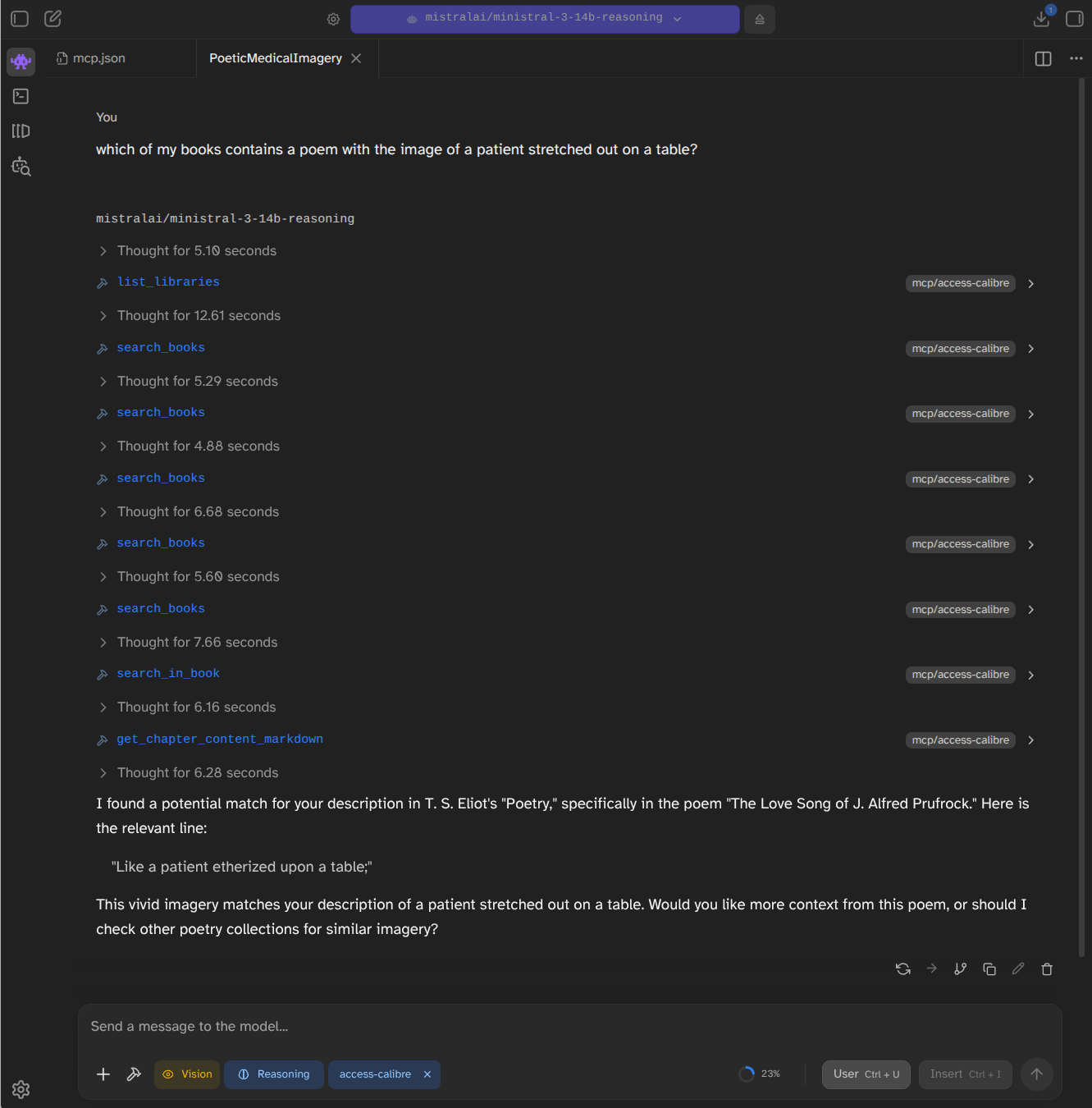
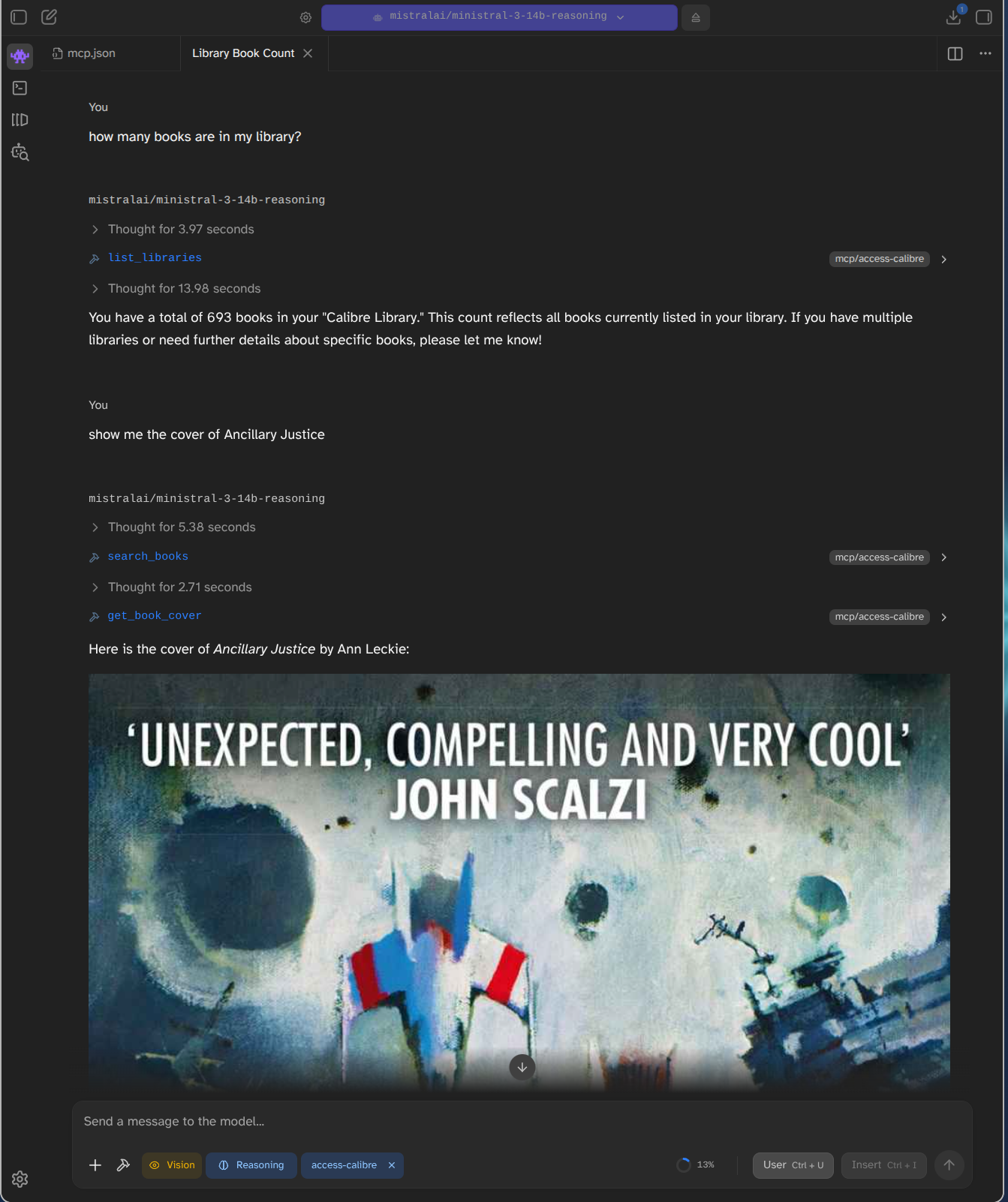
list_libraries: List available libraries.search_books: Search for books using Calibre's search syntax (e.g. by title, author: "author:Asimov").list_books: List all books in a library.list_chapters: List the chapters of a book in reading order.get_chapter_content: Retrieve the HTML content of a specific chapter.get_chapter_content_markdown: Retrieve the content of a specific chapter converted to Markdown (generally better for LLMs).render_chapter_page: Render a specific page of a chapter as a PNG image (useful for LLMs with vision capabilities). It also returns the total number of pages in the chapter.get_book_cover: Retrieve the cover image of a book as a PNG image.search_in_book: Search for specific literal text within a book and get snippets of occurrences. Note: ONLY supports simple literal string matching, NO boolean operators (AND/OR) or quotes.get_epub_file: Retrieve any file from the EPUB (e.g. CSS, images).
Configuration
The MCP server can be configured via environment variables:
CALIBRE_URL: The URL of your Calibre Content Server (default:http://[::1]:8080/).CALIBRE_USERNAME: Optional username for authentication.CALIBRE_PASSWORD: Optional password for authentication.
Running the MCP Server
Logging
You can enable detailed logging of all requests and responses by providing the --verbose (or -v) argument:
npx access-calibre --verbose
Logs are written to stderr so they don't interfere with the MCP protocol.
If you want to direct logs to a file, you can use the --log-file argument:
npx access-calibre --log-file=server.log
You can combine both to see logs in stderr and save them to a file:
npx access-calibre --verbose --log-file=server.log
Claude Desktop
You can run the MCP server directly using npx (useful for Claude Desktop or other MCP clients):
npx access-calibre
LM Studio
To use this MCP server in LM Studio:
- Open LM Studio.
- Click on the Tools icon (puzzle piece) in the left sidebar.
- Click + Add Tool.
- Choose MCP Server.
- Give it a name (e.g.,
access-calibre). - For Command, enter
npx. - For Arguments, enter
access-calibre. - Add any required environment variables (like
CALIBRE_URL) in the Environment Variables section. - Click Add Tool.
Alternatively, you can add it to your mcp-config.json (usually found in ~/.lmstudio/mcp-config.json):
{
  "mcpServers": {
    "access-calibre": {
      "command": "npx",
      "args": ["access-calibre"],
      "env": {
        "CALIBRE_URL": "http://localhost:8080/"
      }
    }
  }
}
Local Installation
npm run start:mcp
Or directly via Node:
CALIBRE_URL=http://localhost:8080 node mcp-server.js
Library Installation
To use it as a library in your project:
npm install access-calibre
Usage
You can use it as a library in your project:
const CalibreClient = require('access-calibre');

const client = new CalibreClient('http://localhost:8080', 'username', 'password');

async function example() {
    // List libraries
    const libraries = await client.getLibraries();
    const libraryId = Object.keys(libraries)[0];

    // List books
    const books = await client.getBooks(libraryId);

    // Get EPUB contents
    const bookId = books.book_ids[0];
    const files = await client.getEpubContents(libraryId, bookId);
    console.log('Files in EPUB:', files);

    // Get a specific file (e.g., a chapter) from the EPUB
    const html = await client.getEpubFile(libraryId, bookId, 'index_split_001.html');
    console.log(html);
}
API
new CalibreClient(baseUrl, username, password)
Initialize the client.
client.getLibraries()
Returns an object containing information about available libraries, including book counts.
client.getBooks(libraryId, limit, offset, search)
Returns a list of book IDs and their metadata for the specified library. search is an optional search query string in Calibre's search syntax.
client.getBookMetadata(libraryId, bookId)
Returns detailed metadata for a specific book.
client.downloadBook(libraryId, bookId, format)
Downloads the book in the specified format (e.g., 'EPUB', 'PDF') and returns a Buffer.
client.getEpubContents(libraryId, bookId)
Returns a list of file paths inside the EPUB file.
client.getTOC(libraryId, bookId)
Returns an array of { title, path } objects representing the book's Table of Contents.
client.getChapters(libraryId, bookId)
Returns an array of { title, path, size } objects representing the book's chapters in their linear reading order (as defined in the EPUB spine). size is the uncompressed size of the chapter file in bytes.
client.getChapterContentMarkdown(libraryId, bookId, chapterPath)
Returns the content of a specific chapter converted to Markdown.
client.searchText(libraryId, bookId, query, snippetWindow)
Searches for query text within the book. Returns an array of { chapterTitle, chapterPath, offset, snippet, markdownOffset, markdownSnippet } objects. snippetWindow (default 100) is the number of characters to include before and after the match in the snippet. markdownOffset and markdownSnippet are provided for use with Markdown-based tools.
client.getEpubFile(libraryId, bookId, filePath, responseType)
Extracts a specific file from the EPUB and returns its content as a string (default) or Buffer (if responseType is 'buffer').
Scripts
get-chapter.js
Extracts the XML/HTML content of a chapter to the console.
node get-chapter.js <book_id_or_title> <chapter_index_or_title>
render-chapter.js
Renders a specific page from a chapter to a PNG image using Playwright.
node render-chapter.js <book_id_or_title> <chapter_index_or_title> [output.png] [--page <number>]
--page <number>: Optional. Specifies which page of the chapter to render (default is 1).- If no output filename is provided, it defaults to
chapter_render.png.
Note: You may need to run npx playwright install chromium before using this script.
Running Tests
npm test
Установка Access Calibre
У этого сервера нет опубликованного пакета — он собирается из исходников. Открой репозиторий и следуй инструкции в README.
▸ github.com/caplin-adam/access-calibreFAQ
Access Calibre MCP бесплатный?
Да, Access Calibre MCP бесплатный — установка в пару кликов через Unyly без оплаты.
Нужен ли API-ключ для Access Calibre?
Нет, Access Calibre работает без API-ключей и переменных окружения.
Access Calibre — hosted или self-hosted?
Self-hosted: сервер запускается локально на твоей машине командой из раздела установки.
Как установить Access Calibre в Claude Desktop, Claude Code или Cursor?
Открой Access Calibre на unyly.org, выбери вкладку своего клиента (Claude Desktop, Claude Code, Cursor) и нажми Install — конфиг сгенерируется автоматически, без правки JSON.
Похожие MCP
GitHub
PRs, issues, code search, CI status
 автор: GitHub
Filesystem
Secure file operations with configurable access controls.
Memory
Knowledge graph-based persistent memory system.
Template MCP Server
A CLI tool to create a new Model Context Protocol server project with TypeScript support, dual transport options, and an extensible structure
 автор: mcpdotdirect
Compare Access Calibre with
Не уверен что выбрать?
Найди свой стек за 60 секунд
Автор?
Embed-бейдж для README
Похожее
Все в категории development