
ADA Turbo
БесплатноНе проверенProvides a complete agency operating system with 20+ roles (strategy, creative, marketing, etc.) accessible via MCP and includes a Pixel Office visualizer for i

Описание
Provides a complete agency operating system with 20+ roles (strategy, creative, marketing, etc.) accessible via MCP and includes a Pixel Office visualizer for interactive simulation.
README
🇺🇸 English Documentation | 🇹🇷 Türkçe Dokümantasyon
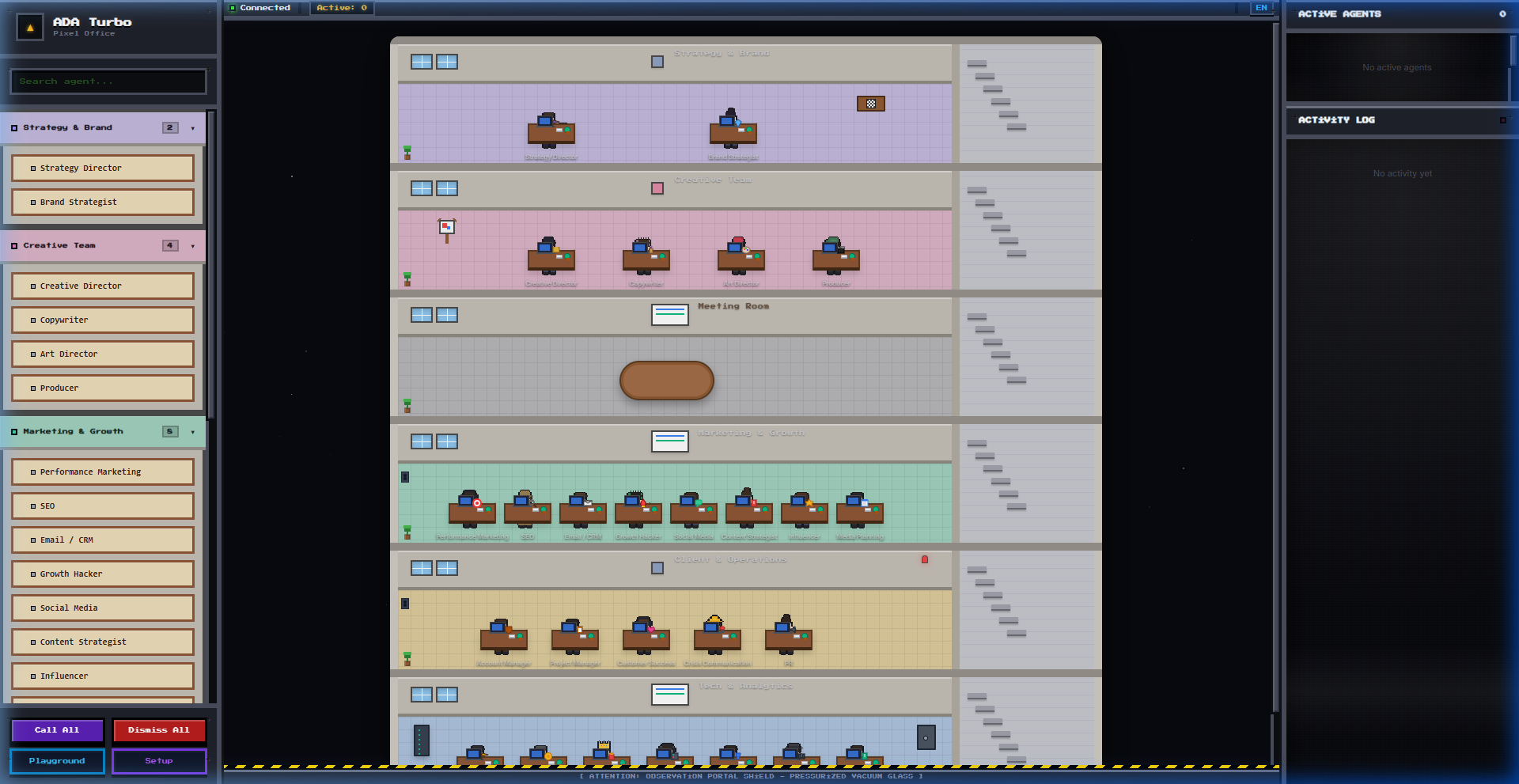
ADA Turbo is a commercial-grade infrastructure that delivers the ADA Creative Co. agency operating system via MCP (Model Context Protocol) and an interactive Pixel Office Visualizer. The complete agency structure comprising 20+ roles — strategy, creative, marketing, client relations, analytics, product, and technical — is instantly available in any MCP-compatible client and as a local web simulation.
🚀 Key Features
- Dual-Mode Operation:
- MCP Mode (Default): Runs as an MCP stdio server. Provides backward compatibility with clients like Antigravity, Claude Code, Cursor, and Windsurf. When an agent is called by an IDE, the characters in the browser visually walk to their desks in real-time!
- Pixel Office Web Mode: Starts a local, highly-optimized, retro CRT-effect web interface and office simulation (port
8000) with zero external dependencies when run with the--webflag.
- Developer Tools (Console Modals):
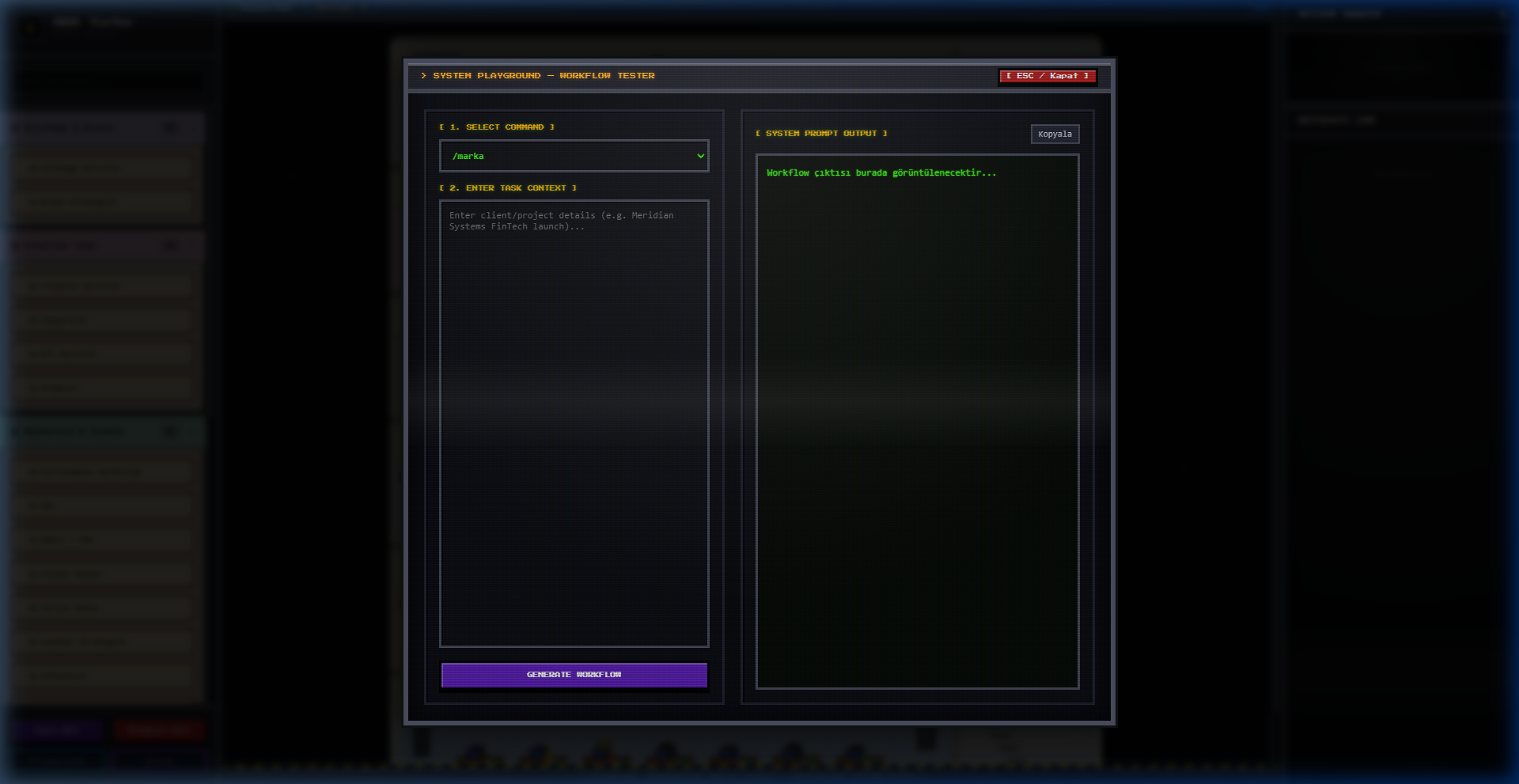
- Playground (Workflow Tester): Select commands and input project contexts to dynamically generate workflow instructions, ready to copy and send to an LLM.
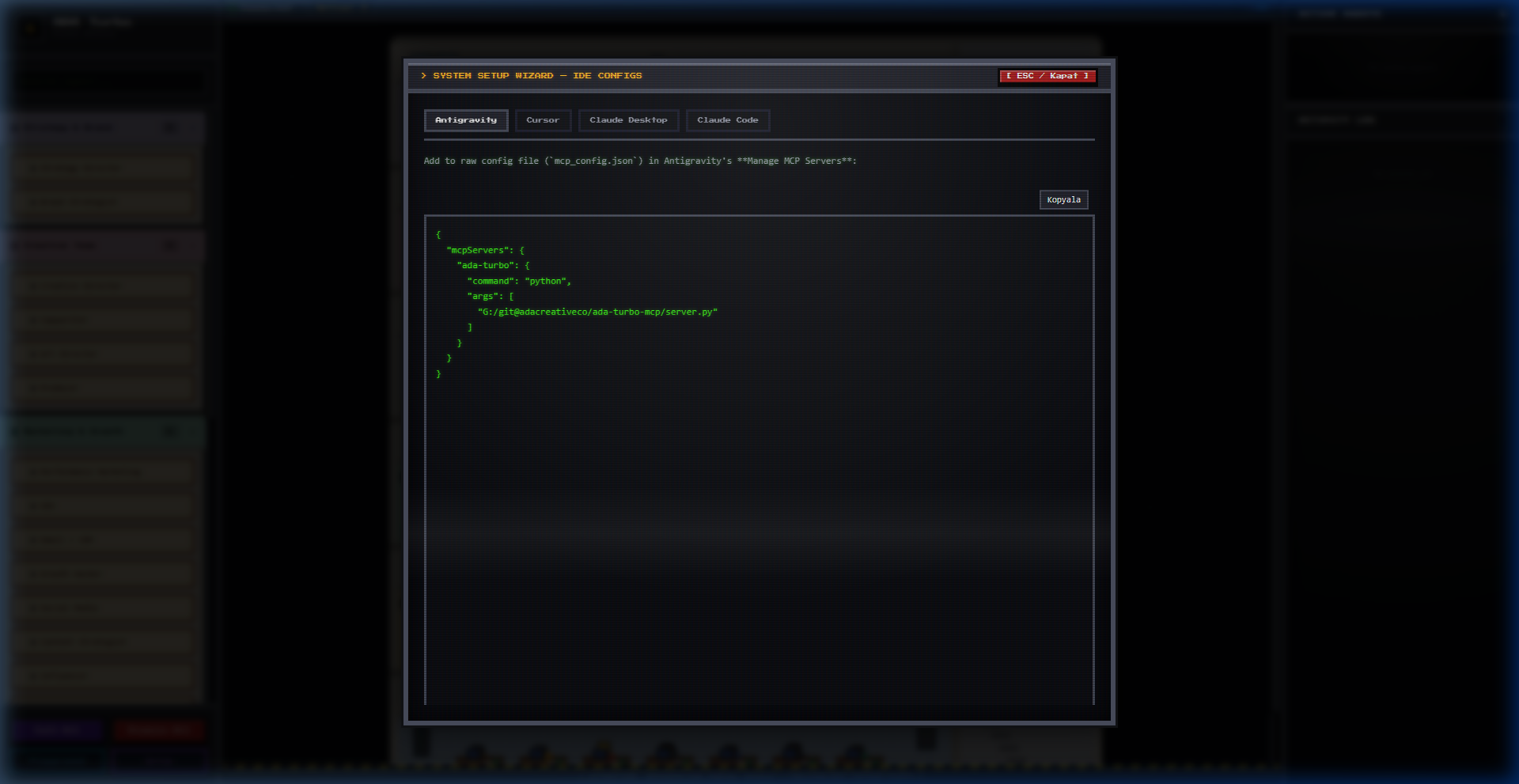
- Setup Wizard: Dynamically calculates local absolute paths and outputs ready-to-copy configuration blocks for Cursor, Antigravity, Claude Desktop, and Claude Code.
- Pixel Characters & Animations: 26 unique agency characters with idle (breathing, blinking) and walking cycles, moving dynamically across the office floors.
🖥️ Pixel Office & Modals Preview
1. Pixel Office Dashboard
2. CRT Workflow Playground
3. CRT Setup Wizard
🛠️ Installation & Getting Started
1. Install Dependencies
git clone https://github.com/adacreativeco/ada-turbo-mcp.git
cd ada-turbo-mcp
pip install -r requirements.txt
2. Start the Pixel Office Visualizer
To start the local web interface and visualizer, run:
python server.py --web
Open http://localhost:8000 in your browser. To run on a different port:
python server.py --web --port 8080
3. Run in MCP Mode (Client Integration)
To register the server in an MCP client, use the calculated configurations from the Web Visualizer's Setup Wizard, or copy the configuration snippets below:
Antigravity
Open your mcp_config.json (Windows: C:\Users\<USER>\.gemini\antigravity\mcp_config.json, macOS/Linux: ~/.gemini/antigravity/mcp_config.json) and add:
{
  "mcpServers": {
    "ada-turbo": {
      "command": "python",
      "args": ["/ABSOLUTE/PATH/ada-turbo-mcp/server.py"]
    }
  }
}
Cursor
Add to ~/.cursor/mcp.json (global) or project-root .cursor/mcp.json:
{
  "mcpServers": {
    "ada-turbo": {
      "command": "python",
      "args": ["/ABSOLUTE/PATH/ada-turbo-mcp/server.py"]
    }
  }
}
📂 Architecture
For code quality and maintainability, the codebase is modular:
ada-turbo-mcp/
├── server.py                   ← Dual-mode entry point (MCP / Web)
├── index.html                  ← Retro space console Pixel Office UI
├── requirements.txt            ← Project dependencies
├── pyproject.toml              ← Package configuration
├── references/                 ← Domain knowledge base (.md)
├── karakterler/                ← Pixel character graphics and generators
├── animasyonlar/               ← Character walk/idle spritesheets
└── src/                        ← Python modules
    ├── mcp_server.py           ← FastMCP server definitions
    ├── web_server.py           ← Multi-threaded HTTP API server
    ├── workflow_manager.py     ← Command routing, active status logging, mock output
    └── utils.py                ← Helper functions
📝 License
PolyForm Noncommercial License 1.0.0 (Personal/educational use only. Commercial use is strictly prohibited. Contact ADA Creative Co. for commercial licensing.)
Установка ADA Turbo
У этого сервера нет опубликованного пакета — он собирается из исходников. Открой репозиторий и следуй инструкции в README.
▸ github.com/adacreativeco/ada-turbo-mcpFAQ
ADA Turbo MCP бесплатный?
Да, ADA Turbo MCP бесплатный — установка в пару кликов через Unyly без оплаты.
Нужен ли API-ключ для ADA Turbo?
Нет, ADA Turbo работает без API-ключей и переменных окружения.
ADA Turbo — hosted или self-hosted?
Self-hosted: сервер запускается локально на твоей машине командой из раздела установки.
Как установить ADA Turbo в Claude Desktop, Claude Code или Cursor?
Открой ADA Turbo на unyly.org, выбери вкладку своего клиента (Claude Desktop, Claude Code, Cursor) и нажми Install — конфиг сгенерируется автоматически, без правки JSON.
Похожие MCP
GitHub
PRs, issues, code search, CI status
 автор: GitHub
Filesystem
Secure file operations with configurable access controls.
Memory
Knowledge graph-based persistent memory system.
Template MCP Server
A CLI tool to create a new Model Context Protocol server project with TypeScript support, dual transport options, and an extensible structure
 автор: mcpdotdirect
Compare ADA Turbo with
Не уверен что выбрать?
Найди свой стек за 60 секунд
Автор?
Embed-бейдж для README
Похожее
Все в категории development