loading…
/ru
Весь каталог

Описание
Production guardrails for AI coding agents
README
Chinese | English
agent-guardrails is a local safety layer for AI coding agents. It helps you turn a vague request into a bounded task, keeps the diff inside that boundary, and gives reviewers a clear answer before merge.
It does not replace Claude Code, Codex, Cursor, Gemini, or OpenCode. It works beside them as a repo-level guardrail.
Why Use It
AI coding tools are fast, but the hard part is often the handoff:
- What exactly was the agent supposed to change?
- Did it touch files outside the task?
- Were tests or validation actually run?
- Is there evidence a reviewer can trust later?
- Did a small request turn into a broad rewrite?
agent-guardrails makes those questions explicit and repeatable.
What It Checks
- Scope: flags changes outside the declared task, allowed paths, or intended files.
- Validation: checks reported commands and required evidence files.
- Consistency: warns when a task spreads across too many files or directories.
- Risk: surfaces protected paths, interface changes, config changes, migration changes, and secret-like patterns.
- Reviewer output: prints a score, verdict, findings, next actions, and a short review summary.
- Agent setup: writes repo-local helper files and MCP configuration guidance for supported agents.
Supported Agents
agent-guardrails can generate or update helper files for:
| Agent | Helper location |
|---|---|
| Claude Code | CLAUDE.md |
| Codex | .codex/instructions.md |
| Cursor | .cursor/rules/agent-guardrails-enforce.mdc |
| Gemini CLI | GEMINI.md |
| OpenCode | .opencode/rules/agent-guardrails-enforce.md |
Requirements
- Node.js 18+
- Git
- A git repository for the project you want to protect
The npm package includes native runtime binaries for Windows x64, macOS x64/arm64, and Linux x64. The Node runtime remains available as a fallback.
Quick Start
npm install -g agent-guardrails

cd your-repo
agent-guardrails setup . --agent codex --lang en
agent-guardrails enforce --all --lang en
agent-guardrails doctor --lang en
Use the agent name you actually work with: claude-code, codex, cursor, gemini, or opencode.
Core Workflow
- Set up the repo once.
- Ask your agent to use
agent-guardrailsfor the task. - Create a task brief with
plan, or let an MCP-capable agent start the guarded loop. - Implement the smallest safe change.
- Run validation, then run
check --reviewbefore merge.
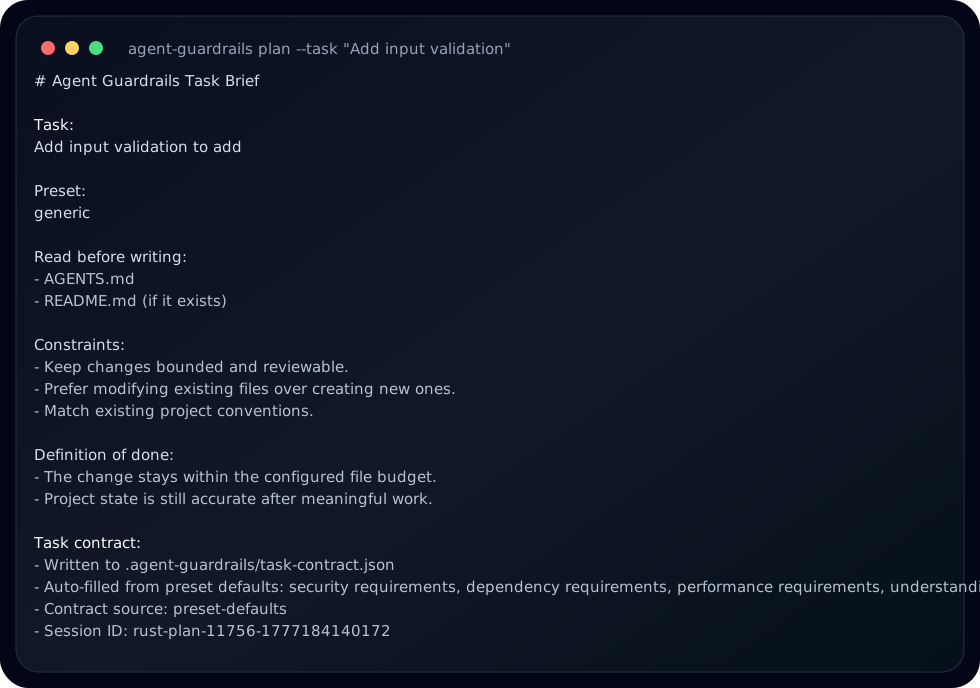
agent-guardrails plan \
  --task "Add input validation" \
  --intended-files "src/add.js,tests/add.test.js" \
  --allow-paths "src/,tests/,evidence/" \
  --required-commands "npm test" \
  --evidence "evidence/add-validation.md" \
  --lang en
npm test
agent-guardrails check --base-ref HEAD~1 --commands-run "npm test" --review --lang en
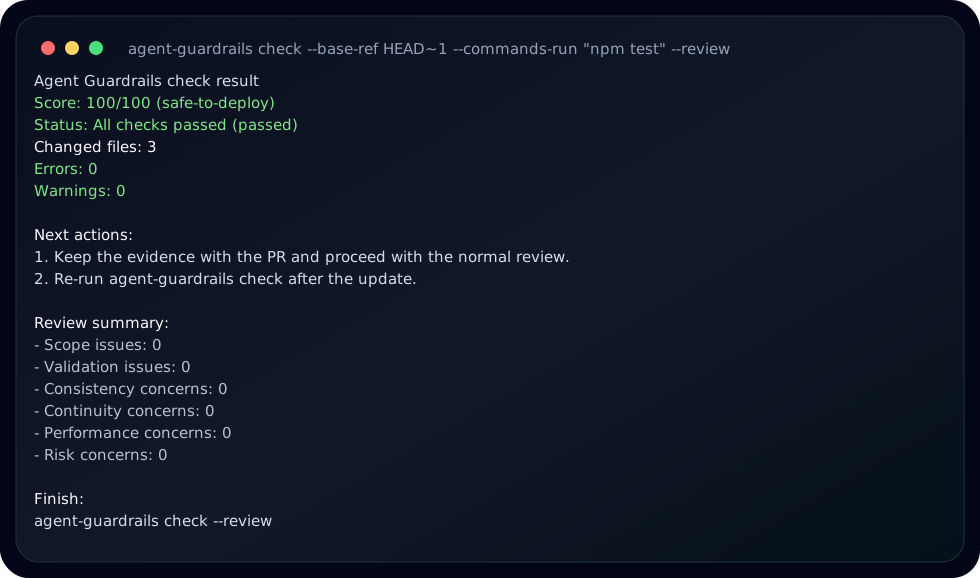
The screenshots above were generated from [email protected] in a temporary git repository.
MCP Integration
setup prints the MCP snippet for the selected agent. For Codex, the snippet looks like this:
[mcp_servers.agent-guardrails]
command = "npx"
args = ["agent-guardrails", "mcp"]
Once connected, MCP-capable agents can read repo guardrails, start a bounded implementation loop, check after edits, and finish with a review summary.
Commands
| Command | Purpose |
|---|---|
setup . --agent <name> |
Initialize guardrails and agent helper files for a repo. |
enforce --all |
Add stronger guardrail instructions for all supported agents. |
unenforce --all |
Remove injected guardrail instructions. |
plan --task "..." |
Write a task contract before implementation. |
check --review |
Run a reviewer-facing guardrail check. |
doctor |
Diagnose repo setup and runtime availability. |
generate-agents |
Regenerate agent helper files. |
mcp |
Start the stdio MCP server. |
serve |
Start the local API service for integrations. |
start, stop, status |
Manage the local background daemon. |
Configuration
setup creates .agent-guardrails/config.json. The most common settings are:
{
  "checks": {
    "scope": {
      "violationSeverity": "error",
      "violationBudget": 5
    },
    "correctness": {
      "requireCommandsReported": true,
      "requireEvidenceFiles": true
    }
  }
}
Useful options:
| Setting | What it controls |
|---|---|
checks.scope.violationSeverity |
Whether scope violations are blocking errors or warnings. |
checks.scope.violationBudget |
How many minor scope slips can be treated as soft warnings. |
checks.consistency.maxChangedFilesPerTask |
File-count warning threshold for one task. |
checks.correctness.requireCommandsReported |
Whether validation commands must be reported. |
checks.correctness.requireEvidenceFiles |
Whether declared evidence files must exist. |
checks.risk.requireReviewNotesForProtectedAreas |
Whether protected areas need review notes. |
Optional Pro Compatibility
The OSS package is usable on its own. It does not include Pro-only decision logic.
If a separately installed and licensed Pro package is present, the OSS CLI can surface Pro status and reports through:
agent-guardrails pro status
agent-guardrails pro activate <license-key>
agent-guardrails pro report
agent-guardrails pro workbench --open
If Pro is not installed or not licensed, normal OSS commands continue to work.
Public Docs
License
MIT
Как установить
Выполни в терминале:
claude mcp add agent-guardrails -- npx -y agent-guardrails
