

Описание
Theia - MCP Server
README

Cloud & Desktop IDE Framework
PRs Welcome Build Status Publish VS Code Built-in Extensions Open questions Open bugs
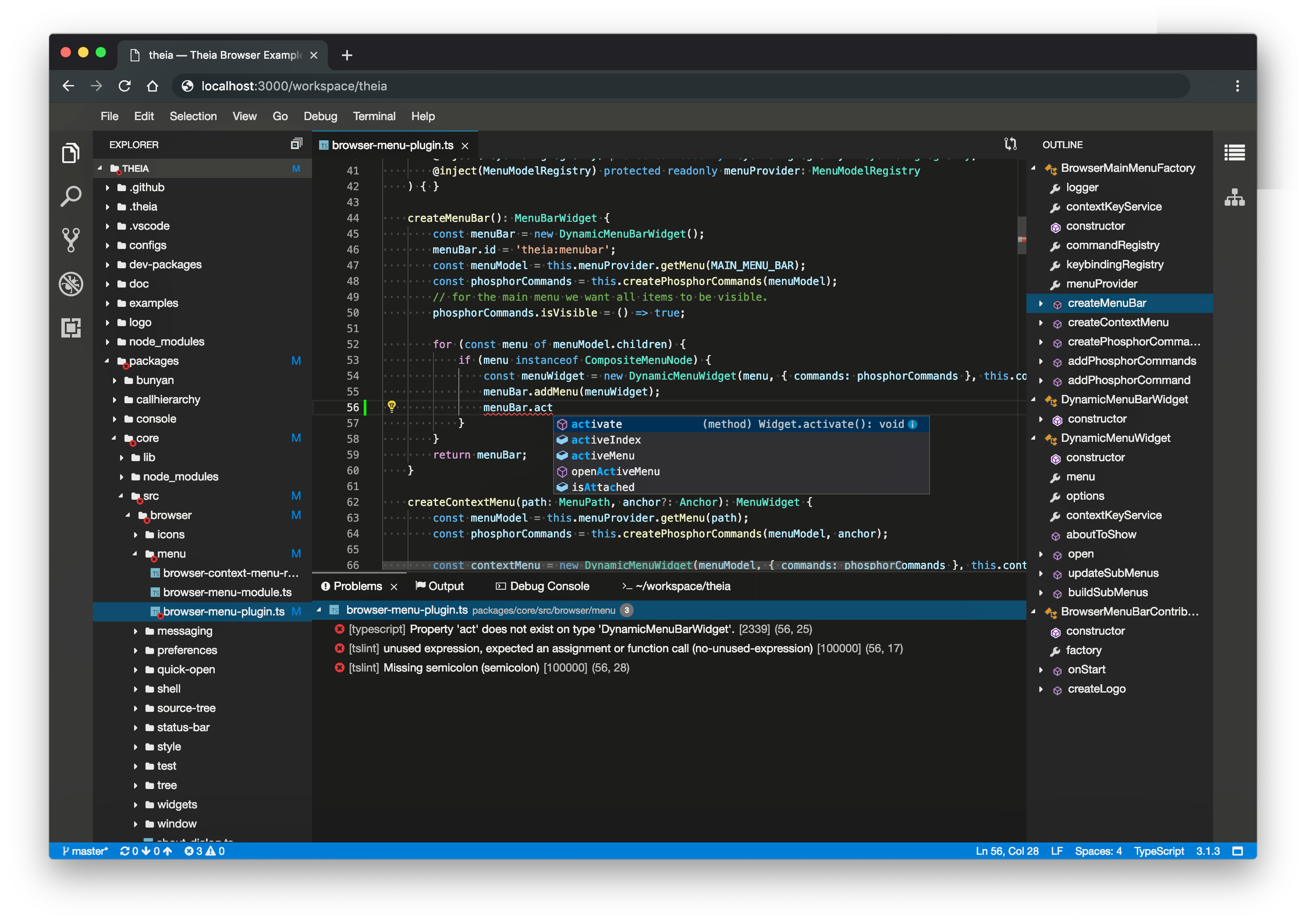
Eclipse Theia is an extensible framework to develop full-fledged multi-language Cloud & Desktop IDEs and tools with state-of-the-art web technologies.
- Website
- Repositories
- Releases
- Scope
- Roadmap
- Getting Started
- Contributing
- Feedback
- Documentation
- License
- Trademark
Website
Visit the Eclipse Theia website for more information and the Theia documentation.
Repositories
This is the main repository for the Eclipse Theia project, containing the sources of the Theia Platform. Please open generic discussions, bug reports and feature requests about Theia on this repository. The Theia project also includes additional repositories, e.g. for the artifacts building the Theia IDE and the Theia website. Please also see the overview of all Theia project repositories.
Releases
- All available releases are available on GitHub including changelogs.
- Detailed release announcements are linked on the Theia website.
- Community Releases are listed on the Theia website.
- Visit the release website for more information.
Scope
- Support building browser-based and desktop IDEs and tools
- Provide a highly flexible architecture for adopters
- Support VS Code Extension protocol
- Develop under vendor-neutral open-source governance
More details on the project goals are available on the Theia website.
Roadmap
See our roadmap for an overview about the current project goals and the upcoming releases.
Getting Started
Here you can find guides and examples for common scenarios to adopt Theia:
- Get an overview of how to get started on the Theia website
- Develop a Theia application - your own IDE/Tool
- Learn about Theia's extension mechanisms
- Develop a VS Code like extension
- Develop a Theia extension
- Test a VS Code extension in Theia
- Package a desktop Theia application with Electron
Contributing
Read below to learn how to take part in improving Theia:
- Fork the repository and run the examples from source
- Get familiar with the development workflow, Coding Guidelines, Code of Conduct and sign the Eclipse contributor agreement
- Find an issue to work on and submit a pull request
- First time contributing to open source? Pick a good first issue to get you familiar with GitHub contributing process.
- First time contributing to Theia? Pick a beginner friendly issue to get you familiar with codebase and our contributing process.
- Want to become a Committer? Solve an issue showing that you understand Theia objectives and architecture. Here is a good list to start. Further, have a look at our roadmap to align your contributions with the current project goals.
- Could not find an issue? Look for bugs, typos, and missing features.
Feedback
Read below how to engage with Theia community:
- Join the discussion on GitHub.
- Ask a question, request a new feature and file a bug with GitHub issues.
- Vote on existing GitHub issues by reacting with a 👍. We regularly check issues with votes!
- Star the repository to show your support.
- Follow Theia on X.
- Join the weekly developer call
Documentation
SBOM
To enhance supply chain security and offer users clear insight into project components, Eclipse Theia now generates a Software Bill of Materials (SBOM) for every release. These are published to the Eclipse Foundation SBOM registry, with access instructions and usage details available in this documentation.
License
- Eclipse Public License 2.0
- 一 (Secondary) GNU General Public License, version 2 with the GNU Classpath Exception
Trademark
"Theia" is a trademark of the Eclipse Foundation. Learn More
Установить Ai Mcp Server в Claude Desktop, Claude Code, Cursor
unyly install ai-mcp-serverСтавит в Claude Desktop, Claude Code, Cursor и VS Code — сам разбирается с npx, uvx и сборкой из исходников.
Впервые? Поставь CLI: curl -fsSL https://unyly.org/install | sh
Или настроить вручную
Выполни в терминале:
claude mcp add ai-mcp-server -- npx -y @theia/ai-mcp-serverFAQ
Ai Mcp Server MCP бесплатный?
Да, Ai Mcp Server MCP бесплатный — установка в пару кликов через Unyly без оплаты.
Нужен ли API-ключ для Ai Mcp Server?
Нет, Ai Mcp Server работает без API-ключей и переменных окружения.
Ai Mcp Server — hosted или self-hosted?
Self-hosted: сервер запускается локально на твоей машине командой из раздела установки.
Как установить Ai Mcp Server в Claude Desktop, Claude Code или Cursor?
Открой Ai Mcp Server на unyly.org, выбери вкладку своего клиента (Claude Desktop, Claude Code, Cursor) и нажми Install — конфиг сгенерируется автоматически, без правки JSON.
Похожие MCP
Fetch
Web content fetching and conversion for efficient LLM usage.
AWS KB Retrieval
Retrieval from AWS Knowledge Base using Bedrock Agent Runtime.
 автор: modelcontextprotocol
Spring AI MCP Server
Provides auto-configuration for setting up an MCP server in Spring Boot applications.
llm-analysis-assistant
A very streamlined mcp client that supports calling and monitoring stdio/sse/streamableHttp, and can also view request responses through the /logs page. It also
 автор: xuzexin-hz
Compare Ai Mcp Server with
Не уверен что выбрать?
Найди свой стек за 60 секунд
Автор?
Embed-бейдж для README
Похожее
Все в категории ai