
Akf
БесплатноНе проверенTrust metadata for AI agents — check files before building on them, stamp verified work.

Описание
Trust metadata for AI agents — check files before building on them, stamp verified work.
README
_akf: '{"v":"1.0","claims":[{"c":"Trust metadata for README.md","t":0.7,"id":"1979cbeb","src":"unspecified","tier":5,"ver":false,"ai":true,"evidence":[{"type":"other","detail":"updated certify and github action references","at":"2026-03-18T04:21:48.869226+00:00"}]}],"id":"akf-c33254656fc5","agent":"claude-code","at":"2026-03-18T04:21:48.870623+00:00","label":"public","inherit":true,"ext":false,"sv":"1.1"}'









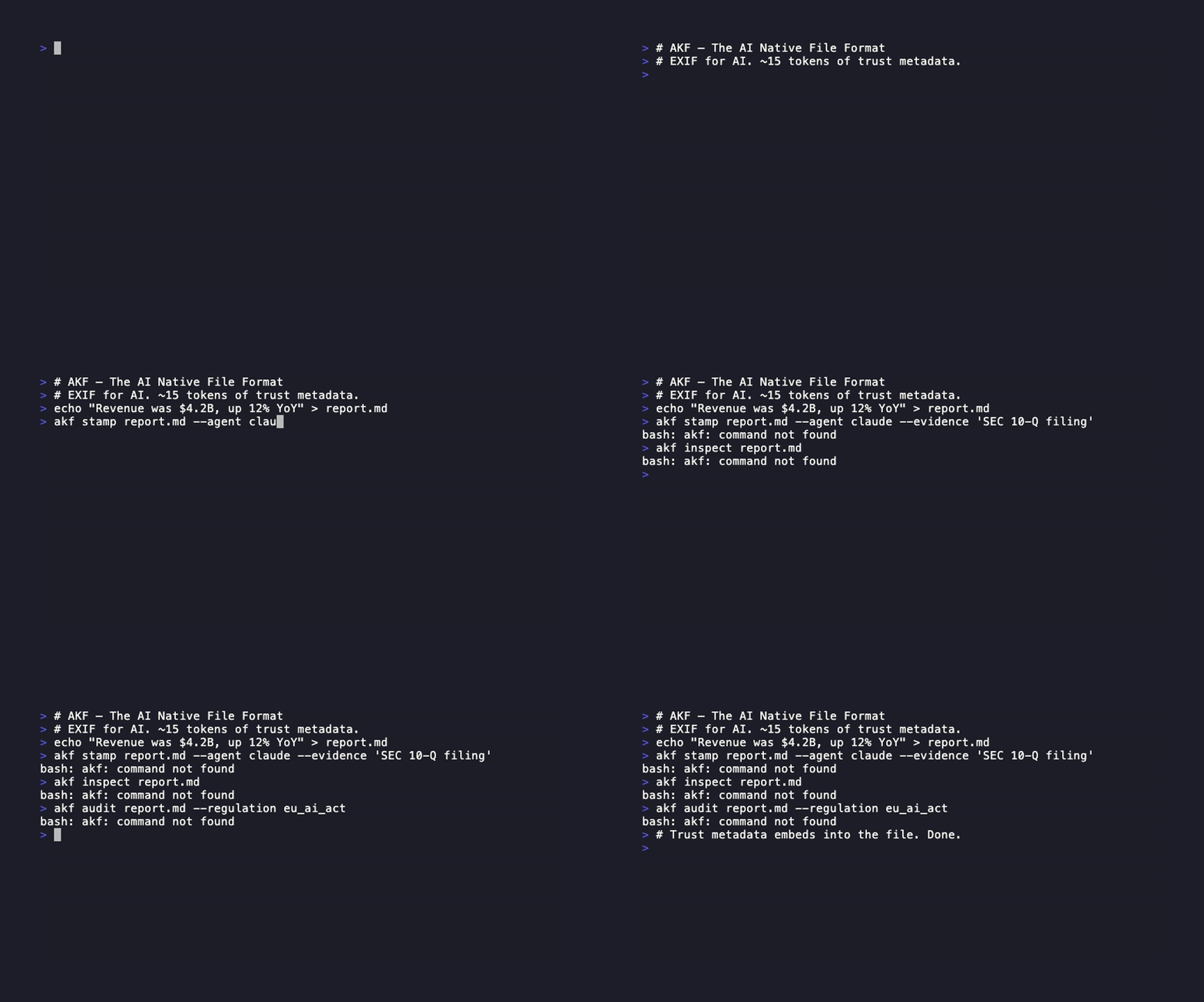
AKF — The AI Native File Format
A stamp costs ~15 tokens. Re-verifying costs 15,000.
Think EXIF for AI — trust metadata that travels with every AI-generated file,
so the next agent (or human) knows what it can build on.
⭐ Star on GitHub · Website · 🛡️ Is This AI-Generated? · 🇪🇺 Compliance Check · 📊 Repo Scanner
Quickstart · AI Agents · MCP Server · Agent Skills · CLI · Website
Paste this to your agent
Don't install AKF yourself — let your agent do it. Paste this into Claude Code, Cursor, OpenClaw, or any coding agent:
Install AKF (pip install akf, or pipx install akf) and set it up: run `akf init --git-hooks`.
From now on:
- After you create or modify a file, stamp it:
    akf stamp <file> --agent <your-id> --evidence "<what you verified, e.g. 42/42 tests passed>"
- Before building on any existing file, check it first:
    akf check <file>
  OK = fresh stamp with verified evidence, skip re-verification. STALE/LOW/UNSTAMPED = verify before trusting.
If you support MCP, also register the server: {"mcpServers":{"akf":{"command":"python","args":["-m","mcp_server_akf"]}}}
Your agent installs its own provenance layer — and every file it touches carries trust metadata from then on.
Why agents need this
Agents redo work constantly: re-read files, re-run tests, re-derive conclusions — because nothing tells them what was already verified. A stamp is cached verification state:
# Session 1 — agent fixes auth, tests pass
$ akf stamp auth.py --agent claude-code --evidence "42/42 tests passed"

# Session 2 — tomorrow, any agent, any tool
$ akf check auth.py
OK trust=0.65 agent=claude-code evidence=test_pass age=1d claims=1
# → build on it, skip re-verification

# Someone edits auth.py without re-testing
$ akf check auth.py
STALE trust=0.65 agent=claude-code evidence=test_pass age=1d claims=1 reason=modified_after_stamp
# → re-verify before trusting (exit code 1 — gate CI or hooks on it)
Stamps are trail markers agents leave for other agents — across sessions, across tools (Claude Code → Cursor → Copilot), across teams. Humans get the same trail: who made this file, AI or human, was it tested, can we trust it.
| What travels with the file | How |
|---|---|
| Trust score | 0–1 confidence, weighted by evidence and source tier |
| Verification evidence | tests passed, type check clean, human reviewed — with timestamps |
| Source provenance | SEC filing → analyst → AI agent chain |
| Compliance | One command: akf audit file --regulation eu_ai_act |
Quickstart
pip install akf    # Python
npm install akf-format    # TypeScript / Node.js

akf doctor         # Check your install — detects PATH issues and guides setup
akfcommand not found? Runakf doctorto auto-detect your setup, or usepython3 -m akf(always works).
- Install with pipx:
pipx install akf(recommended — auto-handles PATH)- Windows: use
python3 -m akfor install viapipx
# The core loop — stamp what you verified, check before you trust
akf stamp auth.py --agent claude-code --evidence "42/42 tests passed"
akf check auth.py        # OK trust=0.65 agent=claude-code evidence=test_pass age=0d
import akf

# Same loop from Python
akf.stamp_file("auth.py", agent="claude-code", evidence=["42/42 tests passed"])
result = akf.check_file("auth.py")
print(result.summary_line())   # OK trust=0.65 agent=claude-code evidence=test_pass age=0d claims=1

# Embed into Office docs, PDFs, images — any format
akf.embed("report.docx", claims=[...], classification="confidential")

# Audit for compliance (EU AI Act, HIPAA, SOX, GDPR, NIST AI, ISO 42001)
result = akf.audit("report.akf", regulation="eu_ai_act")
print(f"Compliant: {result.compliant}")
TypeScript / Node.js (akf-format):
import { create, validate, effectiveTrust, stampFile } from 'akf-format';

// Create a trust-stamped unit from any AI output
const unit = create('Revenue was $4.2B, up 12% YoY', 0.98, {
  source: 'SEC 10-Q',
  agent: 'claude-code',
});

// Validate against the AKF schema
const { valid } = validate(unit);

// Compute effective trust for a claim
const trust = effectiveTrust(unit.claims[0]);
console.log(`valid: ${valid}, score: ${trust.score}, decision: ${trust.decision}`);

// Stamp trust metadata directly into a file (markdown, json, code, …)
stampFile('report.md', { agent: 'claude-code', evidence: 'tests pass' });
Full TypeScript API and more examples: typescript/README.md.
For AI Agents
AKF is designed agent-first. One-line APIs for checking, stamping, streaming, and auditing.
import akf

# Check before you trust — can I build on this file without re-verifying?
result = akf.check_file("auth.py")
if result.status == "OK":      # fresh stamp, verified evidence
    ...                        # skip re-verification, save the tokens
# LOW / STALE / UNSTAMPED → verify before trusting

# Stamp with evidence (auto-detected: test_pass, type_check, human_review, etc.)
akf.stamp("Fixed auth bypass", kind="code_change",
          evidence=["42/42 tests passed", "mypy: 0 errors"],
          agent="claude-code", model="claude-sonnet-4-20250514")

# Stream trust metadata in real-time
with akf.stream("output.md", model="gpt-4o") as s:
    for chunk in llm_response:
        s.write(chunk)

# Trust-annotated git commits (uses git notes)
akf.stamp_commit(content="Refactored auth module", kind="code_change",
                 evidence=["all tests pass"], agent="claude-code")
print(akf.trust_log(n=10))  # + ACCEPT  ~ LOW  - REJECT  ? none
Multi-Agent Teams
AKF supports multi-agent orchestration — Claude Agent Teams, Copilot Cowork, Codex multi-agent, and any A2A-compatible platform.
import akf

# Agent-to-agent delegation with trust ceiling
policy = akf.DelegationPolicy(
    delegator="lead-agent", delegate="research-bot",
    trust_ceiling=0.7, allowed_actions=["search", "summarize"]
)
result = akf.delegate(parent_unit, policy)

# Multi-agent streaming session
with akf.TeamStream(["research", "writer", "reviewer"]) as ts:
    ts.write("research", "Found 3 sources", confidence=0.8)
    ts.write("writer", "Drafted summary", confidence=0.75)
    ts.write("reviewer", "Approved with edits", confidence=0.9)
    scores = ts.aggregate()  # per-agent + team trust

# Cross-platform agent identity
card = akf.create_agent_card(name="Research Bot", platform="claude-code",
                             capabilities=["search", "summarize"])
akf.verify_agent_card(card)  # SHA-256 hash verification

# Team certification (per-agent breakdown)
report = akf.certify_team("src/", min_trust=0.7)
# report.all_agents_certified — each agent must individually pass
CLI:
akf agent create --name "Bot" --platform claude-code --capabilities search,summarize
akf agent list
akf agent verify <id>
akf agent export-a2a <id> --output card.json   # A2A protocol bridge
akf agent import-a2a card.json
akf certify src/ --team                         # Per-agent breakdown
MCP Server
AKF ships an MCP server so any AI agent can create, validate, scan, and audit trust metadata.
# Install from the repo
pip install ./packages/mcp-server-akf
{
  "mcpServers": {
    "akf": {
      "command": "python",
      "args": ["-m", "mcp_server_akf"]
    }
  }
}
11 MCP tools: check_file · replay_file · create_claim · validate_file · scan_file · trust_score · stamp_file · audit_file · embed_file · extract_file · detect_threats
Ambient Trust
AKF works where AI agents work. Drop a config file, and every AI-generated file carries trust metadata automatically.
| Agent | How it works |
|---|---|
| Claude Code | Plugin: /plugin marketplace add HMAKT99/AKF → /plugin install akf — auto-stamp hook + check skill. Or reads CLAUDE.md |
| Cursor | Reads .cursorrules — stamps AI edits before you review |
| Windsurf | Reads .windsurfrules — stamps AI edits with trust metadata |
| GitHub Copilot | Reads .github/copilot-instructions.md (native) + shell hook for CLI |
| OpenAI Codex | Reads AGENTS.md — stamps files in cloud sandbox and local |
| OpenClaw | Skill on ClawHub: clawhub install akf — check/stamp protocol + memory trust |
| Hermes Agent | agentskills.io skill: hermes skills tap add HMAKT99/AKF — files, memories, and skill supply-chain |
| Manus / Other Agents | MCP server + shell hook — works with any agent that supports MCP or CLI |
| Any MCP agent | 11 MCP tools — check, replay, stamp, audit, embed, extract, detect, validate, scan, trust, create |
| Any CLI tool | eval "$(akf shell-hook)" — intercepts claude, chatgpt, aider, openclaw, ollama, manus |
The trust pipeline:
Agent writes code → Git commit stamped → CI runs akf certify → Team reviews with context
Set up in 60 seconds:
# 1. Agent stamps its own work (already in this repo)
cat CLAUDE.md        # or .cursorrules / .windsurfrules / AGENTS.md / .github/copilot-instructions.md

# 2. Git hooks stamp every commit
akf init --git-hooks

# 3. CI certifies trust on every PR
#    uses: HMAKT99/AKF/extensions/github-action@main

# 4. Shell hook intercepts AI CLI tools
eval "$(akf shell-hook)"
Skills
AKF provides agent skill files that AI agents can discover and use. Drop these into your agent's context:
| Skill | What it does |
|---|---|
| check.md | Check a file's trust before building on it |
| stamp.md | Stamp trust metadata onto AI outputs |
| audit.md | Audit files for regulatory compliance |
| scan.md | Security scan files and directories |
| embed.md | Embed trust metadata into Office/PDF/images |
| detect.md | Run 10 security detection classes |
| stream.md | Stream trust metadata in real-time |
| git.md | Trust-annotated git workflows |
| convert.md | Convert between formats |
delegate |
Agent-to-agent trust delegation |
team |
Multi-agent streaming sessions |
Format at a Glance
Compact (~15 tokens — optimized for AI):
{"v":"1.0","claims":[{"c":"Revenue was $4.2B","t":0.98,"src":"SEC 10-Q"}]}
Descriptive (human-readable — same data):
{"version":"1.0","claims":[{"content":"Revenue was $4.2B","confidence":0.98,"source":"SEC 10-Q"}]}
Full (with provenance, decay, AI flags, security):
{"v":"1.0","by":"[email protected]","label":"confidential","inherit":true,
 "claims":[
   {"c":"Revenue $4.2B","t":0.98,"src":"SEC 10-Q","tier":1,"ver":true,"decay":90},
   {"c":"H2 will accelerate","t":0.63,"tier":5,"ai":true,"risk":"AI inference"}
 ],
 "prov":[
   {"hop":0,"by":"[email protected]","do":"created","at":"2025-07-15T09:30:00Z"},
   {"hop":1,"by":"copilot-agent","do":"enriched","at":"2025-07-15T10:15:00Z"}
 ]}
Works With Every Format
AKF embeds natively — no sidecars needed for most formats:
| Format | How It Works |
|---|---|
.akf |
Native standalone knowledge file |
.docx .xlsx .pptx |
OOXML custom XML part |
.pdf |
PDF metadata stream |
.html |
JSON-LD <script type="application/akf+json"> |
.md |
YAML frontmatter |
.png .jpg |
EXIF/XMP metadata |
.json |
Reserved _akf key |
.mp4 .mov .webm .mkv |
Sidecar .akf.json companion |
.mp3 .wav .flac .ogg |
Sidecar .akf.json companion |
| Everything else | Sidecar .akf.json companion |
# One API for all formats
akf.embed("report.docx", claims=[...], classification="confidential")
meta = akf.extract("report.docx")
akf.scan("report.docx")
Zero-Touch Auto-Stamping
AKF can automatically stamp every file AI touches — no manual intervention needed.
# Install the background watcher
akf install

# Or run in foreground
akf watch ~/Downloads ~/Desktop ~/Documents
The background watcher monitors directories for new and modified files and stamps them with trust metadata. Smart context detection automatically infers:
- Git author — from
git loghistory - Download source — from macOS extended attributes
- Classification — from project
.akf/config.jsonrules - AI-generated flag — from LLM tracking timestamps + content heuristics
- Confidence score — dynamically adjusted based on available evidence
Shell Hook (intercept AI CLI tools)
# Add to ~/.zshrc or ~/.bashrc
eval "$(akf shell-hook)"
Automatically detects when you run claude, chatgpt, aider, openclaw, ollama, or other AI CLI tools, and stamps any files they create or modify. Also pre-stamps files before upload to content platforms (gws, box, m365, dbxcli, rclone) so trust metadata travels with the file. Use --no-upload-hooks to disable.
Project Rules
Create .akf/config.json in your project root:
{
  "rules": [
    {"pattern": "*/finance/*", "classification": "confidential", "tier": 2},
    {"pattern": "*/public/*", "classification": "public", "tier": 3}
  ]
}
Files matching these patterns are automatically classified when stamped.
CLI
# ── Quick start ──
akf                          # Welcome + quick start
akf quickstart               # Interactive demo
akf doctor                   # Check installation health

# ── Stamp & create ──
akf create report.akf \
  --claim "Revenue $4.2B" --trust 0.98 --src "SEC 10-Q" \
  --by [email protected] --label confidential

# ── Check before you trust ──
akf check auth.py            # One line: OK / LOW / STALE / UNSTAMPED
akf check auth.py --json     # Structured output; exit codes 0/1/2 for gating
akf replay auth.py           # Inspect the stamp's falsifiable probe recipe
akf replay auth.py --run     # Re-run it: CONFIRMED / CONFIRMED_DRIFTED / REFUTED

# ── Validate & inspect ──
akf validate report.akf
akf inspect report.akf
akf trust report.akf

# ── Certify (aggregate pass/fail gate) ──
akf certify report.akf                        # Trust + detection + compliance
akf certify src/ --min-trust 0.8              # Custom threshold
akf certify . --evidence-file results.xml     # Attach test evidence
akf certify . --format json --fail-on-untrusted  # CI-friendly output
akf certify src/ --team                       # Per-agent trust breakdown

# ── Compliance ──
akf audit report.akf                          # Compliance readiness check
akf audit report.akf --regulation eu_ai_act   # EU AI Act
akf audit report.akf --trail                  # Audit trail

# ── Universal format commands ──
akf embed report.docx --classification confidential \
  --claim "Revenue $4.2B" --trust 0.98
akf extract report.docx
akf scan report.docx
akf scan ./docs/ --recursive
akf scan . --badge badge.json     # shields.io endpoint: "14% stamped · trust 0.76"

# ── Auto-stamping ──
akf install                                   # Install background watcher
akf watch ~/Downloads ~/Documents             # Watch directories
akf shell-hook                                # Print shell hook code
akf shell-hook --no-upload-hooks              # Without content platform hooks
akf uploads                                   # View upload stamp log

# ── Git integration ──
akf stamp <file> --agent claude-code --evidence "tests pass"

# ── Agent identity & teams ──
akf agent create --name "Bot" --platform claude-code
akf agent list
akf agent verify <agent_id>
akf agent export-a2a <id> --output card.json  # A2A protocol bridge
akf agent import-a2a card.json

# ── Knowledge Base ──
akf kb stats ./kb
akf kb query ./kb --topic finance
Security Detections
10 built-in detection classes: AI content without review, trust below threshold, hallucination risk, knowledge laundering, classification downgrade, stale claims, ungrounded AI claims, trust degradation chain, excessive AI concentration, provenance gap.
from akf import run_all_detections
report = run_all_detections(unit)
for finding in report.findings:
    print(f"[{finding.severity}] {finding.detection}: {finding.message}")
Trust Computation
effective_trust = confidence × authority_weight × temporal_decay × (1 + penalty)
| Tier | Weight | Example |
|---|---|---|
| 1 | 1.00 | SEC filings, official records |
| 2 | 0.85 | Analyst reports, peer-reviewed |
| 3 | 0.70 | News, industry reports |
| 4 | 0.50 | Internal estimates, CRM data |
| 5 | 0.30 | AI inference, extrapolations |
Decision: score ≥ 0.7 → ACCEPT · ≥ 0.4 → LOW · < 0.4 → REJECT
Delegation ceiling: When an agent delegates to another, the delegate's output trust is capped at min(score, delegation_ceiling). This prevents trust inflation in multi-agent chains.
Integrations & Extensions
Framework integrations (install from repo via pip install ./packages/<name>):
| Package | Description |
|---|---|
| mcp-server-akf | MCP server — create, validate, scan, trust |
| langchain-akf | LangChain callback handler + document loader (experimental) |
| llama-index-akf | LlamaIndex node parser + trust filter (experimental) |
| crewai-akf | CrewAI tool for trust-aware agents (experimental) |
Editor & CI extensions (source in repo):
| Extension | Description |
|---|---|
| VS Code | Syntax highlighting, hover info, validation for .akf files |
| VS Code AI Monitor | Auto-stamp files edited by Copilot, Cursor, and other AI tools |
| GitHub Action | CI trust gate — runs akf certify on PRs with optional PR comments |
| Google Workspace | Add-on for Docs, Sheets, Slides (preview) |
| Office Add-in | Add-in for Word, Excel, PowerPoint (preview) |
For LLMs
Prompt with one example and LLMs produce valid AKF 95%+ of the time:
Output knowledge as AKF:
{"v":"1.0","claims":[{"c":"<claim>","t":<0-1>,"src":"<source>","tier":<1-5>,"ai":true}]}
See LLM-PROMPT.md for a full system prompt.
Documentation
| Doc | Description |
|---|---|
| Full Spec | Complete format specification |
| JSON Schema | Machine-readable schema |
| Producing AKF | Quick start for 8 languages |
| Trust Computation | Scoring algorithm details |
| LLM Integration | Prompting strategies |
| EU AI Act | Compliance mapping |
| NIST AI RMF | Framework mapping |
vs Alternatives
| AKF | C2PA | Watermarking | Manual tracking | |
|---|---|---|---|---|
| Works on documents/code | ✅ | ❌ (media only) | ❌ | ⚠️ |
| No Certificate Authority needed | ✅ | ❌ | ✅ | ✅ |
| Trust scores | ✅ | ❌ | ❌ | ❌ |
| Source provenance chain | ✅ | ✅ | ❌ | ⚠️ |
| Compliance auditing | ✅ | ❌ | ❌ | ❌ |
| ~15 tokens (LLM-friendly) | ✅ | ❌ | N/A | N/A |
| 20+ file formats | ✅ | ⚠️ (media) | ⚠️ (text) | ❌ |
| Free & open source | ✅ | ⚠️ | Varies | ✅ |
Compliance
EU AI Act Article 50 takes effect August 2, 2026 — AI-generated content must carry transparency metadata (penalties up to EUR 35M / 7% of global turnover). Files stamped with AKF already carry it:
akf audit report.docx --regulation eu_ai_act
Mappings for EU AI Act and NIST AI RMF.
Contributing
See CONTRIBUTING.md for development setup, testing, and PR process.
Free and Open — Forever
AKF is free and open source under the MIT license. The format specification will always be free. No feature will ever be gated behind a paid tier. AKF is a standard, and standards must be free to be universal.
License
MIT — use it everywhere, embed it in everything.
Установить Akf в Claude Desktop, Claude Code, Cursor
unyly install akfСтавит в Claude Desktop, Claude Code, Cursor и VS Code — сам разбирается с npx, uvx и сборкой из исходников.
Впервые? Поставь CLI: curl -fsSL https://unyly.org/install | sh
Или настроить вручную
Выполни в терминале:
claude mcp add akf -- uvx mcp-server-akfFAQ
Akf MCP бесплатный?
Да, Akf MCP бесплатный — установка в пару кликов через Unyly без оплаты.
Нужен ли API-ключ для Akf?
Нет, Akf работает без API-ключей и переменных окружения.
Akf — hosted или self-hosted?
Self-hosted: сервер запускается локально на твоей машине командой из раздела установки.
Как установить Akf в Claude Desktop, Claude Code или Cursor?
Открой Akf на unyly.org, выбери вкладку своего клиента (Claude Desktop, Claude Code, Cursor) и нажми Install — конфиг сгенерируется автоматически, без правки JSON.
Похожие MCP
Fetch
Web content fetching and conversion for efficient LLM usage.
AWS KB Retrieval
Retrieval from AWS Knowledge Base using Bedrock Agent Runtime.
 автор: modelcontextprotocol
Spring AI MCP Server
Provides auto-configuration for setting up an MCP server in Spring Boot applications.
llm-analysis-assistant
A very streamlined mcp client that supports calling and monitoring stdio/sse/streamableHttp, and can also view request responses through the /logs page. It also
 автор: xuzexin-hz
Compare Akf with
Не уверен что выбрать?
Найди свой стек за 60 секунд
Автор?
Embed-бейдж для README
Похожее
Все в категории ai