
Albumentations
БесплатноНе проверенEnables natural language image augmentation via the MCP protocol, using Albumentations to apply transforms like blur and rotation from plain English description

Описание
Enables natural language image augmentation via the MCP protocol, using Albumentations to apply transforms like blur and rotation from plain English descriptions.
README
Natural language image augmentation via MCP protocol. Transform images using plain English with this MCP-compliant server built on Albumentations.
Example: "add blur and rotate 15 degrees" → Applies GaussianBlur + Rotate transforms automatically
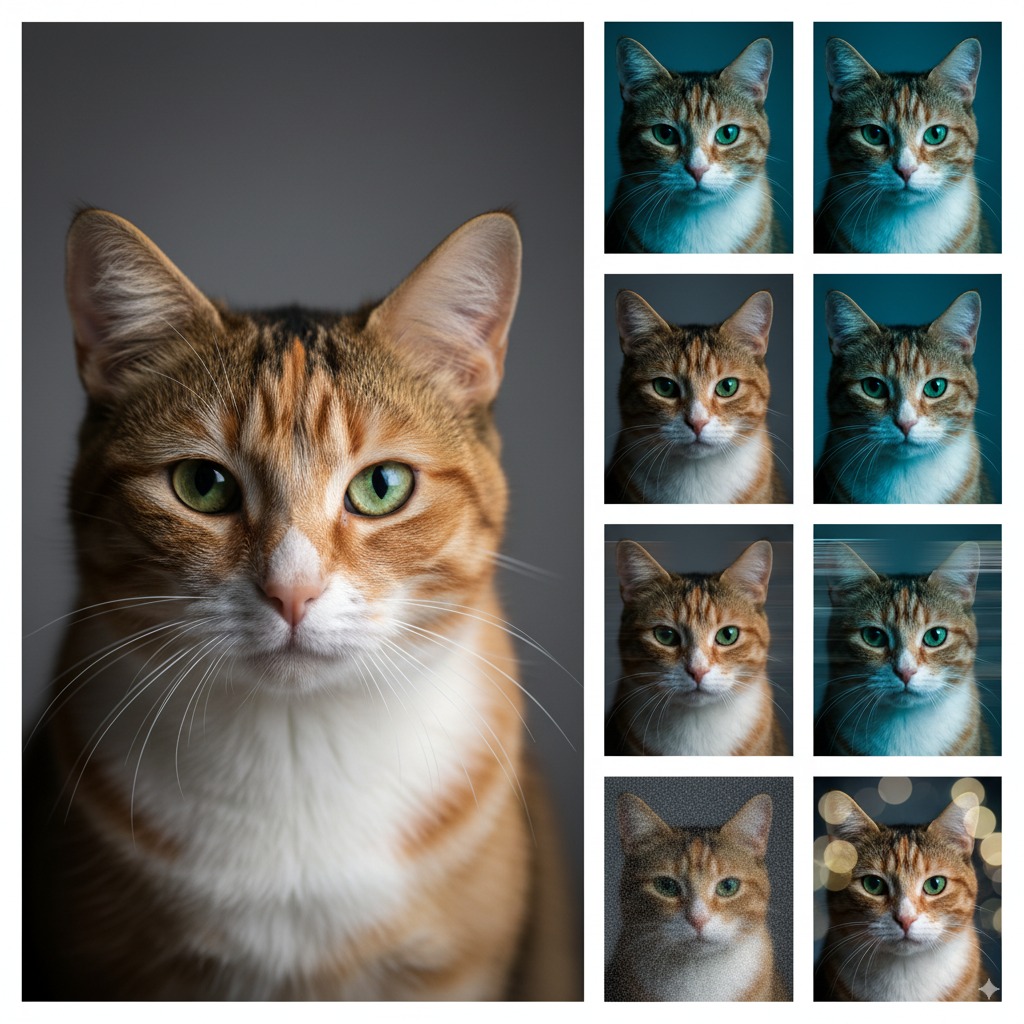
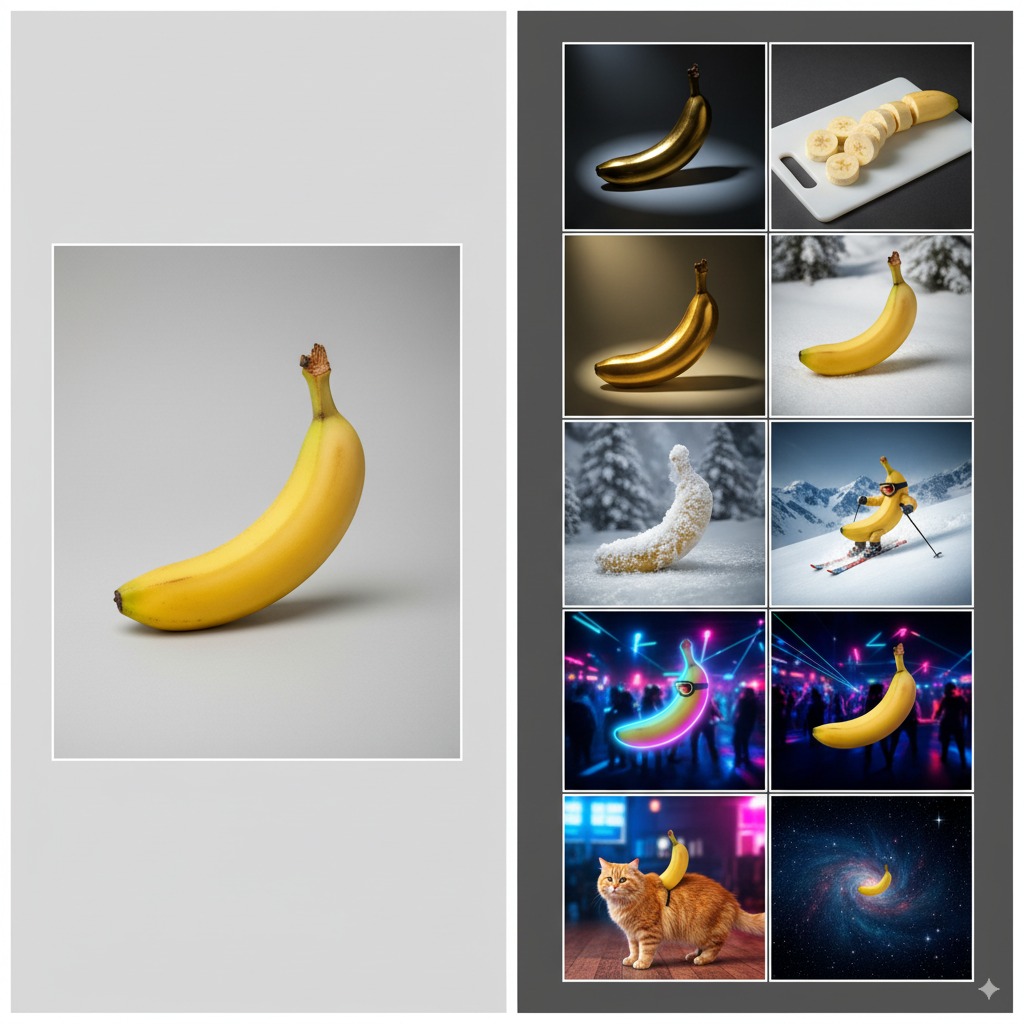
Quick Start
# Install from PyPI
pip install albumentations-mcp

# Run as MCP server
uvx albumentations-mcp
MCP Client Setup
Claude Desktop
Copy claude-desktop-config.json to ~/.claude_desktop_config.json
Or add manually:
{
  "mcpServers": {
    "albumentations": {
      "command": "uvx",
      "args": ["albumentations-mcp"],
      "env": {
        "MCP_LOG_LEVEL": "INFO",
        "OUTPUT_DIR": "./outputs",
        "ENABLE_VISION_VERIFICATION": "true",
        "DEFAULT_SEED": "42"
      }
    }
  }
}
Kiro IDE
Copy kiro-mcp-config.json to .kiro/settings/mcp.json
Or add manually:
{
  "mcpServers": {
    "albumentations": {
      "command": "uvx",
      "args": ["albumentations-mcp"],
      "env": {
        "MCP_LOG_LEVEL": "INFO",
        "OUTPUT_DIR": "./outputs",
        "ENABLE_VISION_VERIFICATION": "true",
        "DEFAULT_SEED": "42"
      },
      "disabled": false,
      "autoApprove": ["augment_image", "list_available_transforms"]
    }
  }
}
Available Tools
Core MCP Tools
ping- Lightweight health check that reports status, version, and timestamp.load_image_for_processing- Stage remote URLs or base64 payloads and return asession_idfor follow-up calls.augment_image- Run Albumentations pipelines from natural language prompts or named presets.validate_prompt- Parse prompts and surface the structured transforms without processing images.list_available_transforms- Enumerate supported transforms with parameter metadata.list_available_presets- List built-in presets (segmentation,portrait,lowlight).get_quick_transform_reference- Provide a condensed keyword-to-transform reference for prompting.set_default_seed- Persist a global seed to keep augmentations reproducible.get_pipeline_status- Report pipeline configuration, enabled features, and output locations.get_getting_started_guide- Deliver the structured onboarding walkthrough as a tool response.
VLM (Gemini / Nano Banana) Tools
check_vlm_config- Verify VLM readiness without exposing secrets.vlm_test_prompt- Low-level text-to-image preview helper (no session required).vlm_generate_preview- Convenience wrapper for quick prompt/style ideation previews.vlm_apply- Direct VLM apply endpoint for image-to-image edits with fine-grained controls.vlm_edit_image- Full session edit flow that includes verification steps.vlm_suggest_recipe- Generate Albumentations + VLM plans and optionally save underoutputs/recipes/.
Install (with or without VLM)
- Core only (Alb augmentations):
pip install albumentations-mcp - With VLM (Gemini):
pip install 'albumentations-mcp[vlm]' - Local dev (with VLM):
uv pip install -e '.[vlm]'
Claude/uvx note: include the extra in args when you need VLM
- Latest prerelease with VLM:
"args": ["--refresh", "--prerelease=allow", "albumentations-mcp[vlm]"] - Pin stable with VLM:
"args": ["--refresh", "albumentations-mcp[vlm]==1.0.2"]
VLM quickstart (env or file):
# Option 1: env
set ENABLE_VLM=true
set VLM_PROVIDER=google
set VLM_MODEL=gemini-2.5-flash-image-preview
set GOOGLE_API_KEY=...  # or GEMINI_API_KEY / VLM_API_KEY

# Option 2: file (auto-discovered)
# Place a non-secret file at config/vlm.json:
{
  "enabled": true,
  "provider": "google",
  "model": "gemini-2.5-flash-image-preview"
  // api_key may be in file or environment
}
Examples:
# Preview (no input image, no session)
vlm_generate_preview(prompt="Neon night street, cinematic moodboard")

# Edit (image + prompt, full session)
vlm_edit_image(
    image_path="examples/basic_images/cat.jpg",
    prompt=(
        "Using the provided photo of a cat, add a small, knitted wizard hat. "
        "Preserve identity, pose, lighting, and composition."
    ),
    edit_type="edit",
)

# Plan and save a hybrid recipe (Alb + VLMEdit)
plan = vlm_suggest_recipe(
    task="domain_shift",
    constraints_json='{"output_count":3,"identity_preserve":true}',
    save=True,
)
print(plan["paths"])  # outputs/recipes/<timestamp>_<task>_<hash>/
MCP env examples for VLM (choose one option)
Option A - file (preferred):
{
  "mcpServers": {
    "albumentations": {
      "command": "uvx",
      "args": ["albumentations-mcp"],
      "env": {
        "MCP_LOG_LEVEL": "INFO",
        "OUTPUT_DIR": "./outputs",
        "ENABLE_VLM": "true",
        "VLM_CONFIG_PATH": "config/vlm.json"
      }
    }
  }
}
Option B - inline env (no file):
{
  "mcpServers": {
    "albumentations": {
      "command": "uvx",
      "args": ["albumentations-mcp"],
      "env": {
        "MCP_LOG_LEVEL": "INFO",
        "OUTPUT_DIR": "./outputs",
        "ENABLE_VLM": "true",
        "VLM_PROVIDER": "google",
        "VLM_MODEL": "gemini-2.5-flash-image-preview"
      }
    }
  }
}
Available Prompts
Core Prompt Templates
compose_preset- Generate augmentation policies from presets with optional tweaksexplain_effects- Analyze pipeline effects in plain Englishaugmentation_parser- Parse natural language to structured transformsvision_verification- Compare original and augmented imageserror_handler- Generate user-friendly error messages and recovery suggestions
VLM Prompt Templates
- None (VLM flows currently reuse the core prompt templates.)
Available Resources
Core MCP Resources
transforms_guide- Comprehensive transform documentation with defaults and parameter ranges.policy_presets- Built-in preset configurations for segmentation, portrait, and lowlight workflows.available_transforms_examples- Practical usage examples organized by transform category.preset_pipelines_best_practices- Guidance for composing and maintaining augmentation pipelines.troubleshooting_common_issues- Frequently seen problems with recommended fixes.get_getting_started_guide- Structured onboarding guide; identical content to the tool response.
VLM Resources
get_gemini_prompt_templates- JSON templates and style guidance for Gemini-based VLM flows.
Usage Examples
# Simple augmentation
augment_image(
    image_path="photo.jpg",
    prompt="add blur and rotate 15 degrees"
)

# Using presets
augment_image(
    image_path="dataset/image.jpg",
    preset="segmentation"
)

# Test prompts
validate_prompt(prompt="increase brightness and add noise")

# Process from URL (two-step)
session = load_image_for_processing(image_source="https://example.com/image.jpg")
# Use the returned session_id from the previous call
augment_image(session_id="<session_id>", prompt="add blur and rotate 10 degrees")
Features
- Natural Language Processing - Convert English descriptions to transforms
- Preset Pipelines - Pre-configured transforms for common use cases
- Reproducible Results - Seeding support for consistent outputs
- MCP Protocol Compliant - Full MCP implementation with tools, prompts, and resources
- Comprehensive Documentation - Built-in guides, examples, and troubleshooting resources
- Production Ready - Comprehensive testing, error handling, and structured logging
- Multi-Source Input - Works with local file paths, base64 payloads, and URLs (via loader)
Documentation
- Installation & Setup
- Architecture Overview
- Purpose & Rationale
- Preset Configurations
- Session Folders (outputs/) Guide
- Regex Security Analysis
- Design Philosophy
- Usage Examples
- VLM (Nano Banana/Gemini) Guide
- Troubleshooting
- Contributing
Configuration Files
License
MIT License - see LICENSE for details.
Contact: [email protected]
Установить Albumentations в Claude Desktop, Claude Code, Cursor
unyly install albumentations-mcpСтавит в Claude Desktop, Claude Code, Cursor и VS Code — сам разбирается с npx, uvx и сборкой из исходников.
Впервые? Поставь CLI: curl -fsSL https://unyly.org/install | sh
Или настроить вручную
Выполни в терминале:
claude mcp add albumentations-mcp -- uvx albumentations-mcpFAQ
Albumentations MCP бесплатный?
Да, Albumentations MCP бесплатный — установка в пару кликов через Unyly без оплаты.
Нужен ли API-ключ для Albumentations?
Нет, Albumentations работает без API-ключей и переменных окружения.
Albumentations — hosted или self-hosted?
Self-hosted: сервер запускается локально на твоей машине командой из раздела установки.
Как установить Albumentations в Claude Desktop, Claude Code или Cursor?
Открой Albumentations на unyly.org, выбери вкладку своего клиента (Claude Desktop, Claude Code, Cursor) и нажми Install — конфиг сгенерируется автоматически, без правки JSON.
Похожие MCP
Omni Video
An MCP server that transforms LLM-enabled IDEs into professional video editors by pre-processing footage into text proxies, generating motion graphics via HTML/
 автор: buildwithtaza
ARA
Generate images, video and audio from any AI agent — one connector.
 автор: ARA
YouTube
Transcripts, channel stats, search
 автор: YouTube
EverArt
AI image generation using various models.
 автор: modelcontextprotocol
Compare Albumentations with
Не уверен что выбрать?
Найди свой стек за 60 секунд
Автор?
Embed-бейдж для README
Похожее
Все в категории media